---
title: Video Tutorials
source: https://wpdoc.webkul.com/woocommerce-marketplace/video-tutorials.html
---

# Video Tutorials

Video tutorials for the **Webkul WooCommerce Multi-Vendor Marketplace** plugin. Fifteen walkthroughs from Webkul's YouTube channel show the marketplace being set up and run: backend configuration, vendors adding products, orders and commissions, shipping methods, and the add-ons that extend the plugin. Click any thumbnail to watch it in a full-size player.

<div class="vt-bar">
  <div class="vt-bar__stats">
    <span class="vt-bar__stat"><strong>15</strong> videos</span>
    <span class="vt-bar__stat"><strong>2h 1m</strong> total</span>
    <span class="vt-bar__stat"><strong>5</strong> topics</span>
  </div>
  <a class="vt-bar__cta" href="https://www.youtube.com/playlist?list=PL8h9hTFOactZfCUyenny643EDHONlA7c9" target="_blank" rel="noopener">
    Open the playlist on YouTube
  </a>
</div>

<div class="vt-feature">
  <div class="vt-thumb vt-thumb--wide">
    <img src="https://i.ytimg.com/vi/zhlQx7GQfUg/hqdefault.jpg" alt="" loading="eager" width="480" height="270" data-no-zoom="true">
    <a class="vt-play" href="https://www.youtube.com/watch?v=zhlQx7GQfUg&amp;list=PL8h9hTFOactZfCUyenny643EDHONlA7c9" target="_blank" rel="noopener" data-video="zhlQx7GQfUg" data-video-title="How to create an Ecommerce Marketplace - WooCommerce" aria-label="Play: How to create an Ecommerce Marketplace - WooCommerce">
      <span class="vt-play__icon"></span>
    </a>
    <span class="vt-time">9:54</span>
  </div>
  <div class="vt-feature__body">
    <span class="vt-eyebrow">Start here</span>
    <h2 class="vt-feature__title" id="create-a-marketplace">Create an Ecommerce Marketplace</h2>
    <p class="vt-feature__desc">A start-to-finish overview of turning a single-seller WooCommerce store into a multi-vendor marketplace: what the plugin adds, how vendors fit in, and what the store owner controls.</p>
    <a class="vt-feature__doc" href="https://wpdoc.webkul.com/woocommerce-marketplace/documentation/">Read the written guide</a>
  </div>
</div>

## Getting started

<div class="vt-grid">
  <article class="vt-card">
    <div class="vt-thumb">
      <img src="https://i.ytimg.com/vi/lqxBy_wJVyM/hqdefault.jpg" alt="" loading="lazy" width="480" height="270" data-no-zoom="true">
      <a class="vt-play" href="https://www.youtube.com/watch?v=lqxBy_wJVyM&amp;list=PL8h9hTFOactZfCUyenny643EDHONlA7c9" target="_blank" rel="noopener" data-video="lqxBy_wJVyM" data-video-title="Backend Configuration Options" aria-label="Play: WooCommerce Multi-Vendor Marketplace Plugin — Backend Configuration Options">
        <span class="vt-play__icon"></span>
      </a>
      <span class="vt-time">10:39</span>
    </div>
    <div class="vt-card__body">
      <h3 class="vt-card__title"><a href="https://www.youtube.com/watch?v=lqxBy_wJVyM&amp;list=PL8h9hTFOactZfCUyenny643EDHONlA7c9" target="_blank" rel="noopener">Backend Configuration Options</a></h3>
      <p class="vt-card__desc">A tour of the admin configuration screens the plugin adds to WordPress.</p>
      <a class="vt-card__link" href="https://wpdoc.webkul.com/woocommerce-marketplace/documentation/configuration-general-settings.html">General settings guide</a>
    </div>
  </article>

  <article class="vt-card">
    <div class="vt-thumb">
      <img src="https://i.ytimg.com/vi/4p6xrj2h5Tk/hqdefault.jpg" alt="" loading="lazy" width="480" height="270" data-no-zoom="true">
      <a class="vt-play" href="https://www.youtube.com/watch?v=4p6xrj2h5Tk&amp;list=PL8h9hTFOactZfCUyenny643EDHONlA7c9" target="_blank" rel="noopener" data-video="4p6xrj2h5Tk" data-video-title="Tutorial To Add Simple Product" aria-label="Play: WooCommerce Marketplace Tutorial To Add Simple Product">
        <span class="vt-play__icon"></span>
      </a>
      <span class="vt-time">8:05</span>
    </div>
    <div class="vt-card__body">
      <h3 class="vt-card__title"><a href="https://www.youtube.com/watch?v=4p6xrj2h5Tk&amp;list=PL8h9hTFOactZfCUyenny643EDHONlA7c9" target="_blank" rel="noopener">Add a Simple Product</a></h3>
      <p class="vt-card__desc">How a vendor creates and publishes a simple product from the seller dashboard.</p>
      <a class="vt-card__link" href="https://wpdoc.webkul.com/woocommerce-marketplace/documentation/vendor-product-management.html">Vendor product management</a>
    </div>
  </article>

  <article class="vt-card">
    <div class="vt-thumb">
      <img src="https://i.ytimg.com/vi/ZjbcAtVOd0s/hqdefault.jpg" alt="" loading="lazy" width="480" height="270" data-no-zoom="true">
      <a class="vt-play" href="https://www.youtube.com/watch?v=ZjbcAtVOd0s&amp;list=PL8h9hTFOactZfCUyenny643EDHONlA7c9" target="_blank" rel="noopener" data-video="ZjbcAtVOd0s" data-video-title="Language Translation" aria-label="Play: WordPress WooCommerce Marketplace Language Translation">
        <span class="vt-play__icon"></span>
      </a>
      <span class="vt-time">4:14</span>
    </div>
    <div class="vt-card__body">
      <h3 class="vt-card__title"><a href="https://www.youtube.com/watch?v=ZjbcAtVOd0s&amp;list=PL8h9hTFOactZfCUyenny643EDHONlA7c9" target="_blank" rel="noopener">Language Translation</a></h3>
      <p class="vt-card__desc">Translating the marketplace interface strings into another language.</p>
    </div>
  </article>
</div>

## Cart, checkout and orders

<div class="vt-grid">
  <article class="vt-card">
    <div class="vt-thumb">
      <img src="https://i.ytimg.com/vi/7hoSqVWbd_E/hqdefault.jpg" alt="" loading="lazy" width="480" height="270" data-no-zoom="true">
      <a class="vt-play" href="https://www.youtube.com/watch?v=7hoSqVWbd_E&amp;list=PL8h9hTFOactZfCUyenny643EDHONlA7c9" target="_blank" rel="noopener" data-video="7hoSqVWbd_E" data-video-title="Split Order Plugin" aria-label="Play: WordPress WooCommerce Marketplace Split Order Plugin">
        <span class="vt-play__icon"></span>
      </a>
      <span class="vt-time">5:29</span>
    </div>
    <div class="vt-card__body">
      <h3 class="vt-card__title"><a href="https://www.youtube.com/watch?v=7hoSqVWbd_E&amp;list=PL8h9hTFOactZfCUyenny643EDHONlA7c9" target="_blank" rel="noopener">Split Order</a></h3>
      <p class="vt-card__desc">Breaking an order that contains several vendors' items into one order per vendor.</p>
      <a class="vt-card__link" href="https://wpdoc.webkul.com/woocommerce-marketplace/documentation/vendor-order-management.html">Vendor order management</a>
    </div>
  </article>

  <article class="vt-card">
    <div class="vt-thumb">
      <img src="https://i.ytimg.com/vi/dCl_mJKVLQ0/hqdefault.jpg" alt="" loading="lazy" width="480" height="270" data-no-zoom="true">
      <a class="vt-play" href="https://www.youtube.com/watch?v=dCl_mJKVLQ0&amp;list=PL8h9hTFOactZfCUyenny643EDHONlA7c9" target="_blank" rel="noopener" data-video="dCl_mJKVLQ0" data-video-title="Split Cart Plugin" aria-label="Play: WooCommerce Marketplace Split Cart Plugin">
        <span class="vt-play__icon"></span>
      </a>
      <span class="vt-time">4:12</span>
    </div>
    <div class="vt-card__body">
      <h3 class="vt-card__title"><a href="https://www.youtube.com/watch?v=dCl_mJKVLQ0&amp;list=PL8h9hTFOactZfCUyenny643EDHONlA7c9" target="_blank" rel="noopener">Split Cart</a></h3>
      <p class="vt-card__desc">Keeping each vendor's items in a separate cart through checkout.</p>
      <a class="vt-card__link" href="https://store.webkul.com/WooCommerce-Marketplace-Split-Cart.html" target="_blank" rel="noopener">Add-on page</a>
    </div>
  </article>

  <article class="vt-card">
    <div class="vt-thumb">
      <img src="https://i.ytimg.com/vi/I4E1_RXsUEI/hqdefault.jpg" alt="" loading="lazy" width="480" height="270" data-no-zoom="true">
      <a class="vt-play" href="https://www.youtube.com/watch?v=I4E1_RXsUEI&amp;list=PL8h9hTFOactZfCUyenny643EDHONlA7c9" target="_blank" rel="noopener" data-video="I4E1_RXsUEI" data-video-title="Quote System Plugin" aria-label="Play: WordPress WooCommerce Marketplace Quote System Plugin">
        <span class="vt-play__icon"></span>
      </a>
      <span class="vt-time">7:10</span>
    </div>
    <div class="vt-card__body">
      <h3 class="vt-card__title"><a href="https://www.youtube.com/watch?v=I4E1_RXsUEI&amp;list=PL8h9hTFOactZfCUyenny643EDHONlA7c9" target="_blank" rel="noopener">Quote System</a></h3>
      <p class="vt-card__desc">Letting buyers request a price quote from a vendor before placing an order.</p>
      <a class="vt-card__link" href="https://store.webkul.com/Marketplace-Quote-System-WordPress-WooCommerce.html" target="_blank" rel="noopener">Add-on page</a>
    </div>
  </article>

  <article class="vt-card">
    <div class="vt-thumb">
      <img src="https://i.ytimg.com/vi/Vm335ALcgeo/hqdefault.jpg" alt="" loading="lazy" width="480" height="270" data-no-zoom="true">
      <a class="vt-play" href="https://www.youtube.com/watch?v=Vm335ALcgeo&amp;list=PL8h9hTFOactZfCUyenny643EDHONlA7c9" target="_blank" rel="noopener" data-video="Vm335ALcgeo" data-video-title="Group Buy Overview" aria-label="Play: WooCommerce Marketplace Group Buy — Overview">
        <span class="vt-play__icon"></span>
      </a>
      <span class="vt-time">14:29</span>
    </div>
    <div class="vt-card__body">
      <h3 class="vt-card__title"><a href="https://www.youtube.com/watch?v=Vm335ALcgeo&amp;list=PL8h9hTFOactZfCUyenny643EDHONlA7c9" target="_blank" rel="noopener">Group Buy — Overview</a></h3>
      <p class="vt-card__desc">The longest video in the playlist: a full walkthrough of the group-buy add-on.</p>
      <a class="vt-card__link" href="https://store.webkul.com/woocommerce-multi-vendor-group-buy.html" target="_blank" rel="noopener">Add-on page</a>
    </div>
  </article>
</div>

## Shipping

<div class="vt-grid">
  <article class="vt-card">
    <div class="vt-thumb">
      <img src="https://i.ytimg.com/vi/C4lFsf_GSLU/hqdefault.jpg" alt="" loading="lazy" width="480" height="270" data-no-zoom="true">
      <a class="vt-play" href="https://www.youtube.com/watch?v=C4lFsf_GSLU&amp;list=PL8h9hTFOactZfCUyenny643EDHONlA7c9" target="_blank" rel="noopener" data-video="C4lFsf_GSLU" data-video-title="Flat Rate Shipping Plugin" aria-label="Play: WordPress WooCommerce Marketplace Flat Rate Shipping Plugin">
        <span class="vt-play__icon"></span>
      </a>
      <span class="vt-time">6:40</span>
    </div>
    <div class="vt-card__body">
      <h3 class="vt-card__title"><a href="https://www.youtube.com/watch?v=C4lFsf_GSLU&amp;list=PL8h9hTFOactZfCUyenny643EDHONlA7c9" target="_blank" rel="noopener">Flat Rate Shipping</a></h3>
      <p class="vt-card__desc">Setting a single flat shipping rate for a vendor's shipments.</p>
      <a class="vt-card__link" href="https://wpdoc.webkul.com/woocommerce-marketplace/documentation/vendor-shipping-zone-management.html">Vendor shipping zones</a>
    </div>
  </article>

  <article class="vt-card">
    <div class="vt-thumb">
      <img src="https://i.ytimg.com/vi/DAZoqf0_JR8/hqdefault.jpg" alt="" loading="lazy" width="480" height="270" data-no-zoom="true">
      <a class="vt-play" href="https://www.youtube.com/watch?v=DAZoqf0_JR8&amp;list=PL8h9hTFOactZfCUyenny643EDHONlA7c9" target="_blank" rel="noopener" data-video="DAZoqf0_JR8" data-video-title="Per Product Shipping Plugin" aria-label="Play: WordPress WooCommerce Marketplace Per Product Shipping Plugin">
        <span class="vt-play__icon"></span>
      </a>
      <span class="vt-time">7:52</span>
    </div>
    <div class="vt-card__body">
      <h3 class="vt-card__title"><a href="https://www.youtube.com/watch?v=DAZoqf0_JR8&amp;list=PL8h9hTFOactZfCUyenny643EDHONlA7c9" target="_blank" rel="noopener">Per Product Shipping</a></h3>
      <p class="vt-card__desc">Charging shipping per product instead of one rate for the whole order.</p>
      <a class="vt-card__link" href="https://store.webkul.com/woocommerce-multi-vendor-per-product-shipping.html" target="_blank" rel="noopener">Add-on page</a>
    </div>
  </article>
</div>

## Vendors and earnings

<div class="vt-grid">
  <article class="vt-card">
    <div class="vt-thumb">
      <img src="https://i.ytimg.com/vi/XmDGb13xKFM/hqdefault.jpg" alt="" loading="lazy" width="480" height="270" data-no-zoom="true">
      <a class="vt-play" href="https://www.youtube.com/watch?v=XmDGb13xKFM&amp;list=PL8h9hTFOactZfCUyenny643EDHONlA7c9" target="_blank" rel="noopener" data-video="XmDGb13xKFM" data-video-title="Advanced Commission Plugin" aria-label="Play: WordPress WooCommerce Marketplace Advanced Commission Plugin">
        <span class="vt-play__icon"></span>
      </a>
      <span class="vt-time">8:27</span>
    </div>
    <div class="vt-card__body">
      <h3 class="vt-card__title"><a href="https://www.youtube.com/watch?v=XmDGb13xKFM&amp;list=PL8h9hTFOactZfCUyenny643EDHONlA7c9" target="_blank" rel="noopener">Advanced Commission</a></h3>
      <p class="vt-card__desc">Commission rules that go beyond the marketplace-wide rate.</p>
      <a class="vt-card__link" href="https://wpdoc.webkul.com/woocommerce-marketplace/documentation/commission-management.html">Commission management</a>
    </div>
  </article>

  <article class="vt-card">
    <div class="vt-thumb">
      <img src="https://i.ytimg.com/vi/9aYbdAWbQzs/hqdefault.jpg" alt="" loading="lazy" width="480" height="270" data-no-zoom="true">
      <a class="vt-play" href="https://www.youtube.com/watch?v=9aYbdAWbQzs&amp;list=PL8h9hTFOactZfCUyenny643EDHONlA7c9" target="_blank" rel="noopener" data-video="9aYbdAWbQzs" data-video-title="Seller Price Comparison Plugin" aria-label="Play: WordPress WooCommerce Marketplace Seller Price Comparison Plugin">
        <span class="vt-play__icon"></span>
      </a>
      <span class="vt-time">10:16</span>
    </div>
    <div class="vt-card__body">
      <h3 class="vt-card__title"><a href="https://www.youtube.com/watch?v=9aYbdAWbQzs&amp;list=PL8h9hTFOactZfCUyenny643EDHONlA7c9" target="_blank" rel="noopener">Seller Price Comparison</a></h3>
      <p class="vt-card__desc">Showing several vendors' offers on one product page so buyers can compare.</p>
      <a class="vt-card__link" href="https://store.webkul.com/woocommerce-multi-vendor-price-comparison.html" target="_blank" rel="noopener">Add-on page</a>
    </div>
  </article>

  <article class="vt-card">
    <div class="vt-thumb">
      <img src="https://i.ytimg.com/vi/uExFz_G5nvM/hqdefault.jpg" alt="" loading="lazy" width="480" height="270" data-no-zoom="true">
      <a class="vt-play" href="https://www.youtube.com/watch?v=uExFz_G5nvM&amp;list=PL8h9hTFOactZfCUyenny643EDHONlA7c9" target="_blank" rel="noopener" data-video="uExFz_G5nvM" data-video-title="Reward System Plugin" aria-label="Play: WordPress WooCommerce Marketplace Reward System Plugin">
        <span class="vt-play__icon"></span>
      </a>
      <span class="vt-time">9:03</span>
    </div>
    <div class="vt-card__body">
      <h3 class="vt-card__title"><a href="https://www.youtube.com/watch?v=uExFz_G5nvM&amp;list=PL8h9hTFOactZfCUyenny643EDHONlA7c9" target="_blank" rel="noopener">Reward System</a></h3>
      <p class="vt-card__desc">Reward points buyers collect and redeem across the marketplace.</p>
    </div>
  </article>
</div>

## Buyer engagement

<div class="vt-grid">
  <article class="vt-card">
    <div class="vt-thumb">
      <img src="https://i.ytimg.com/vi/65fcofKLJUI/hqdefault.jpg" alt="" loading="lazy" width="480" height="270" data-no-zoom="true">
      <a class="vt-play" href="https://www.youtube.com/watch?v=65fcofKLJUI&amp;list=PL8h9hTFOactZfCUyenny643EDHONlA7c9" target="_blank" rel="noopener" data-video="65fcofKLJUI" data-video-title="Buyer Seller Chat Plugin" aria-label="Play: WordPress WooCommerce Marketplace Buyer Seller Chat Plugin">
        <span class="vt-play__icon"></span>
      </a>
      <span class="vt-time">6:51</span>
    </div>
    <div class="vt-card__body">
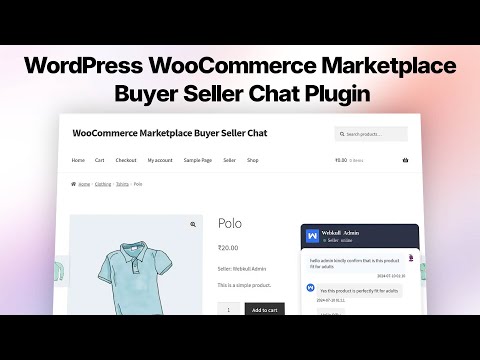
      <h3 class="vt-card__title"><a href="https://www.youtube.com/watch?v=65fcofKLJUI&amp;list=PL8h9hTFOactZfCUyenny643EDHONlA7c9" target="_blank" rel="noopener">Buyer Seller Chat</a></h3>
      <p class="vt-card__desc">Direct messaging between a buyer and a vendor on the storefront.</p>
      <a class="vt-card__link" href="https://store.webkul.com/WordPress-WooCommerce-Marketplace-Buyer-Seller-Chat.html" target="_blank" rel="noopener">Add-on page</a>
    </div>
  </article>

  <article class="vt-card">
    <div class="vt-thumb">
      <img src="https://i.ytimg.com/vi/vMen7LRa2HM/hqdefault.jpg" alt="" loading="lazy" width="480" height="270" data-no-zoom="true">
      <a class="vt-play" href="https://www.youtube.com/watch?v=vMen7LRa2HM&amp;list=PL8h9hTFOactZfCUyenny643EDHONlA7c9" target="_blank" rel="noopener" data-video="vMen7LRa2HM" data-video-title="Marketplace Web Push Notifications" aria-label="Play: How to Boost Your WooCommerce Sales with Marketplace Web Push Notifications">
        <span class="vt-play__icon"></span>
      </a>
      <span class="vt-time">8:02</span>
    </div>
    <div class="vt-card__body">
      <h3 class="vt-card__title"><a href="https://www.youtube.com/watch?v=vMen7LRa2HM&amp;list=PL8h9hTFOactZfCUyenny643EDHONlA7c9" target="_blank" rel="noopener">Web Push Notifications</a></h3>
      <p class="vt-card__desc">Browser push notifications for marketplace activity and offers.</p>
      <a class="vt-card__link" href="https://wpdoc.webkul.com/woocommerce-marketplace/documentation/admin-notifications.html">Notification settings</a>
    </div>
  </article>
</div>

## Notes on these videos

Several videos cover **paid add-ons** rather than the core plugin — Split Cart, Quote System, Group Buy, Per Product Shipping, Price Comparison, Buyer Seller Chat, and Web Push Notifications are each sold separately on the [Webkul store](https://store.webkul.com/). The core marketplace features are documented in full under [Documentation](./documentation/).

Videos were recorded against earlier plugin releases, so a screen may not match your version exactly. Where a video and a written guide disagree, follow the [written documentation](./documentation/) — it tracks the current release. For anything still unclear, [raise a ticket](https://webkul.uvdesk.com/).