
WooCommerce POS Avalara Tax Integration
The WooCommerce POS Avalara Tax Integration plugin is a crucial extension designed to connect Webkul WooCommerce Point of Sale (POS) system with the automated tax calculations of Avalara AvaTax.
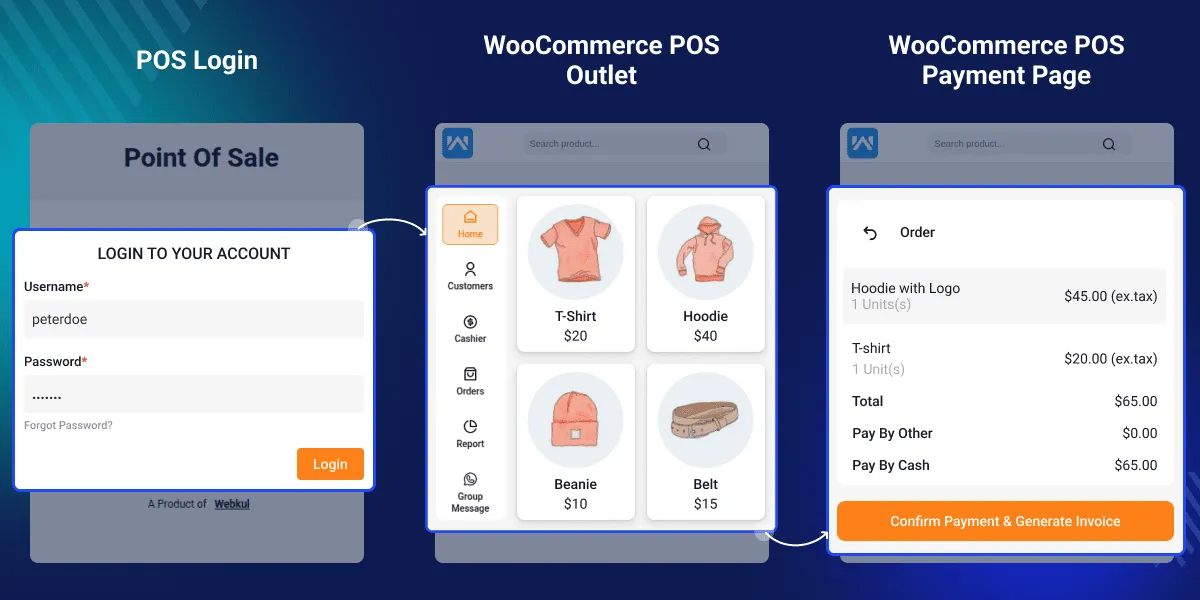
Normally, sales tax in e-commerce is calculated based on the customer’s shipping address. However, for in-person transactions at physical outlets, sales tax must be calculated based on the physical location of the outlet. This extension intercepts POS checkout flows and dynamically overrides tax lookups using physical outlet addresses, ensuring retail tax compliance.
Why Use Avalara Tax Integration for POS?
In a brick-and-mortar checkout environment, manually managing tax tables for different physical stores is complex and error-prone. This integration automates the process and provides the following key advantages:
1. Automated Compliance
- Instantly matches transaction records with the most up-to-date local, state, and national tax rules.
- Eliminates manual tax table maintenance, avoiding costly audit discrepancies.
2. Outlet-Specific Calculations
- Automatically routes the tax query using the correct POS outlet address where the sales agent is registered.
- Handles complex multi-jurisdictional tax boundaries for businesses with physical locations in different cities or states.
3. Frontend Automation
- Computes tax automatically in real-time as the cart is constructed.
- Renders detailed tax lines transparently on POS receipts.
4. Custom & Virtual Item Mapping
- Safely processes custom items or guest products added on the fly by creating temporary WooCommerce catalog definitions for tax estimation.
Plugin Specifications & System Compatibility
The plugin works in tandem with WooCommerce Point of Sale and the WooCommerce AvaTax connector. Below is the minimum required version matrix.
WordPress & WooCommerce Environment
| Component | Minimum Version | Tested Up To |
|---|---|---|
| WordPress | 5.5 | 6.8.x |
| WooCommerce | 5.0 | 10.2.x |
| PHP | 7.4 | 8.2+ |
Core Plugin Dependencies
| Plugin | Required Role | Functionality |
|---|---|---|
| WooCommerce Point of Sale (POS) | Core POS Engine | Runs the retail cashier interface and handles outlet/register assignments. |
| WooCommerce AvaTax (by WooCommerce) | Tax Engine Gateway | Handles the underlying API communication with Avalara endpoints. |
Key Features Checklist
- [x] Real-time Tax Lookup: Queries Avalara API endpoints on cart adjustments.
- [x] Outlet Origin Address Mapping: Assigns physical outlet addresses as the tax origin.
- [x] Flexible Settings Toggle: Allows cashiers/admins to enable or disable the Avalara tax computation instantly.
- [x] Custom Product Compatibility: Prepares and registers temporary WooCommerce product models to calculate tax on non-catalog items.
- [x] Stripe Fee Integration: Factoring in transactional credit card processing fees during tax adjustments.
- [x] Discounts & Coupons Support: Computes accurate net tax amounts after coupon deductions.
- [x] Split Taxes Support: Generates detailed tax lines (State, County, City, Special Districts) for invoicing.