WooCommerce Shopify ConnectorWooCommerce Shopify Connector
Buy Now
View Demo
  • WooCommerce Shopify Connector

    • WooCommerce Shopify Connector
    • Features
    • Installation
    • Configuration
    • API Credentials
    • Manage Connector
    • Map Categories
    • Products
    • Orders
    • Customers, Pages, Coupons & Blogs
    • Shipping & Tax
Buy Now
View Demo
  • WooCommerce Shopify Connector

    • WooCommerce Shopify Connector
    • Features
    • Installation
    • Configuration
    • API Credentials
    • Manage Connector
    • Map Categories
    • Products
    • Orders
    • Customers, Pages, Coupons & Blogs
    • Shipping & Tax
  • WooCommerce Shopify Connector

    • Documentation
    • Features
    • Installation
    • Configuration
    • API Credentials
    • Manage Connector
    • Map Categories
    • Products
    • Orders
    • Customers, Pages, Coupons & Blogs
    • Shipping & Tax

Installation

To install the WooCommerce Shopify Connector, follow these steps:

  1. Access WordPress Admin: Login to your WordPress Admin Panel.

  2. Navigate to Plugins: In the Dashboard, hover over the Plugins menu and select Add New.

    Install New Plugin

  3. Upload Plugin: Click the Upload Plugin button at the top of the page.

    Upload Plugin

  4. Select File: Click Choose File and browse for the plugin zip file.

    Choose File

  5. Install Now: Click the Install Now button.
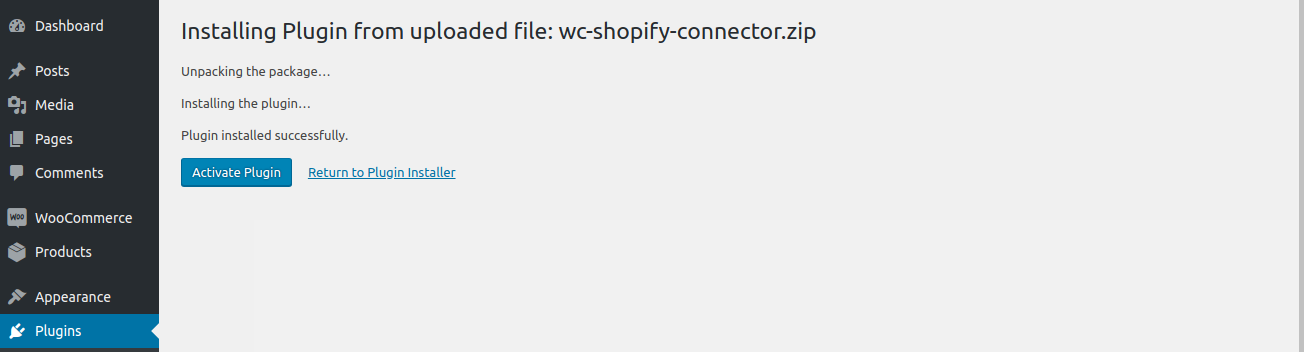
    Install Now

  6. Activate Plugin: Once installed, click Activate Plugin to complete the process.
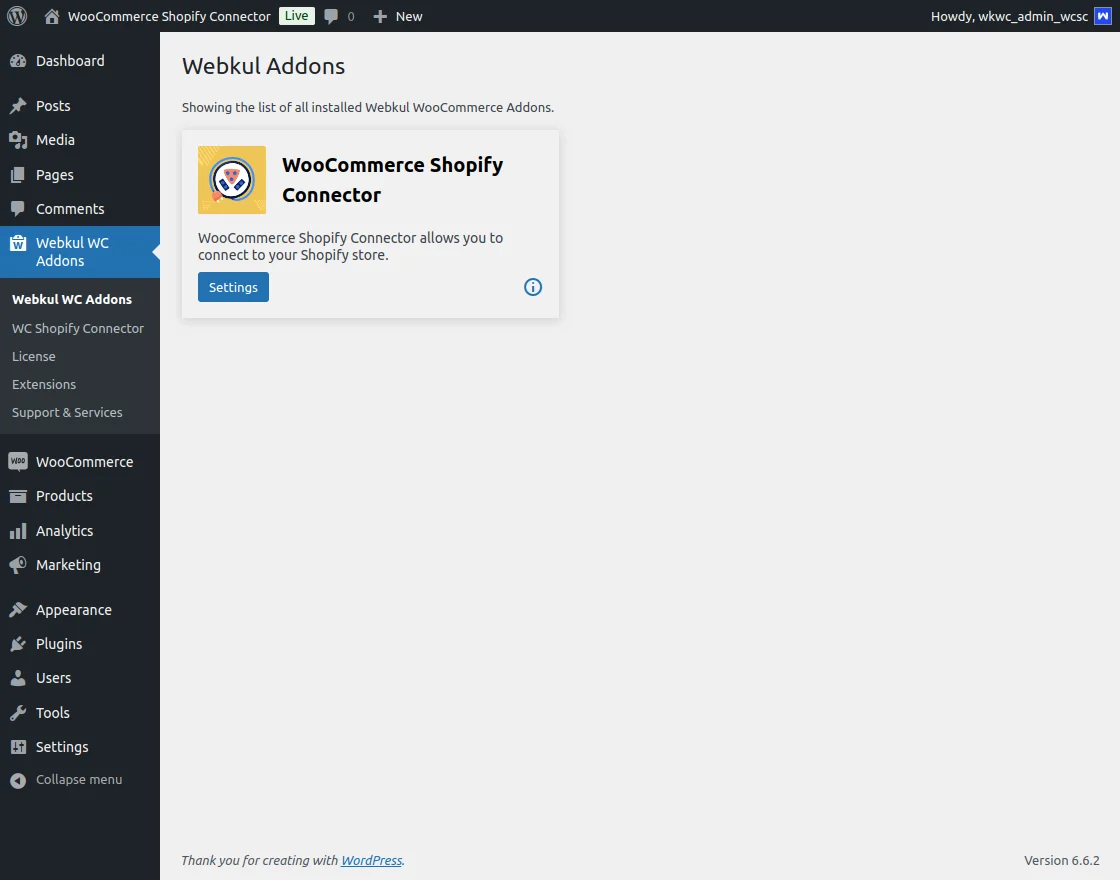
    Activation

Upon successful activation, the module is ready for use.

Prev
Features
Next
Configuration