WooCommerce Shopify ConnectorWooCommerce Shopify Connector
Buy Now
View Demo
  • WooCommerce Shopify Connector

    • WooCommerce Shopify Connector
    • Features
    • Installation
    • Configuration
    • API Credentials
    • Manage Connector
    • Map Categories
    • Products
    • Orders
    • Customers, Pages, Coupons & Blogs
    • Shipping & Tax
Buy Now
View Demo
  • WooCommerce Shopify Connector

    • WooCommerce Shopify Connector
    • Features
    • Installation
    • Configuration
    • API Credentials
    • Manage Connector
    • Map Categories
    • Products
    • Orders
    • Customers, Pages, Coupons & Blogs
    • Shipping & Tax
  • WooCommerce Shopify Connector

    • Documentation
    • Features
    • Installation
    • Configuration
    • API Credentials
    • Manage Connector
    • Map Categories
    • Products
    • Orders
    • Customers, Pages, Coupons & Blogs
    • Shipping & Tax

Map Categories

The admin can map WooCommerce categories to Shopify collections for streamlined synchronization:

  • List Collections: Click Import Shopify Collections to fetch all available collections from your Shopify store.
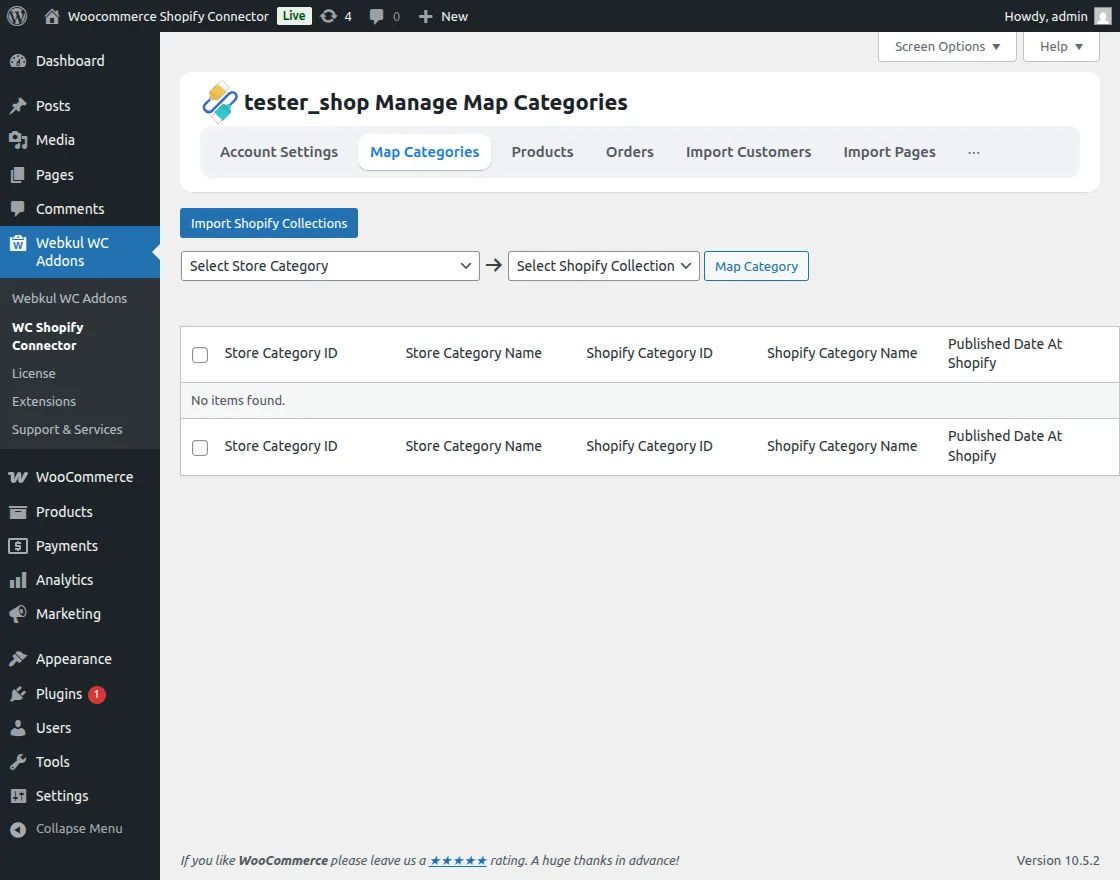
    Manage Map Category

  • Track Progress: Monitor the collection listing process on your screen.
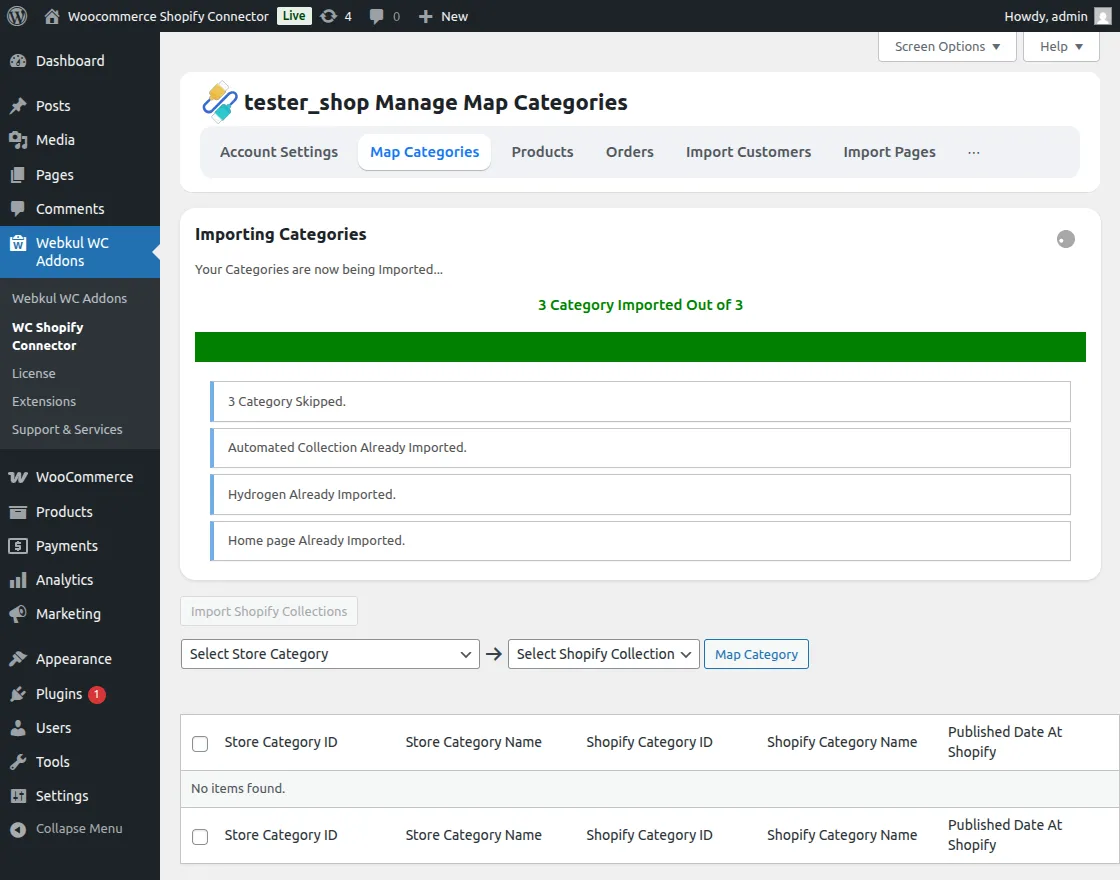
    Map Category

  • Map Categories:

    • Select the WooCommerce Category and the corresponding Shopify Category from the dropdowns.
    • Click Map Category to finalize the connection.
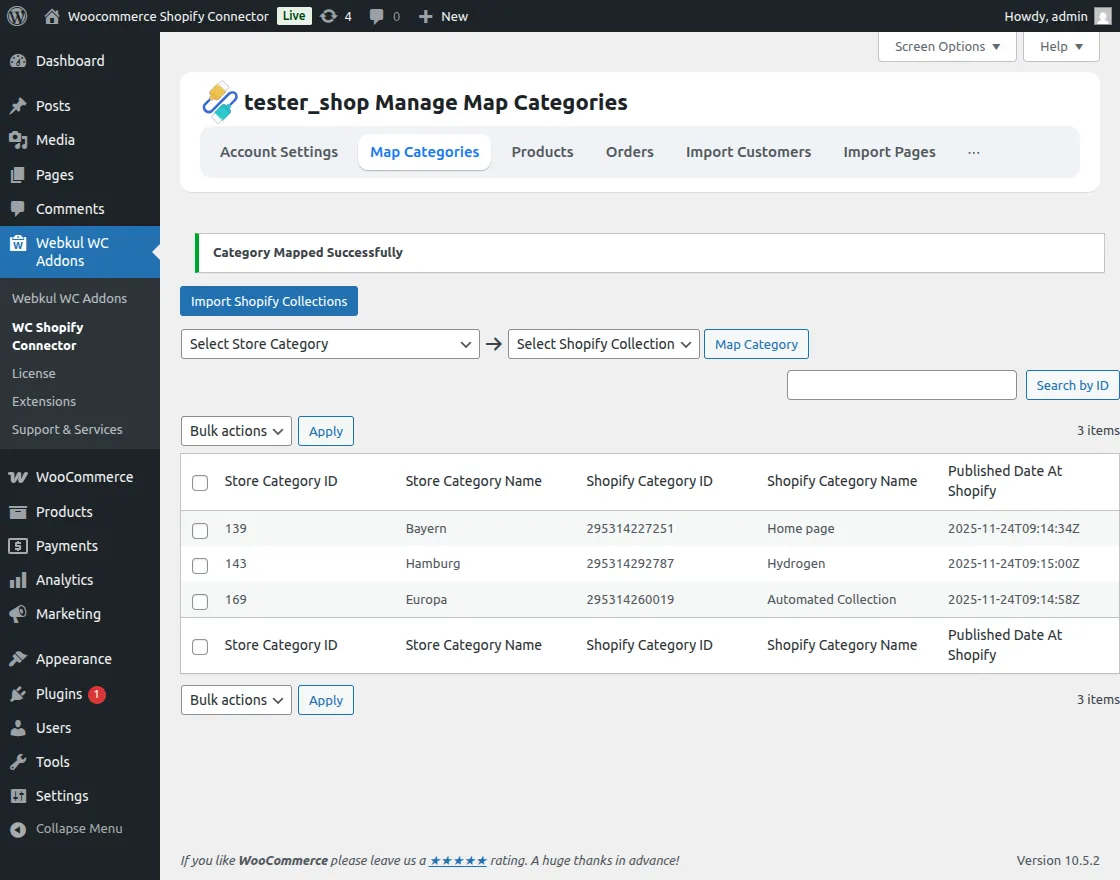
    WooCommerce Map Category

  • View Mappings: View details such as Store Category Name, Shopify Category ID, Shopify Category Name, and Published Date.

  • Management Options: Easily delete existing mappings or search for specific collections.

Prev
Manage Connector
Next
Products