WooCommerce Shopify ConnectorWooCommerce Shopify Connector
Buy Now
View Demo
  • WooCommerce Shopify Connector

    • WooCommerce Shopify Connector
    • Features
    • Installation
    • Configuration
    • API Credentials
    • Manage Connector
    • Map Categories
    • Products
    • Orders
    • Customers, Pages, Coupons & Blogs
    • Shipping & Tax
Buy Now
View Demo
  • WooCommerce Shopify Connector

    • WooCommerce Shopify Connector
    • Features
    • Installation
    • Configuration
    • API Credentials
    • Manage Connector
    • Map Categories
    • Products
    • Orders
    • Customers, Pages, Coupons & Blogs
    • Shipping & Tax
  • WooCommerce Shopify Connector

    • Documentation
    • Features
    • Installation
    • Configuration
    • API Credentials
    • Manage Connector
    • Map Categories
    • Products
    • Orders
    • Customers, Pages, Coupons & Blogs
    • Shipping & Tax

Shipping & Tax

Admin can manage both shipping and tax synchronization from Shopify to WooCommerce:

Import Tax

  • Import Taxes: Click the Import Tax button to bring tax settings from Shopify.
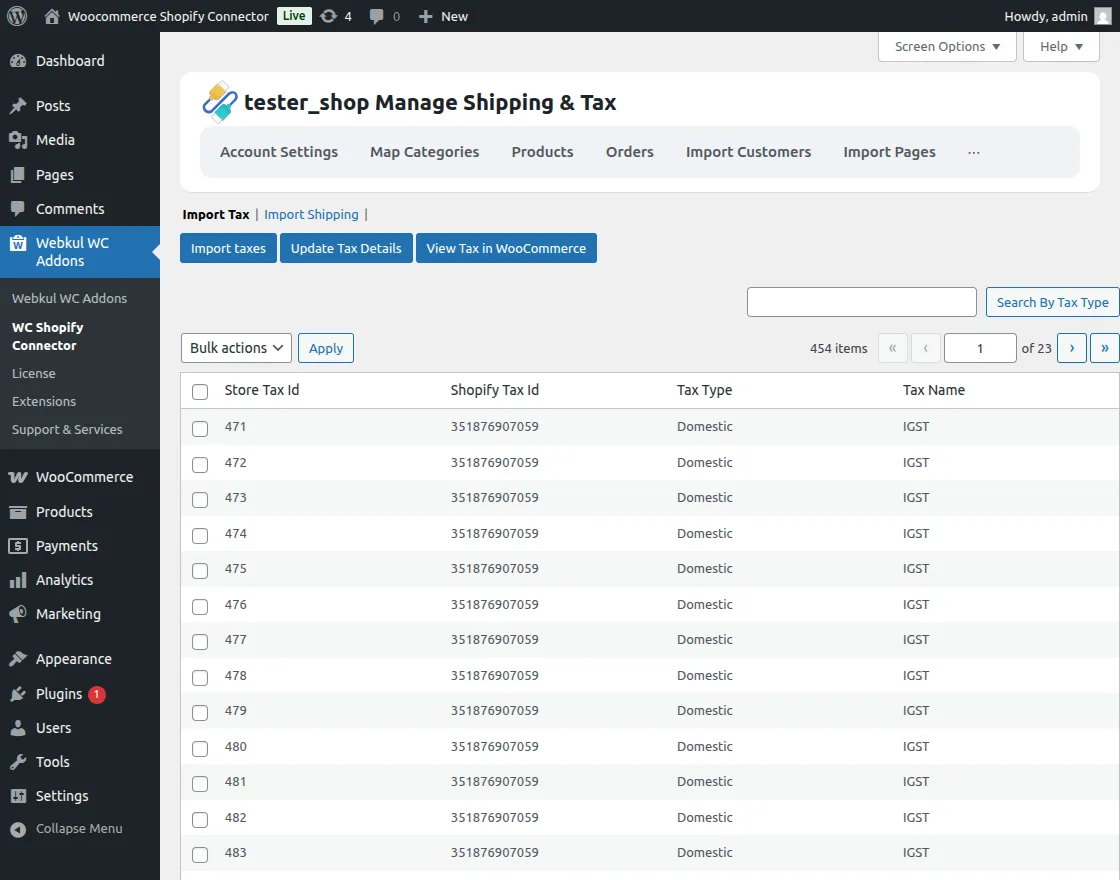
    Import Taxs

  • Track Progress: A progress bar will display the tax creation status.
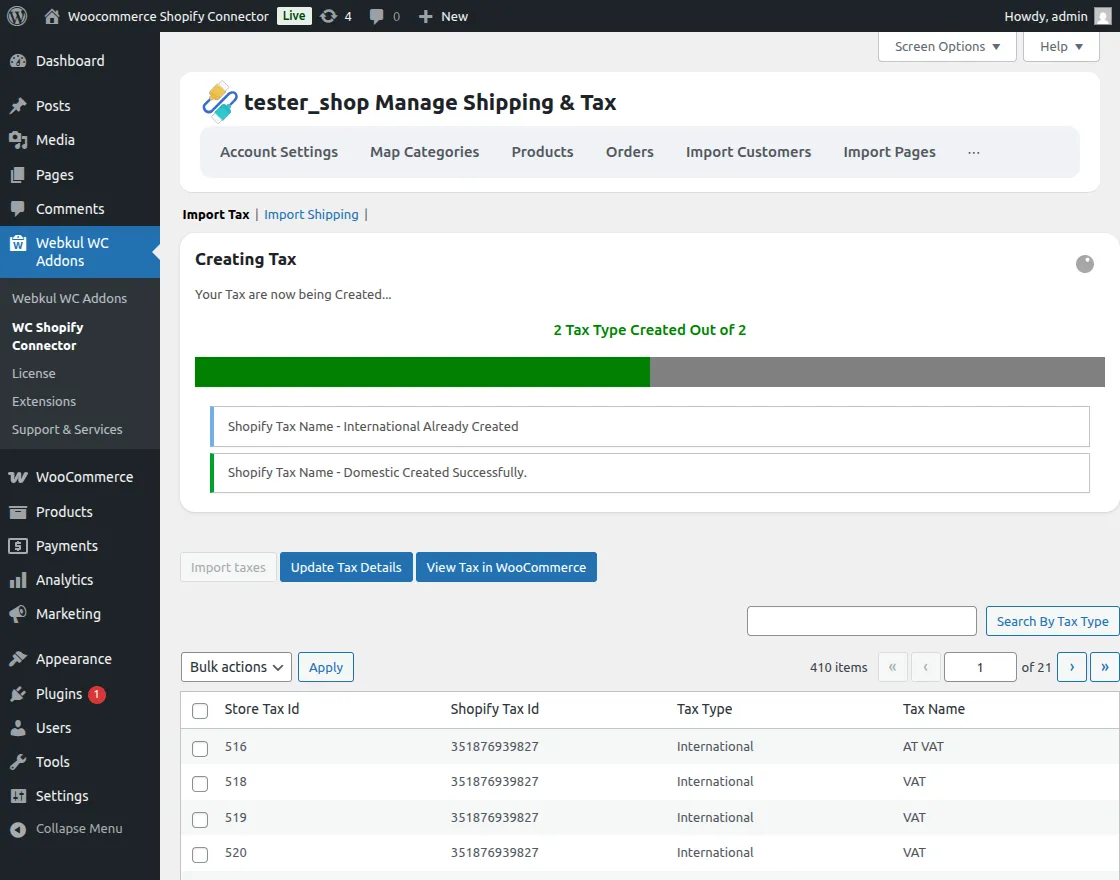
    Creating Taxs

  • Update Details: Use the Update Tax Details button to keep your tax data synchronized.
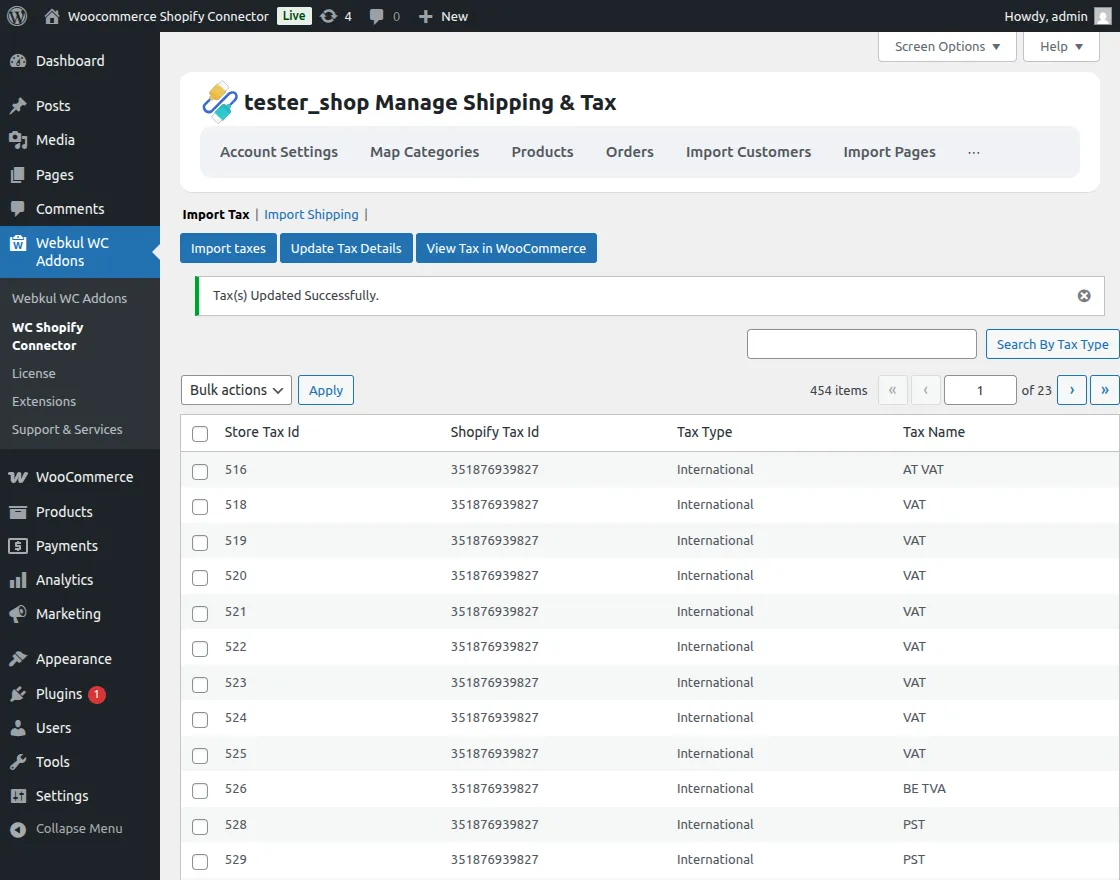
    Updated Taxs

  • View in WooCommerce: Directly access your tax settings by clicking View Tax in WooCommerce.
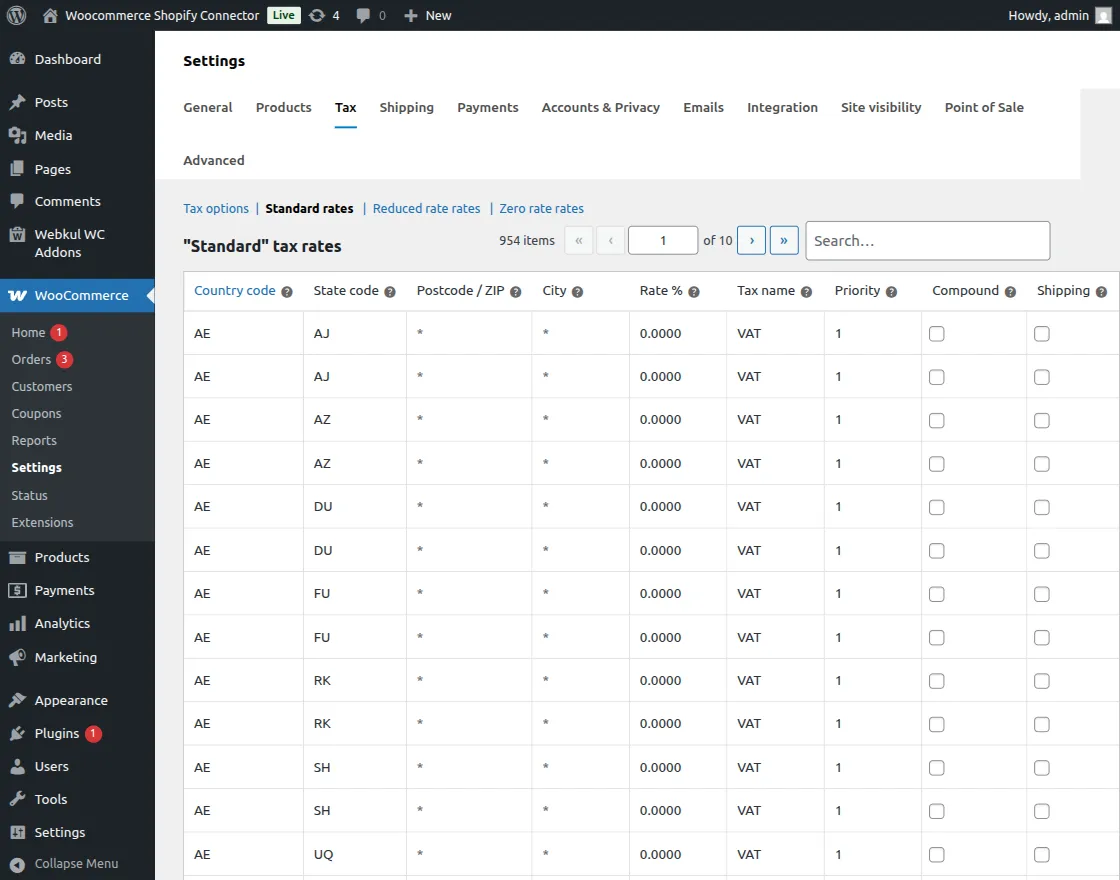
    View Taxs

Import Shipping

  • Import Shipping: Bring your Shopify shipping methods and rates into WooCommerce.
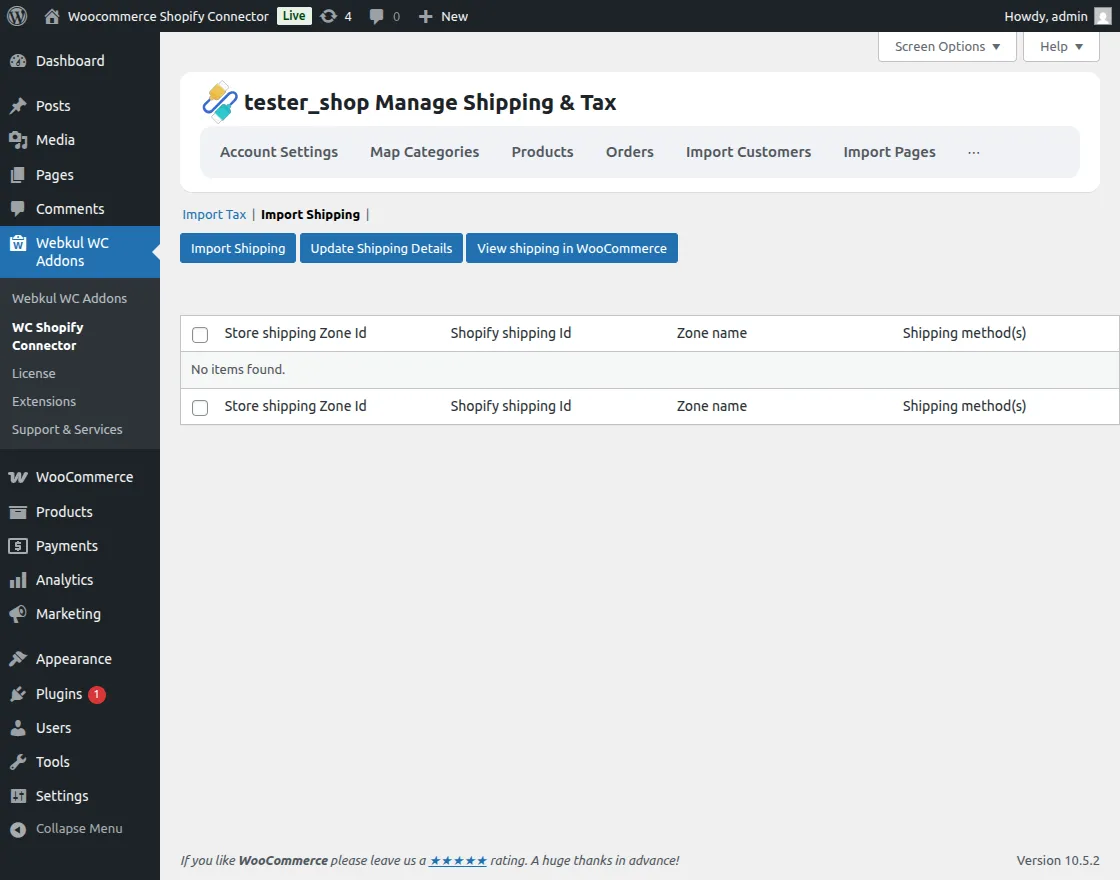
    Shippings

  • Create Details: A progress window will show the status of imported and created shipping details.
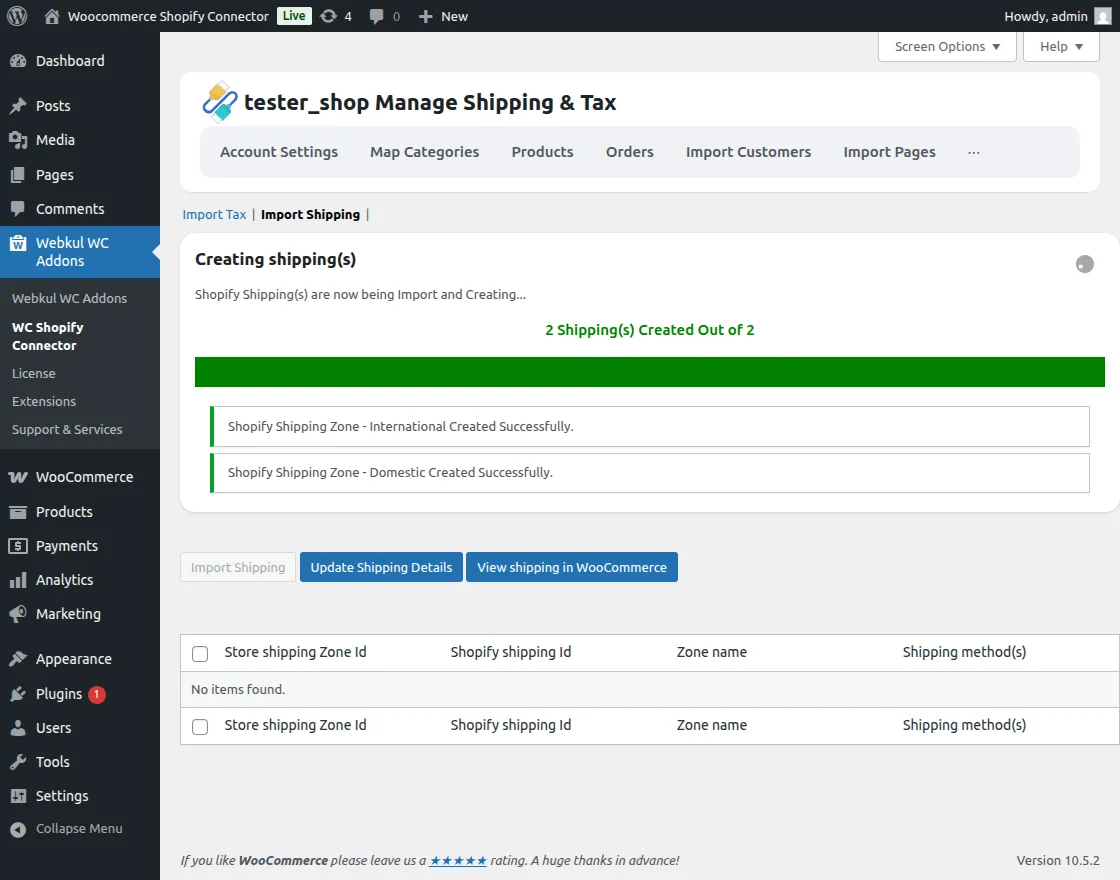
    Creating Shippings

  • Update Shipping: Keep shipping methods up to date with the Update Shipping Details button.
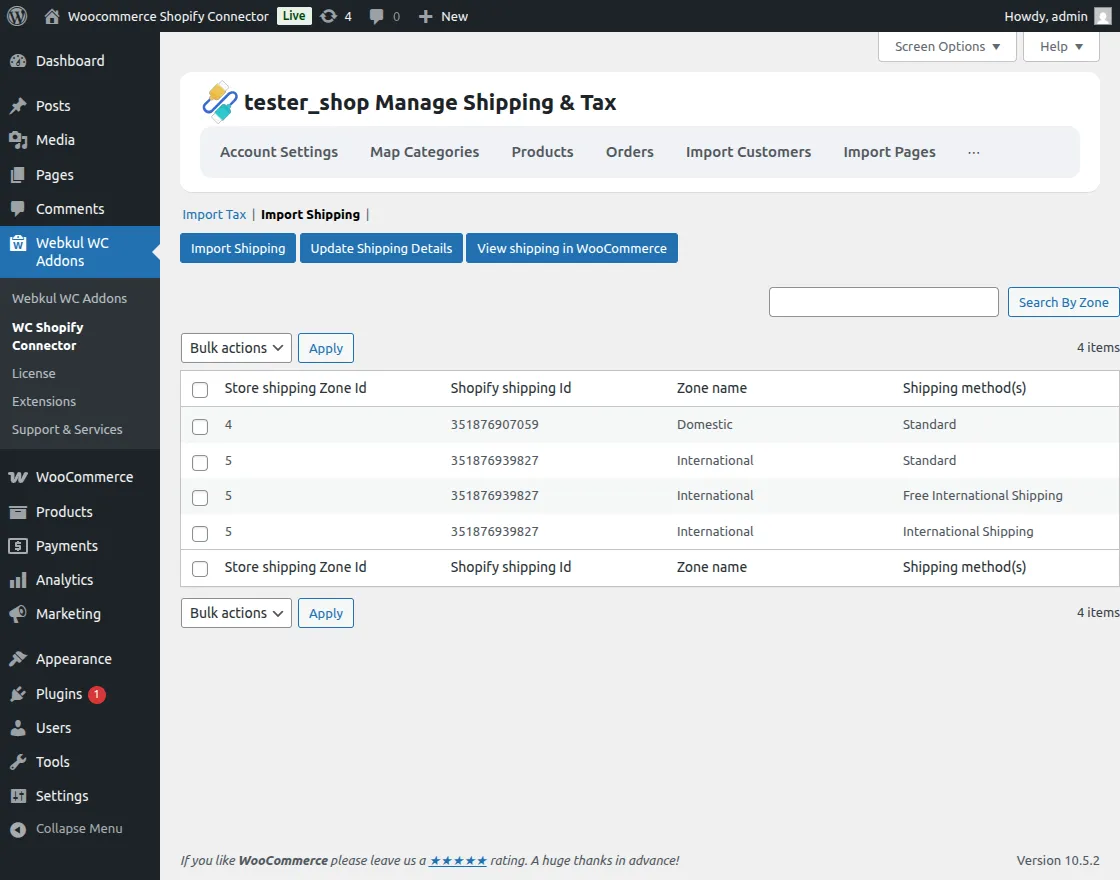
    Updated Shippings

  • View in WooCommerce: Access your shipping settings directly via the View Shipping button.

Prev
Customers, Pages, Coupons & Blogs