
Manage WooCommerce Shopify Connector
The admin can manage various aspects of the integration, including Account Details, Configuration, Category Mapping, and Data Sync:
Account Details
View Credentials: Access your Shopify store name, domain, Client ID (API Key), and Client Secret Key.
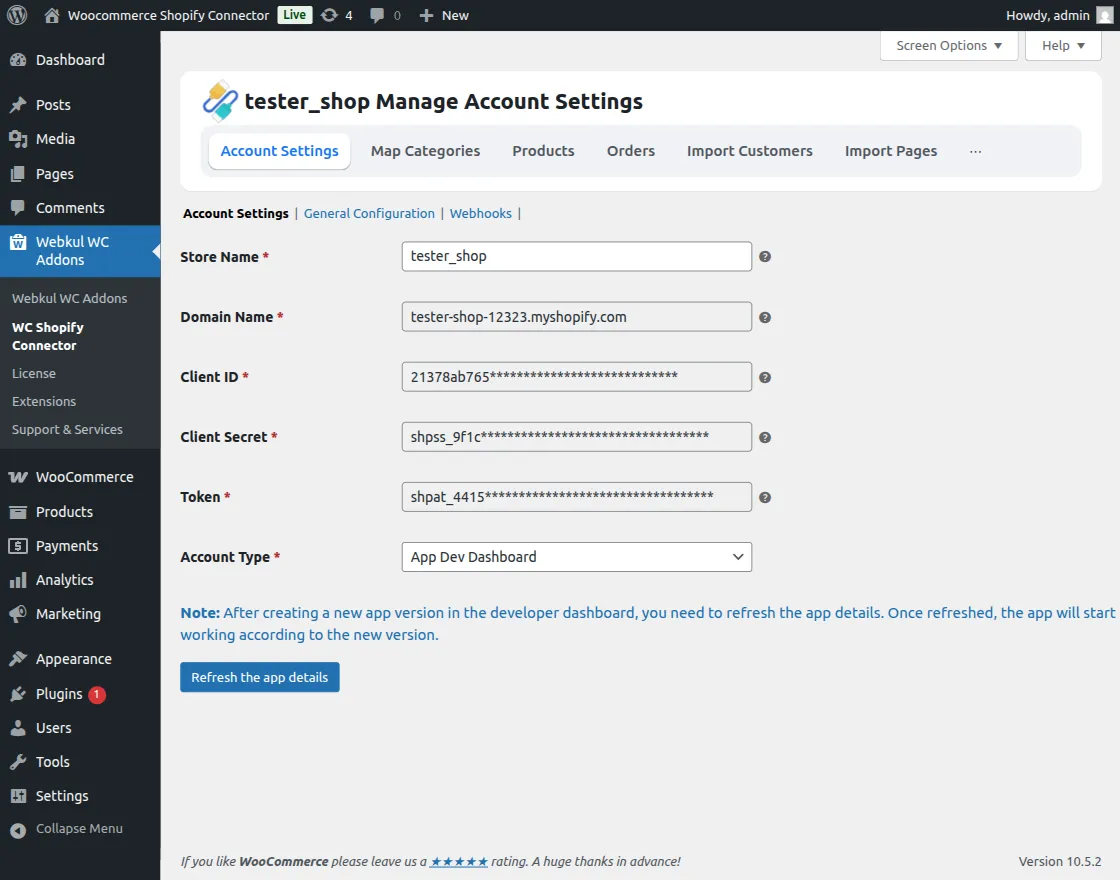
Refresh Updates: After updating your app version in the Shopify developer dashboard, refresh the app details here to sync the changes.
Webhooks
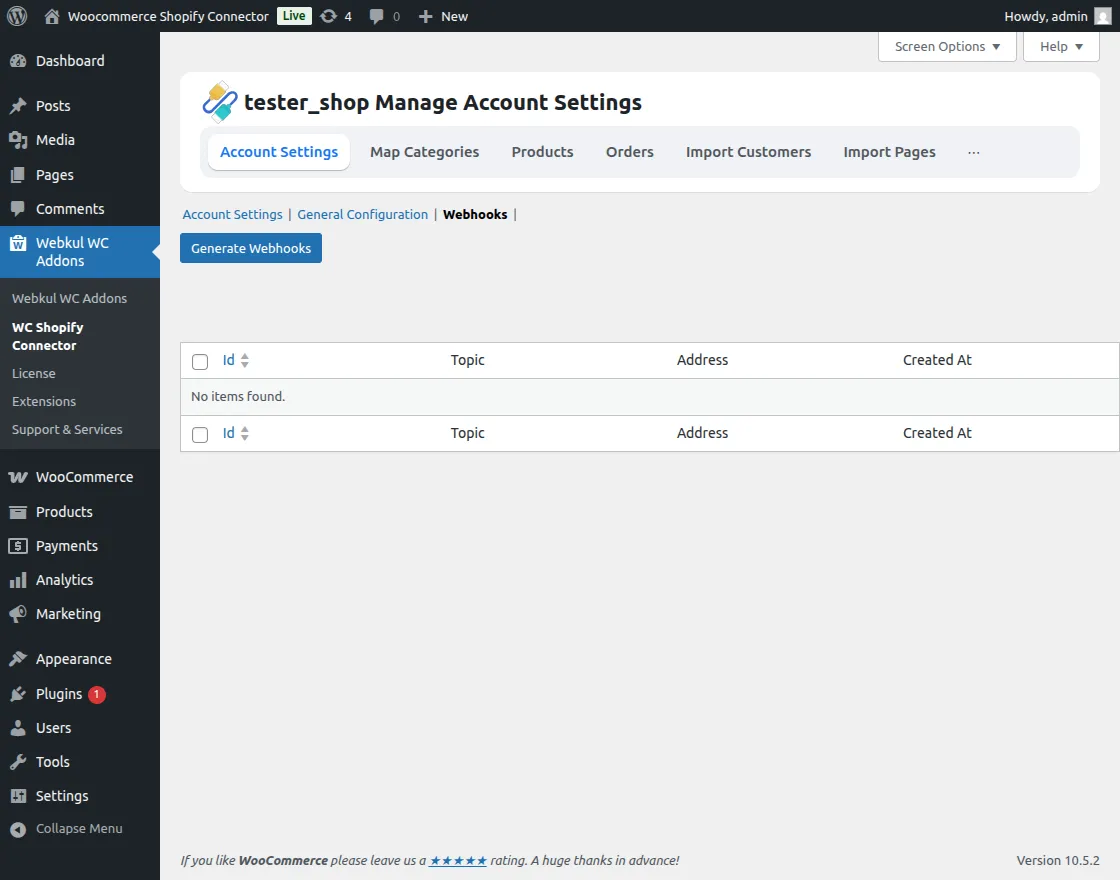
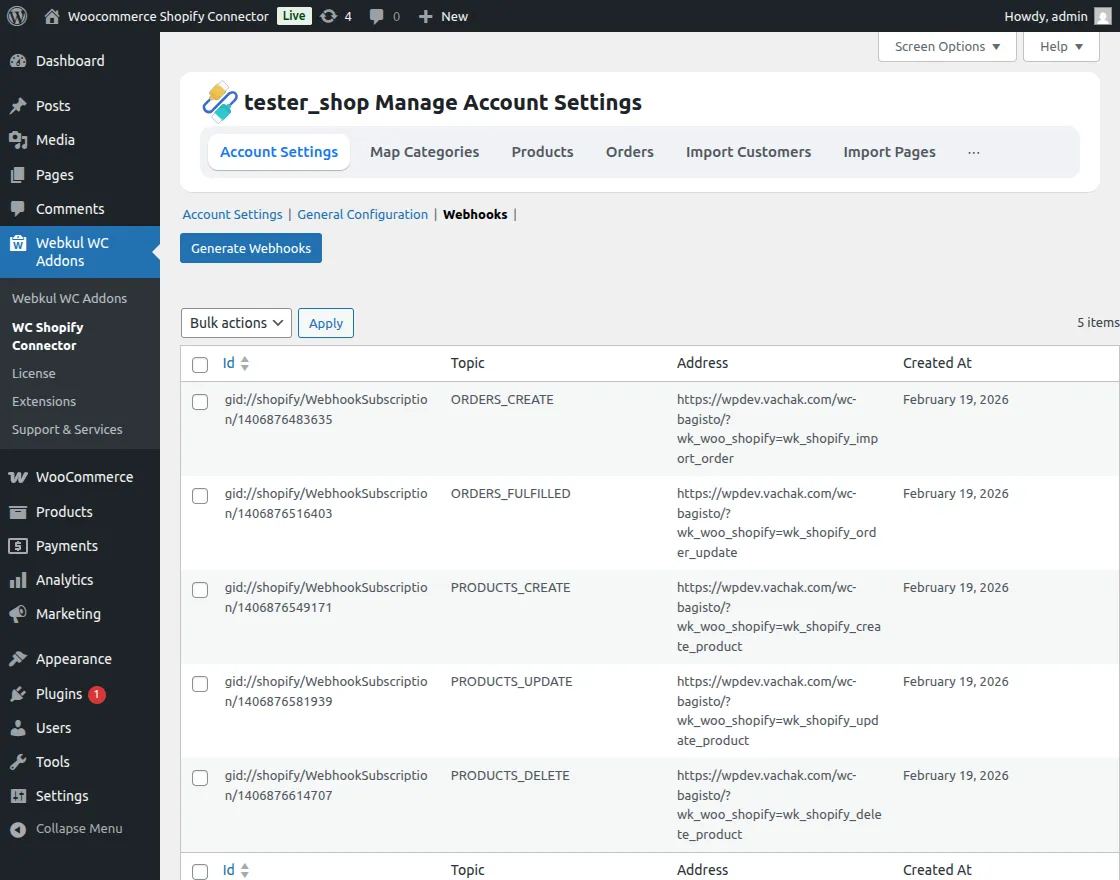
Automated Setup: Click Generate Webhooks to automatically create the necessary webhooks for data synchronization.
General Configuration
Control the core synchronization behavior between platforms:
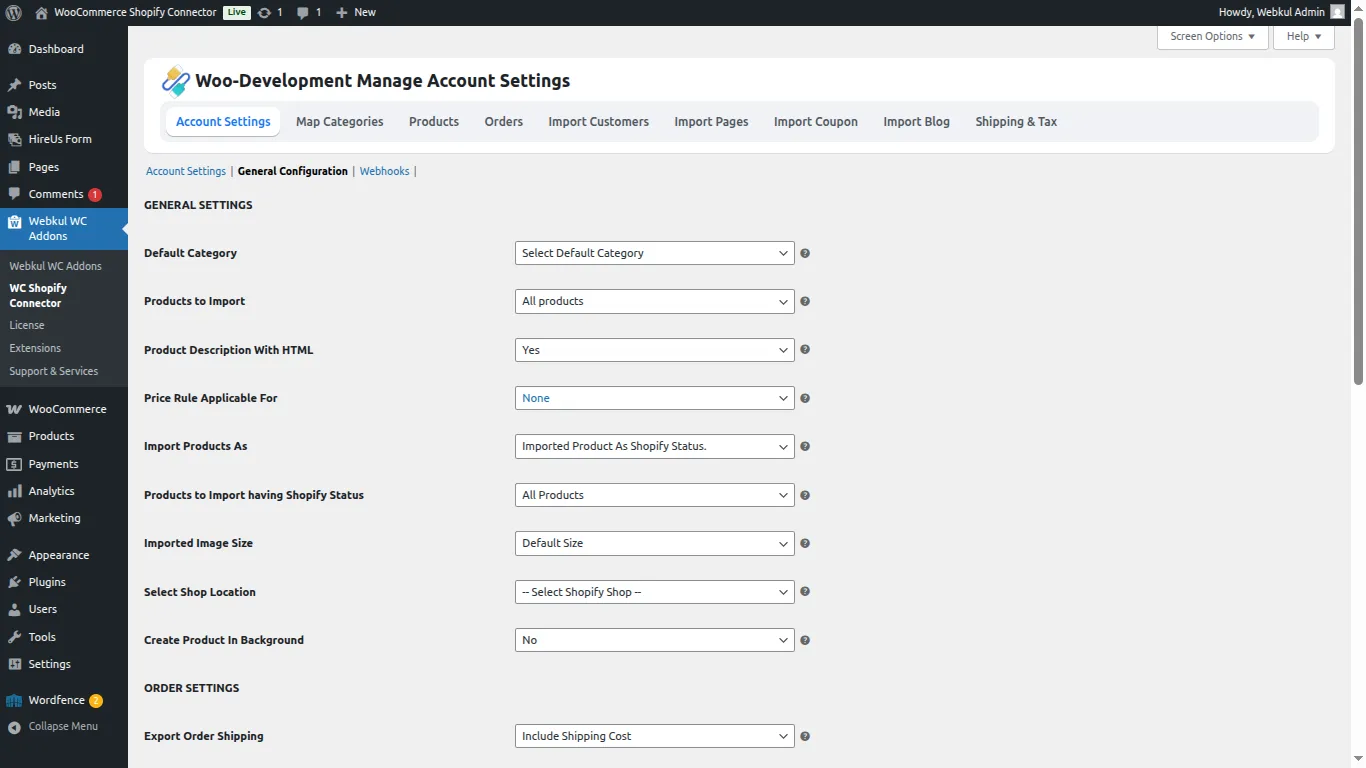
- Default Category: Choose where imported Shopify products are categorized in WooCommerce.
- Import Scope: Filter whether to import all products or only those from mapped categories.
- HTML Description: Enable HTML support for product descriptions.
- Price Rule Logic: Decide if price rules apply to imports or exports.
- Status Management: Filter products to import based on their Shopify status (Active, Archived, etc.).
- Image Sizing: Set the preferred image size for imported product photos.
- Background Processing: Enable background creation for products and images to ensure uninterrupted workflow.
Export Order Settings
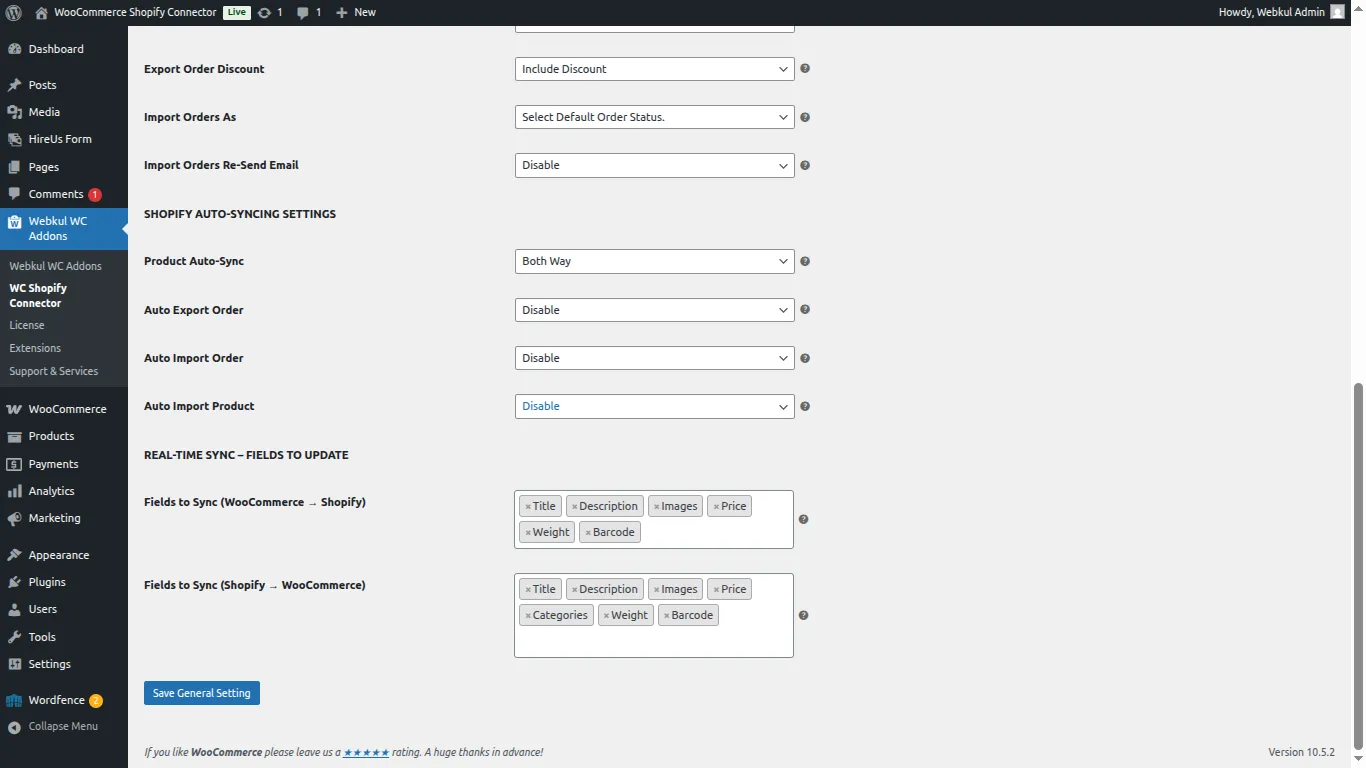
- Financial Details: Choose to include or exclude shipping, tax, and discounts during order exports.
- Order Status: Define the default WooCommerce status for orders imported from Shopify.
- Email Notifications: Toggle WooCommerce order emails for Shopify-synced orders.
Auto-Syncing & Real-Time Sync
- Product Auto-Sync: Configure two-way sync for price, SKU, quantity, and other product details.
- Auto Export Orders: Choose specific WooCommerce order statuses to triggers real-time export to Shopify.
- Real-Time Fields: Selectively sync fields like price, stock, images, and weight to optimize performance.
- Field Control: Independently configure sync fields for both directions (WooCommerce → Shopify and Shopify → WooCommerce).
[!NOTE] To ensure seamless updates for product deletions, updates, and order imports, ensure webhooks are correctly configured in your Shopify account.