
Importing Codes
Once you have your CSV, TXT, or XLSX file prepared, you can upload it to the plugin to either populate your sequential pool or map codes directly to products.
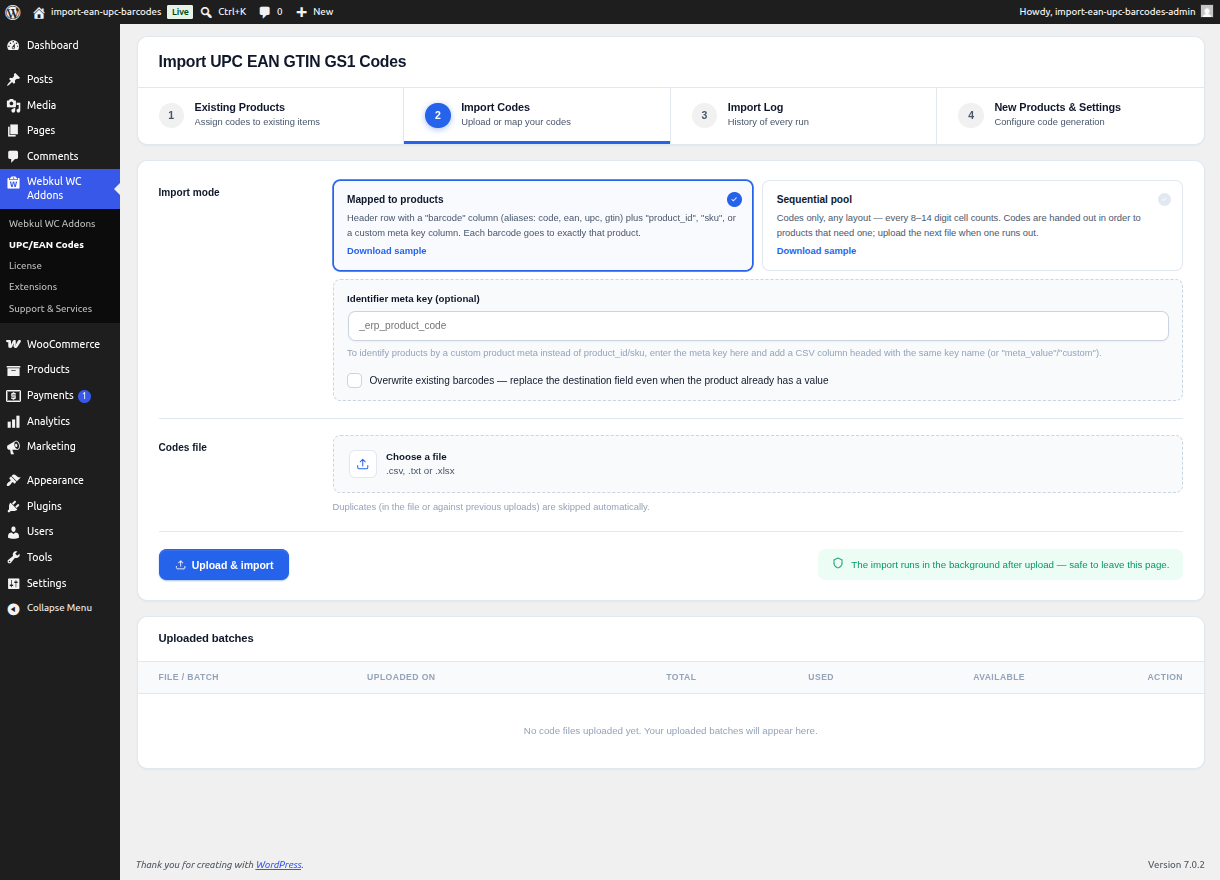
How to Import a File
- Navigate to Webkul WC Addons > UPC/EAN Codes.
- Click on the Import Codes tab at the top of the screen.
- In the upload section, select your file type (Sequential or Mapped) to ensure the plugin parses it correctly.
- Click to browse for your file or drag-and-drop it into the upload area.
- Click Upload & Process.
Background Processing
File imports are handled through the Webkul background queue system. This is a critical feature that allows you to safely process large spreadsheets containing tens of thousands of rows without crashing your browser or hitting server PHP timeout limits.
- Loopback Requests & Cron: The plugin processes the file in small batches in the background. A 5-minute cron healthcheck ensures the job never gets permanently stuck.
- Safe to Leave: Because processing happens in the background, you are free to refresh the page, navigate to a different tab, or even log out of your store entirely. The import will continue running.
- Live Polling: If you stay on the Import Codes page, the Admin UI will actively poll the job status and update the progress bar automatically so you can watch the import complete in real-time.
Import Validation & Duplicate Prevention
During the import process, the plugin actively validates every row:
- Check Digits (Optional): If your codes are strictly EAN/UPC format, the plugin will verify the check digit.
- Duplicate Rejection: The plugin will automatically skip any barcode in your file that is a duplicate. It checks against:
- Other codes within the same uploaded file
- Codes already existing in the available pool
- Codes that have already been assigned and marked as used
- Existing products in the database
This strict duplicate prevention guarantees that you will never accidentally assign the same purchased barcode to two different products, even if your spreadsheet contains errors.