
Category Mapping – WooCommerce eBay Connector
This guide explains how to manage and map eBay categories with WooCommerce categories.
Manage Categories
The admin can import categories so WooCommerce automatically assigns imported products to the mapped category.
Navigate to WC eBay Connector → Manage Categories to see the complete list of imported categories. 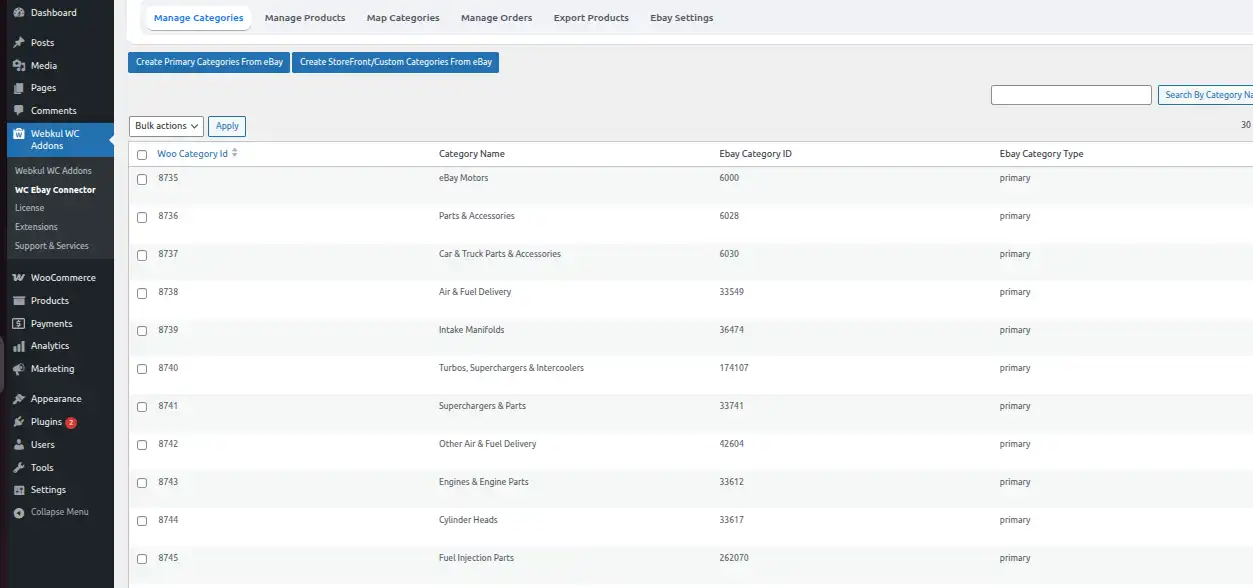
Steps to Import Categories
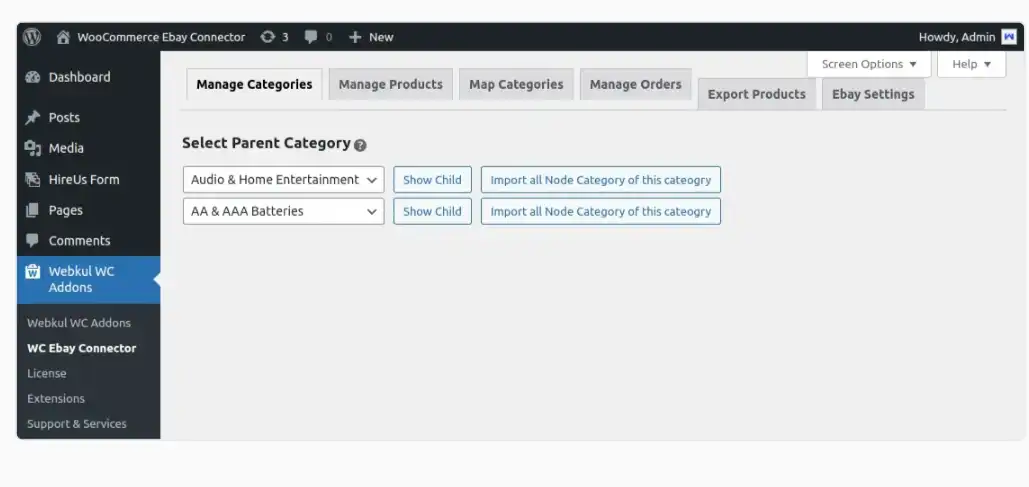
- Click Create Primary Categories from eBay to import the categories to the WooCommerce store.
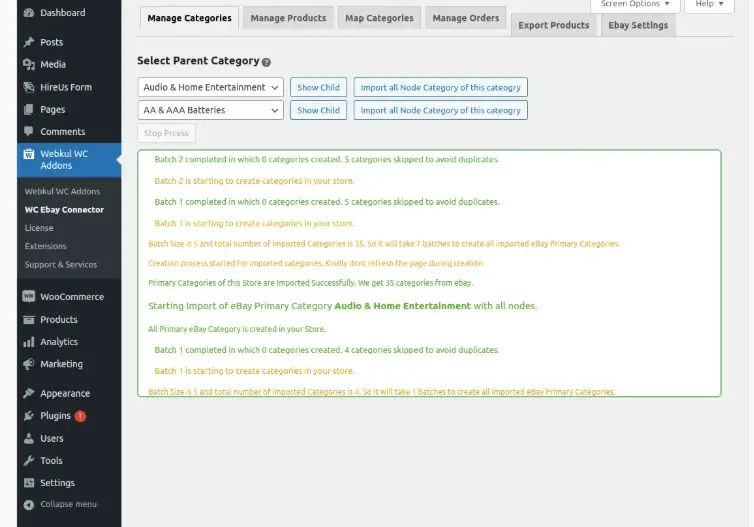
- Click Import all Node Category of this category to create the imported categories in the WooCommerce store.
Map Categories
After importing categories, map them by clicking on the Map Categories tab.
Under this tab, you will see the Map eBay Primary Categories option. 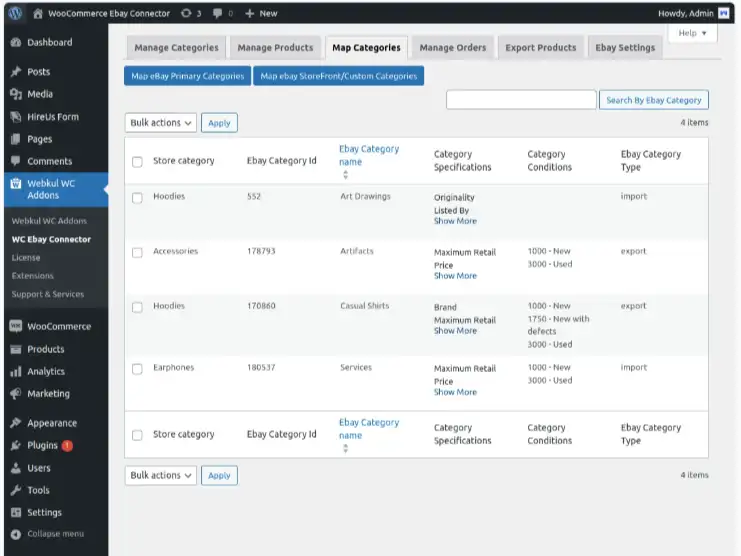
Steps to Map Categories
- Click Map eBay Primary Categories.
- A new page will appear — mapping of only one category happens at a time.
- Select the sub-category for mapping (parent categories cannot be mapped).
- After mapping, the categories will appear in the list.
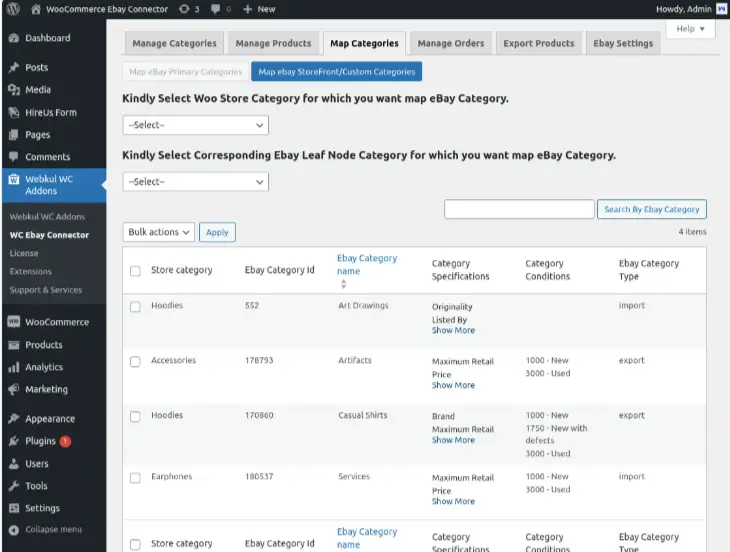
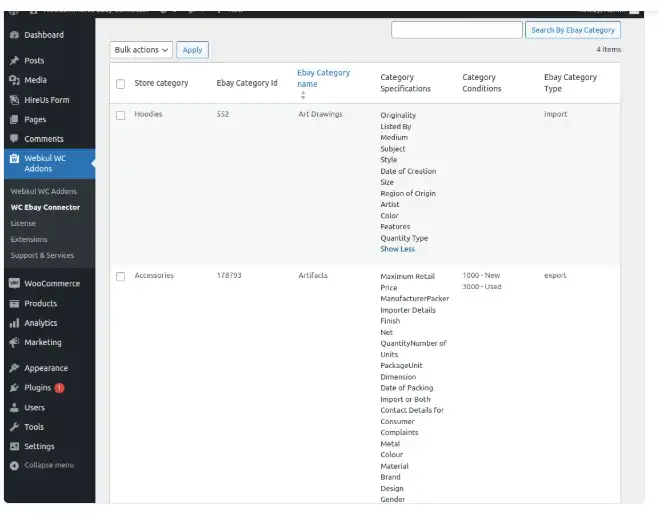
Note: At the time of mapping, the admin creates the eBay condition & specification as product attributes in WooCommerce.
Category Condition
After mapping a category, the mapped store category's products will show the field of eBay category condition on the add/edit product page. 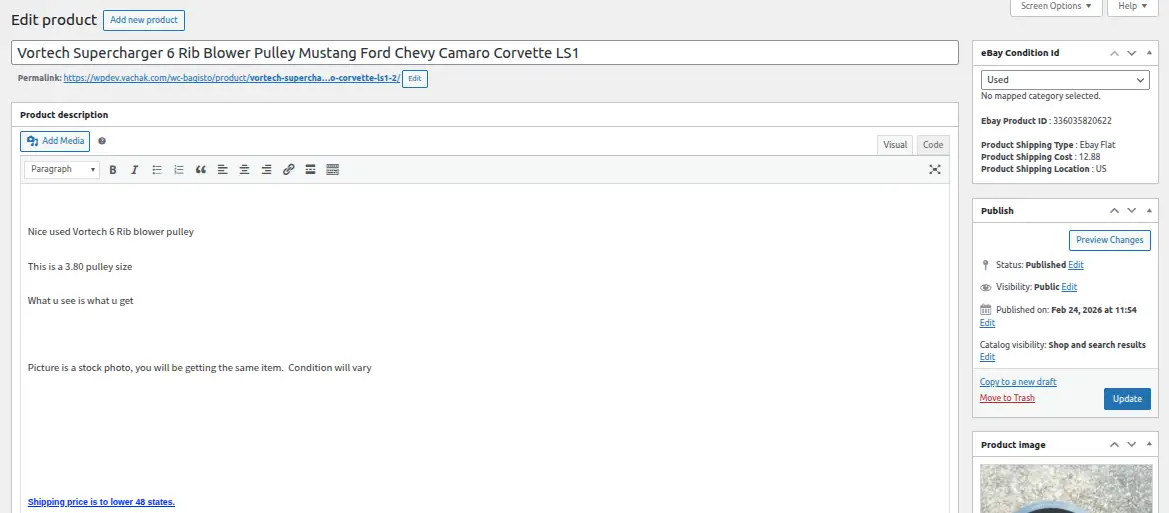 The conditions provided for the category must be filled in to successfully export products to eBay.
Category Specification
After mapping a category, the mapped store category's products will show the category specification of eBay as global attributes on the add/edit product page under Product Data.
You can check the eBay category specification-based global categories by navigating to Products → Attributes in the WordPress admin panel.
WooCommerce shows the global attribute using the mapped eBay category name. 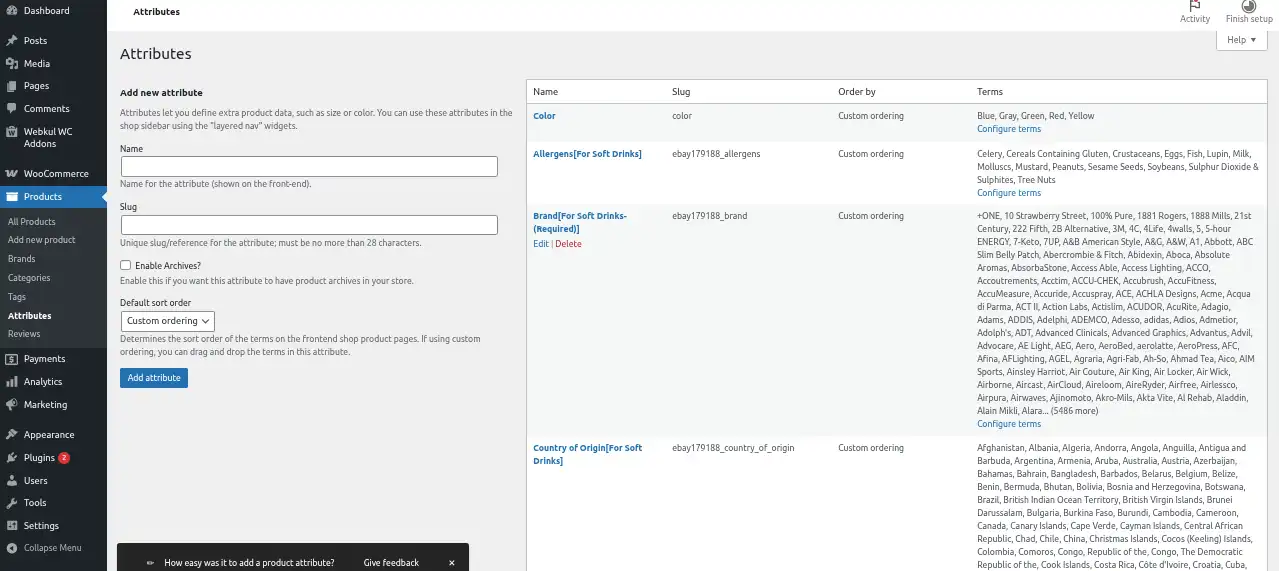
All attributes with mapped store category names in the format Attribute name[mapped category name] must be provided with values by the admin.
Auto Mapping
If Auto Mapping is enabled in the plugin settings, products imported from eBay will automatically be assigned to the eBay category that was already imported in WooCommerce. 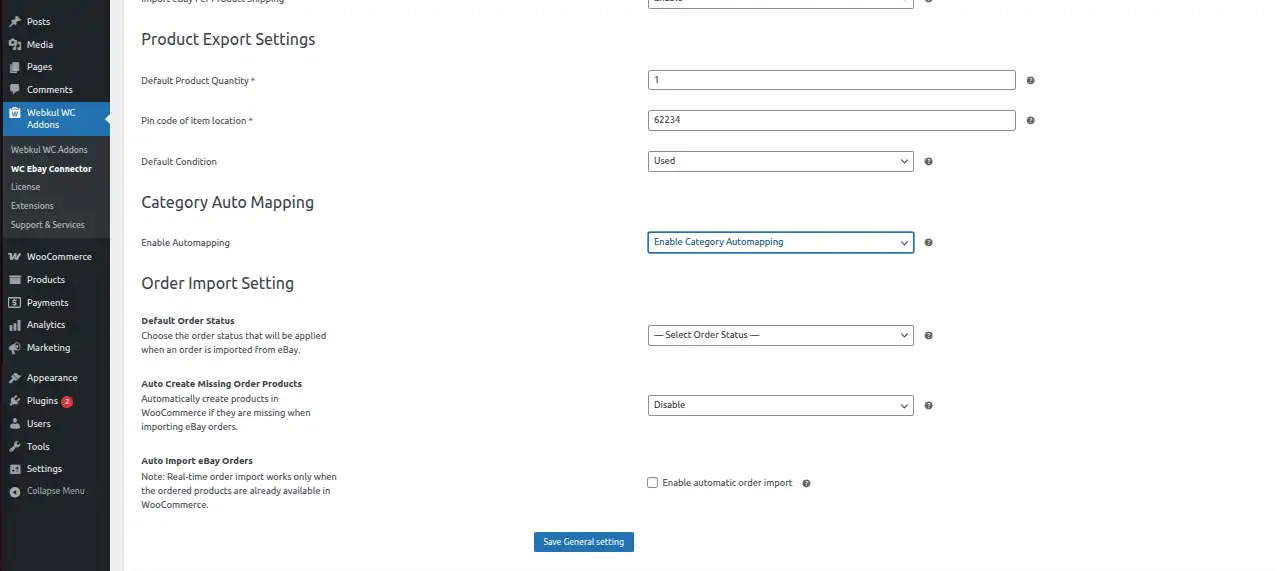
To enable Auto Mapping:
- Go to WC eBay Connector → eBay Settings → General Settings
- Enable Auto Mapping