
Product Import & Synchronization
This section allows the admin to import products from the eBay marketplace to the WooCommerce store, ensuring all product details are synchronized and up-to-date.
Importing Products from eBay
The admin can seamlessly import single or multiple products from eBay to WooCommerce.
To manage products, navigate to WC eBay Connector → Manage Products.
The following import options are available:
- Import Products From eBay: Import all active products from the connected eBay account.
- Import Products Date-wise: Fetch products based on specific creation or update dates.
- Import Products Using eBay Product IDs: Administrators can import specific products directly using eBay Product IDs. Multiple Product IDs can be entered using the selected separator.
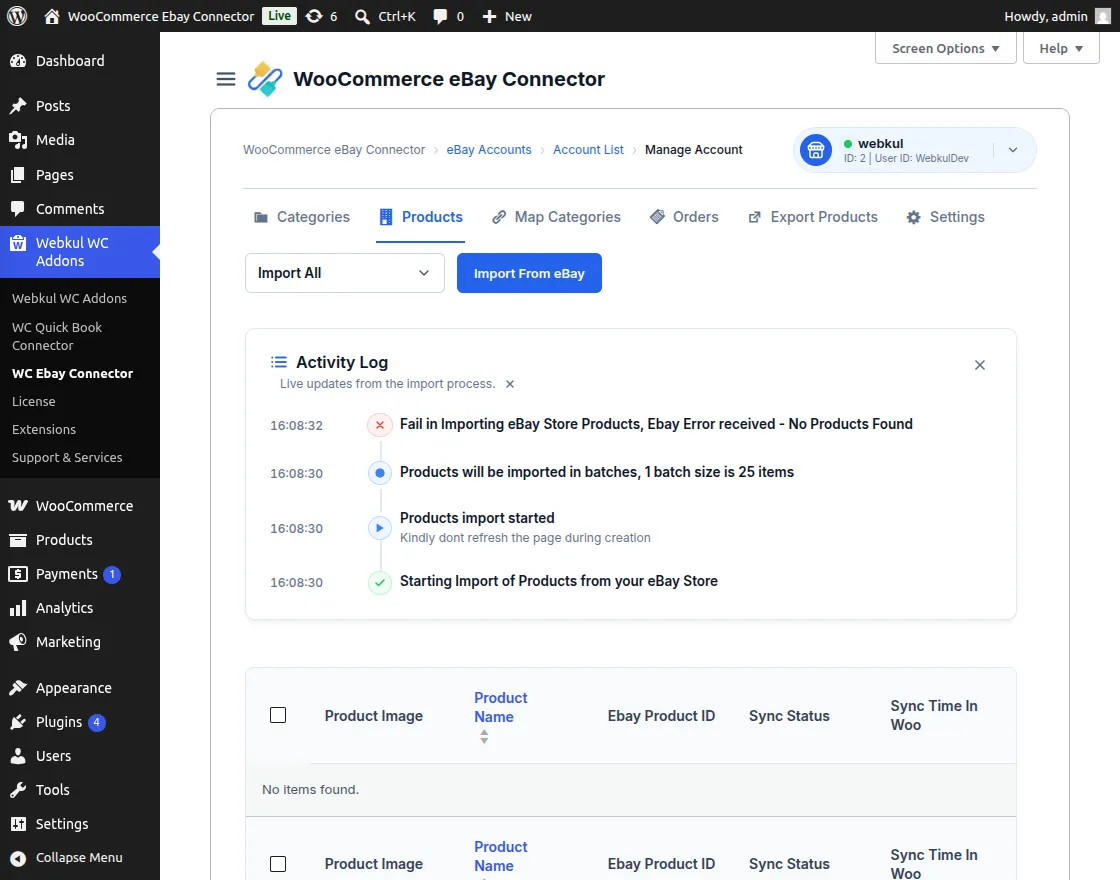
How to Import eBay Products
- Click the Import Products from eBay button to initiate the synchronization.
- The module creates temporary product data within the WooCommerce store for processing.
- A background process automatically handles product image imports to ensure faster listing creation.
- The admin has the flexibility to Start or Stop the image synchronization process as needed.
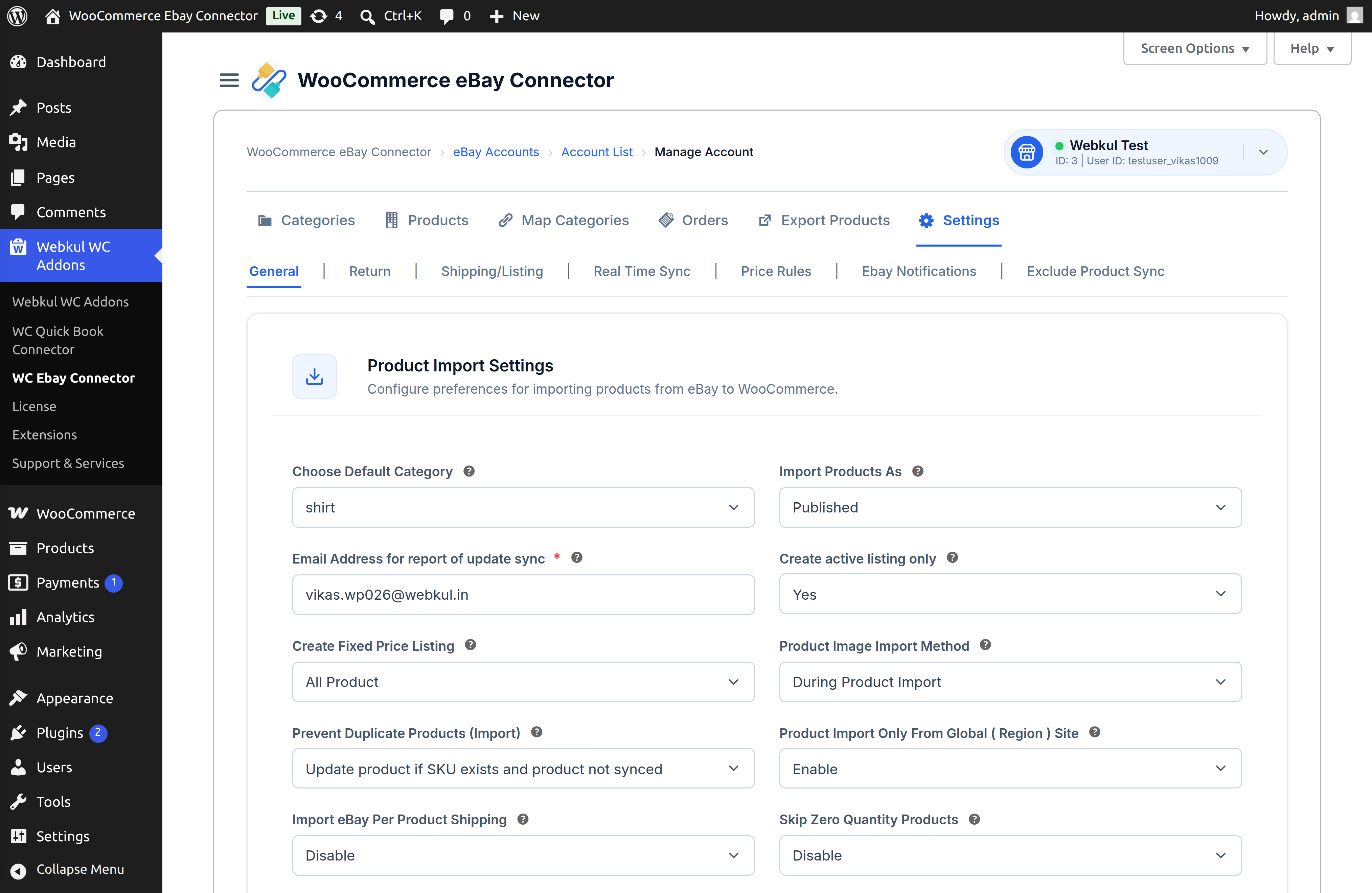
[!NOTE] Only products with an Active status on eBay are eligible for import to the WooCommerce store.
Category Assignment During Import
The connector handles category organization based on the following rules:
- No Mapping: If the eBay category is not mapped, products are assigned to the Default Category defined in settings.
- Existing Mapping: If category mapping is already performed, products are placed in the respective mapped WooCommerce category.
- Auto Mapping: When enabled, products are automatically assigned to their pre-imported eBay categories in WooCommerce.
Exclude Products Directly From Product Management
The connector provides an Exclude to Import/Export option directly in the product listing.
If the eBay Product ID or SKU is added to the eBay to WooCommerce Excluded Import setting, the corresponding product will not be imported from eBay to WooCommerce.
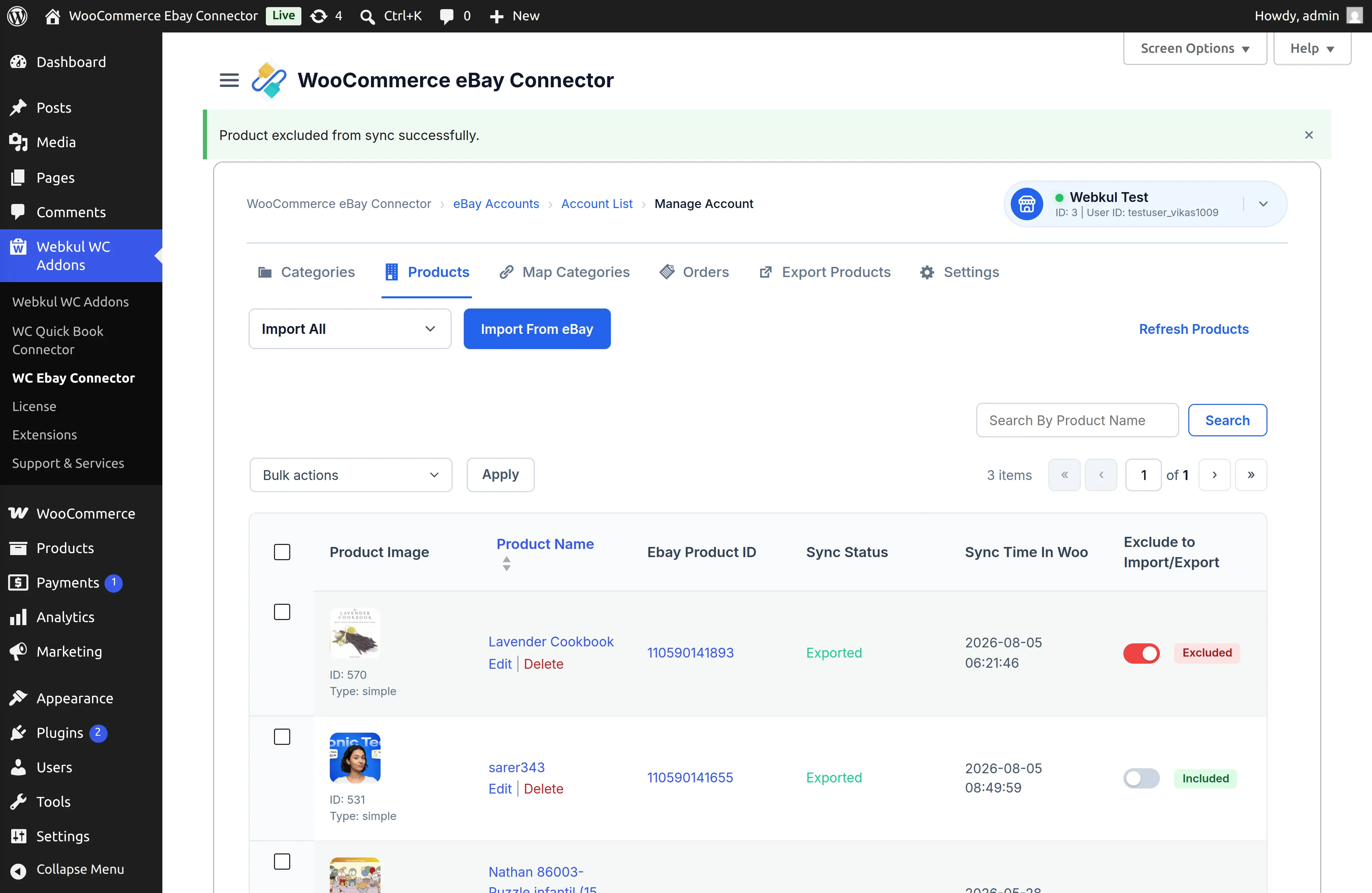
The admin can use the toggle provided for a product to control whether it should be included in or excluded from synchronization.
When a product is excluded, its status is displayed as Excluded, making it easy for the admin to identify products that are not participating in the synchronization. This provides a quick way to manage product-level synchronization without navigating through the global settings.
Refreshing Synchronized Products
This section allows the admin to manually update existing product information from eBay to reflect any recent changes.
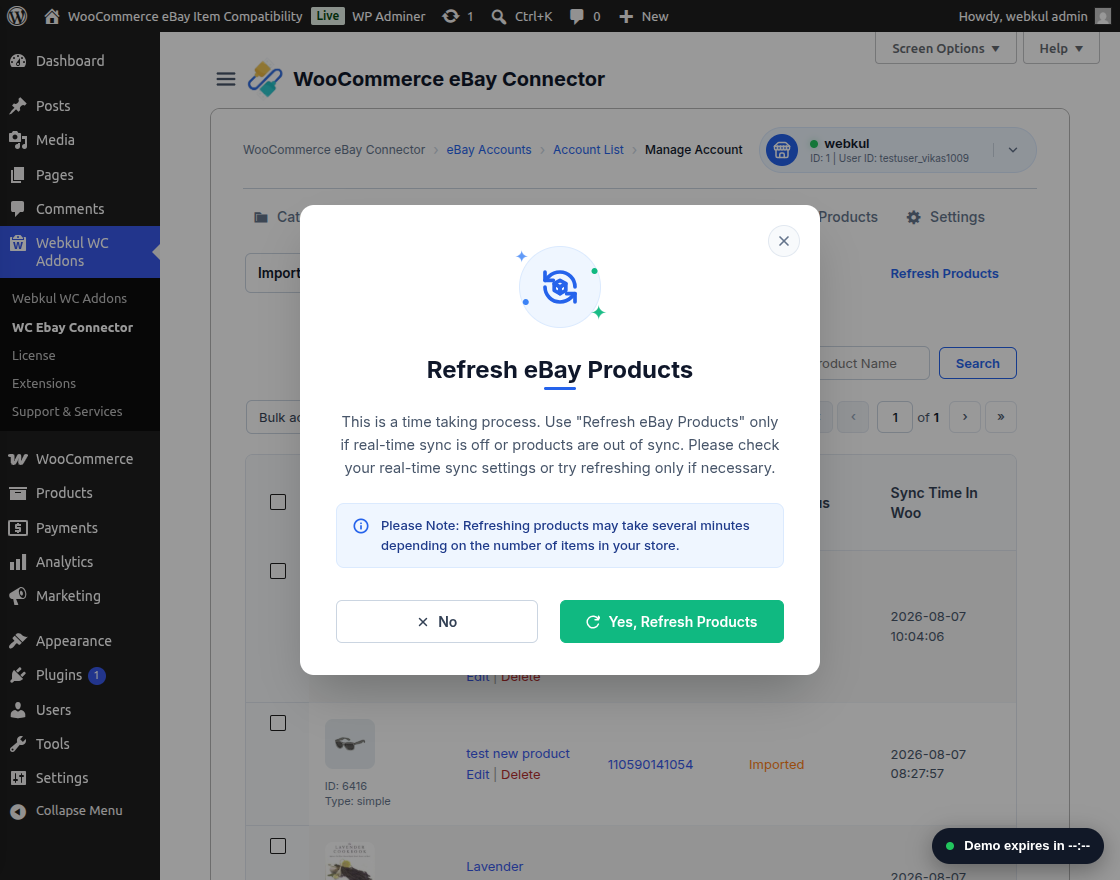
- Click the Refresh Product button to trigger a bulk update for all synchronized items.
- A confirmation popup will appear, as this process may be time-consuming for large inventories.
- Use this option if:
- Real-time synchronization is disabled.
- Products have become out of sync due to manual changes on either platform.
- Upon confirmation, the system updates titles, descriptions, stock, and prices with the latest eBay data.
Supported Product Types
The WooCommerce eBay Connector supports various product formats for two-way synchronization:
| Product Type | Import (eBay → WooCommerce) | Export (WooCommerce → eBay) |
|---|---|---|
| Simple Products | ✅ | ✅ |
| Variable Products | ✅ | ✅ |
| Auction-type Products | ✅ (Imported as Simple Type) | ❌ |
Synchronized Product Information
The following data attributes are maintained across both platforms during the synchronization process:
- SKU
- Product Name / Title
- Description
- Stock / Inventory
- Images
- Categories
- Price
- eBay Conditions & Specifications
- Attributes, etc.