
Order Management
This section allows the admin to import and manage eBay marketplace orders directly within the WooCommerce store, ensuring a centralized order processing workflow.
Importing Orders from eBay
The admin can manually fetch orders from the eBay store to the WooCommerce store using specific date ranges.
- To manage orders, navigate to WC eBay Connector → Manage Orders.
- This section provides a dedicated tab for initiating order imports.
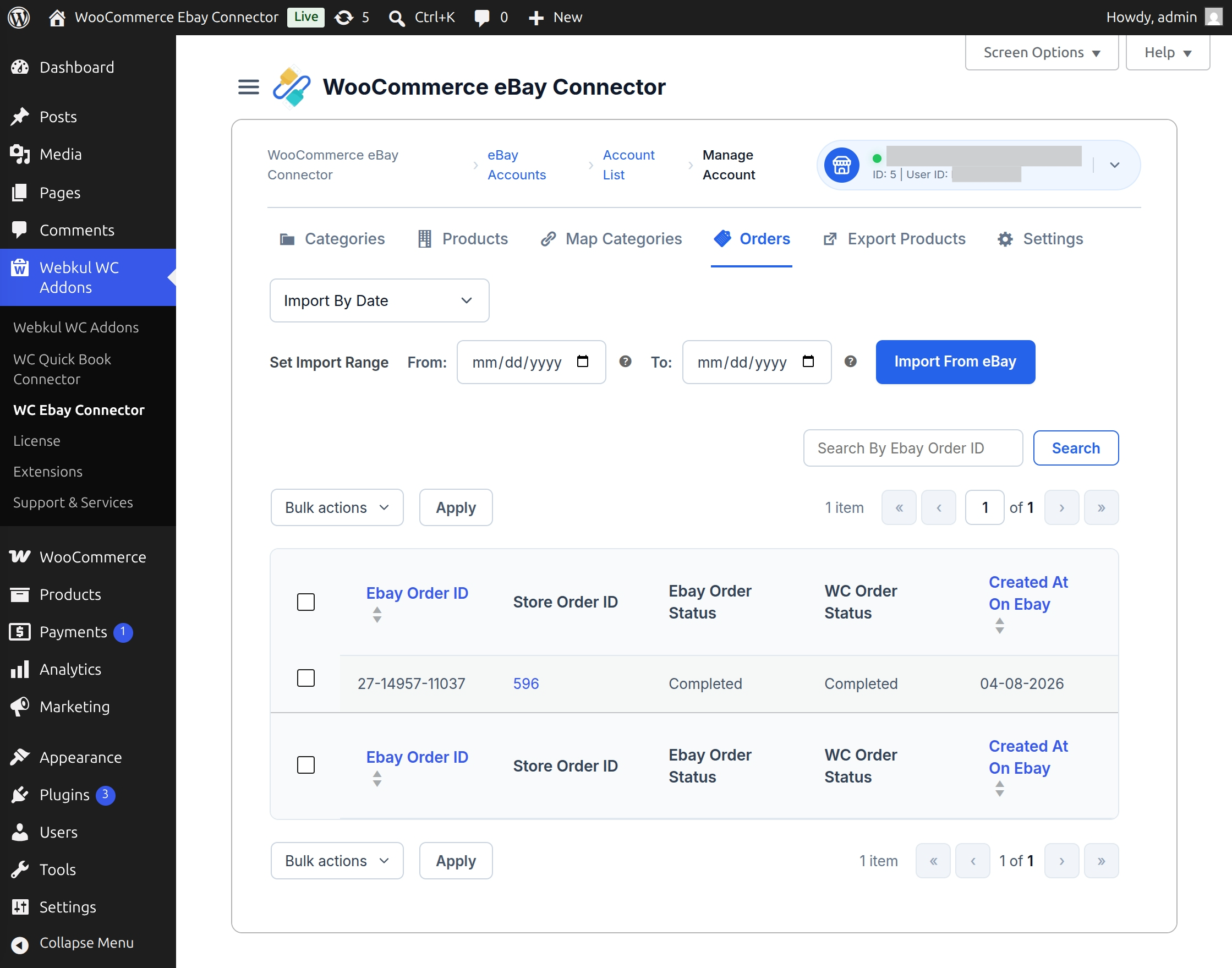
How to Import eBay Orders
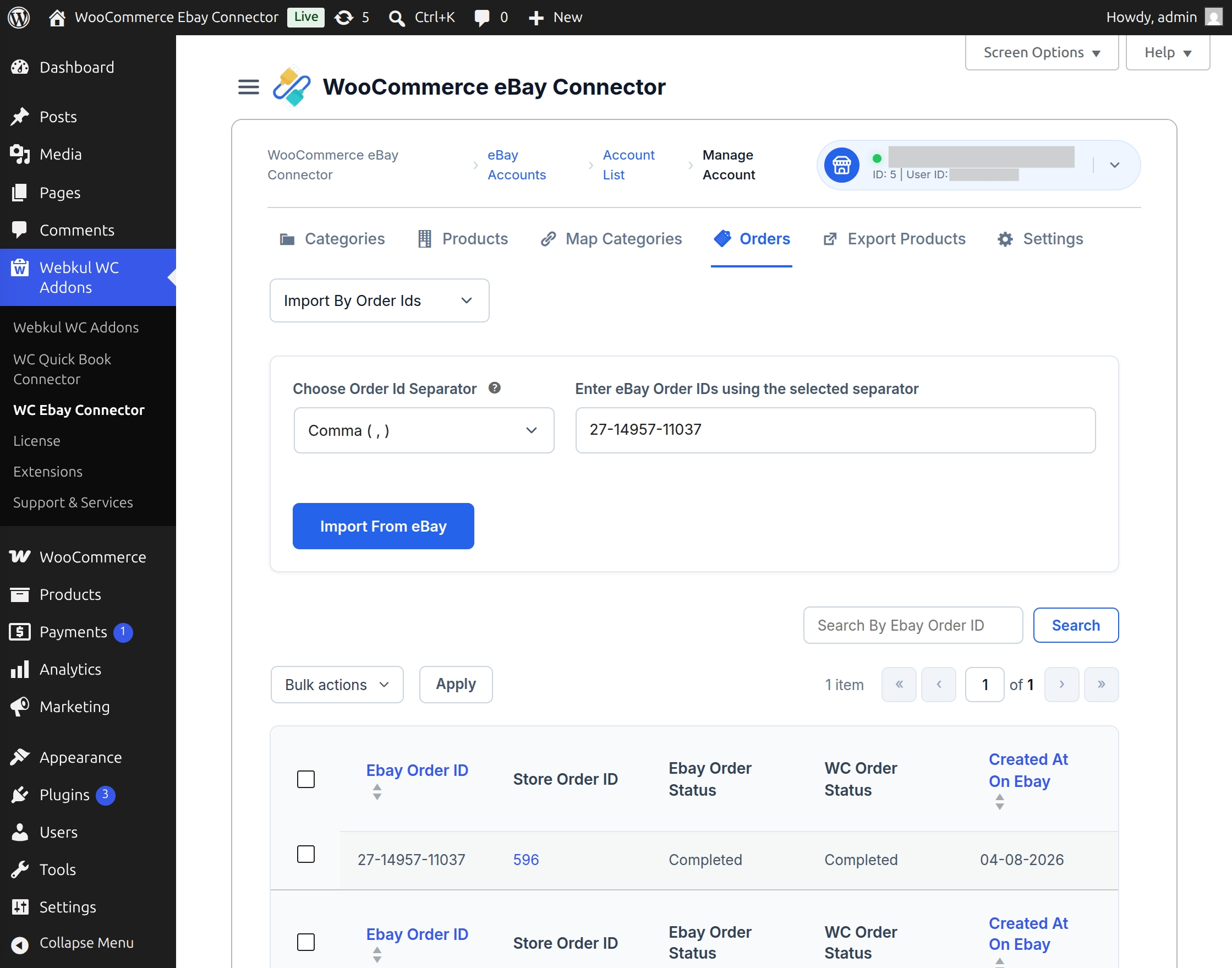
- Click on the Import Orders from eBay button.
- The admin must define the Start Time From and Start Time To to specify the order creation period.
- Click the Start button to begin the data retrieval process.
- Once processed, the orders will be listed within the WooCommerce store for further management.
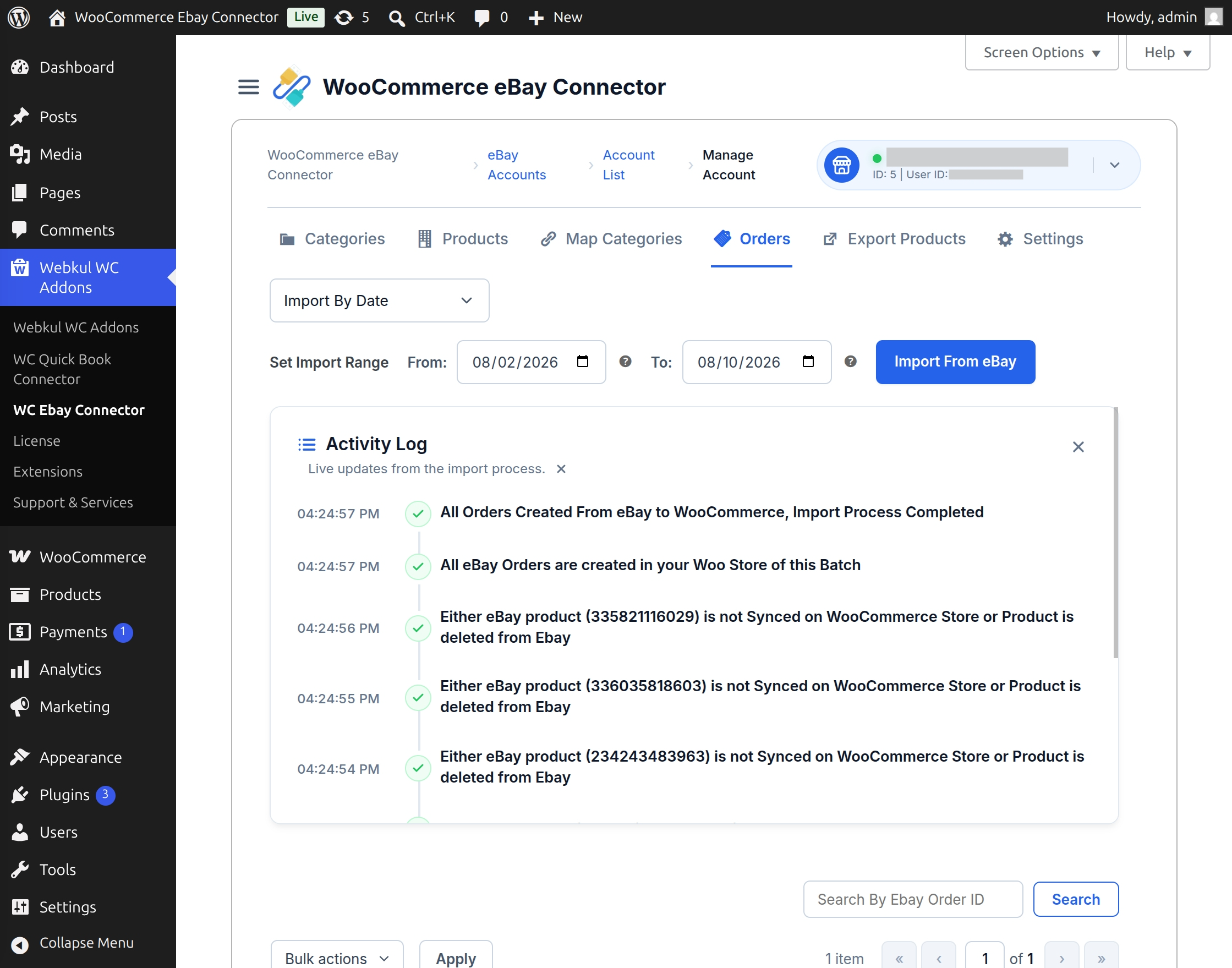
Import Orders Using eBay Order IDs
- Import orders directly using specific eBay Order IDs.
- Enter multiple Order IDs using the selected separator.
- Re-import missing or previously skipped orders whenever required.
- Improve flexibility in order synchronization and management.
- Save time by importing only the required orders instead of running a full order sync.
Tracking Order Sources
To simplify management, the WooCommerce Orders list includes an Order Source column.
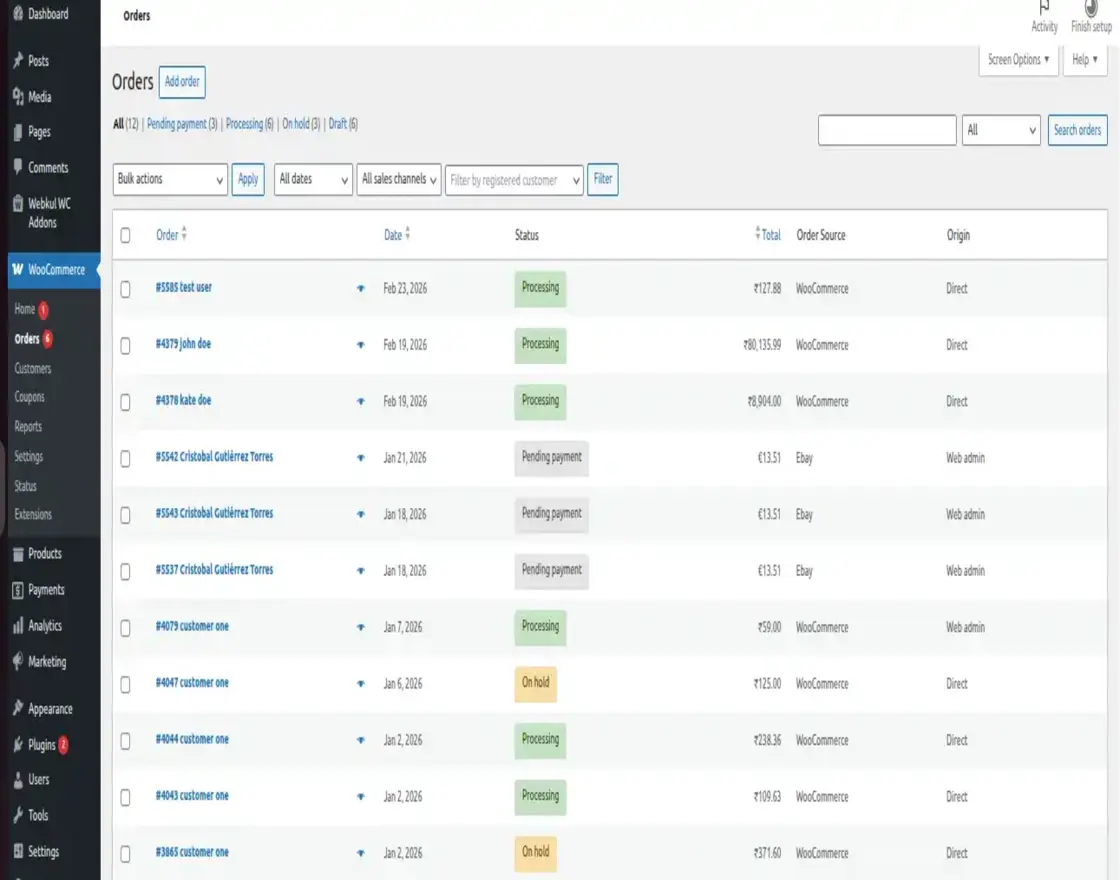
- This allows the admin to quickly identify whether an order originated from the WooCommerce store or the eBay marketplace.
- This feature helps in efficient order tracking and inventory reconciliation.
Automatic eBay Order Synchronization
The admin can configure the module to automatically fetch orders from eBay at regular intervals.
- To enable this, navigate to WC eBay Connector → eBay Settings → General Settings.
- Toggle the Auto Order Import option to enabled.
- The system executes an automatic check every 10 minutes and retrieves all orders placed within the last 15 minutes.
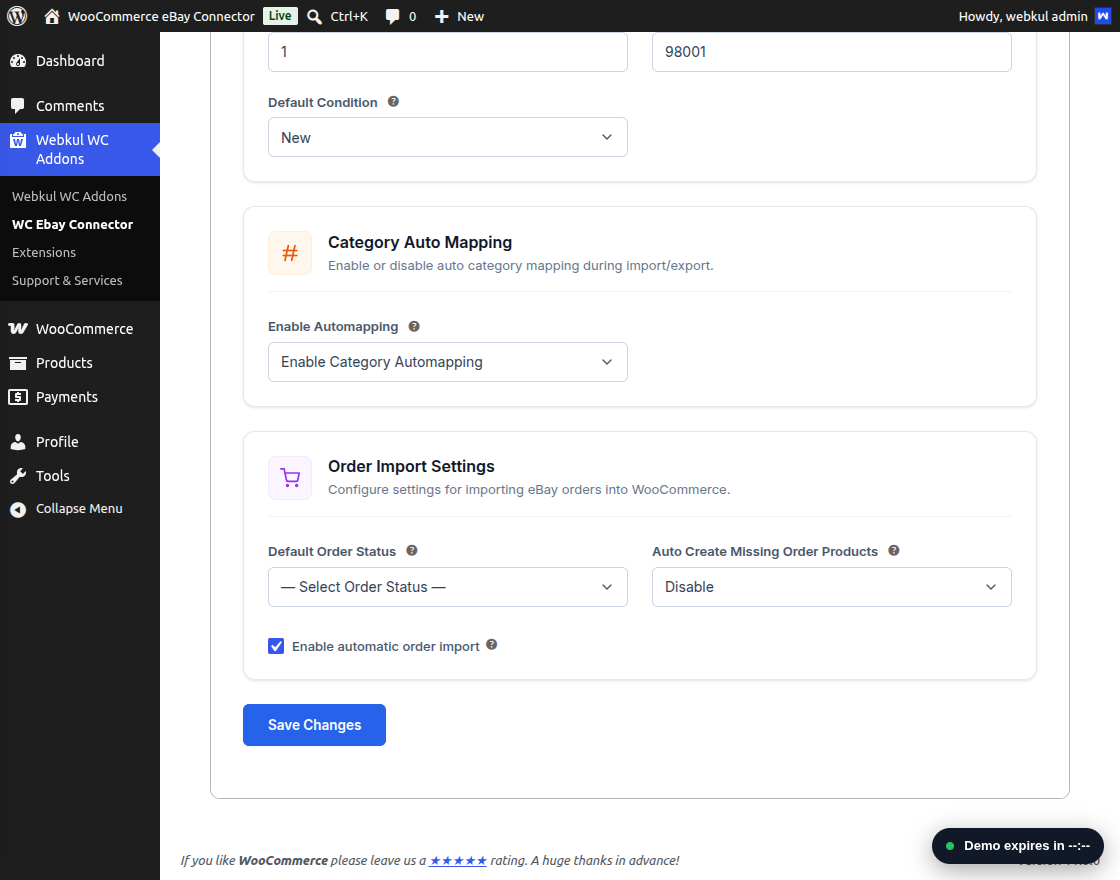
[!IMPORTANT] To ensure correct order mapping, all associated products must be pre-imported or synchronized before real-time order import can function.
Configuring Default Order Status
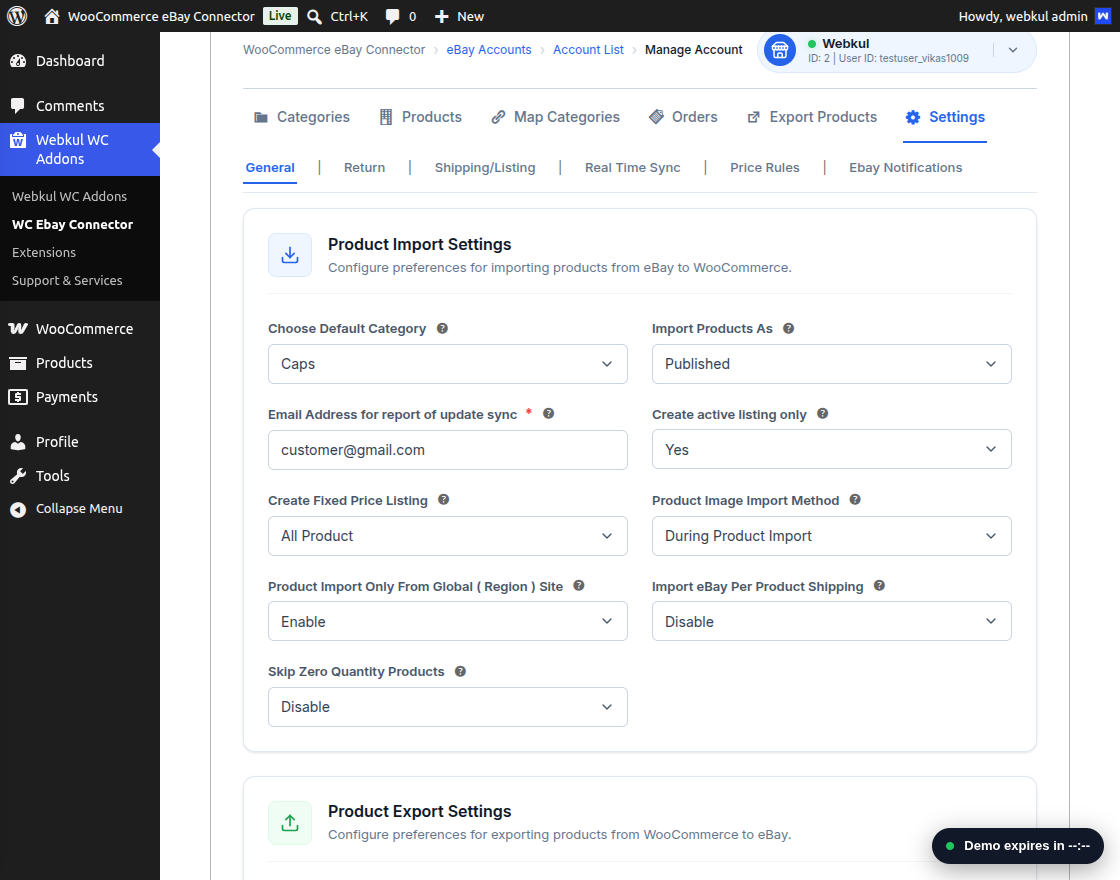
The admin can define a specific status for orders arriving from the eBay marketplace.
- Navigate to WC eBay Connector → eBay Settings → General Settings.
- Locate the eBay Imported Order Status field.
- Select the preferred status (e.g., Processing, On Hold, Completed) that should be applied to all imported eBay orders.
Support & Resources
Thank you for choosing WooCommerce eBay Connector by Webkul! Here are some useful links to help you get the most out of the module:
- Live Demo – Experience the plugin in action.
- Buy Now – Purchase the plugin from the Webkul store.
- Related Extensions – Discover additional plugins to enhance your eCommerce operations.
- License Activation Guide – Step-by-step instructions on activating your plugin license.
- Get Support – Need assistance? Create a ticket and our support team will help you ASAP.