
eBay Account Setup
This section allows the admin to obtain eBay API credentials and connect their eBay seller account with the WooCommerce store.
How to Get eBay API Credentials
To perform the eBay Connector configuration, the admin must obtain the eBay developer keys (App Id, Cert Id, Dev Id, User ID, and Auth Token) from the eBay Developer Portal.
Follow these steps to get credentials
- Create Developer Account: The admin can navigate to developer.ebay.com and click on the Sign-in/Join link to create a new account.

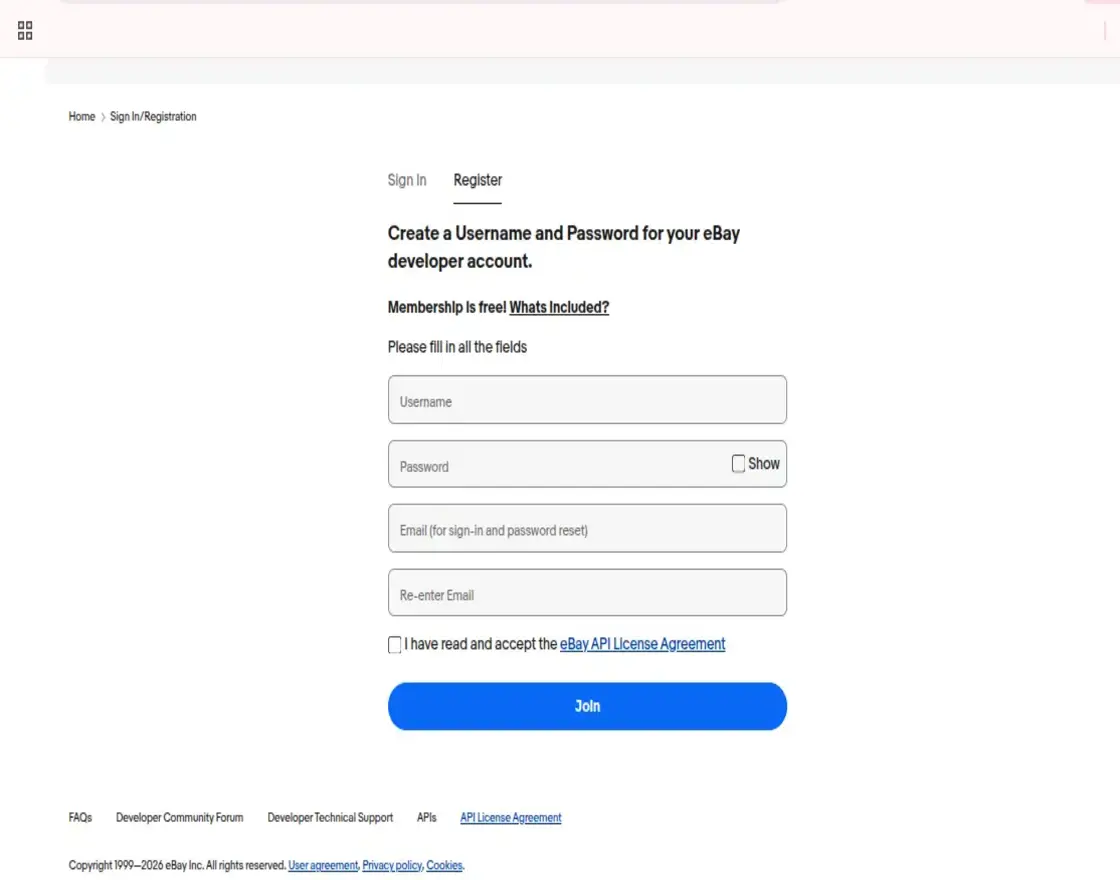
Step 2: Create an Application
- The admin can create a new application by entering the App Name.
- Choose the appropriate Environment (Sandbox or Production) to generate the Key Set.
[!NOTE] The application name will not be saved until the keys are generated.
Step 3: Generate Keys
- The admin must enter the application name and select the environment to generate the key set.
- For actual business operations, it is recommended to configure the module with a Production (Live) eBay account.
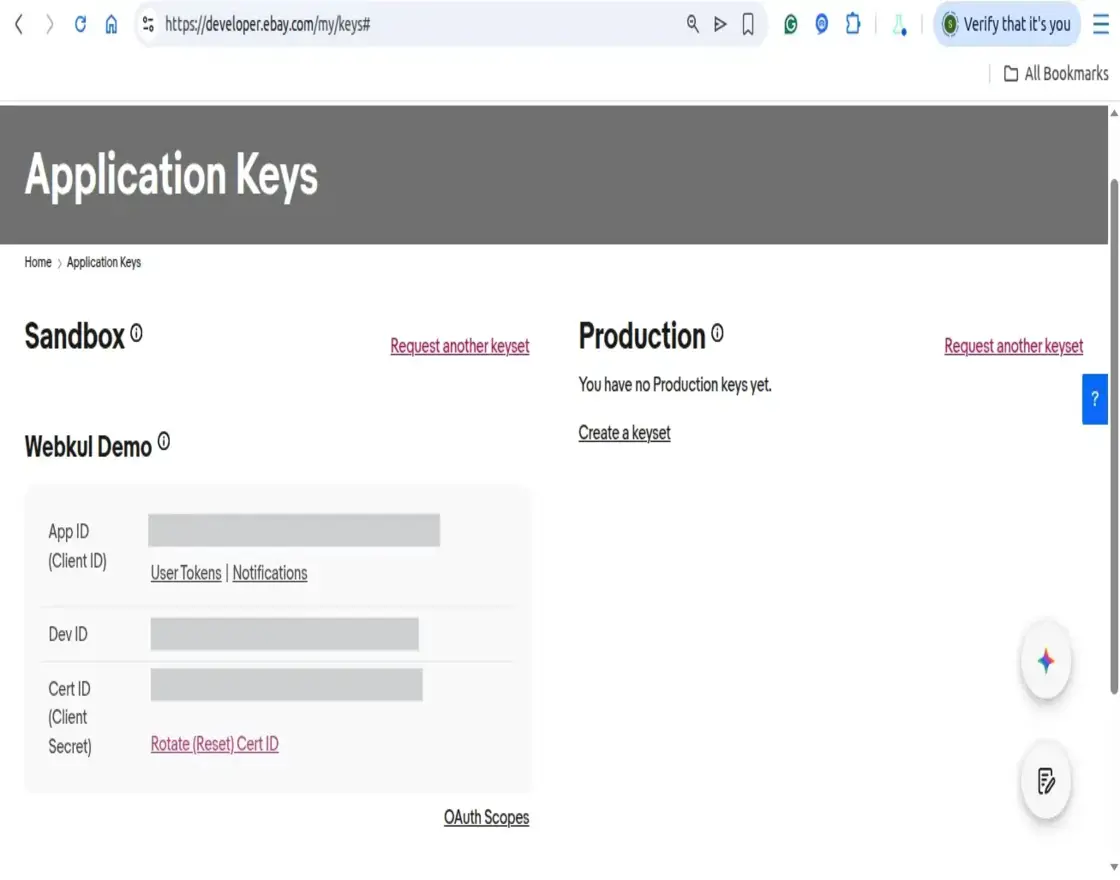
Step 4: Generate User Token
- The admin navigates to the Application Keys page.
- In the App ID row of the Production keyset, click on User Tokens to access the tokens page.
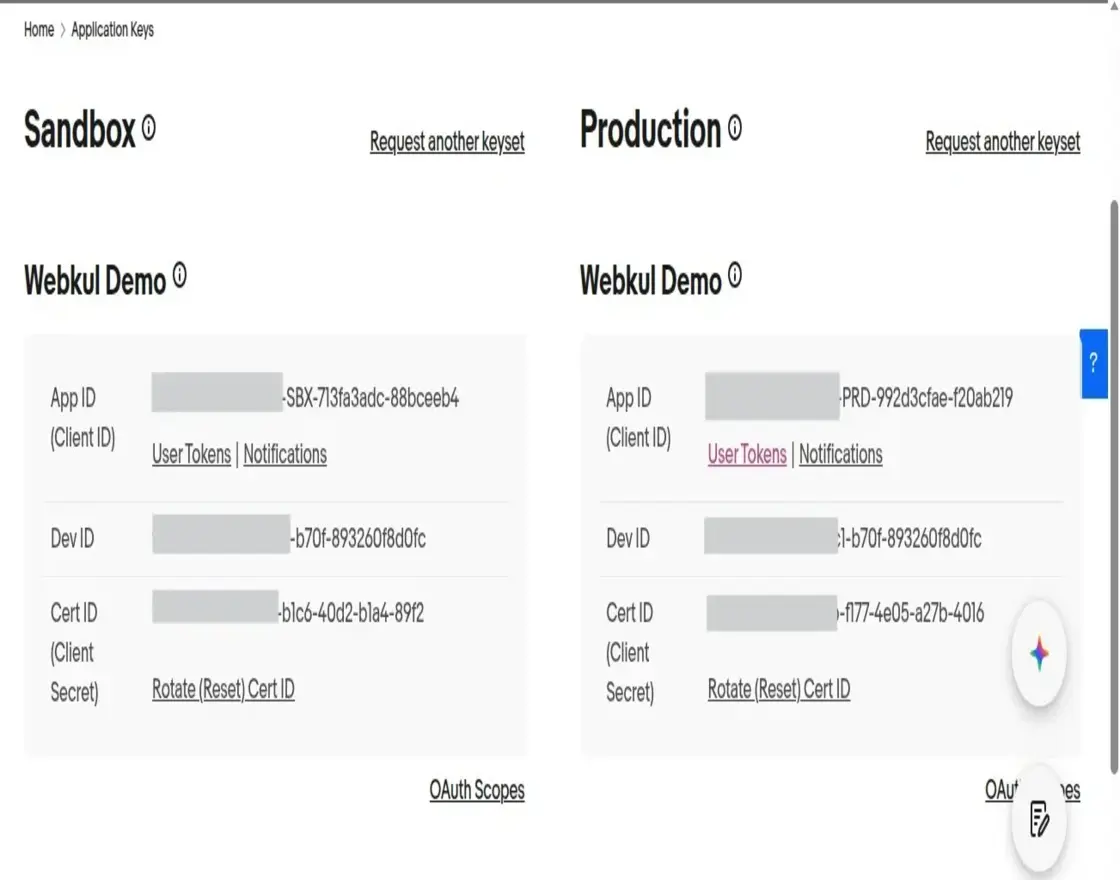
[!IMPORTANT] The eBay Sandbox account is for testing purposes only. For real product exports and order synchronization, a Production (Live) account is required.
- Click on the Sign in to Production button to authorize the account.
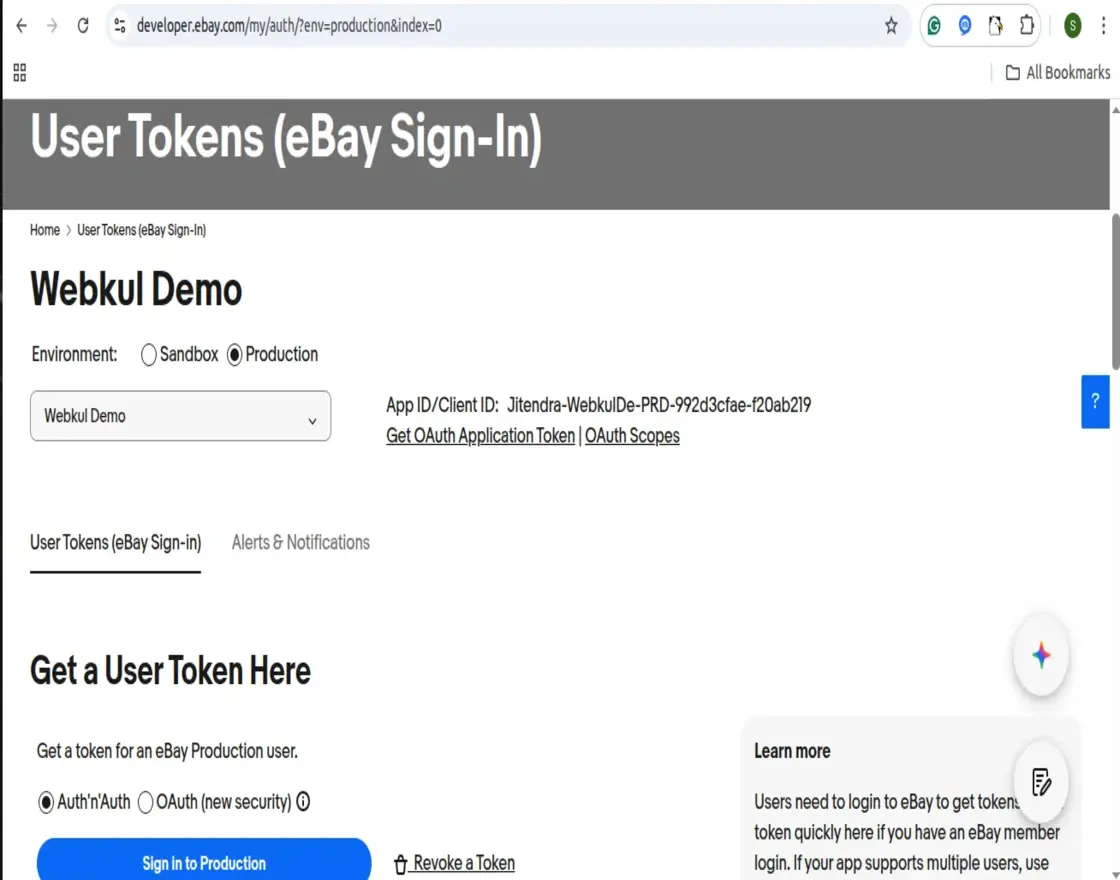
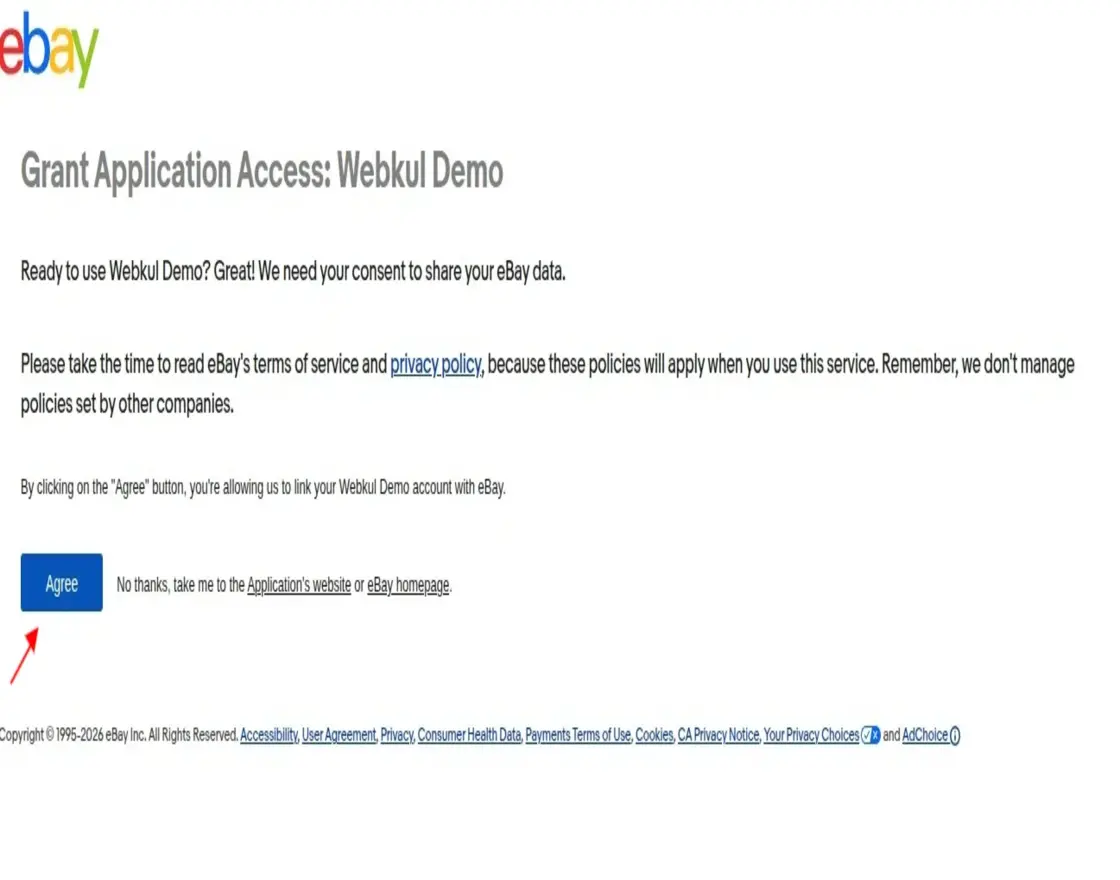
- After signing in, click the Agree button to provide authorization.
Sandbox Account Setup
To test the eBay Connector features without affecting live listings, the admin can create a Sandbox account:
- Click on the Register a new Sandbox user link.
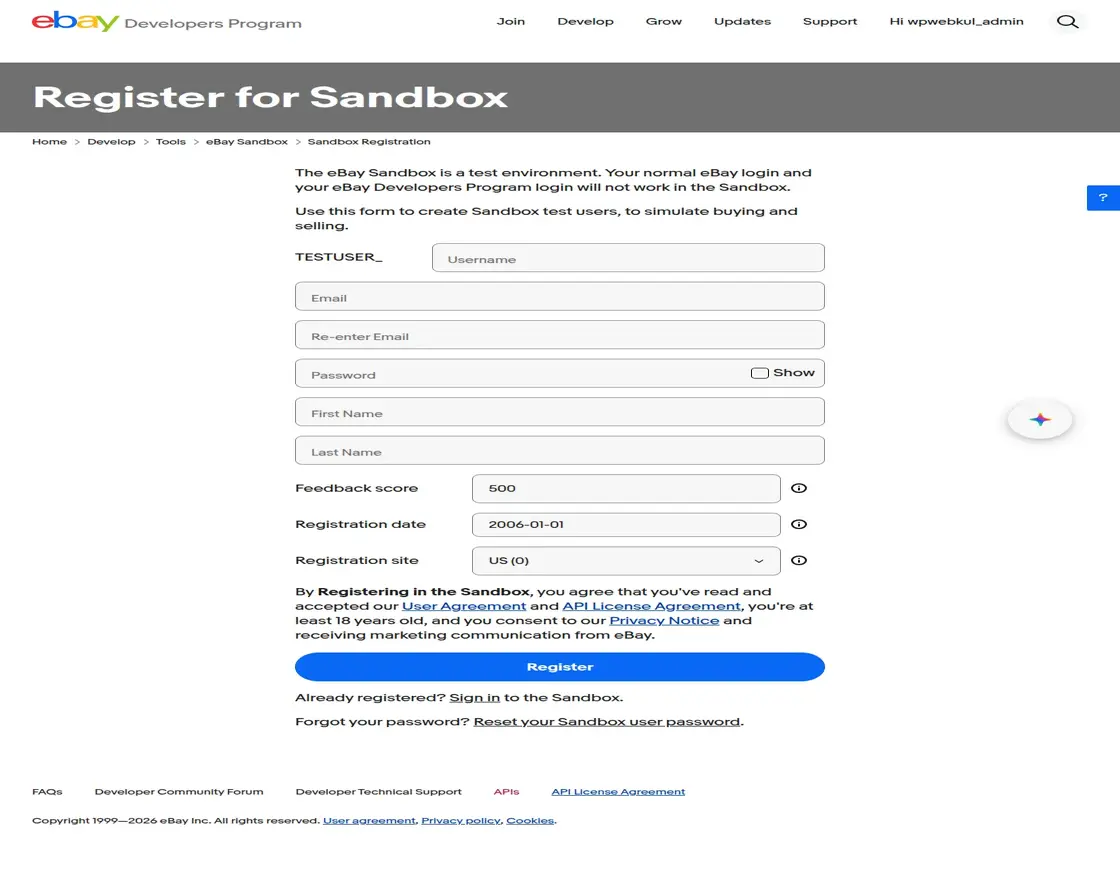
- The admin will be redirected to the Register for Sandbox page to create test users.
Steps to Complete Registration
- Fill in the required information in the registration form.
- Review and accept the User Agreement and API License Agreement.
- Click the Register button to create the test user.
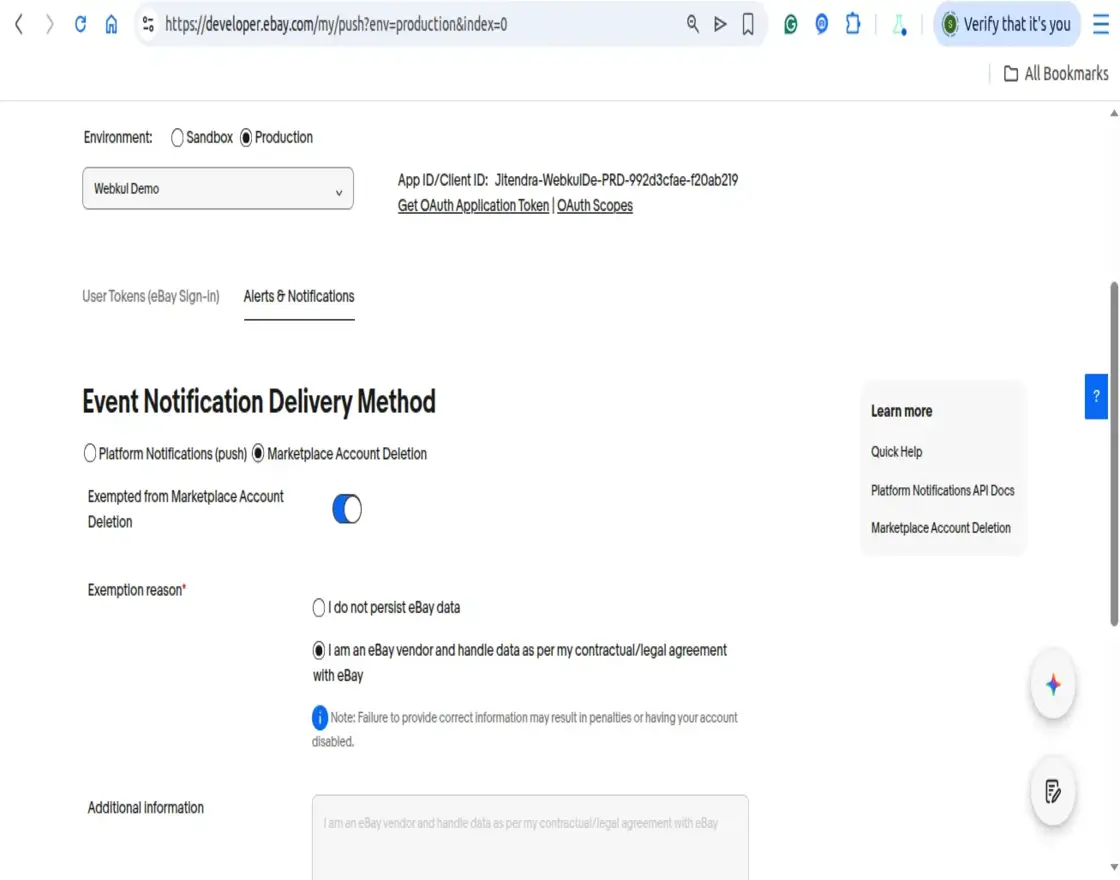
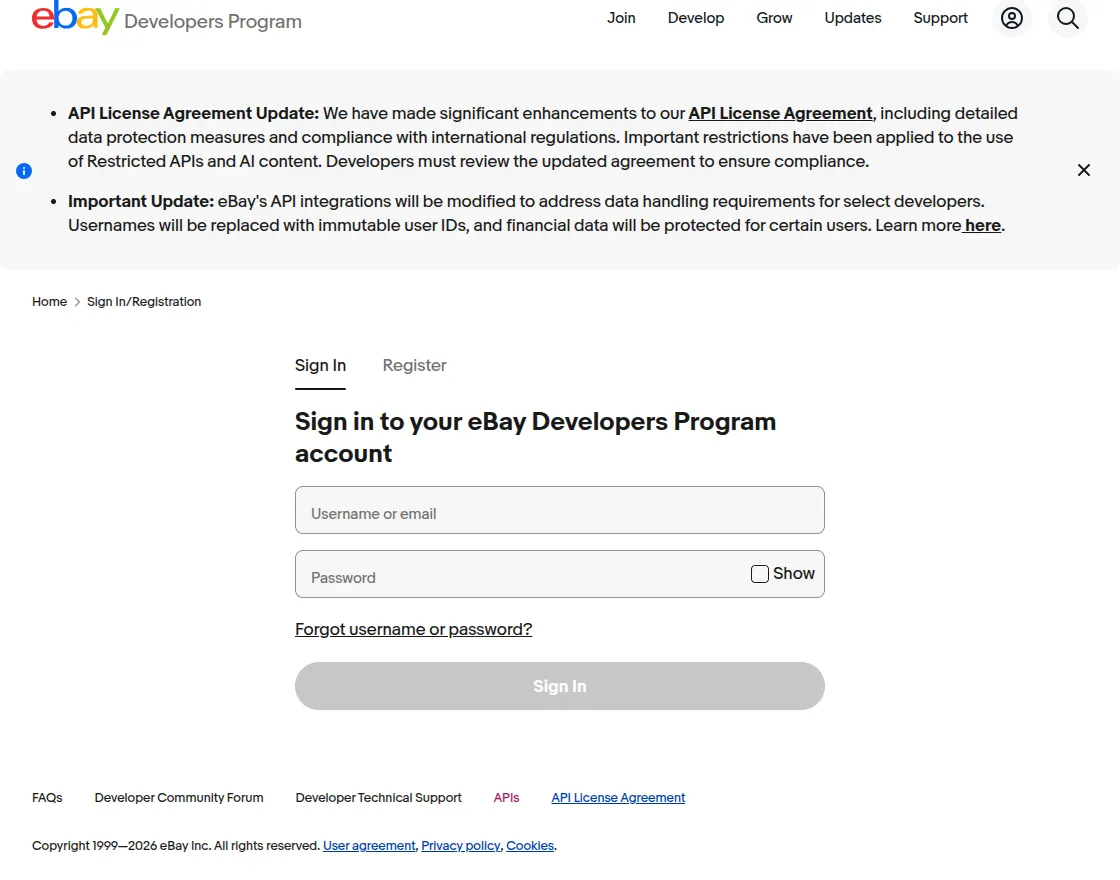
- The admin can then proceed by entering the Sandbox Username and Password.
Setup Wizard: Add eBay Account
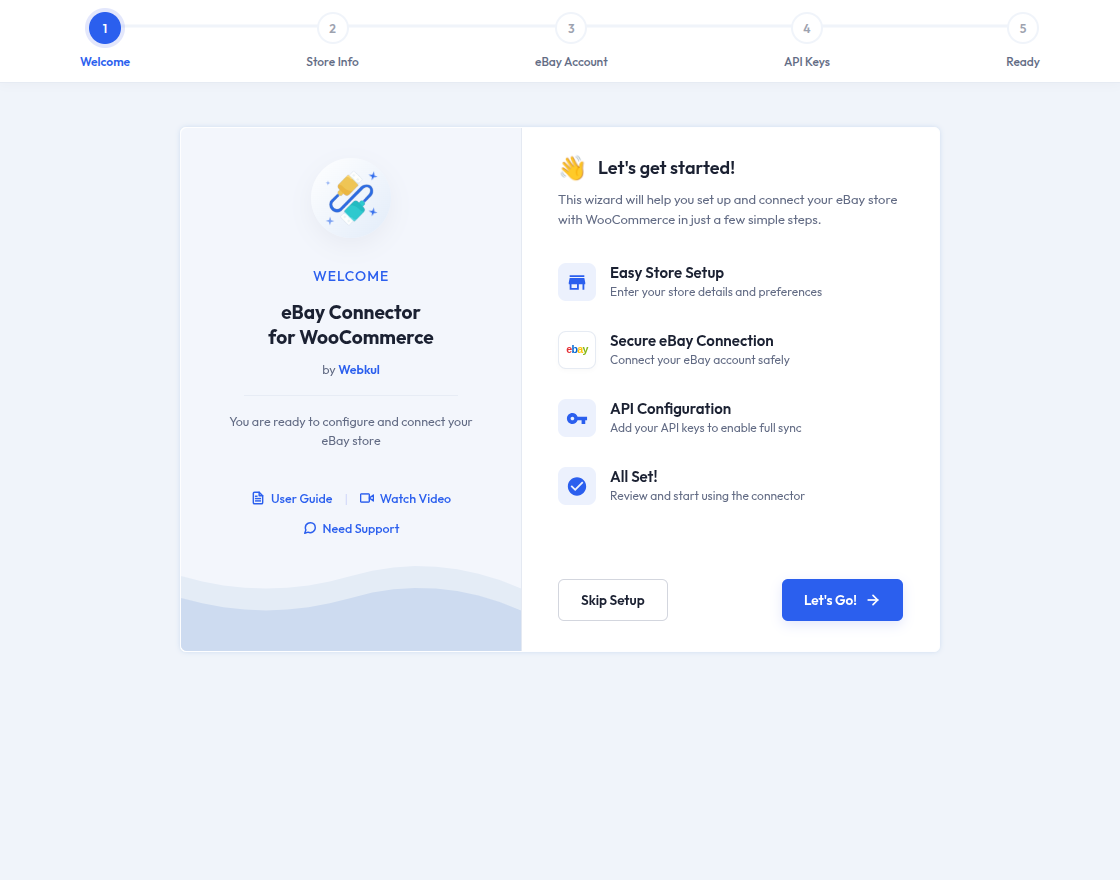
Once the API credentials are obtained, the admin can configure the eBay account using the Setup Wizard:
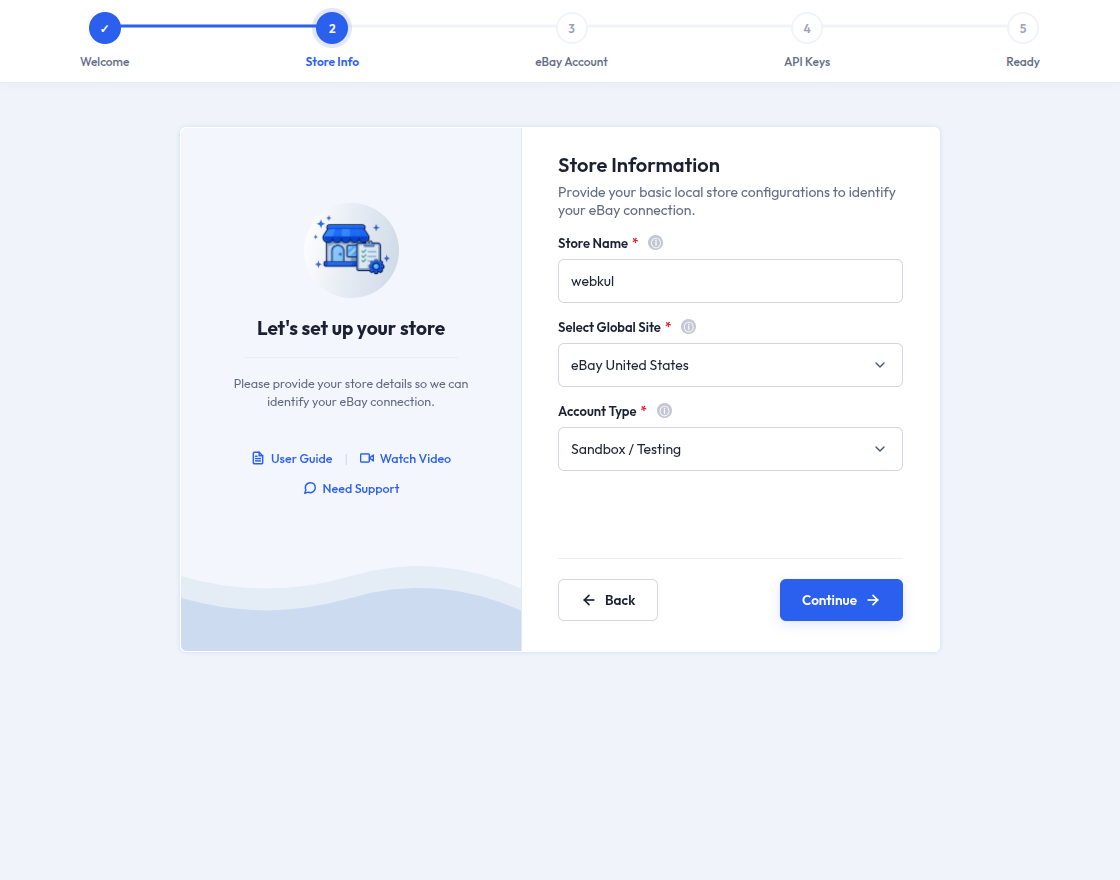
Step 1: Store Information
- The admin navigates to WC eBay Connector in the WordPress admin panel to initiate the setup.
- Store Name: Enter the store name for internal identification.
- Select Global Site: Choose the eBay site (e.g., US, UK, India) to which the account belongs.
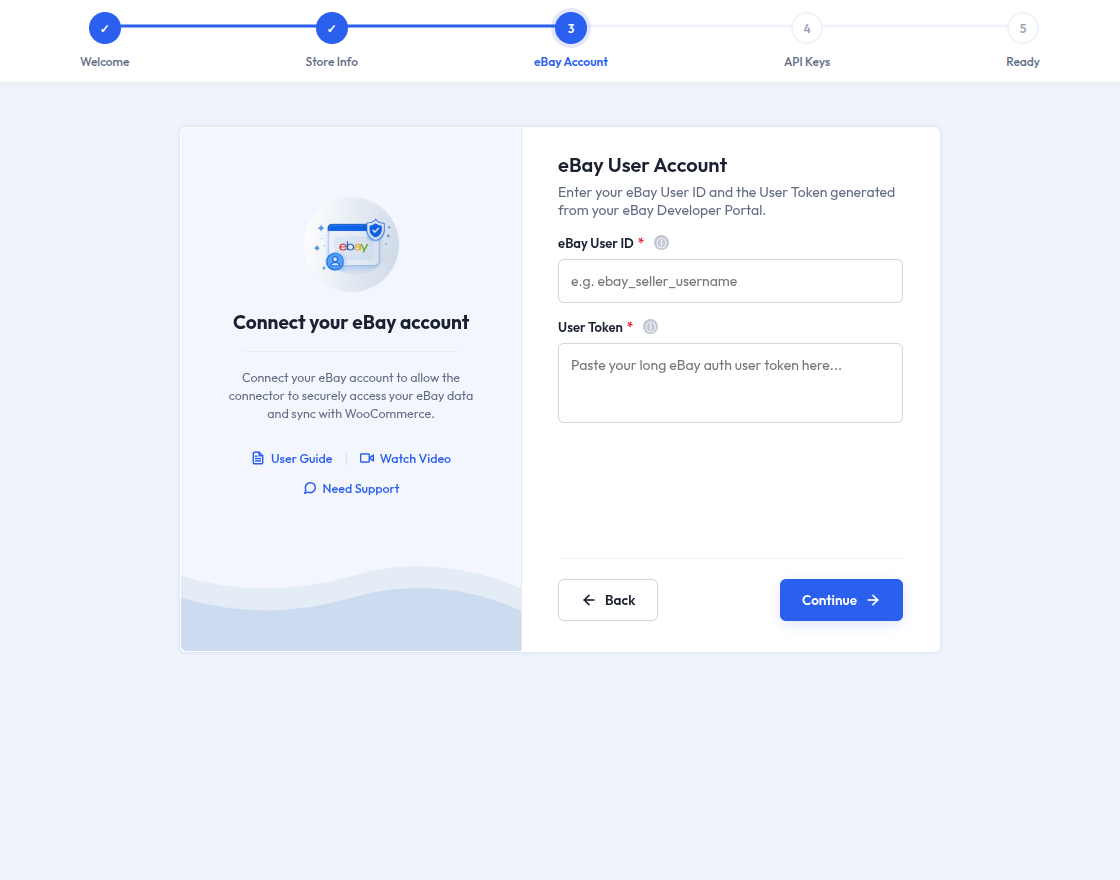
Step 2: eBay User Account Info
- eBay User ID: Enter your eBay seller user ID.
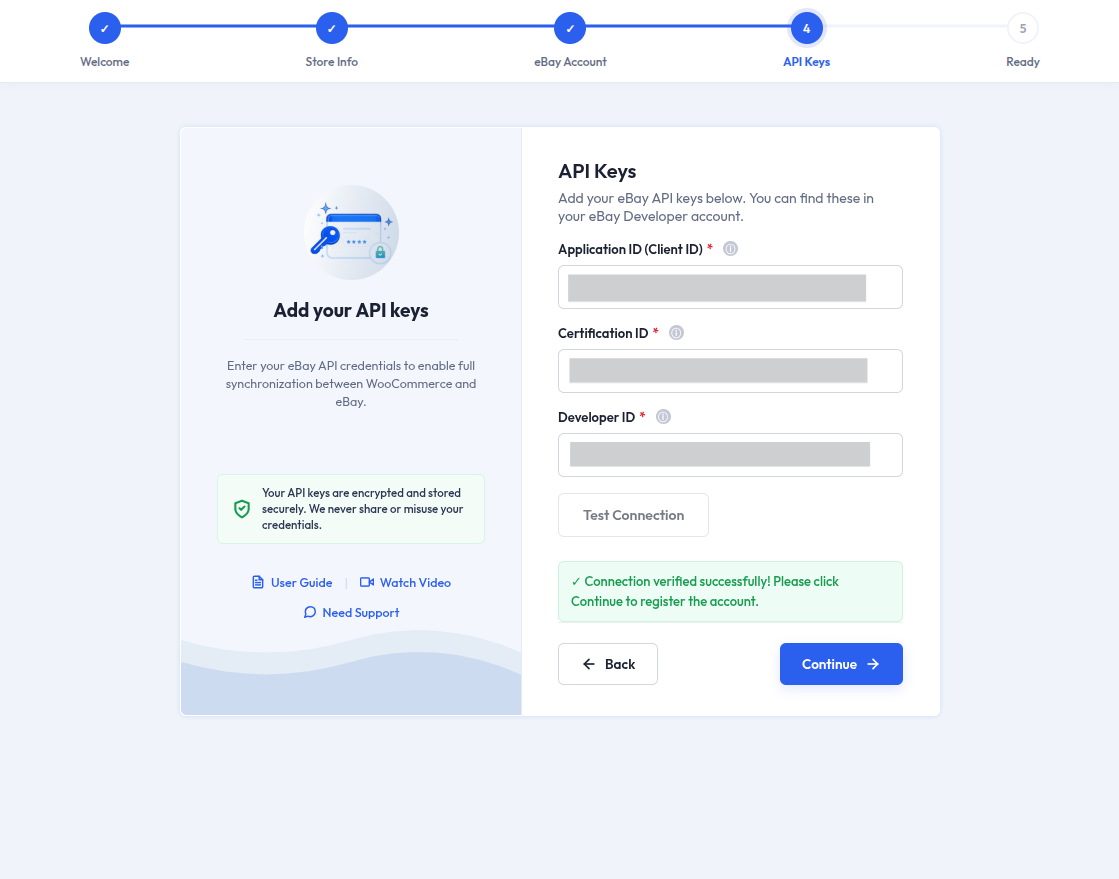
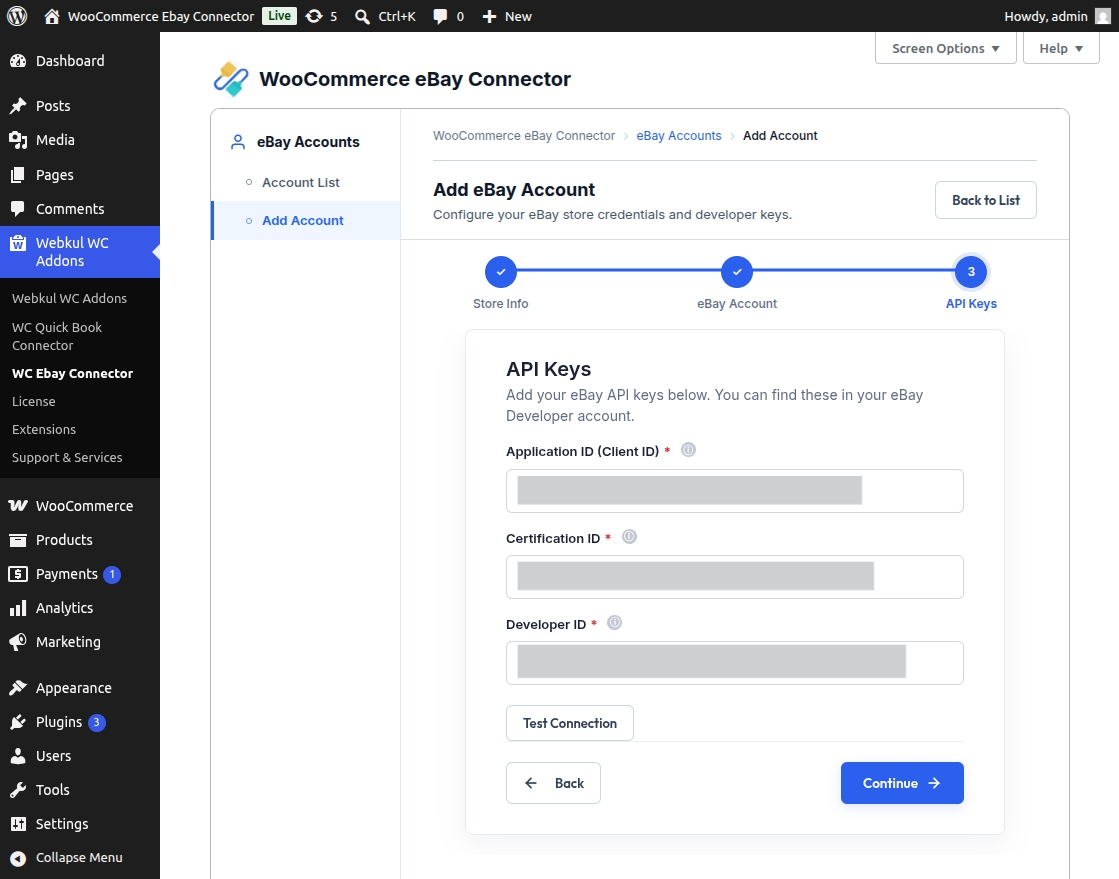
Step 3: eBay API Keys
- Developer ID: Paste the Dev ID from the eBay Developer Portal.
- Application ID: Paste the App ID (Client ID).
- Certification ID: Paste the Cert ID (Client Secret).
- Account Type: Select either Sandbox or Production.
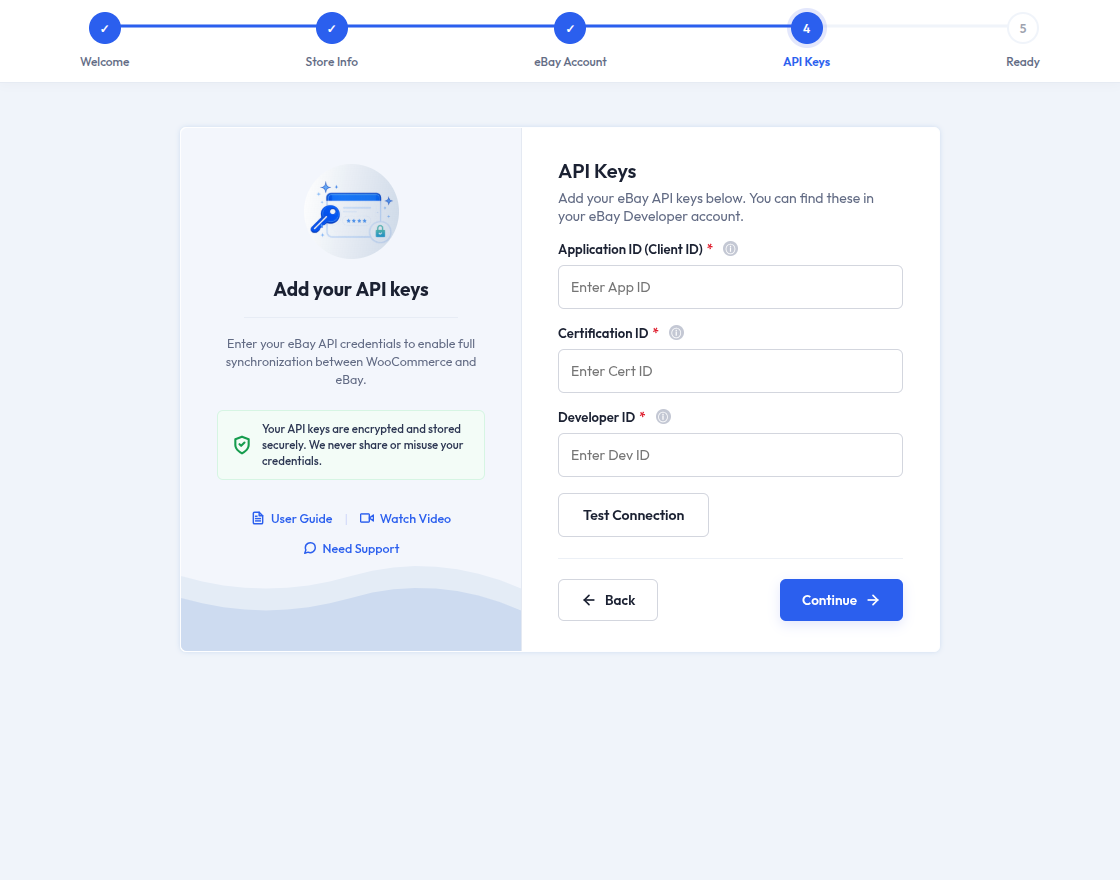
Step 4: Test Connection
- Click to verify the connection with eBay using the provided credentials.
- The eBay Application Token will be fetched automatically after a successful connection.
Step 5: All Set
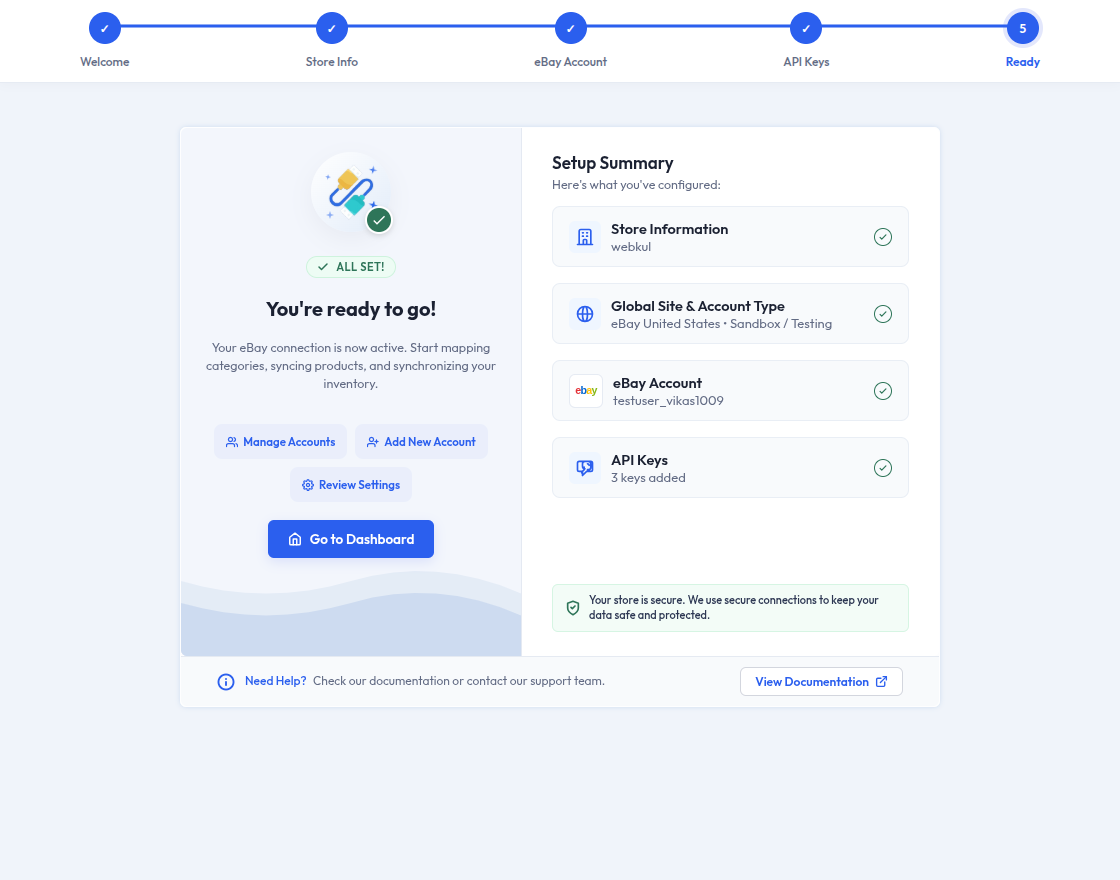
- Once the connection is successful, the setup is complete!
- Click Finish to proceed to the eBay Connector dashboard.
Add New Account Manually
Once the initial setup is complete, you can manually add another eBay account at any time:
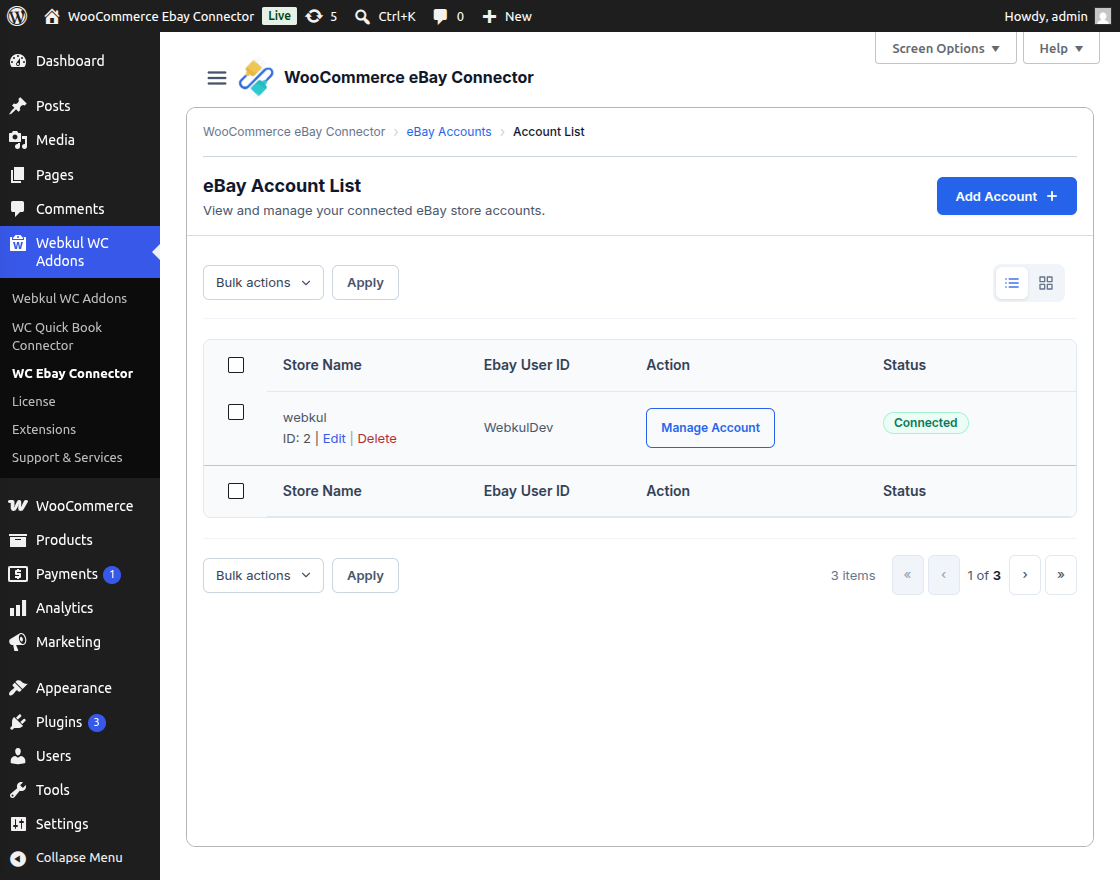
Step 1: Navigate to eBay Account List
- The admin navigates to WC eBay Connector in the WordPress admin panel.
- Here, you can view the list of existing connected accounts.
Step 2: Initiate Account Connection
- Click on the Add Account (or Add New) button to initiate the new account connection.
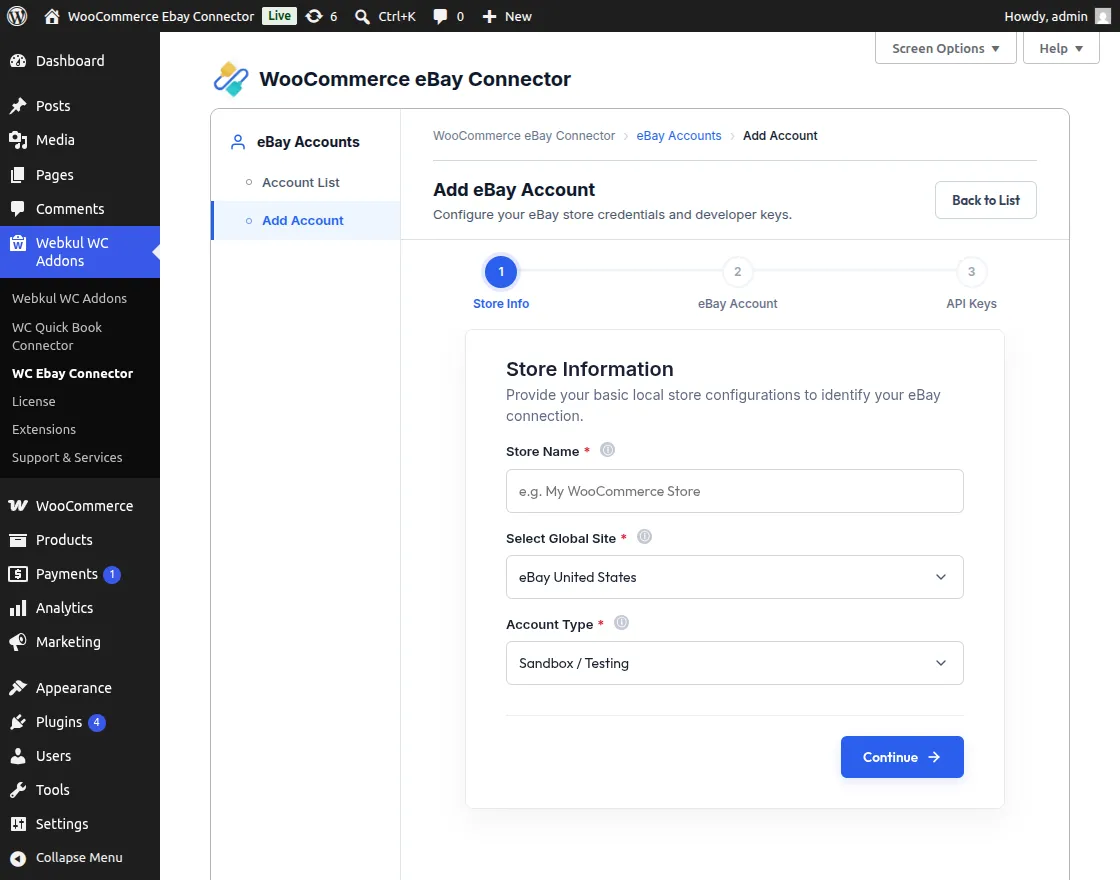
Step 3: Fill Configuration Fields
- Fill in the required configuration fields for the new account.
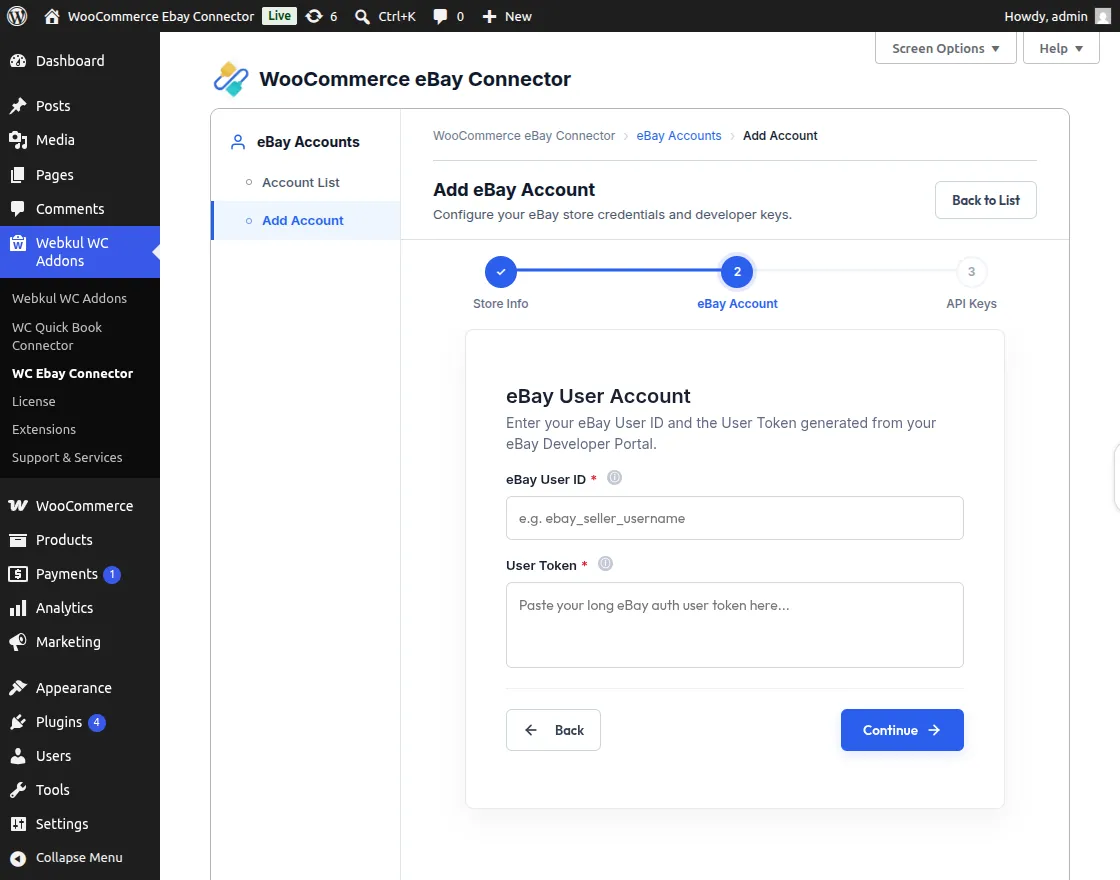
| Field | Description |
|---|---|
| Store Name | Enter the store name for internal identification. |
| Select Global Site | Choose the eBay site (e.g., US, UK, India) to which the account belongs. |
| eBay User ID | Enter the eBay seller user ID. |
| eBay Application Token | This will be fetched automatically after connection. |
| Developer ID | Paste the Dev ID from the eBay Developer Portal. |
| Application ID | Paste the App ID (Client ID). |
| Certification ID | Paste the Cert ID (Client Secret). |
| Account Type | Select either Sandbox or Production. |
Step 4: Save and Test Connection
- Click Save Account to complete the process.
- Verify the connection to ensure the account was successfully linked.
eBay Account List
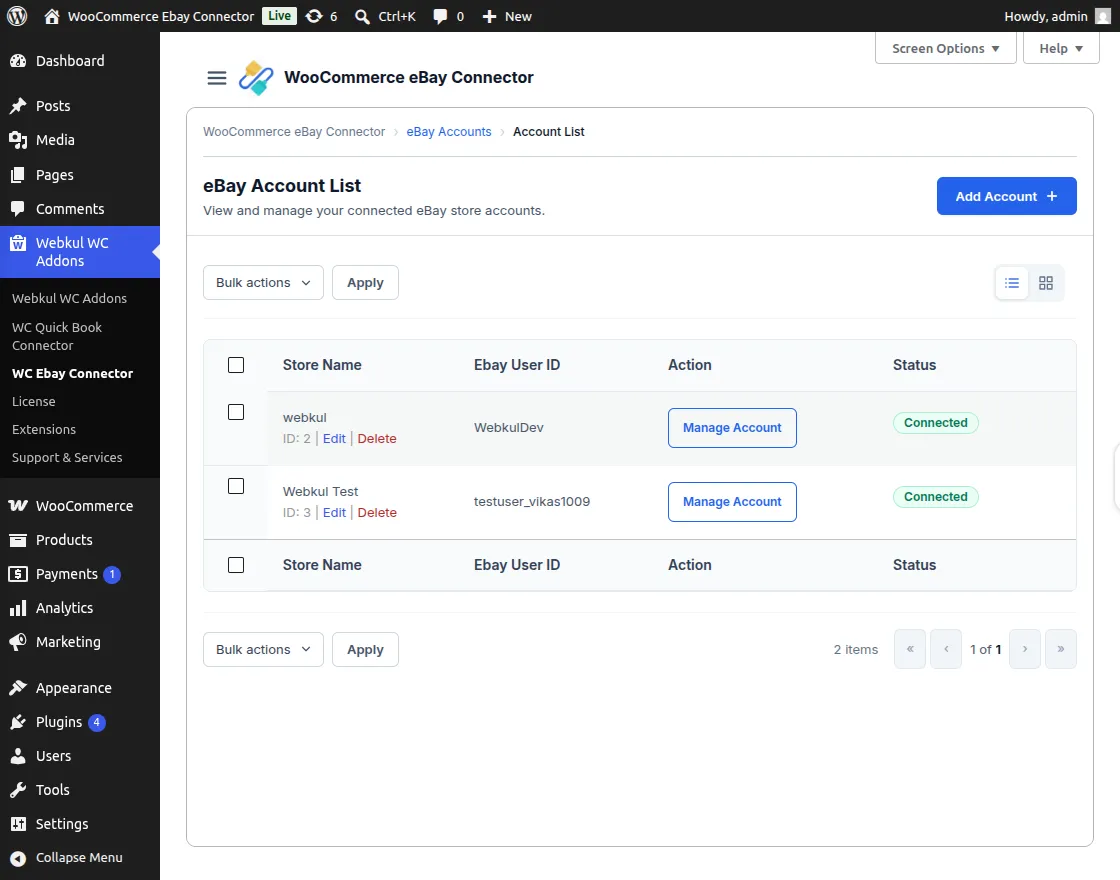
This section allows the admin to manage multiple connected eBay accounts:
Available Actions
- Edit: The admin can modify account details by clicking the Edit link.
- Delete: Remove an account by selecting Delete from the bulk actions or the individual entry.
- View Accounts: Monitor the status and details of all integrated eBay accounts.