
Category Mapping
This section allows the admin to manage and map eBay categories with the WooCommerce store categories to ensure proper product organization.
Managing eBay Categories
The admin can import eBay categories so that the WooCommerce store automatically assigns imported products to the correct mapped categories.
- To view the list of imported categories, navigate to WC eBay Connector → Manage Categories.
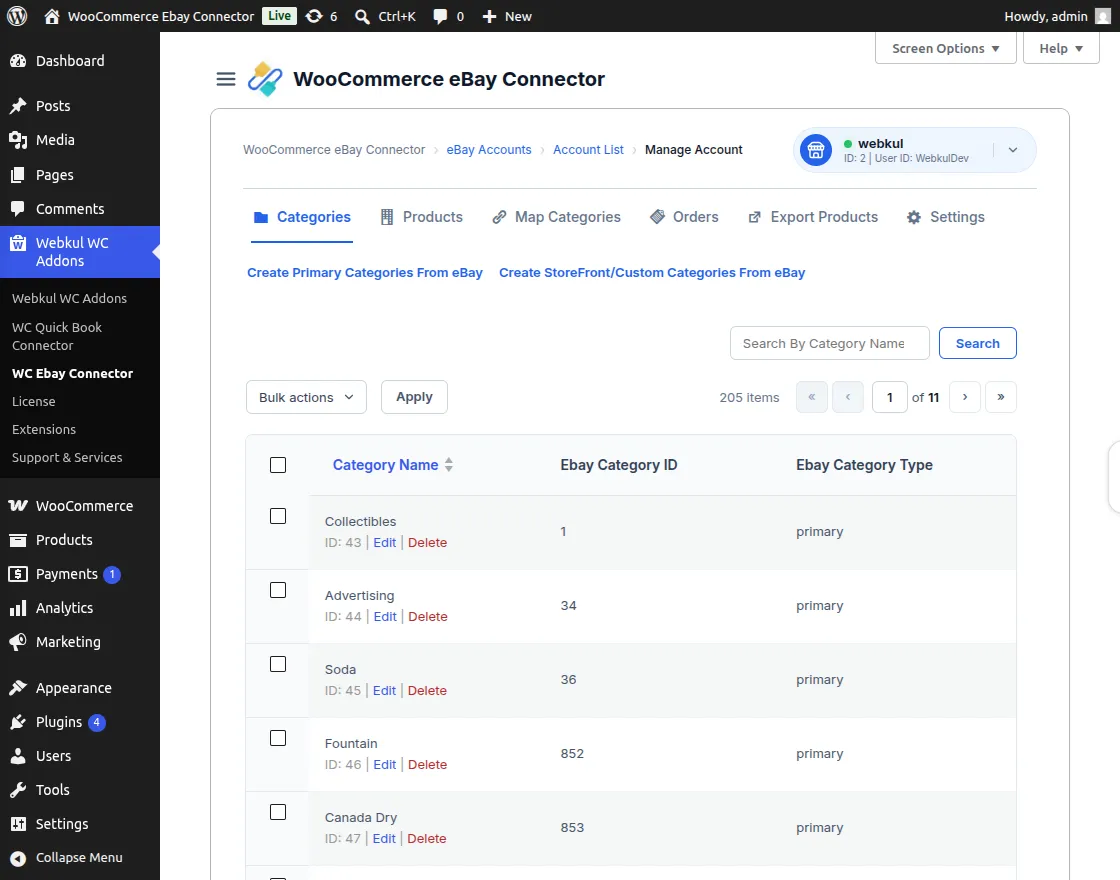
How to Import eBay Categories
- Create Primary Categories: Click the Create Primary Categories from eBay button to fetch the top-level categories.
- Import Node Categories: Click on Import all Node Category of this category to create the sub-categories within the WooCommerce store.
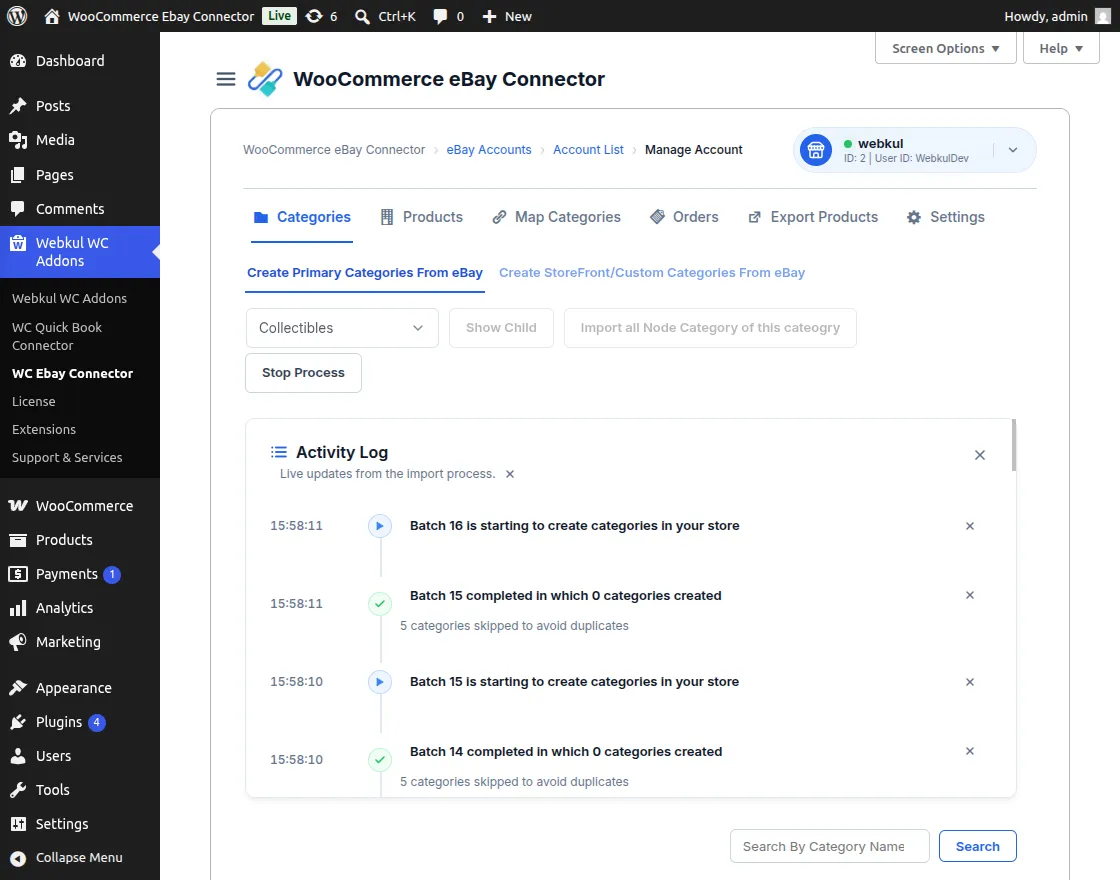
Mapping eBay Categories with WooCommerce
After the categories are imported, the admin must map them to the corresponding WooCommerce store categories.
- Navigate to the Map Categories tab in the connector module.
- This section provides the Map eBay Primary Categories option.
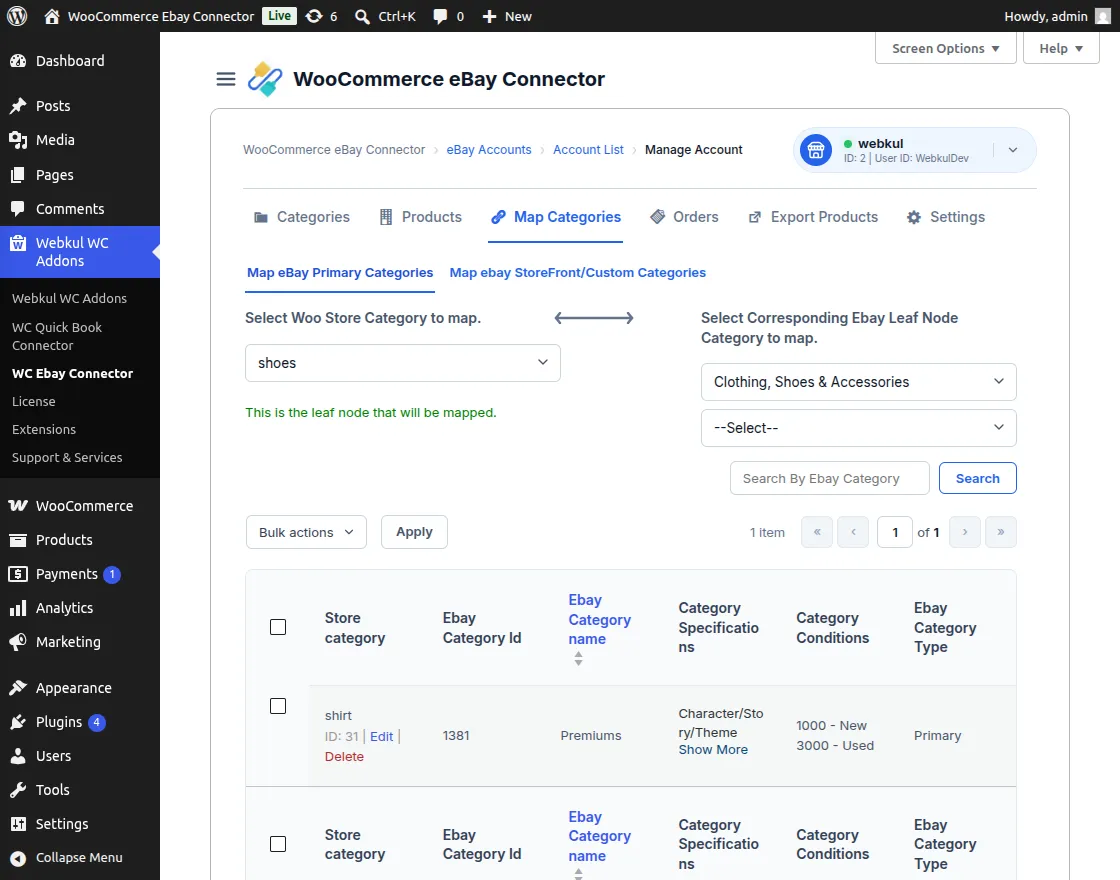
How to Map eBay Categories
- Click on Map eBay Primary Categories to start the mapping process.
- Please note that the admin can map only one category at a time.
- The mapping is applicable for sub-categories only; parent categories cannot be directly mapped.
- Once mapped, the relationship between eBay and WooCommerce categories will appear in the list.
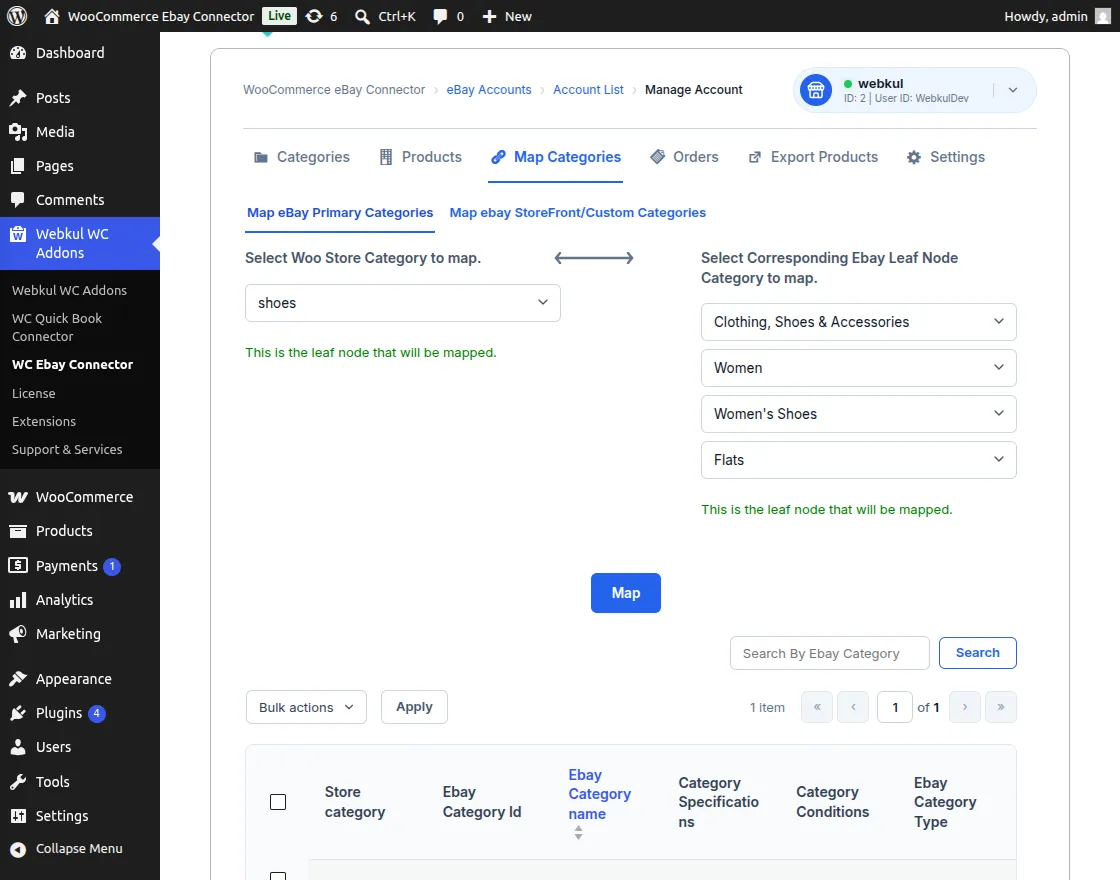
[!NOTE] During the mapping process, the admin can automatically create eBay conditions and specifications as WooCommerce product attributes.
eBay Category Conditions
Once a category is successfully mapped, the products within that category will display the eBay Category Condition field on the add/edit product page.
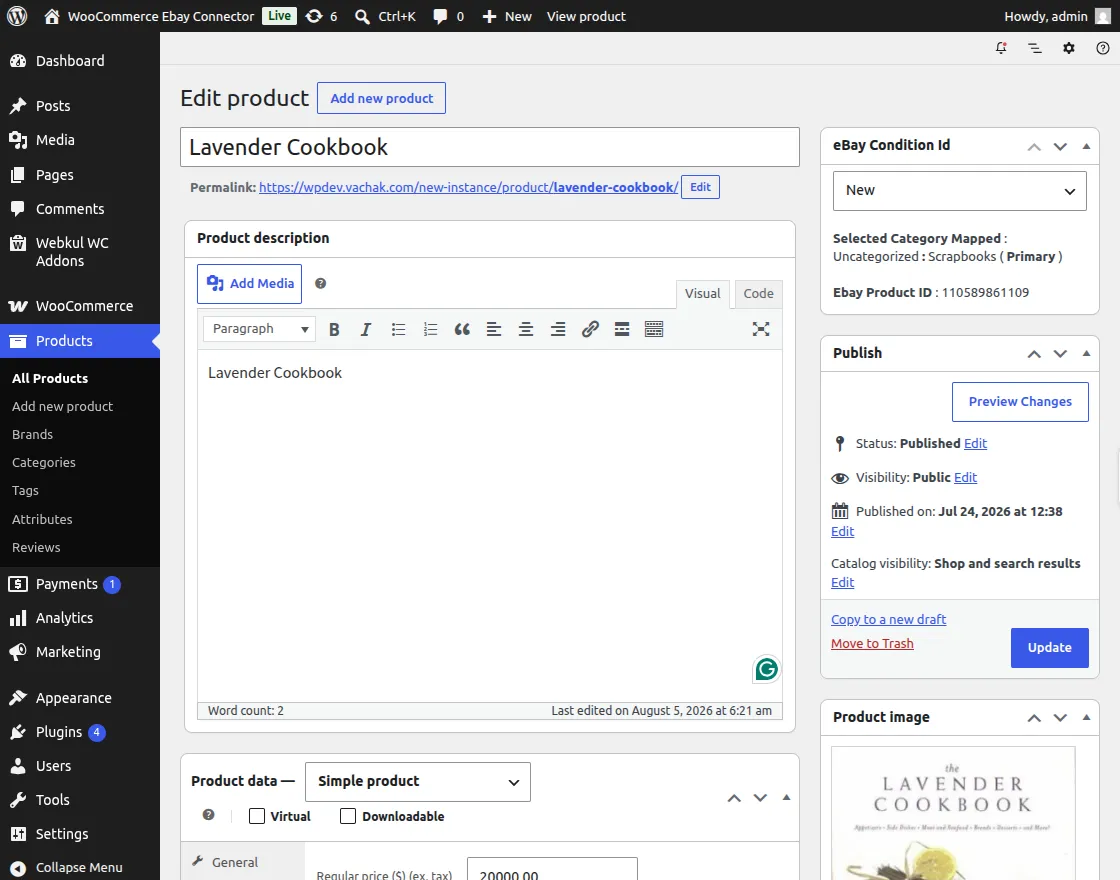
- The admin must provide the appropriate condition for each product to ensure successful export to eBay.
- These conditions are fetched directly from the mapped eBay category.
eBay Category Specifications
Mapped categories also enable eBay Category Specifications, which appear as global attributes in the product data section.
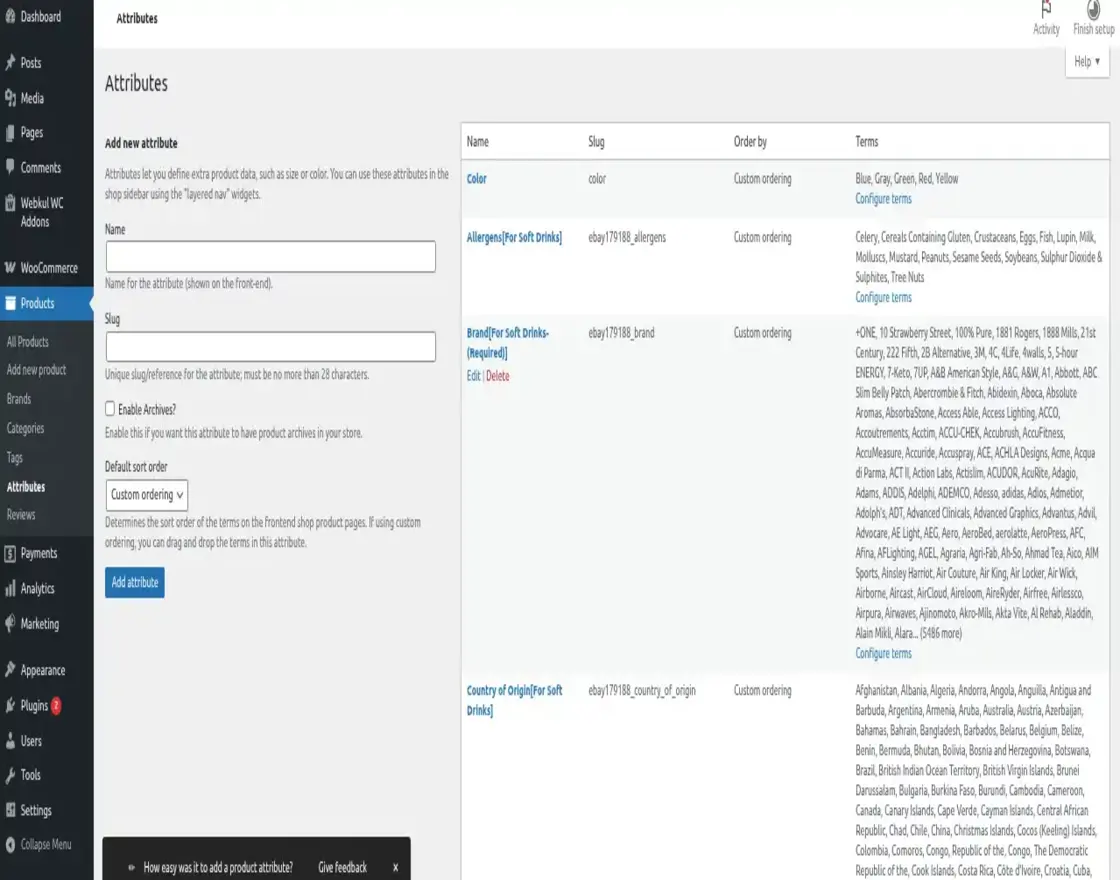
- The admin can view these specifications by navigating to Products → Attributes in the WordPress dashboard.
- The system uses the mapped eBay category name to identify these global attributes.
- Attributes follow the format: Attribute name [mapped category name].
- The admin must provide values for these mandatory attributes to comply with eBay listing requirements.
Automatic Category Mapping
If the Auto Mapping feature is enabled, the connector will automatically assign imported eBay products to their respective pre-imported categories in WooCommerce.
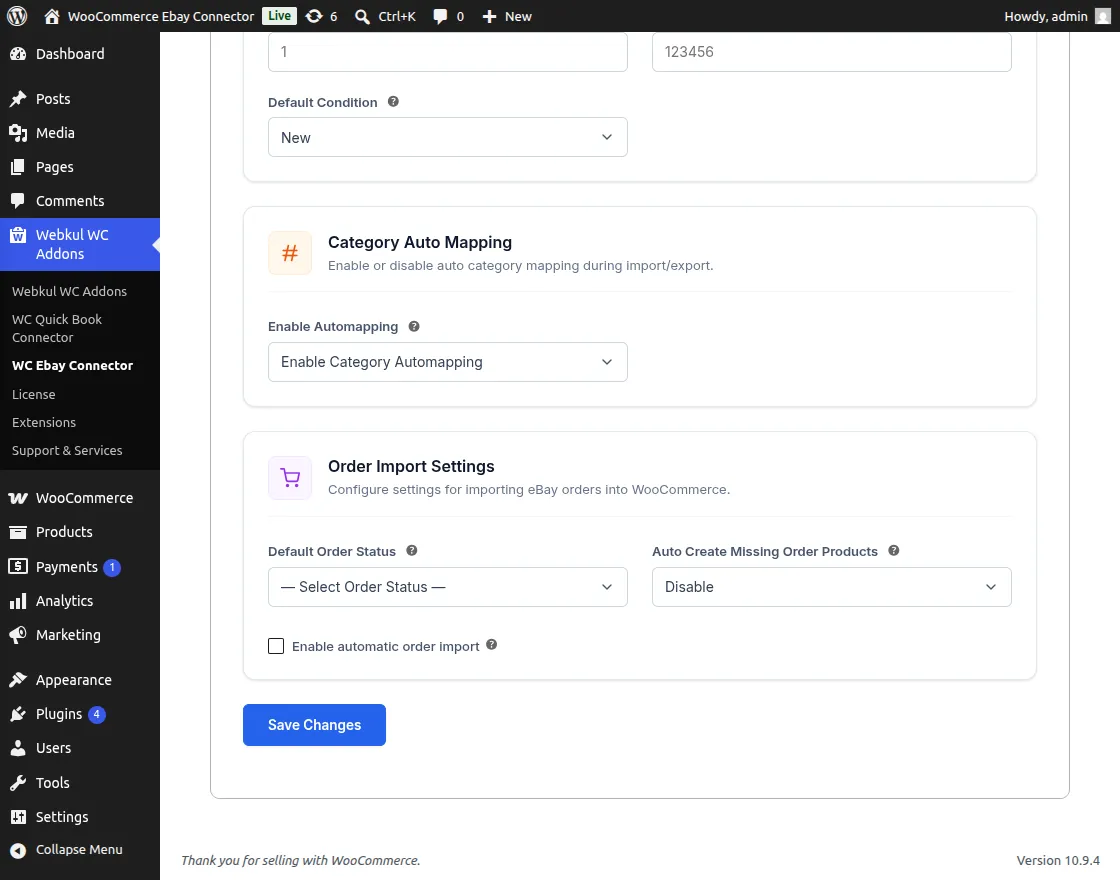
How to Enable Auto Mapping
- The admin navigates to WC eBay Connector → eBay Settings → General Settings.
- Locate and toggle the Enable Auto Mapping option to Yes.
- This automates the organization of incoming products from the eBay marketplace.