
Product Import & Synchronization
This section allows the admin to import products from the eBay marketplace to the WooCommerce store, ensuring all product details are synchronized and up-to-date.
Importing Products from eBay
The admin can seamlessly import single or multiple products from eBay to WooCommerce.
To manage products, navigate to WC eBay Connector → Manage Products.
The following import options are available:
- Import Products From eBay: Import all active products from the connected eBay account.
- Import Products Date-wise: Fetch products based on specific creation or update dates.
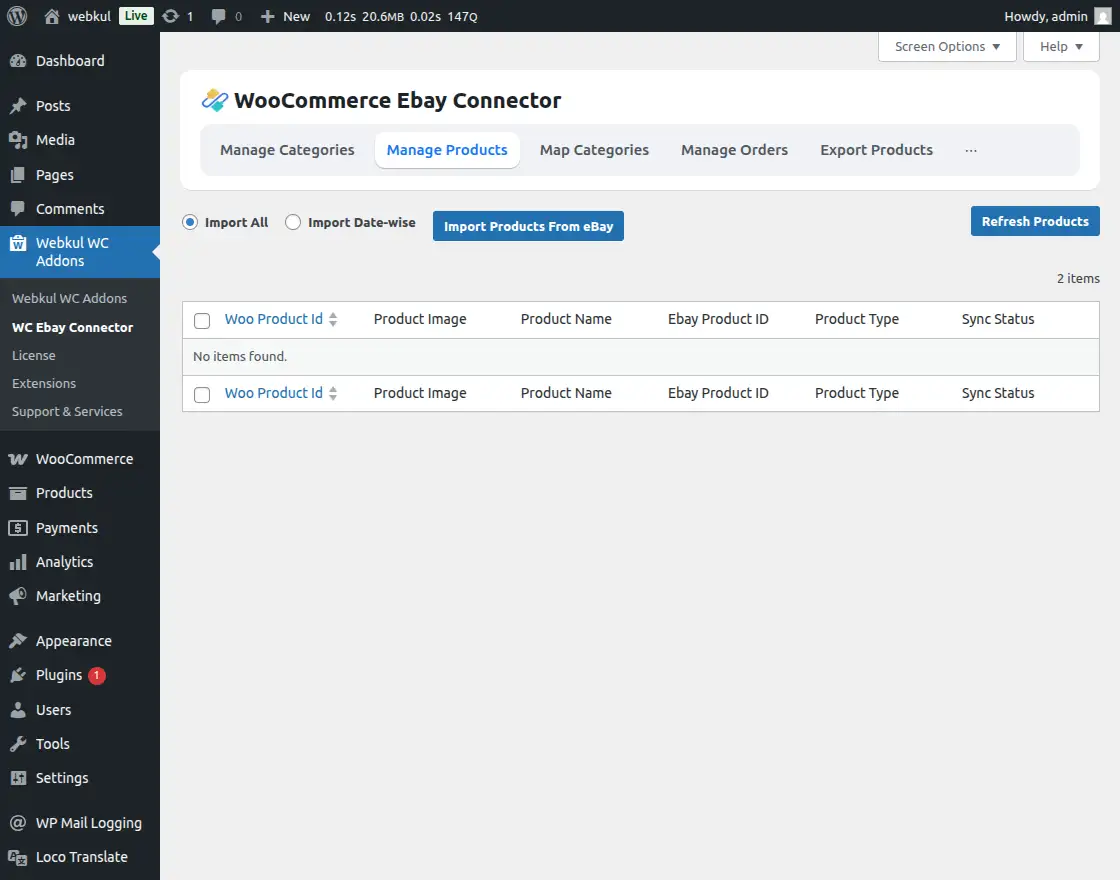

How to Import eBay Products
- Click the Import Products from eBay button to initiate the synchronization.
- The module creates temporary product data within the WooCommerce store for processing.
- A background process automatically handles product image imports to ensure faster listing creation.
- The admin has the flexibility to Start or Stop the image synchronization process as needed.

[!NOTE] Only products with an Active status on eBay are eligible for import to the WooCommerce store.
Category Assignment During Import
The connector handles category organization based on the following rules:
- No Mapping: If the eBay category is not mapped, products are assigned to the Default Category defined in settings.
- Existing Mapping: If category mapping is already performed, products are placed in the respective mapped WooCommerce category.
- Auto Mapping: When enabled, products are automatically assigned to their pre-imported eBay categories in WooCommerce.
Refreshing Synchronized Products
This section allows the admin to manually update existing product information from eBay to reflect any recent changes.

- Click the Refresh Product button to trigger a bulk update for all synchronized items.
- A confirmation popup will appear, as this process may be time-consuming for large inventories.
- Use this option if:
- Real-time synchronization is disabled.
- Products have become out of sync due to manual changes on either platform.
- Upon confirmation, the system updates titles, descriptions, stock, and prices with the latest eBay data.
Supported Product Types
The WooCommerce eBay Connector supports various product formats for two-way synchronization:
| Product Type | Import (eBay → WooCommerce) | Export (WooCommerce → eBay) |
|---|---|---|
| Simple Products | ✅ | ✅ |
| Variable Products | ✅ | ✅ |
| Auction-type Products | ✅ (Imported as Simple Type) | ❌ |
Synchronized Product Information
The following data attributes are maintained across both platforms during the synchronization process:
- SKU
- Product Name / Title
- Description
- Stock / Inventory
- Images
- Categories
- Price
- eBay Conditions & Specifications
- Attributes, etc.