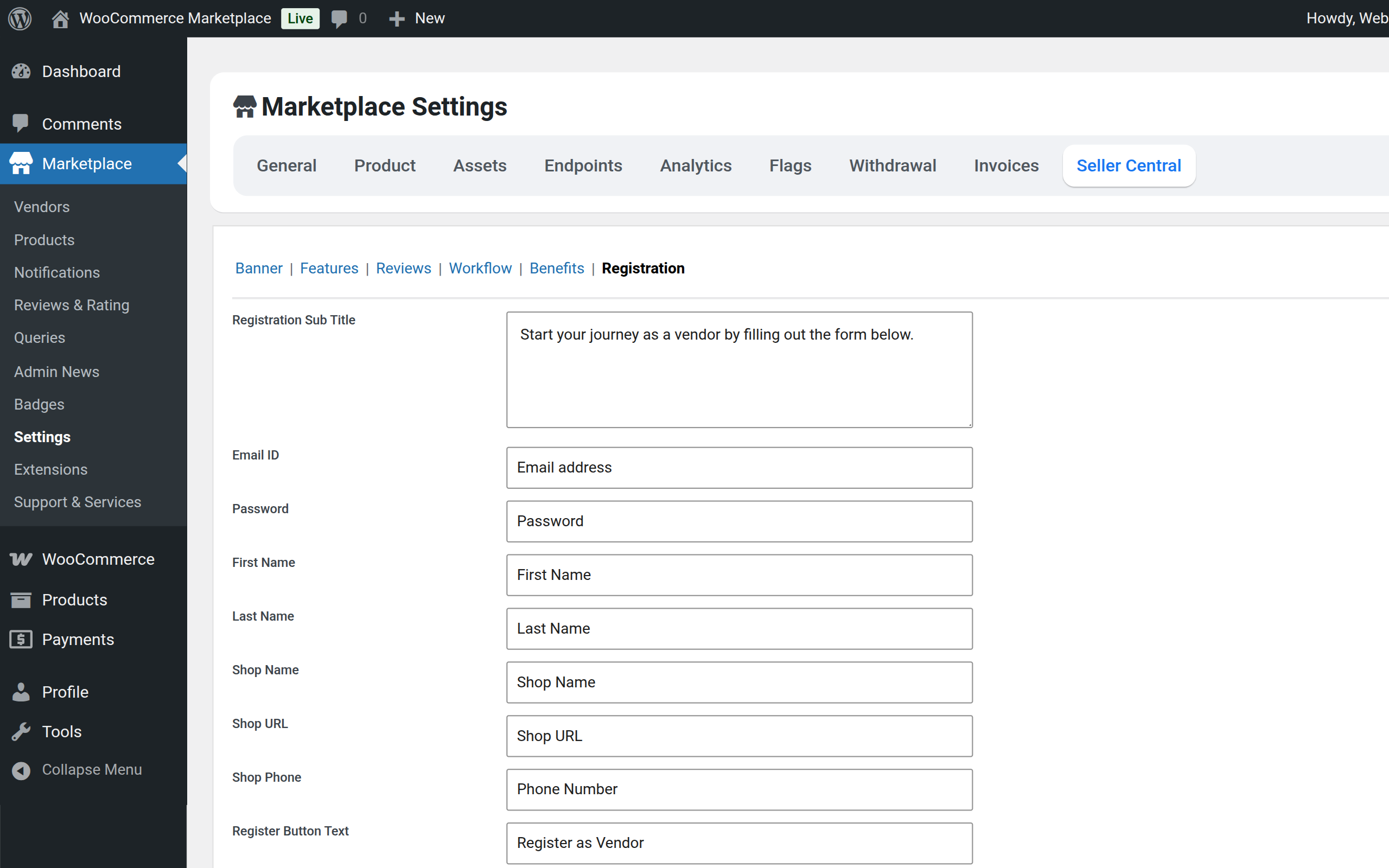
Configuration – Seller Central

The Seller Central settings allow the admin to configure and customize the vendor onboarding page for new sellers.
The admin can access this section from:
Marketplace > Settings > Seller Central
Seller Central Overview
- Provides a dedicated onboarding page for new vendors
- Helps vendors understand marketplace features and benefits
- Improves vendor sign-up and conversion rate
- Fully customizable by the admin
Banner Section
- Displays at the top of the Seller Central page
- Admin can configure:
- Seller Central Logo
- Seller Central Title
- Banner heading
- Banner description
- Banner image

Features Section
- Highlights important marketplace features
- Helps vendors understand available tools and functionality
- Attracts new vendors by showcasing platform capabilities

Reviews Section
- Displays vendor or customer testimonials
- Builds trust and credibility for new vendors
- Encourages vendors to join the marketplace

Workflow Section
- Explains the step-by-step process to start selling
- Makes vendor onboarding simple and clear
- Helps reduce confusion during registration

Benefits Section
- Lists the key advantages of joining the marketplace
- Helps vendors quickly understand the value proposition
- Encourages vendor registration

Registration Section
- Allows the admin to configure vendor registration settings
- Controls onboarding options for new sellers
- Manages how vendors sign up on the marketplace