
Overview
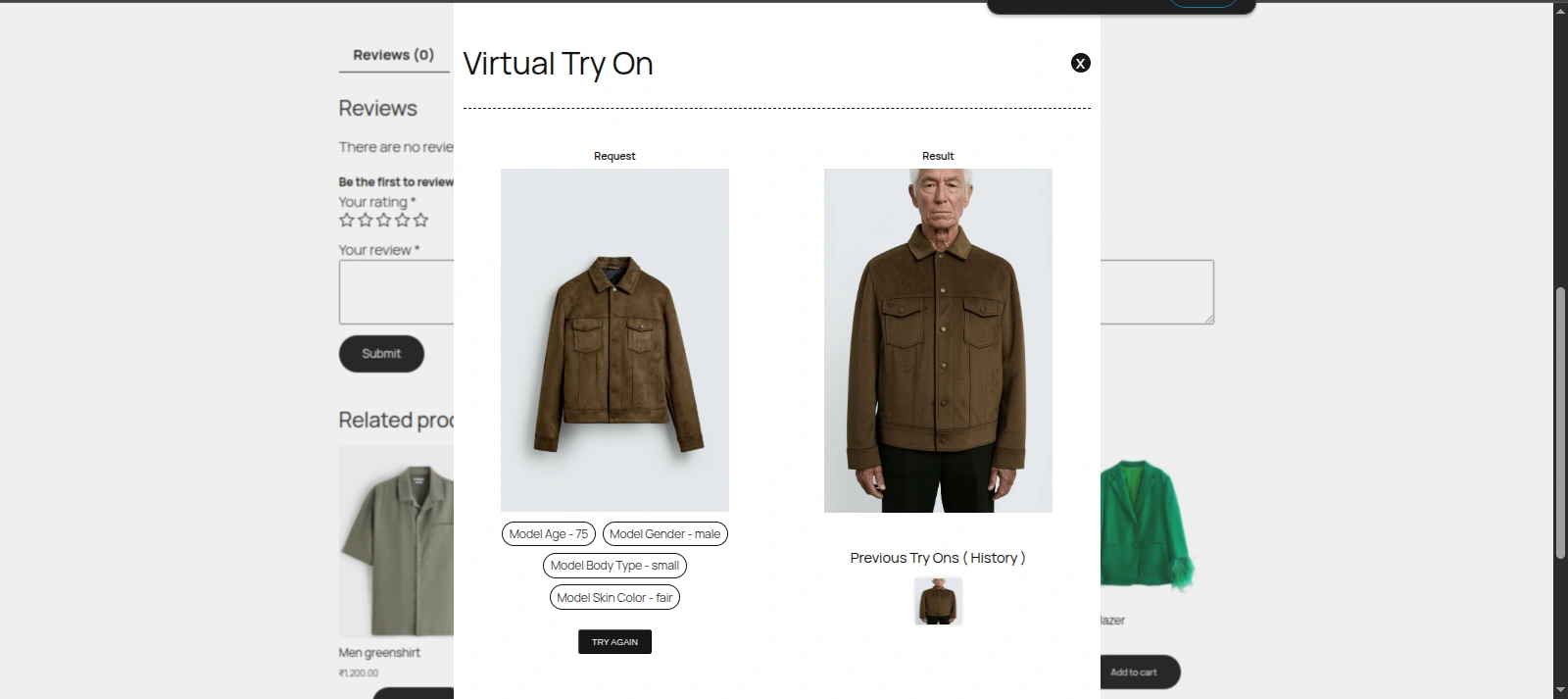
Virtual Try On for WooCommerce transforms standard eCommerce apparel catalog pages into an interactive, artificial intelligence-powered fitting experience. Instead of relying solely on static mannequin or studio photographs, shoppers can view realistic simulations of garments rendered directly onto virtual human models tailored to their age, skin tone, and body build, or onto their own uploaded photos.
Core Problem and Business Value
In online apparel commerce, sizing uncertainty and visual fit hesitation represent the primary drivers of shopping cart abandonment and high product return rates (frequently exceeding 30% in fashion retail).
Virtual Try On resolves these friction points by:
- Empowering Buyer Decision-Making: Customers verify garment proportions, colors, and styling on models that match their demographic profile or personal appearance.
- Reducing Return and Restocking Costs: Accurate visual expectation management minimizes size and style dissatisfaction upon delivery.
- Enhancing Catalog Visuals with Minimal Cost: Store administrators can generate AI model imagery directly within the WordPress product editor and sideload it to the product gallery without scheduling expensive external studio photoshoots.
Supported Apparel Categories
The plugin supports diverse apparel categories across men's, women's, and unisex fashion:
| Category | Examples | Try-On Behavior |
|---|---|---|
| Upper Body Garments | T-shirts, casual shirts, blouses, hoodies, sweaters, jackets, blazers | Fitted naturally to upper torso, shoulders, and arms while respecting underlying posture. |
| Lower Body Garments | Jeans, trousers, shorts, skirts, sweatpants | Fitted accurately from waistline to hemline according to selected model build. |
| Full Body Apparel | Dresses, jumpsuits, overalls, suits | Cohesively draped over the complete torso and legs. |
| Accessories & Outerwear | Hats, caps, coats, light jackets | Positioned over standard headwear and outerwear zones. |
Best Practice for Product Images
For optimal try-on precision, use high-resolution featured images (minimum 800×800 px) with clean white or transparent backgrounds where garments are laid flat or displayed on neutral mannequins.
System Requirements & Compatibility
The plugin is built to modern WordPress coding standards and rigorously verified across current enterprise production stacks:
| Platform Component | Requirement | Tested Support |
|---|---|---|
| WordPress Core | 6.5 or higher | Tested up to 7.1 |
| WooCommerce | 9.0 or higher | Tested up to 11.3 |
| PHP Runtime | 7.4 or higher | Fully verified on PHP 8.1, 8.2, 8.3, and 8.4 |
| High-Performance Order Storage (HPOS) | Compatible | Declared compatible with custom_order_tables |
| Web Server | Apache or Nginx | Supports standard HTTPS configurations |
| Browser Support | Modern HTML5 Browsers | Chrome, Firefox, Safari, Edge (Desktop & Mobile) |
Security Architecture
To safeguard your commercial AI accounts, API keys are stored encrypted on the server. Generation requests submitted from storefront browsers transit via the WordPress REST API endpoint (/wp-json/wkvton/v1/generate-image), ensuring your private provider keys are never exposed in page source code or network payloads.