
Visual Listing Template Builder
Introduced in version 5.0.0, the Visual Listing Template Builder allows merchants to design professional, mobile-responsive eBay product listing descriptions without writing HTML or CSS.
1. Templates Management (tab=manage-template)
Access your template library via WC Ebay Connector → Manage Account → Listing Templates.
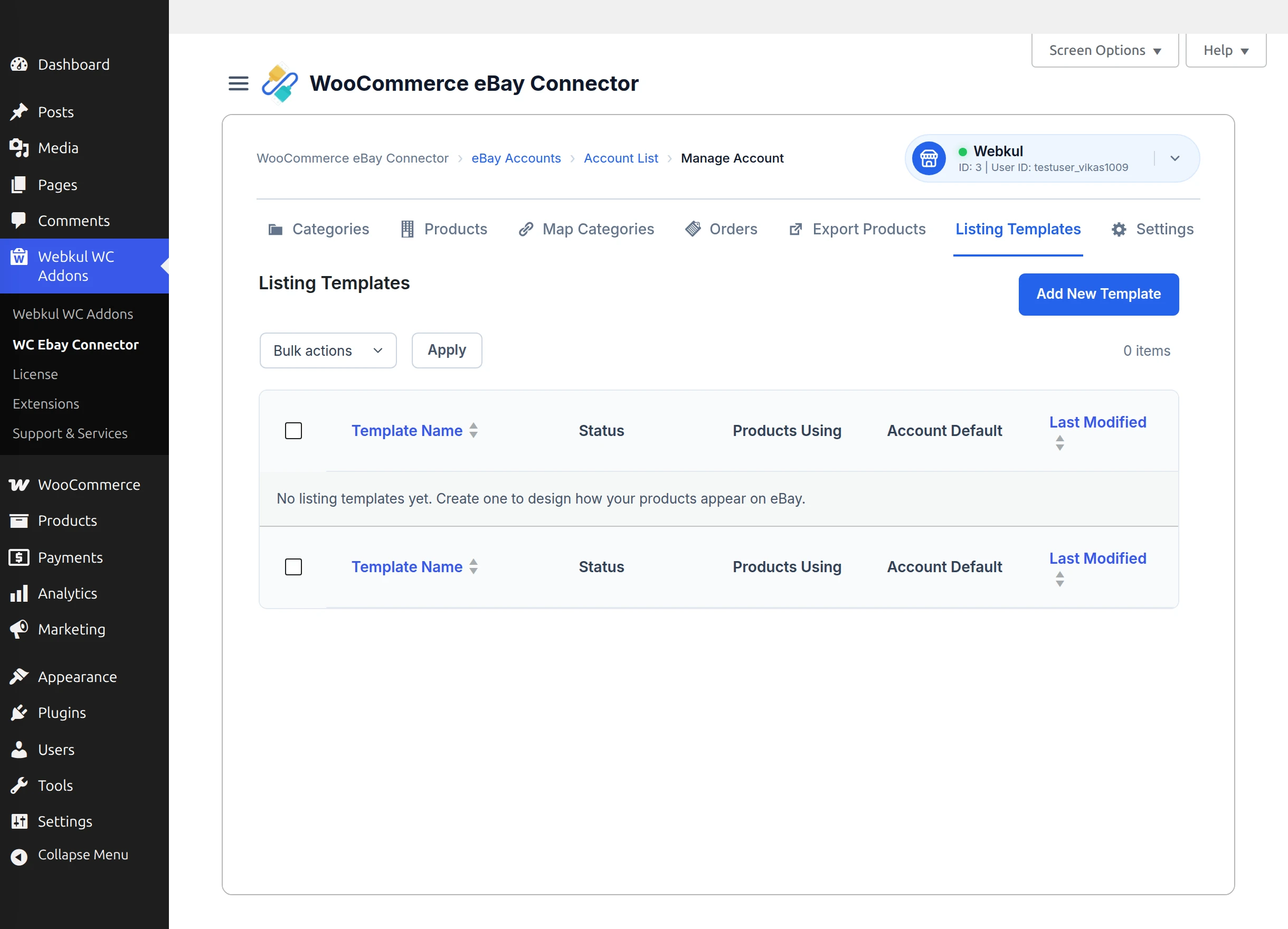
- Template Name: Descriptive title for your design (e.g., "Minimal Electronics Layout", "Modern Apparel Theme").
- Account Default: Mark any template as the global default for this eBay seller account.
- Actions: Edit Template (opens visual builder), Duplicate, Delete, or Preview.
2. Starter Layout Selection
When creating a new template or resetting a layout, click Choose Starter Layout to initialize the builder with a conversion-optimized layout.
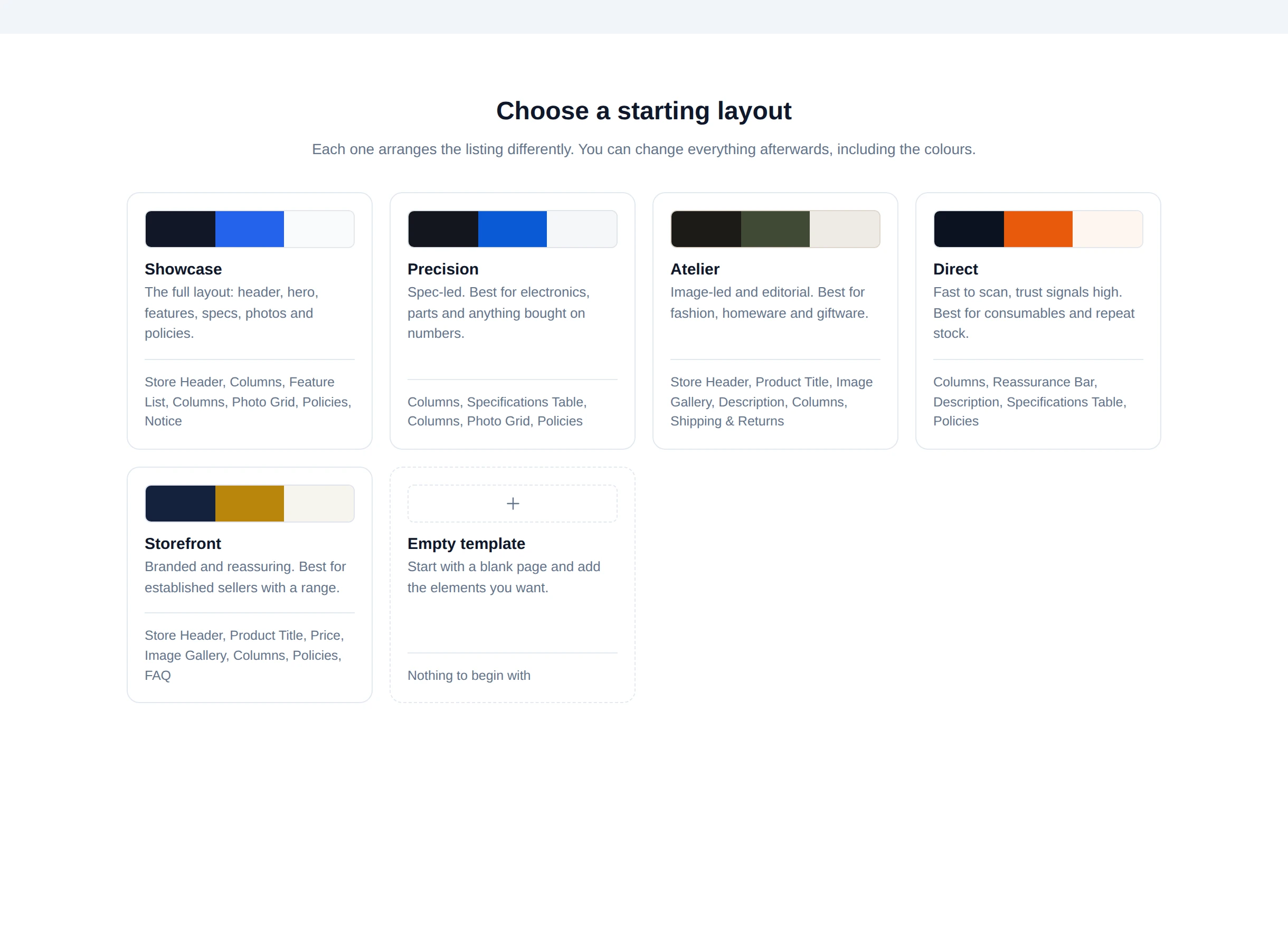
The starter layout library provides ready-to-use eCommerce themes:
- Showcase: Highlight product imagery, hero brand banners, and trust badges.
- Precision / Minimal: Clean typography with prominent technical specifications for electronics, computing, and tools.
- Atelier / Modern: Styled for fashion, apparel, and lifestyle items with an editorial feel.
- Direct / Storefront: High-converting multi-section layout with clear shipping, returns, and support policy tabs.
3. The Visual Builder Workspace
Click Add New Template or Edit to enter the full-screen visual builder workspace (admin.php?page=fmebay-template-editor).
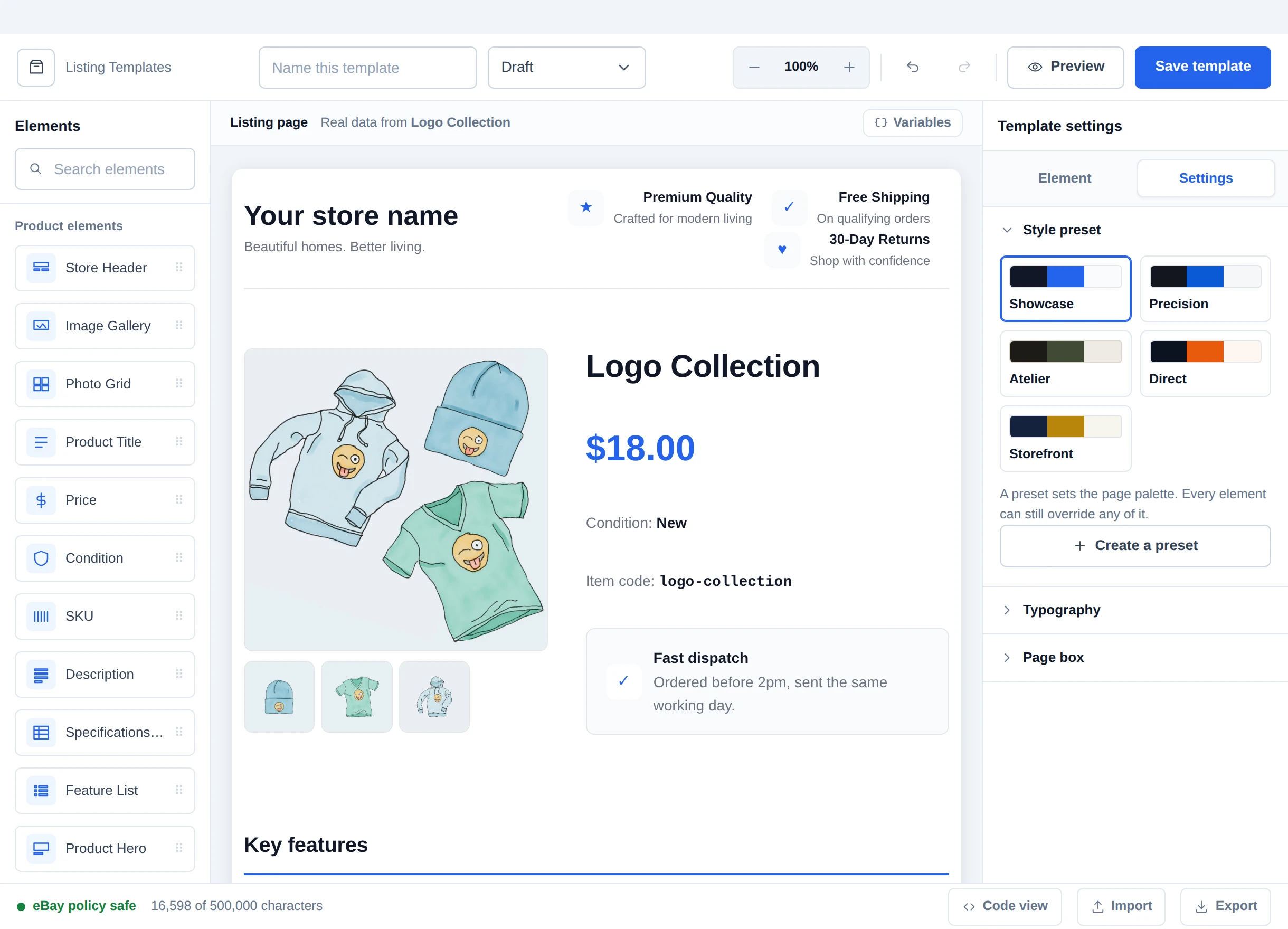
Key Workspace Modules
- Starter Layout Picker:
- Choose or switch starter themes to rapidly scaffold proven layout structures.
- Interactive Canvas:
- Real-time WYSIWYG preview of your listing description rendered with actual WooCommerce product data. Click any block on the canvas to select it and edit its styling or content in the Style Inspector.
- Section Palette:
- Drag and insert modular components into your listing:
- Header / Brand Banner: Store logo, brand slogan, and trust badges.
- Product Gallery: High-resolution image carousel and thumbnail strip.
- Key Features Strip: Highlight bullets, guarantee badges, and shipping highlights.
- Specifications Table: Technical details table dynamically populated from item specifics.
- Policy Tabs: Tabbed interface for Shipping, Returns, Payment, and About Us.
- Description Body: Rich text area supporting dynamic placeholders.
- Footer: Support contact info, copyright notice, and social links.
- Drag and insert modular components into your listing:
- Style Inspector:
- Customize fonts, font sizes, heading hierarchies, color accents, borders, margins, and column layouts.
- Responsive Viewport Controls:
- Toggle between Desktop, Tablet, and Mobile views to verify responsive presentation across all devices.
4. Code View & eBay Policy Compliance
Click Code View to review the compiled HTML markup and verify compliance before publishing.
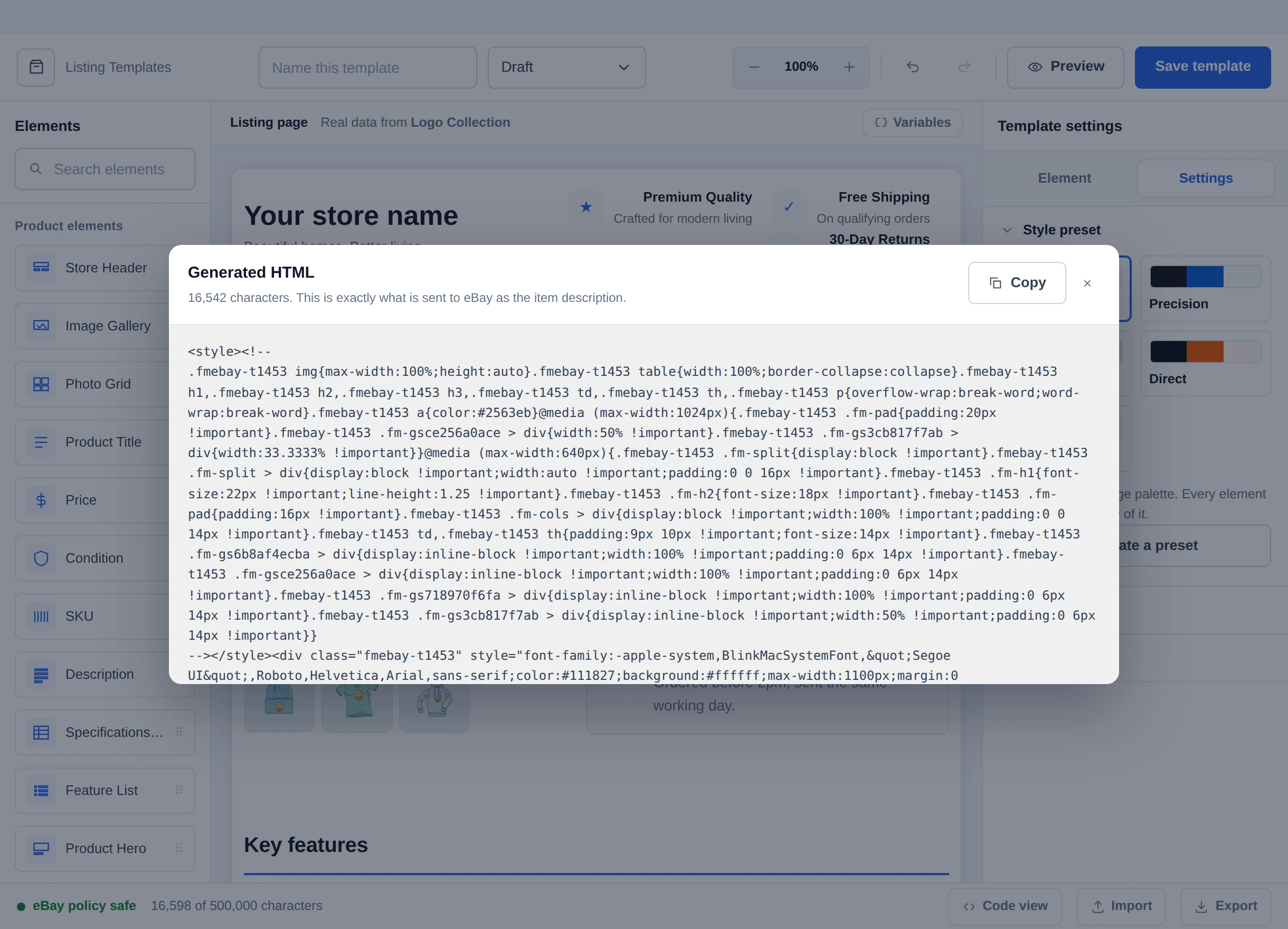
- Dynamic Merge Tags: Uses dynamic tags like
{{product_title}},{{product_description}},{{product_images}},{{item_specifics}}, and{{shipping_summary}}that resolve automatically upon product export. - Active-Content Policy Enforcement:
- Automatically disallows and strips JavaScript (
<script>), Flash (<object>,<embed>), form elements, and external CSS style sheets that violate eBay listing policies. - Enforces HTTPS on all embedded media assets to prevent mixed-content security warnings.
- Injects mobile-friendly viewport metadata for optimal eBay mobile app and mobile browser rendering.
- Automatically disallows and strips JavaScript (
5. Applying Templates to Products
Templates can be assigned at two levels:
- Account Default: Assigned in Listing Templates tab. Automatically applied to all exported products unless overridden.
- Product-Level Choice: In the Edit eBay Listing Workspace, merchants can override the default and choose a specialized template tailored for that specific product line under the Template Studio tab.
Next Steps
- Learn how to customize per-product listings in Export Products & Edit eBay Listing Workspace.
- Learn how orders import and sync in Order Management.
- Find answers to common questions in FAQs & Troubleshooting.