Customer Experience
This chapter follows a customer from the shop catalog to the moment the bundle lands in the cart. Everything shown here was captured on the live demo store.
In the catalog
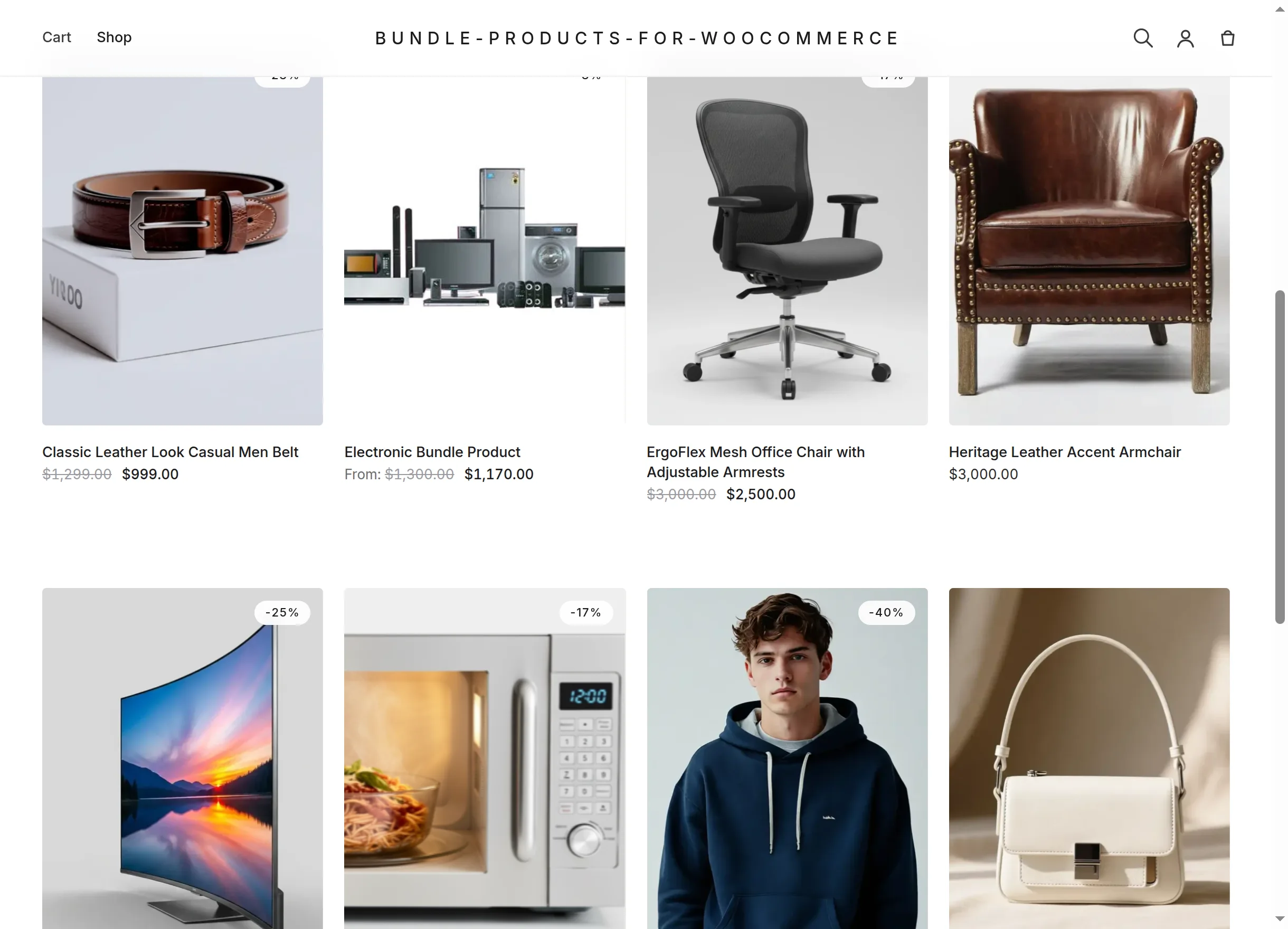
Bundles appear in the shop grid like any product. A fixed-price bundle shows its price (struck through when a discount is enabled). A dynamic bundle shows "From: …" — the discounted price of its mandatory items, i.e. the least a customer can pay:
The bundle product page
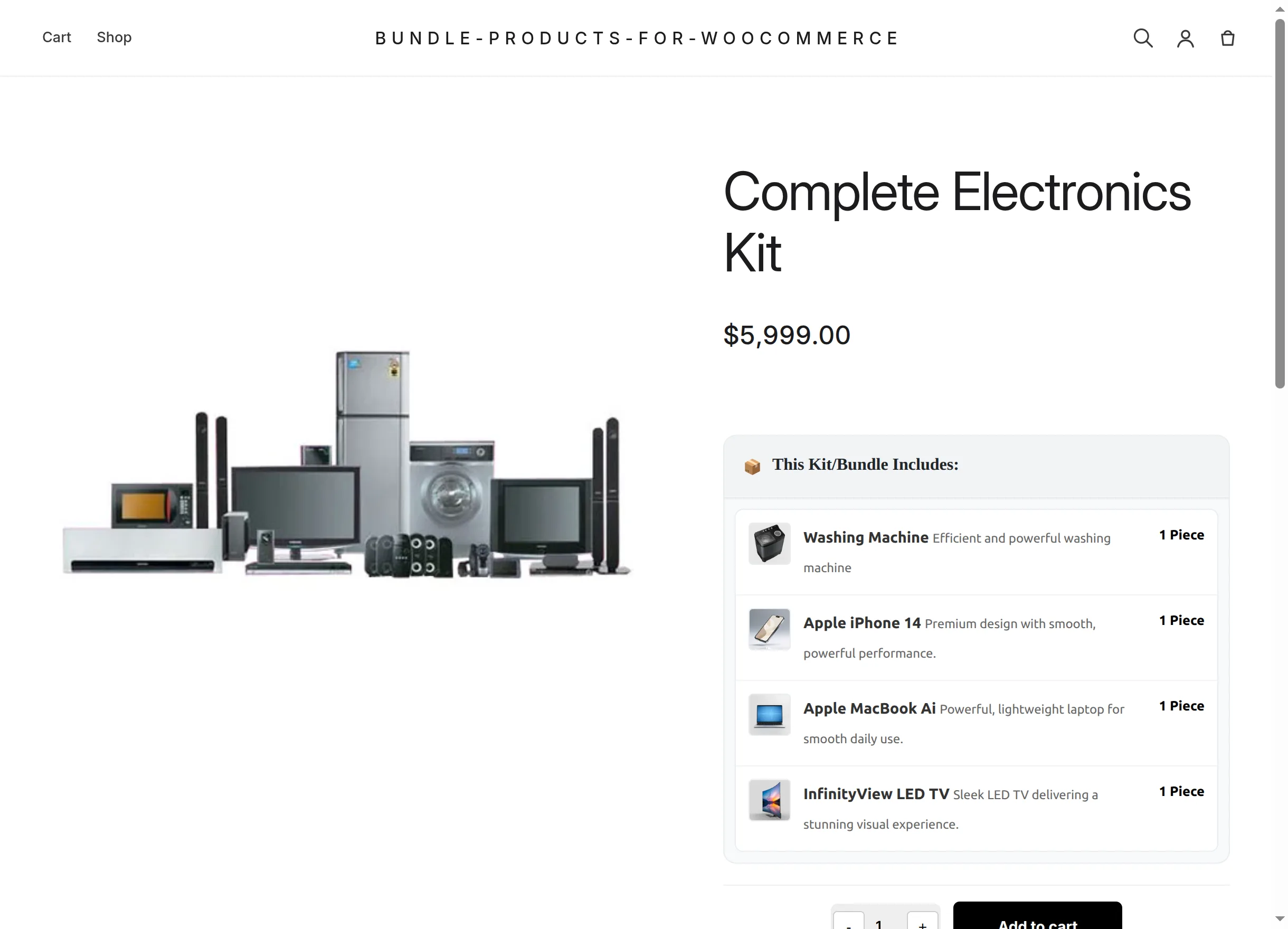
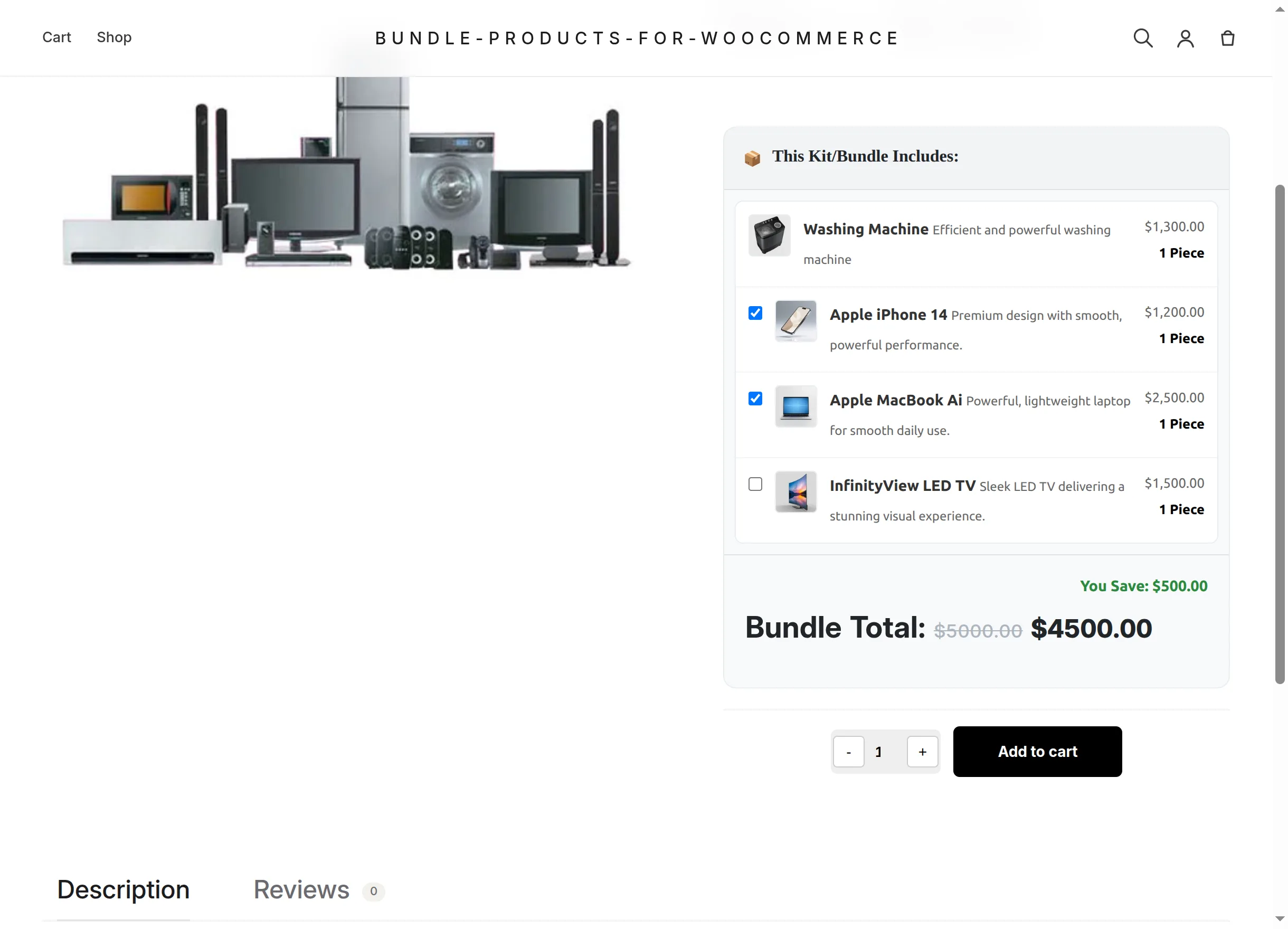
The product page adds the "📦 This Kit/Bundle Includes:" box under the price. Each row shows the item's thumbnail, its linked name, a short description and how many pieces the kit contains:
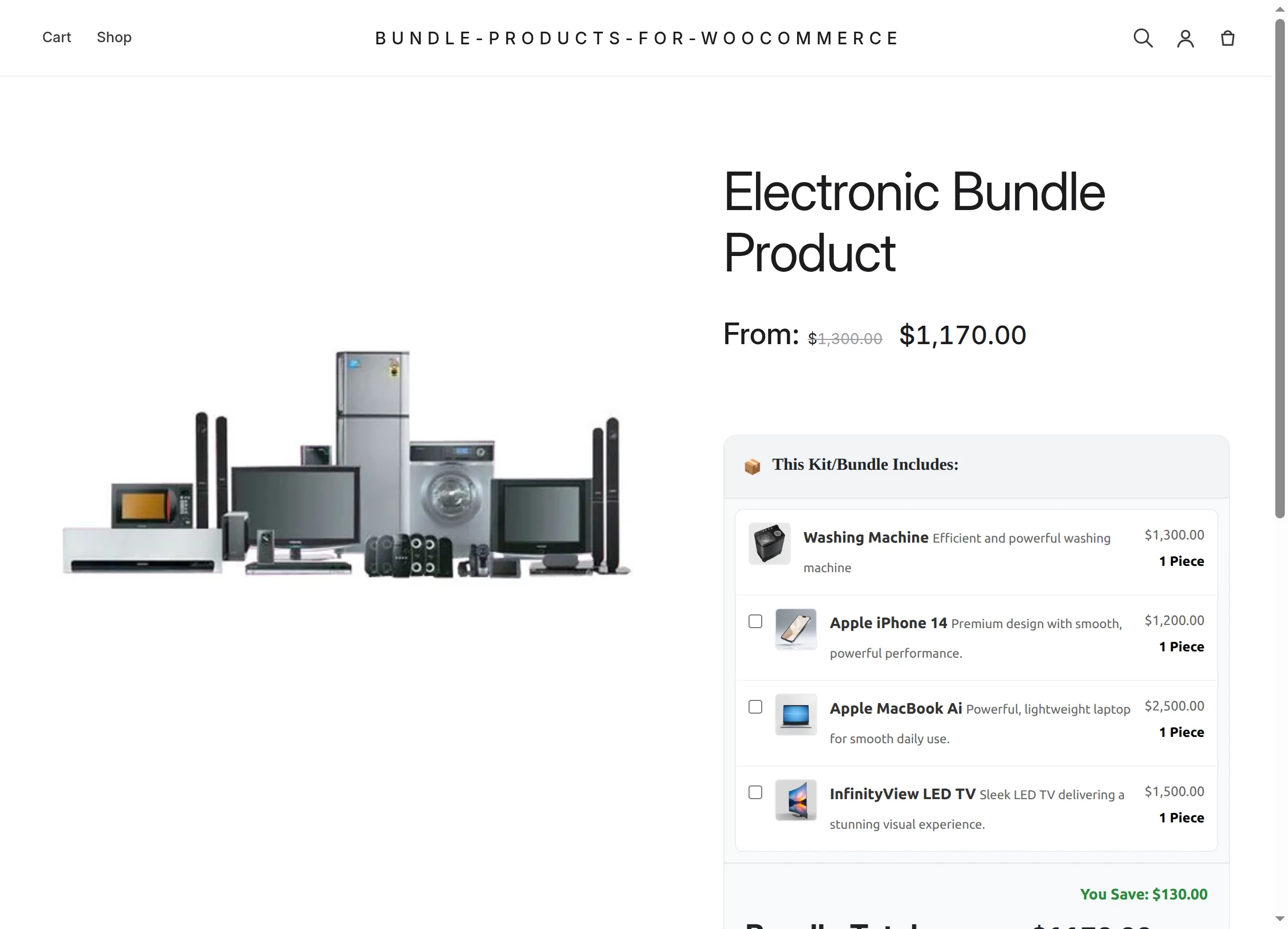
- Mandatory items (the first ones) have no checkbox — they are always in the kit.
- Optional items carry a checkbox, unticked by default.
- In dynamic pricing mode each row also shows its line price, and a Bundle Total section sits under the list.
- In fixed mode there are no per-item prices — the kit costs the page price regardless of selection:
Selecting optional items
Ticking optional items updates the totals instantly — no page reload. The struck-through original selection value, the discounted Bundle Total and the green "You Save" note all recalculate:
Choosing the quantity
The − / + picker sets how many complete kits to buy. Raising it multiplies everything visibly — item labels switch to "2 Pieces", and the totals double:
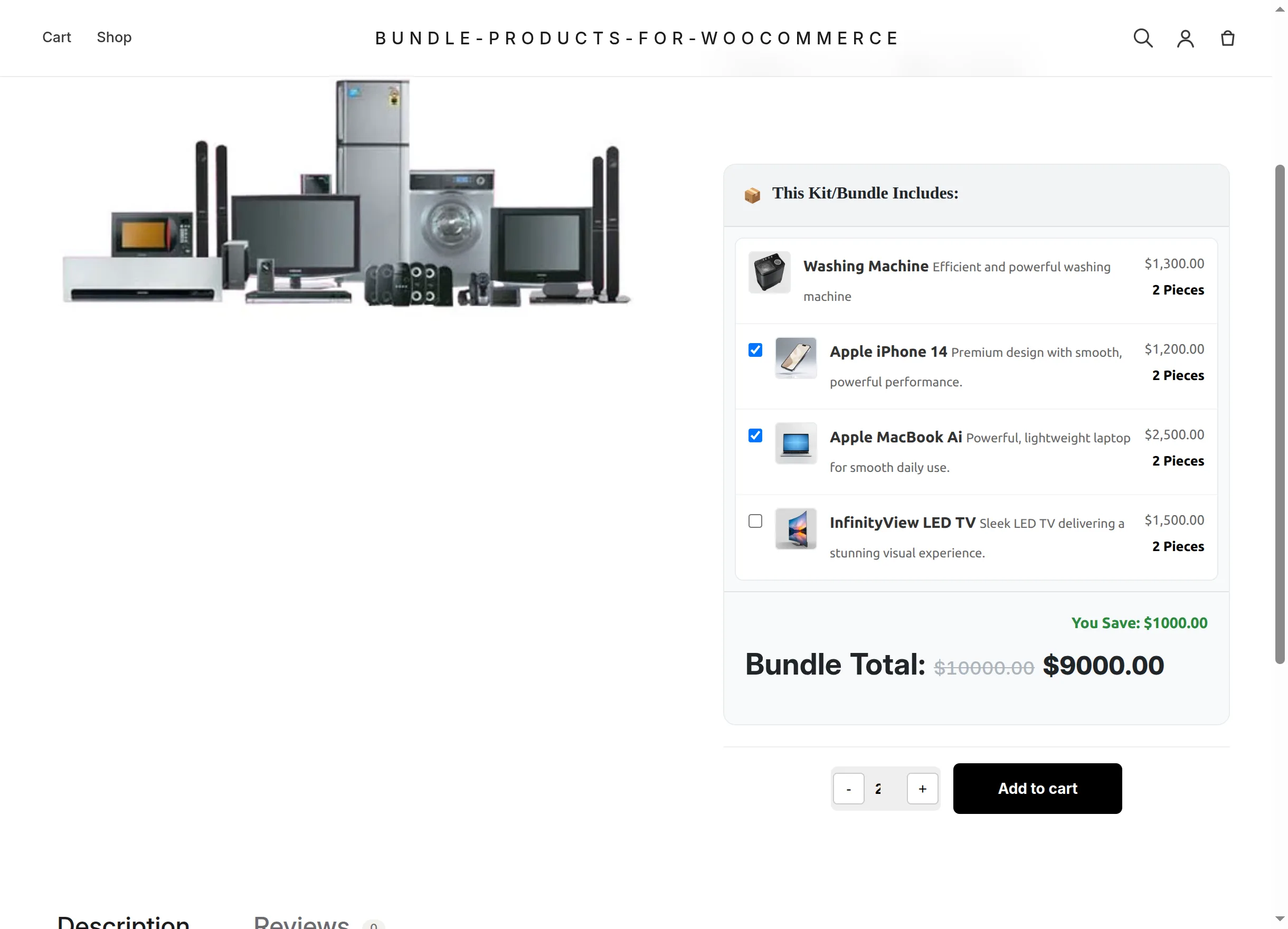
The picker's maximum is capped by the bundle's Max Purchase Limit and by available bundle stock — whichever is lower.
Adding to the cart
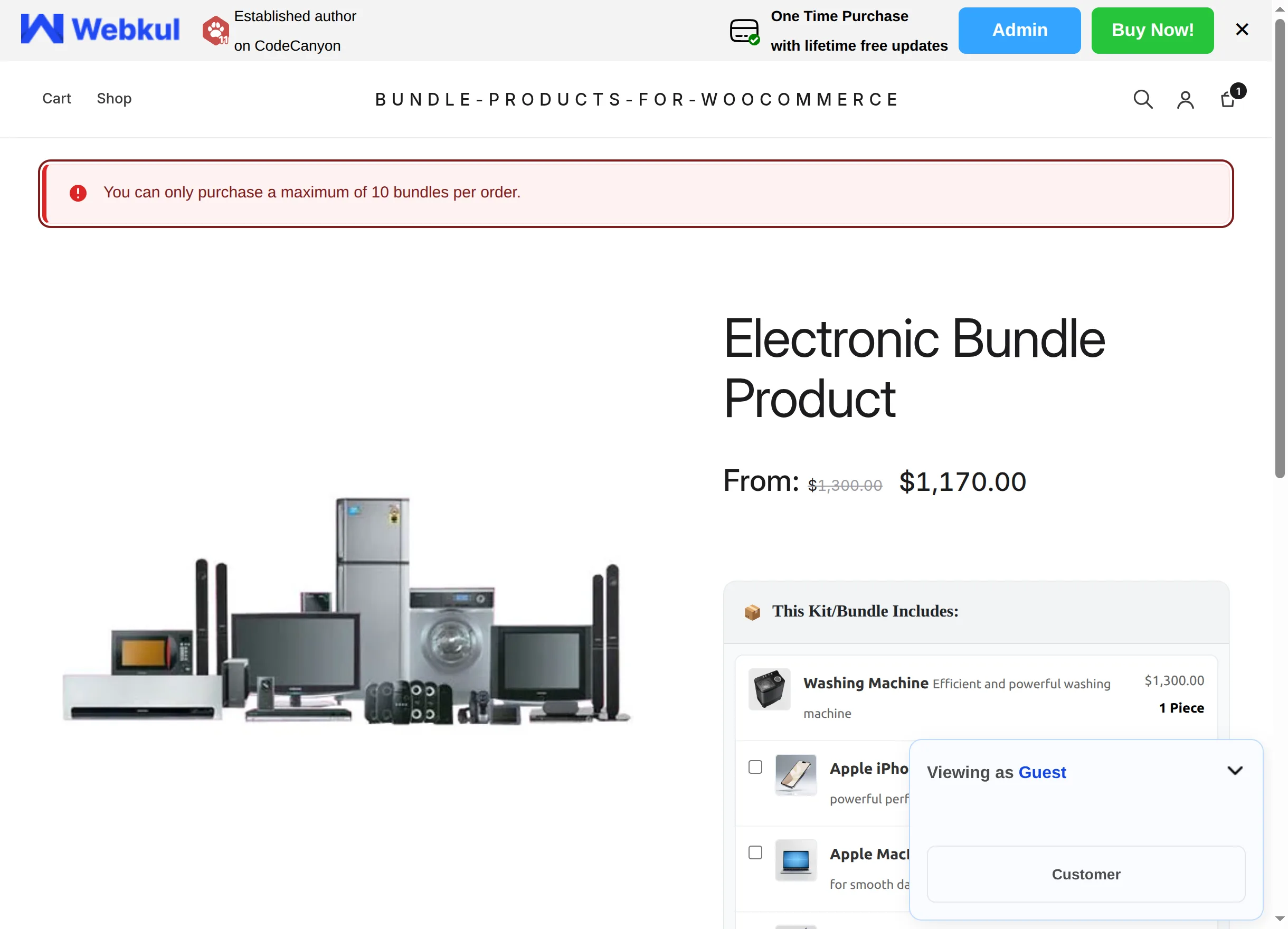
Add to cart submits the configured kit. The plugin validates everything server-side (stock, limits, item availability) and either adds one cart line carrying the whole configuration or shows a specific error notice, for example when the purchase limit would be exceeded:
The full list of possible messages is in Troubleshooting.
Two kits, two configurations
Adding the same bundle twice with different optional selections creates two separate cart lines, each with its own contents and price — customers can buy a basic kit and a fully-loaded kit in the same order.
What happens from the cart onward — including checkout, order pages and emails — is covered next in Cart, Checkout & Orders.