
Features
Everything below is shipped in version 1.0.0 and documented in detail in the linked chapters.
Bundle creation
- Dedicated Bundle Product type in the standard WooCommerce product editor — no separate builder to learn.
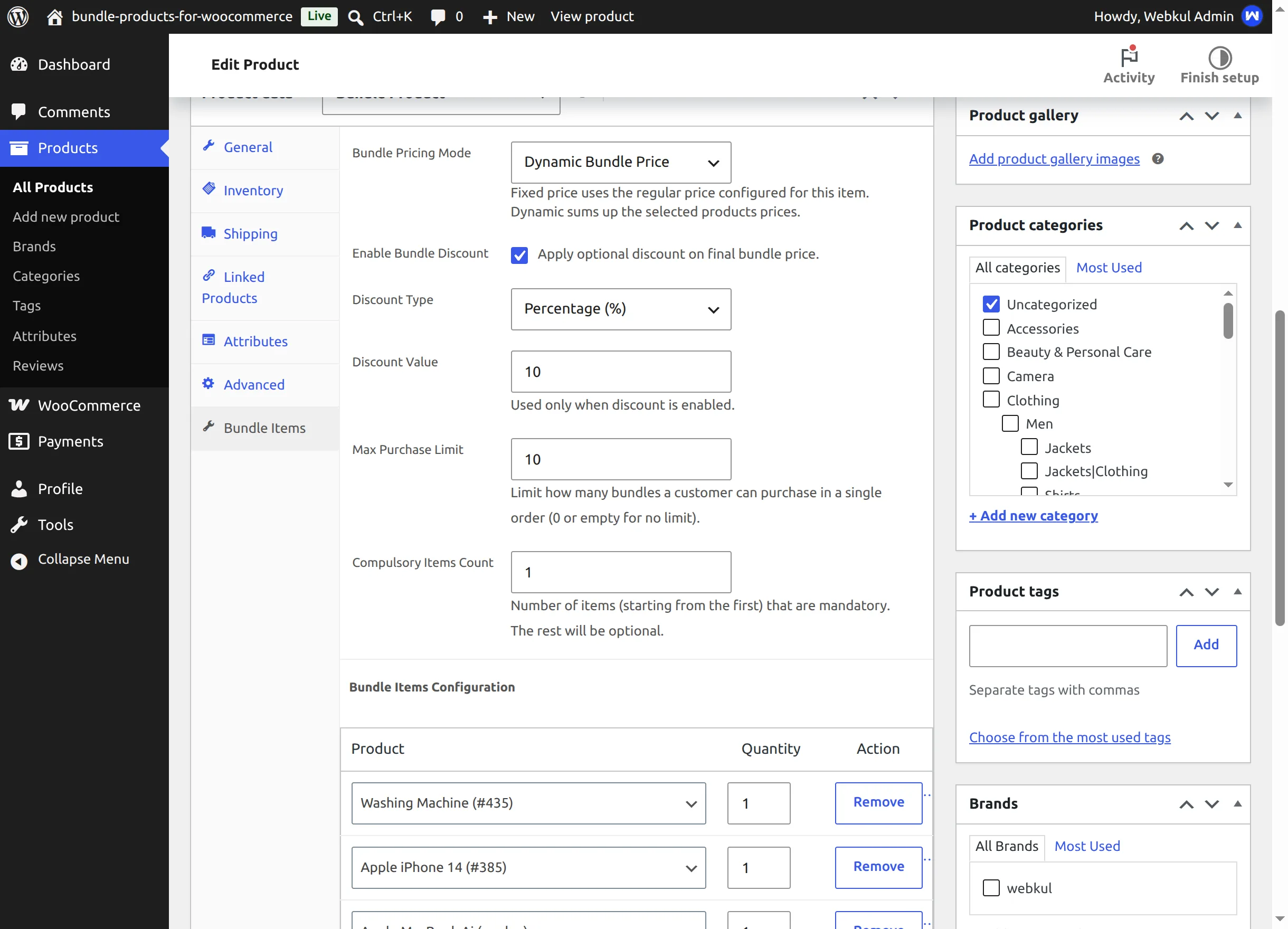
- Bundle Items tab on the product data panel with all bundle configuration in one place.
- Items table with WooCommerce's live product search — add simple products and individual variations, set a quantity per item, reorder by adding items in the sequence you want, and remove items at any time.
- The native General (pricing) and Inventory tabs stay available for bundle products.
Pricing
- Fixed Bundle Price mode — one flat price for the kit; falls back to the product's Regular price when the dedicated field is left empty.
- Dynamic Bundle Price mode — the total is the sum of the selected items (price × quantity), recalculated live on the product page and again server-side in the cart.
- Bundle discount — optional Percentage (%) or Fixed Amount discount applied to the final bundle price in either mode.
- Catalog price display: fixed bundles show their price (struck through when discounted); dynamic bundles show "From: …" computed from the mandatory items.
Customer selection
- Compulsory Items Count — the first N items are always included; the rest render as optional checkboxes.
- Live Bundle Total, struck-through original price and green "You Save" savings note that react instantly to checkboxes and quantity changes.
- Custom − / + quantity picker whose maximum respects both the purchase limit and available bundle stock.
Rules and validation
- Max Purchase Limit per order — enforced on the classic add-to-cart, on cart quantity updates, in the mini-cart and in the block cart/checkout (Store API), with the quantity stepper capped to what is still allowed.
- Bundle-level stock checks (in-stock, enough quantity, backorder awareness) before anything reaches the cart.
- Per-item safety checks at add-to-cart time: missing products, unpurchasable products and insufficient child stock all block the add with a specific, human-readable error. The full catalog of messages is in Troubleshooting.
Cart, checkout, orders and emails
- One cart line per bundle configuration, listing every included product ("Included: Washing Machine x 1 …").
- Different optional selections of the same bundle become separate cart lines — customers can buy two differently-configured kits at once.
- Works with both the classic cart/checkout shortcodes and the newer block-based cart & checkout.
- Order line items store the bundle contents and show them in the admin order screen, on the customer's order pages and in WooCommerce order emails ("Included inside bundle").
Compatibility and platform
- Declares High-Performance Order Storage (HPOS) compatibility.
- Enforces its rules in the WooCommerce Store API, so headless and block-based front ends behave consistently.
- REST API namespace
product-bundle/v1for reading and updating bundle configuration (Developer Reference). - Translation-ready with the
product-bundletext domain.
Continue to Installation.