
Pricing & Discounts
The Bundle Pricing Mode on the Bundle Items tab decides how the kit is priced. A bundle discount can be layered on top of either mode.
Fixed Bundle Price
The customer pays one flat price for the kit, no matter which optional items they select.
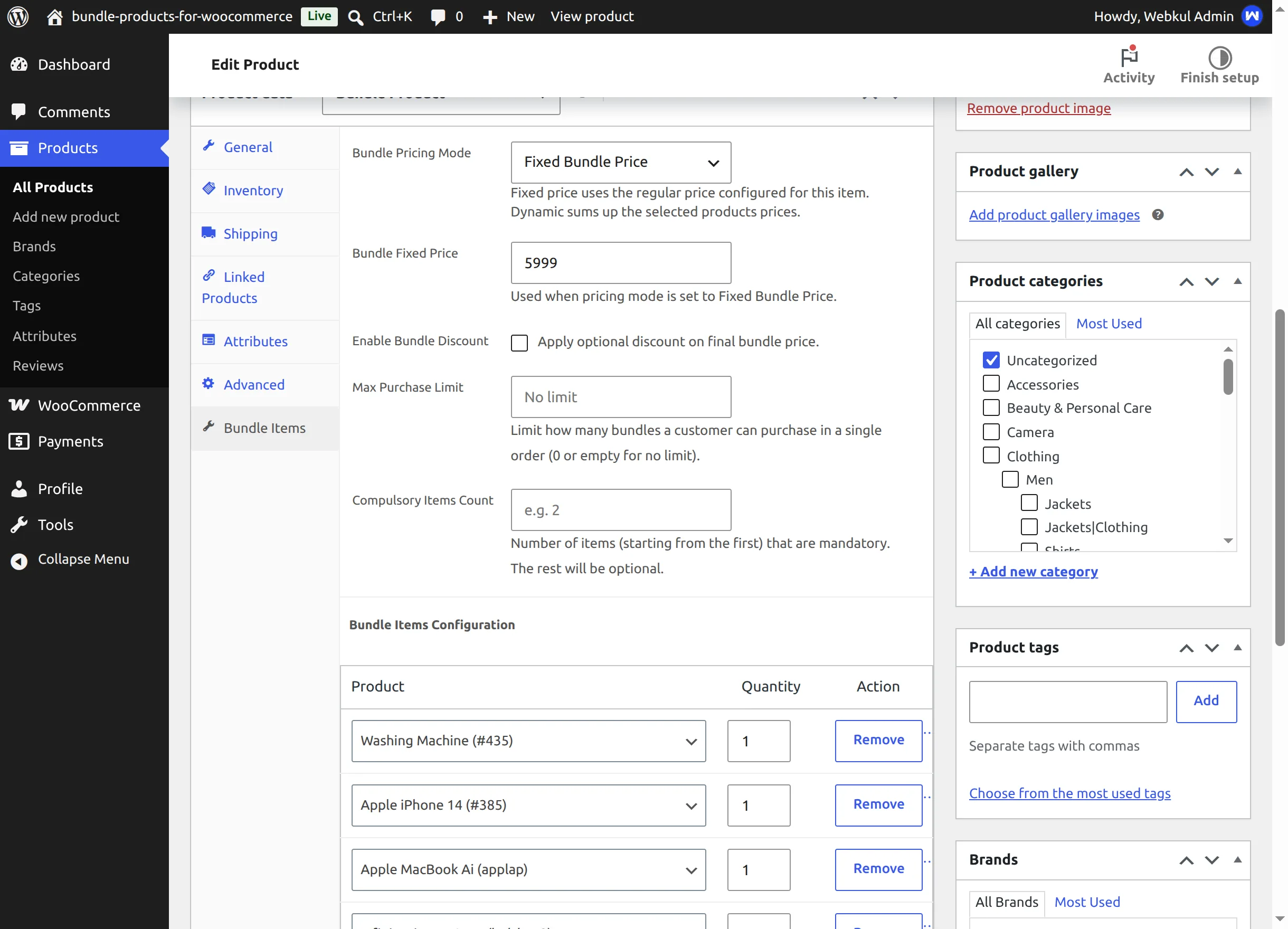
- Enter the price in Bundle Fixed Price (the field is visible only while fixed mode is selected).
- If you leave it empty, the product's Regular price from the General tab is used. When you type a Regular price while the fixed-price field is empty, the editor copies it across for you.
- On the storefront the product page and catalog show the price like any normal product — no per-item prices, no running total:
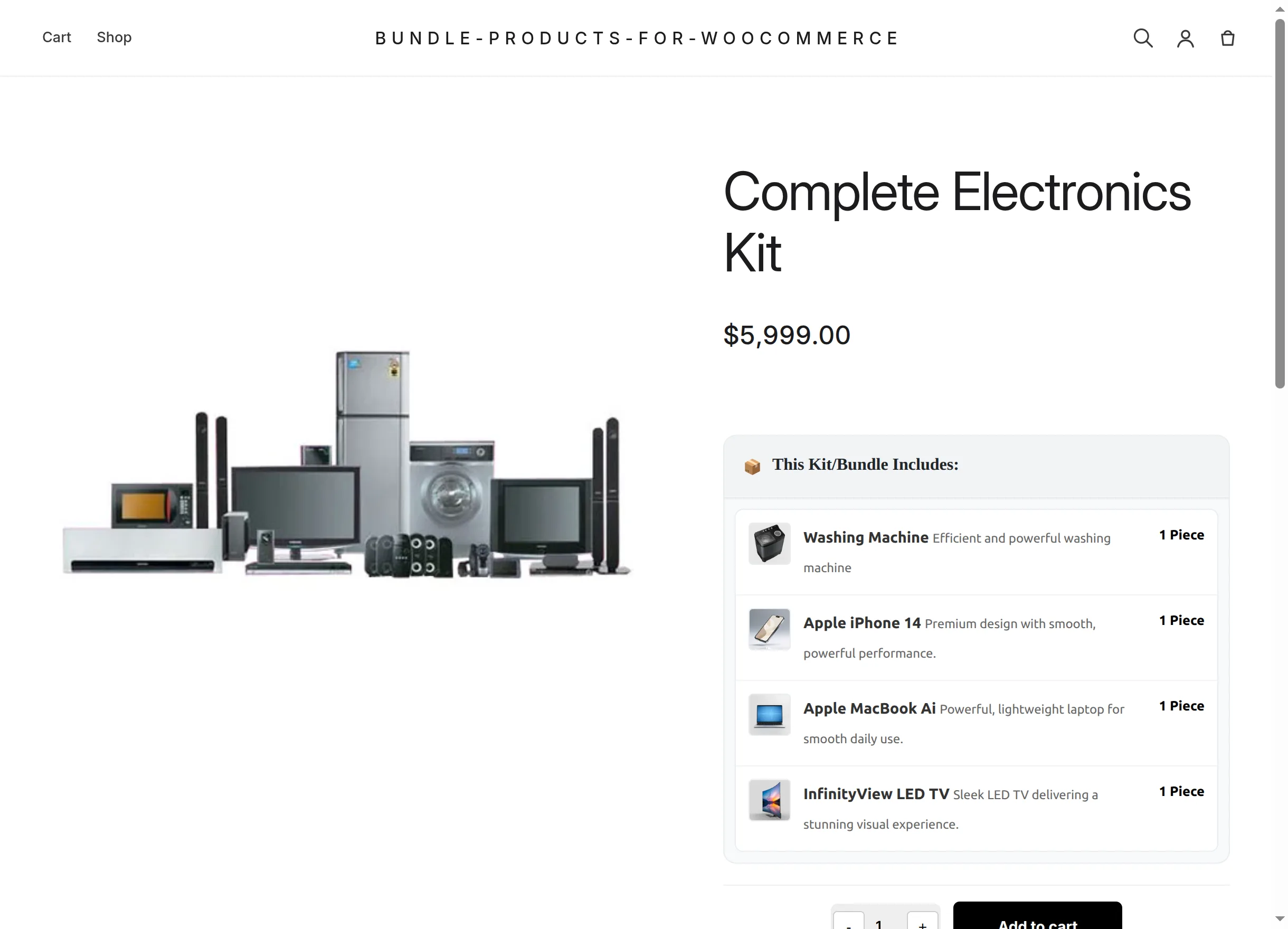
When to choose fixed mode
Use it for package deals with a strong headline price ("The complete kit for $5,999"), especially when optional extras shouldn't change the price. Note that optional items still get added to the kit for free when ticked — so in fixed mode most merchants keep all items mandatory.
Dynamic Bundle Price
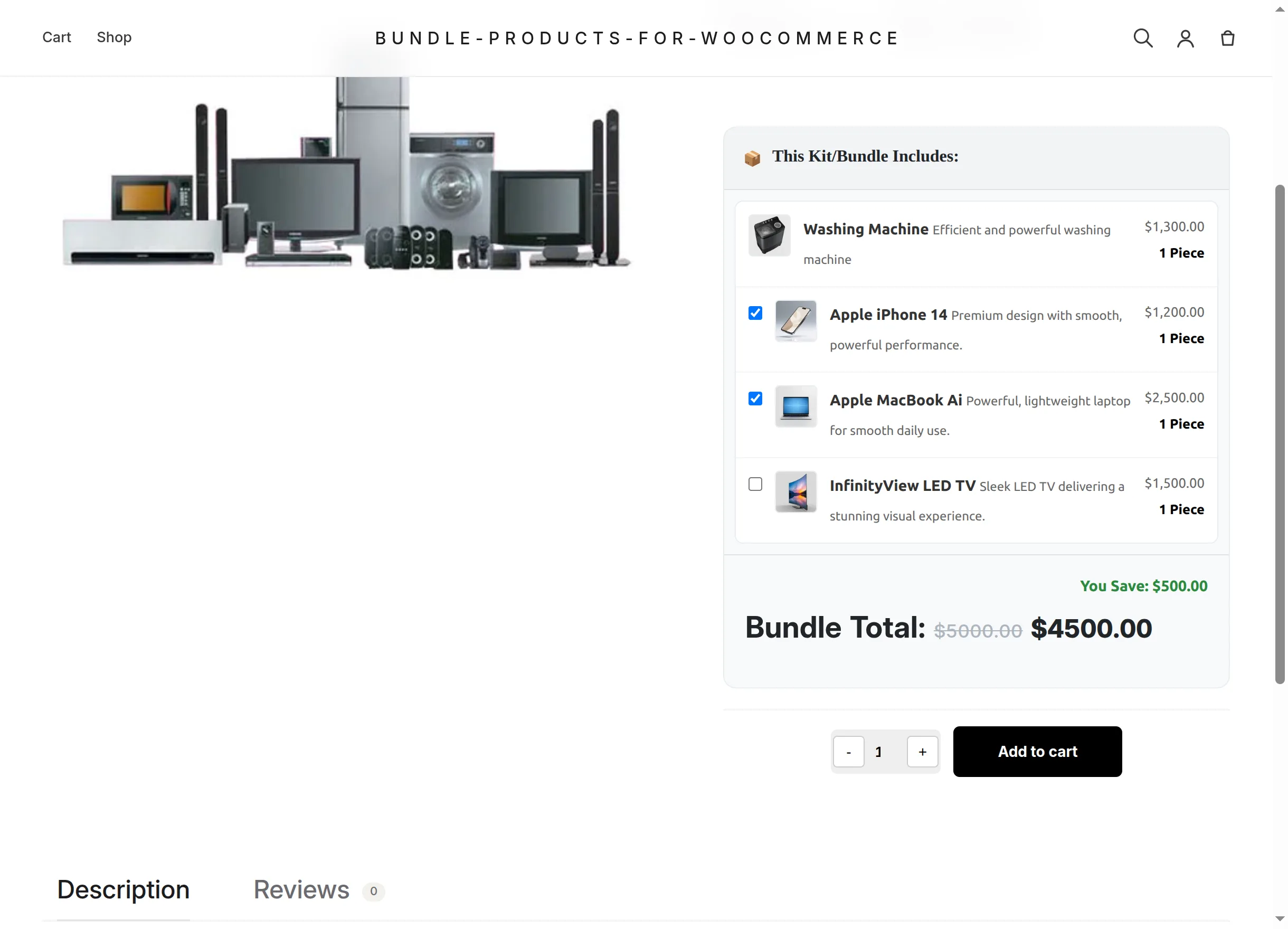
The total is calculated from what the customer actually selects: the sum of each included item's price × its quantity, multiplied by the number of kits.
On the product page each item shows its line price, and a Bundle Total updates live as checkboxes are ticked:
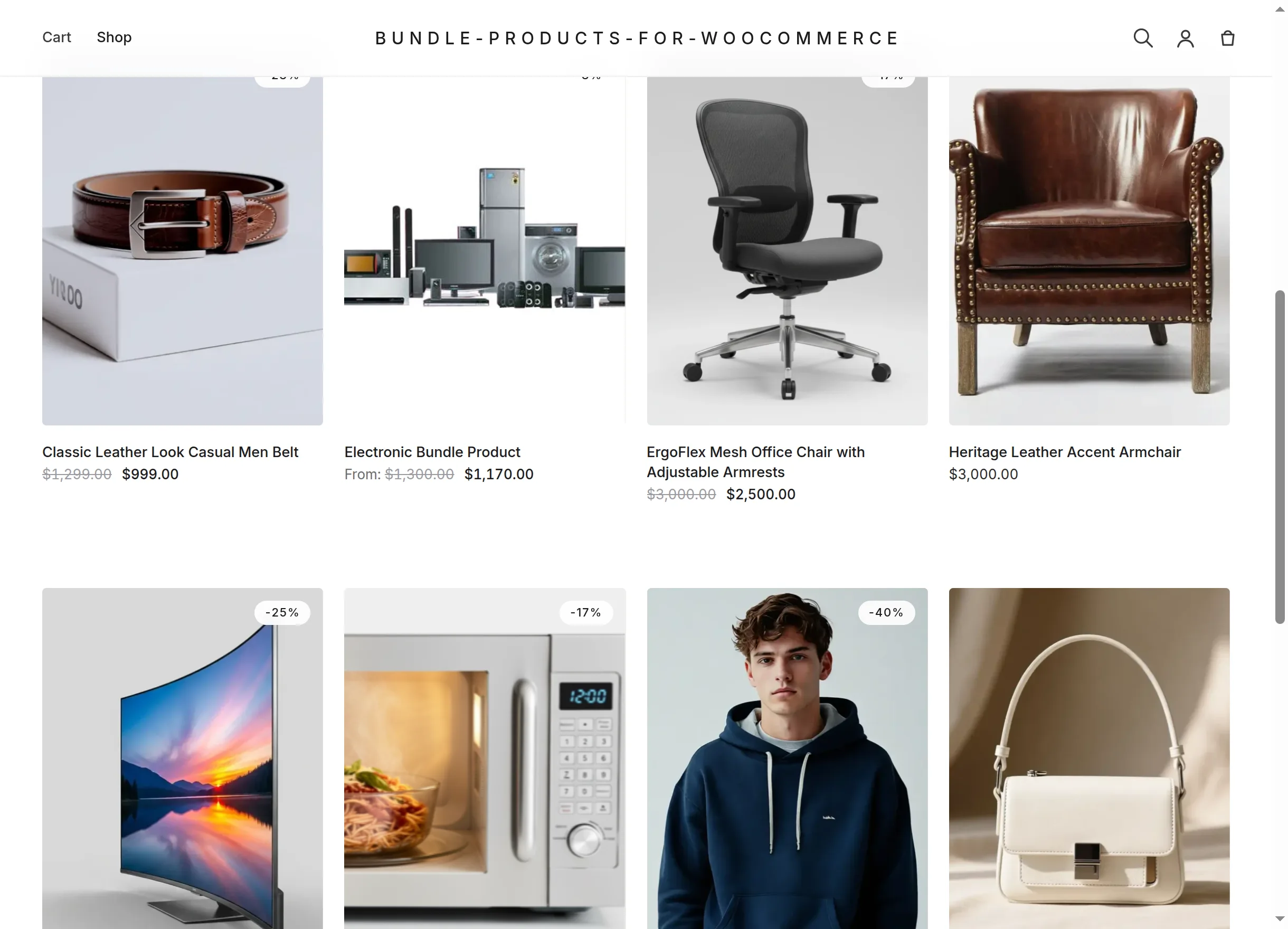
In the shop catalog a dynamic bundle is listed as "From: …" — the price of its mandatory items (with any discount applied), which is the minimum a customer can pay:
Bundle discount
Tick Enable Bundle Discount and two extra fields appear:
| Field | Options |
|---|---|
| Discount Type | Percentage (%) — capped at 100%, or Fixed Amount — a currency amount |
| Discount Value | The number to subtract; the result never drops below zero |
The discount applies to the final bundle price in both modes:
- Fixed mode: catalog and product page show the original price struck through next to the discounted price (e.g.
$6,000.00$5,500.00). - Dynamic mode: the product page shows the struck-through selection total, the discounted Bundle Total and a green "You Save: $…" note — all recalculated instantly when the selection or quantity changes.
Worked example (from the live demo)
The demo's Electronic Bundle Product uses dynamic pricing, a 10% discount, and Compulsory Items Count = 1:
| Item | Price | Status |
|---|---|---|
| Washing Machine | $1,300.00 | Mandatory |
| Apple iPhone 14 | $1,200.00 | Optional |
| Apple MacBook Ai | $2,500.00 | Optional |
| InfinityView LED TV | $1,500.00 | Optional |
- Catalog price: "From:
$1,300.00$1,170.00" (mandatory item minus 10%). - Washing Machine only:
$1,300→ $1,170, You Save $130. - With the iPhone ticked: $2,500 selection → $2,250, You Save $250.
- With iPhone and MacBook ticked at quantity 2: $10,000 → $9,000, You Save $1,000.
The same discounted price is recalculated server-side in the cart, so page tricks can't change what is actually charged. Continue with Stock, Quantity & Limits.
Sale price is not bundle pricing
The General tab's Sale price field is visible for bundle products but is not used by the bundle's price calculation. Use the bundle discount to advertise savings.