
Practical Examples
Four proven configurations you can copy. Each lists the exact Bundle Items tab values and what the customer will experience.
1. Package deal at a headline price
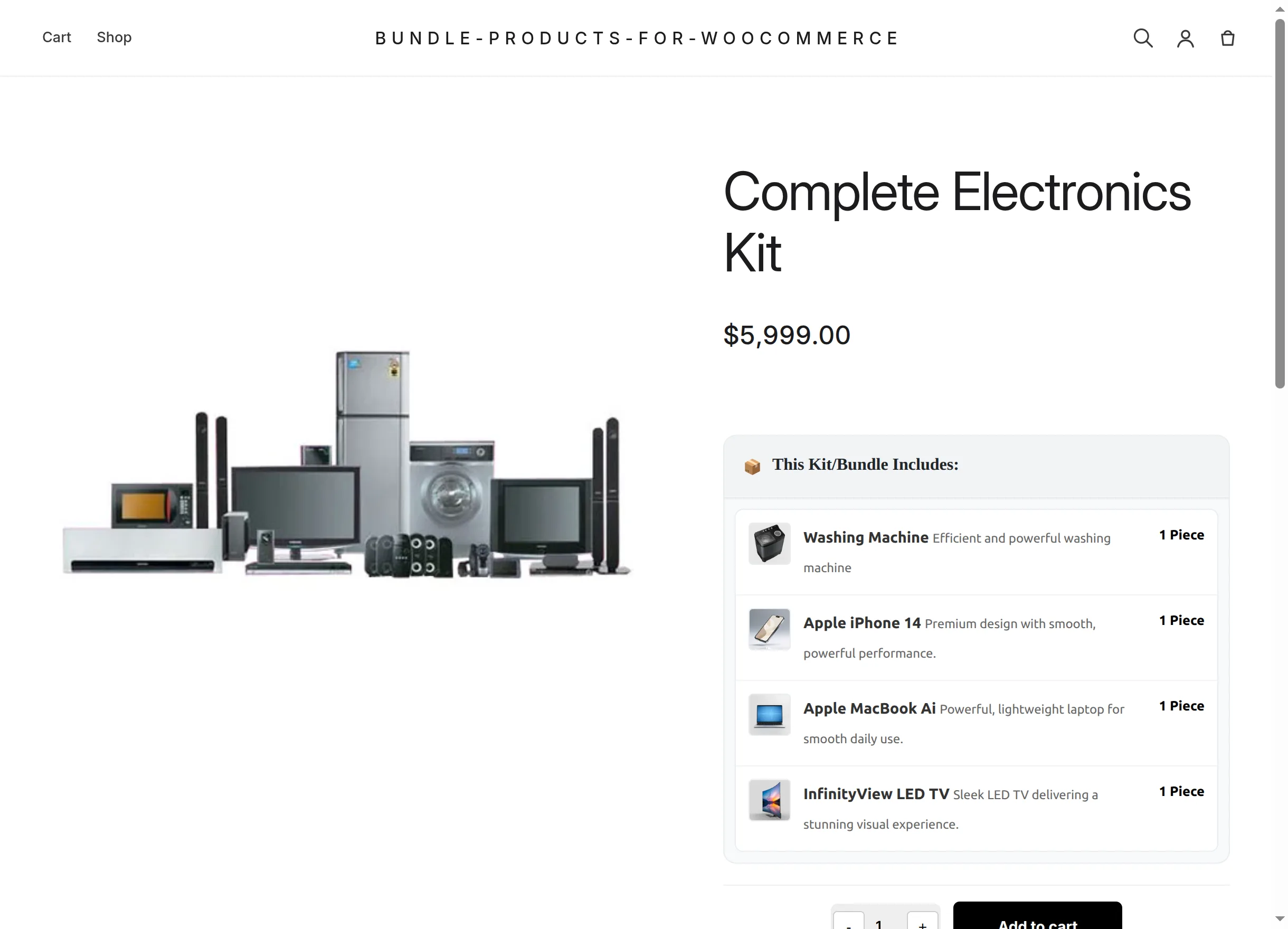
"The complete home electronics kit — $5,999."
| Setting | Value |
|---|---|
| Bundle Pricing Mode | Fixed Bundle Price |
| Bundle Fixed Price | 5999 |
| Enable Bundle Discount | off |
| Compulsory Items Count | empty (all mandatory) |
| Items | Washing Machine ×1, iPhone ×1, MacBook ×1, LED TV ×1 |
Customer sees a flat $5,999.00, all four items listed without checkboxes, one decision to make: how many kits.
2. Pick-and-mix kit with savings
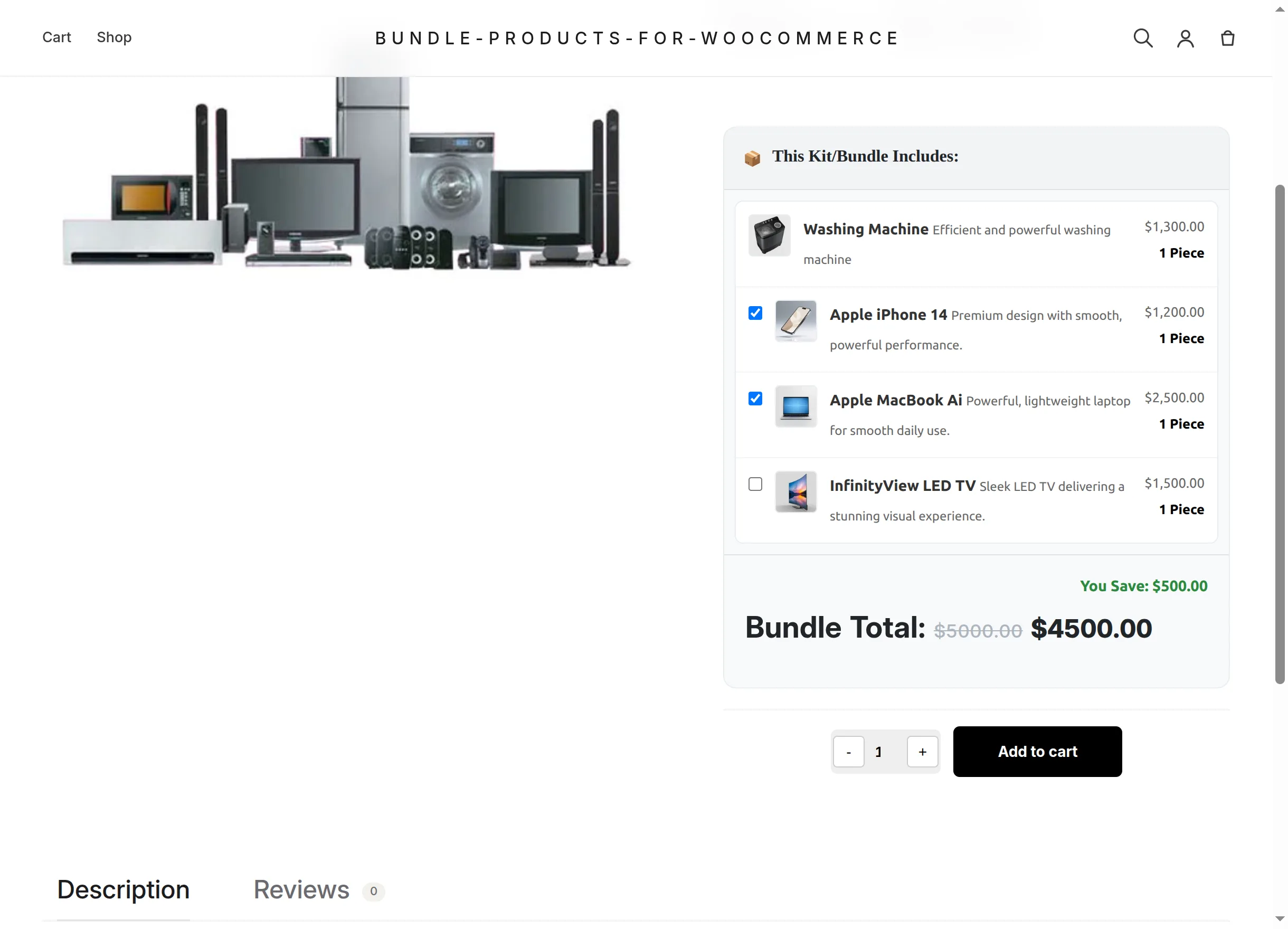
"Start with the washing machine, add what you like — save 10% on everything."
| Setting | Value |
|---|---|
| Bundle Pricing Mode | Dynamic Bundle Price |
| Enable Bundle Discount | on — Percentage (%), value 10 |
| Compulsory Items Count | 1 |
| Max Purchase Limit | 10 |
| Items | Washing Machine ×1 (first), then iPhone ×1, MacBook ×1, LED TV ×1 |
Catalog shows "From: $1,300.00 $1,170.00". On the page the customer ticks extras and watches Bundle Total and You Save update live. This is exactly the live demo's configuration.
3. Starter pack with consumables
"Contractor starter kit: one drill, one helmet, two pairs of gloves."
| Setting | Value |
|---|---|
| Bundle Pricing Mode | Dynamic Bundle Price |
| Enable Bundle Discount | on — Percentage (%), value 10 |
| Compulsory Items Count | 1 |
| Items | Cordless Drill Kit ×1, Safety Helmet ×1, Work Gloves Pair ×2 |
The per-item Quantity column does the work: every kit that includes the gloves includes two pairs, priced accordingly in the dynamic total.
4. Limited offer with exact variations
"Weekend deal — max 2 per order, includes the black hoodie in size L."
| Setting | Value |
|---|---|
| Bundle Pricing Mode | Fixed Bundle Price |
| Enable Bundle Discount | on — Fixed Amount, e.g. 20 |
| Max Purchase Limit | 2 |
| Items | search returns variations too — pick Brown hoodie – Black, Large (L) directly |
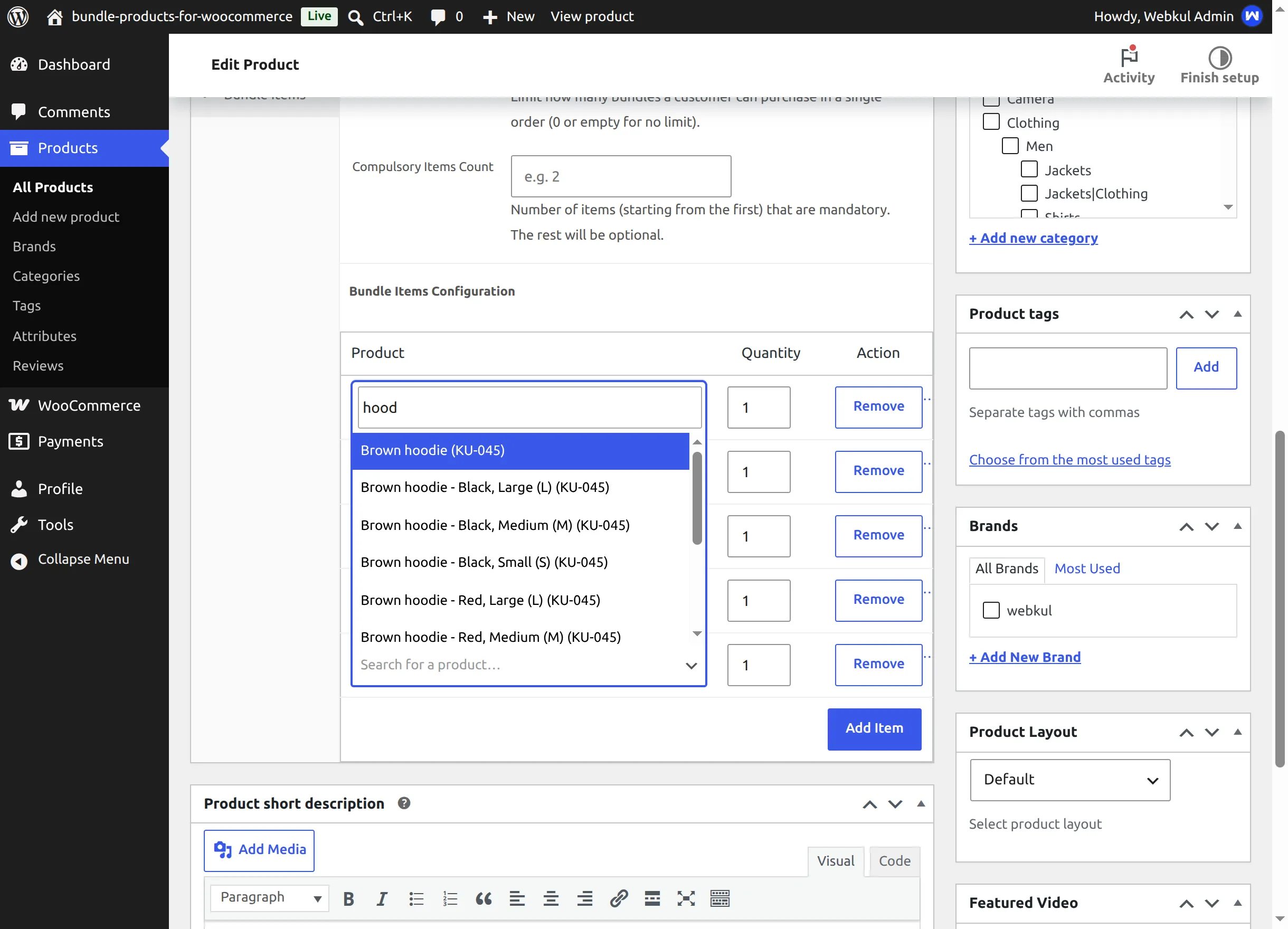
The variation is always part of the kit (variations can't be optional), the discount shows as a struck-through price, and a third kit in one order is refused with the purchase-limit message.
Mix the mechanics freely
Pricing mode, discount, compulsory count, per-item quantities and the purchase limit are independent switches — any combination is valid.