
Configuration
Webkul WC Addons → IceCat Connector → Configuration holds the import settings that apply to every product the connector creates or updates.
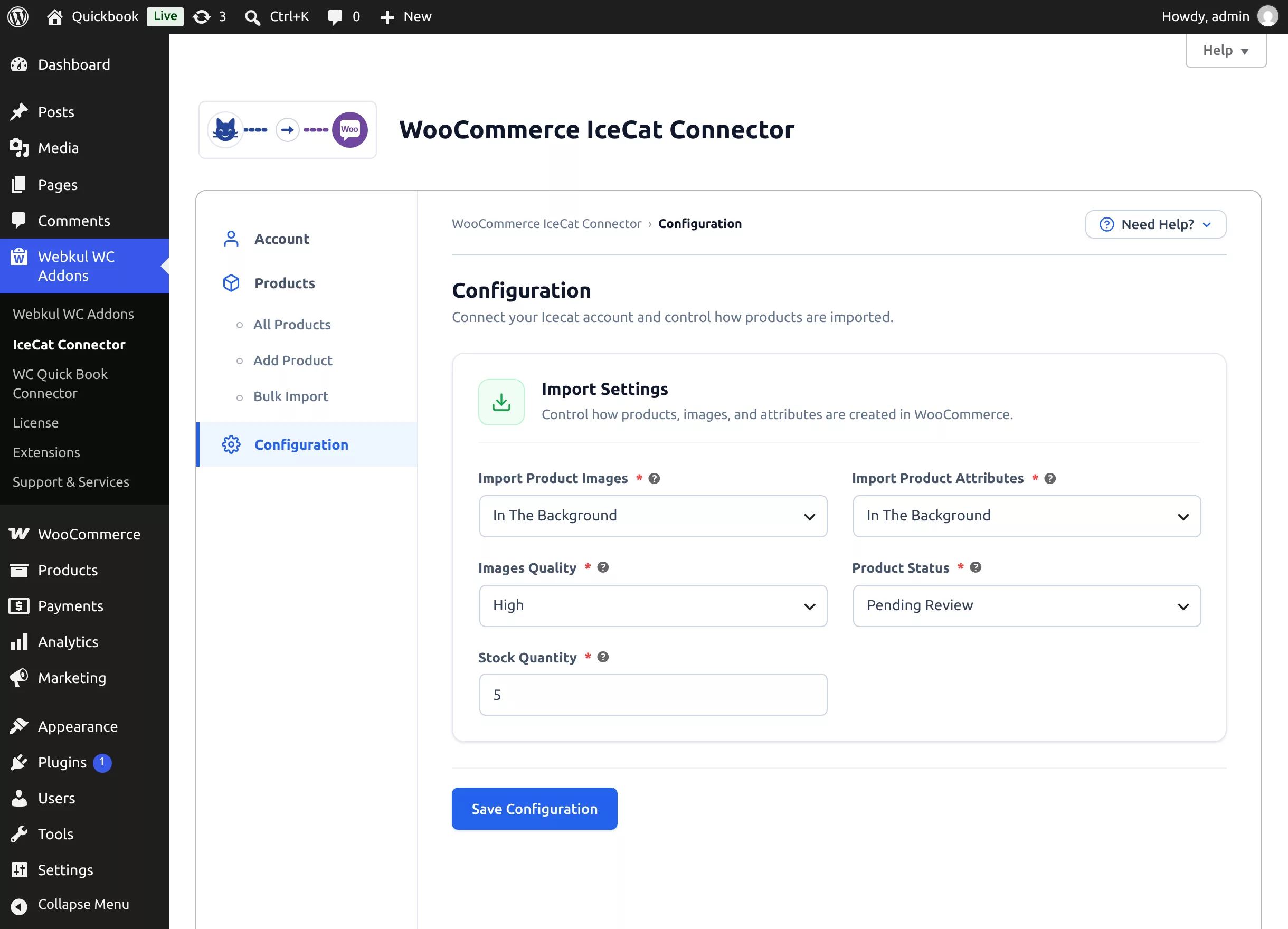
Import Settings
| Setting | Options | Default | What it does |
|---|---|---|---|
| Import Product Images | In The Background · During Product Import | In The Background | In The Background queues image downloads so the product is created quickly and the gallery fills in shortly after. During Product Import downloads every image while the product is being created. |
| Import Product Attributes | In The Background · During Product Import | In The Background | Same choice for the technical-specification attributes: fast creation with background processing, or everything ready immediately. |
| Images Quality | High · Medium · Low | High | The resolution of images fetched from Icecat (High = original, Medium = 500×500, Low = thumbnail quality). |
| Product Status | Draft · Publish · Pending Review | Draft | The status every imported product receives. The Create Product button on the import screen shows the active choice (e.g. "Create Product as Pending Review"). |
| Stock Quantity | number ≥ 0 | 0 | Above 0: new products get Manage stock enabled with this quantity. At 0: stock management stays off. |
Click Save Configuration — a "Configuration saved successfully." toast confirms the save.
Choosing Between Background and Inline Processing
In The Background (recommended, the default):
- Product creation returns in seconds even for products with large galleries and 100+ spec attributes.
- While images are still downloading, the product list shows an info notice — "Product images are importing in the background. N images left." — that disappears when the queue drains.
During Product Import:
- The import request takes longer, but the product is complete the moment it appears — useful when you immediately export or publish products after import.
Which status should new products get?
Keep Draft or Pending Review if you review content or set prices before publishing (Icecat provides content, not your prices). Use Publish only when you want imports live immediately — you can also publish later in bulk from the product list.
Related Settings Elsewhere
- The default catalog language and pre-selected import method are saved from the Setup Wizard preferences and remembered from your last search on the Add Product page.
- The Icecat username / App Key live on the Account tab.