
⬅ Back to Google Analytics Configuration
Get Google Analytics Measurement ID

This ID helps you track marketplace activity such as visitor traffic, product views, and user interactions, giving you better insights into how your marketplace is performing. To get the Google Analytics Measurement ID, follow these steps:
Steps to Get Google Analytics Measurement ID
Sign in / Get Started
- Go to Google Analytics.
- Click Sign in to Analytics or Get started today.
Start Measuring
- Click Start measuring.
- Enter account details and click Next.

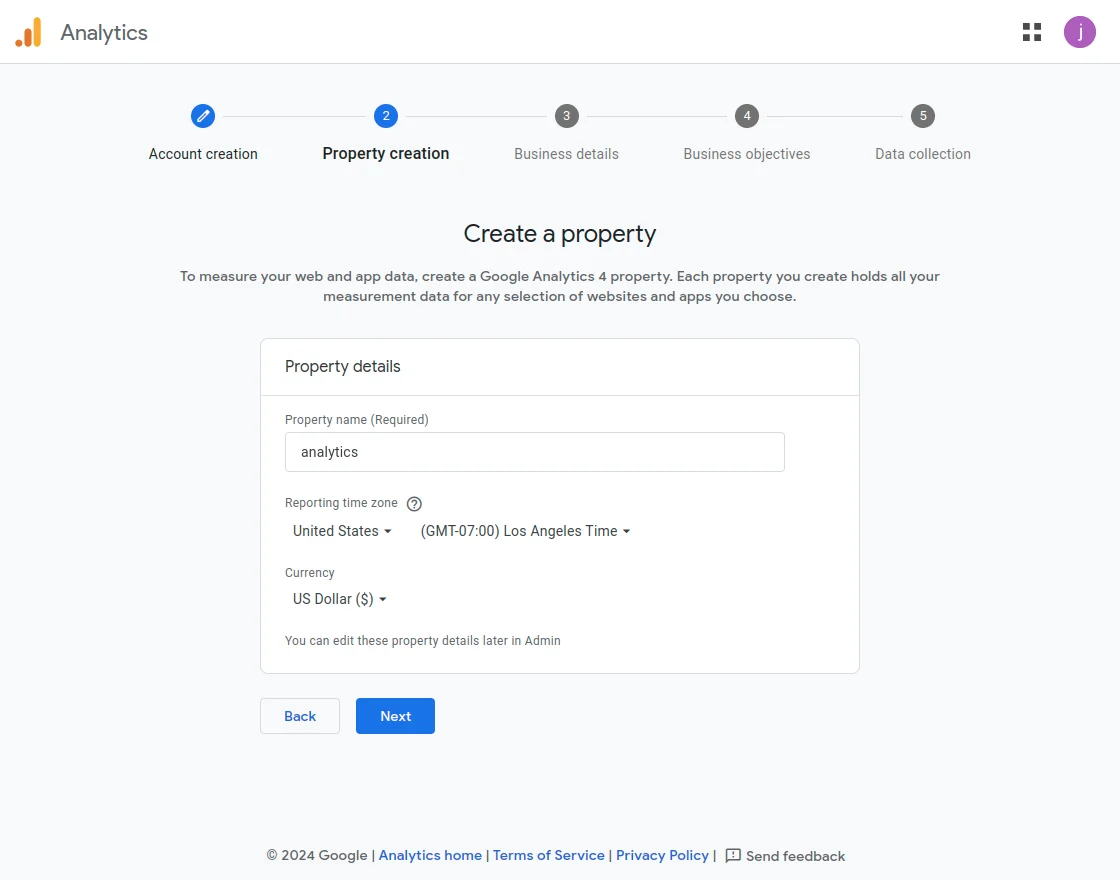
Create a Property
- Enter Property name, Reporting time zone, and Currency.
- Click Next.
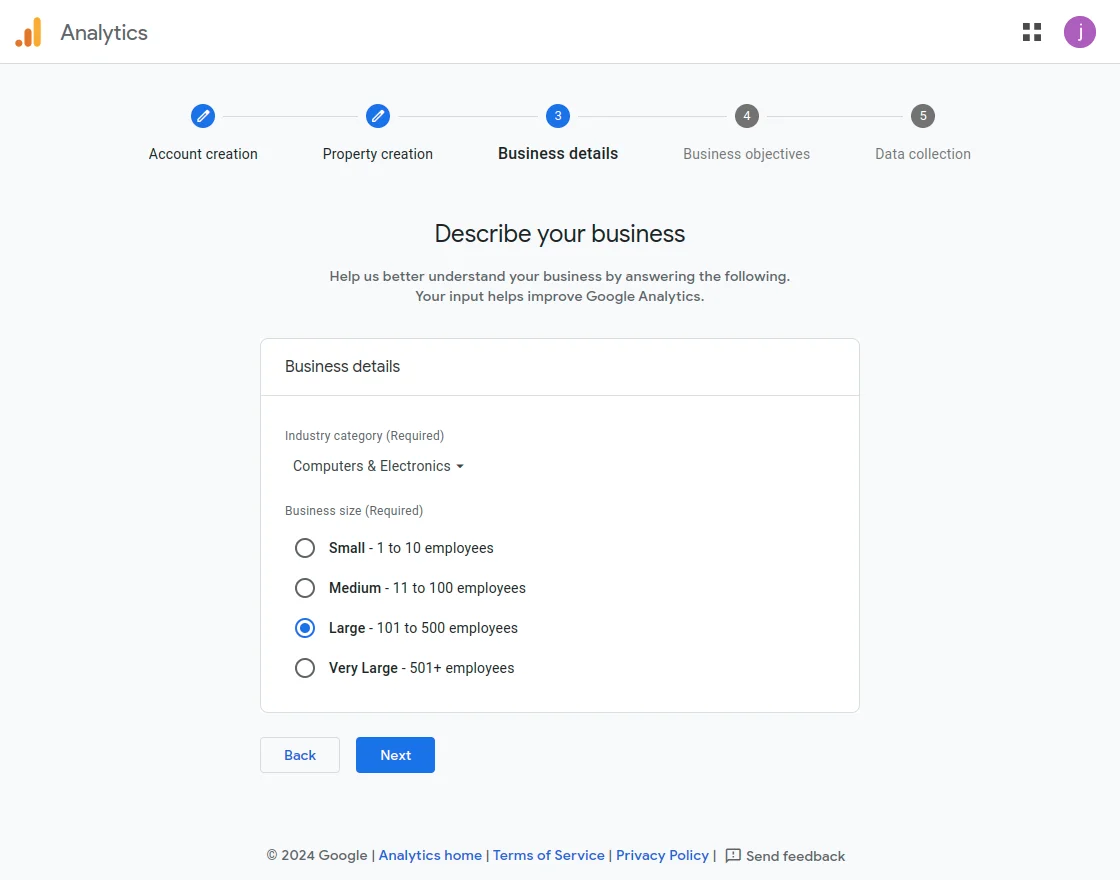
Describe Your Business
- Select the option that best describes your business.
- Click Next.
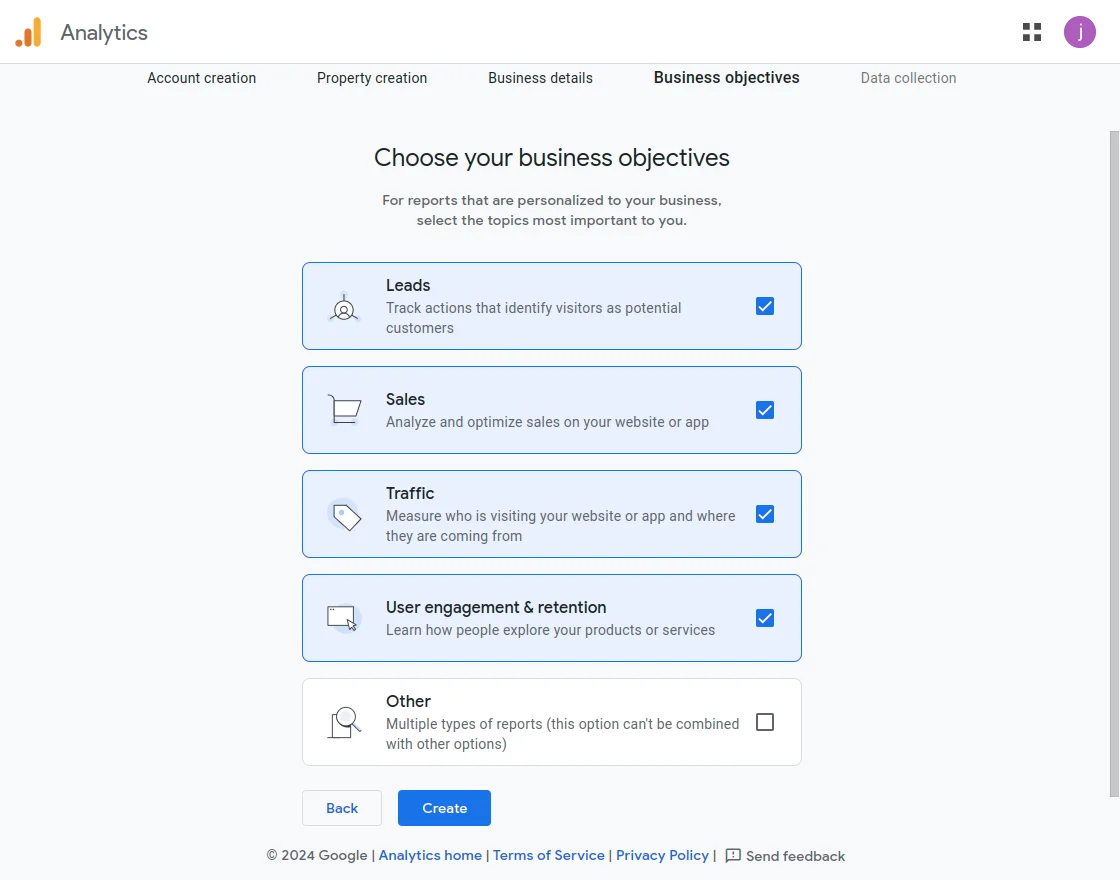
Select Business Objectives
- Choose relevant business objectives.
- Click Next.
Accept Terms & Conditions
- Read and accept the Terms & Conditions.
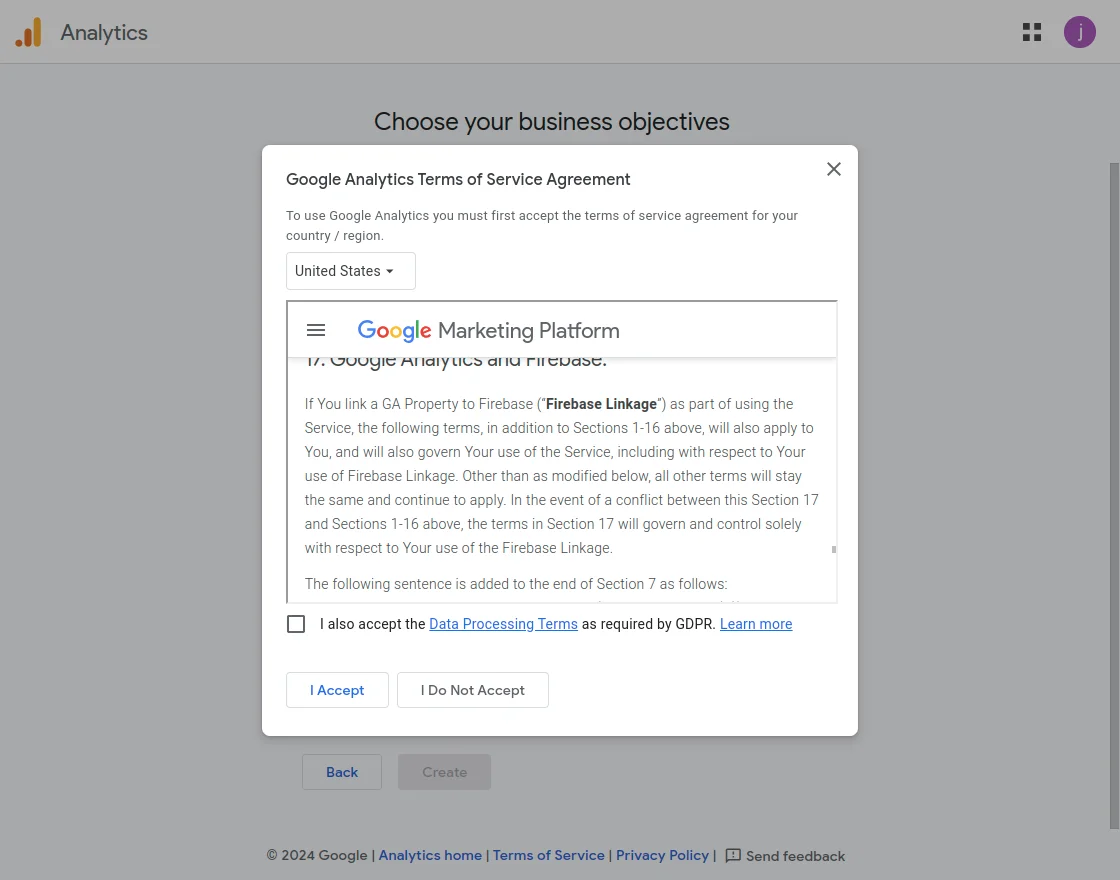
- Read and accept the Terms & Conditions.
Choose Platform
- Select Web as the platform.
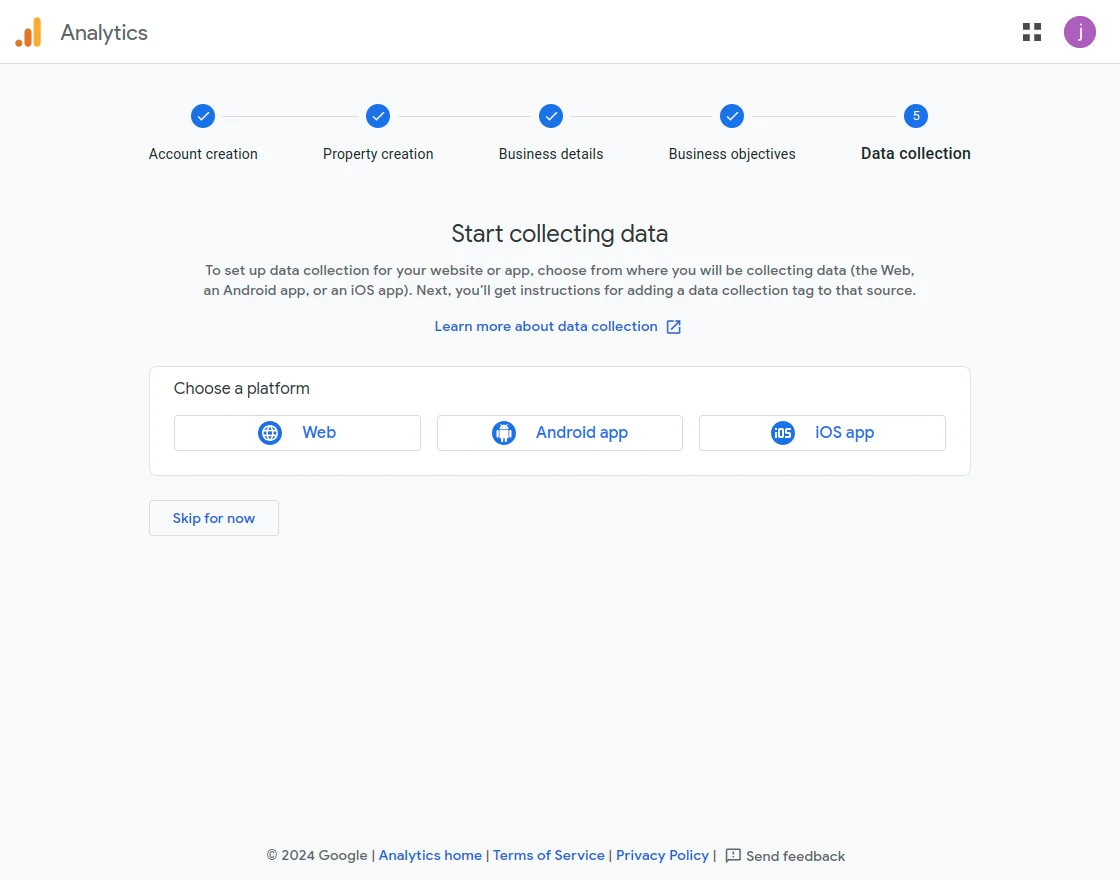
- Select Web as the platform.
Set Up Data Stream
- Set up the web stream.
- Click Create & Continue.
- Click Next after creation.
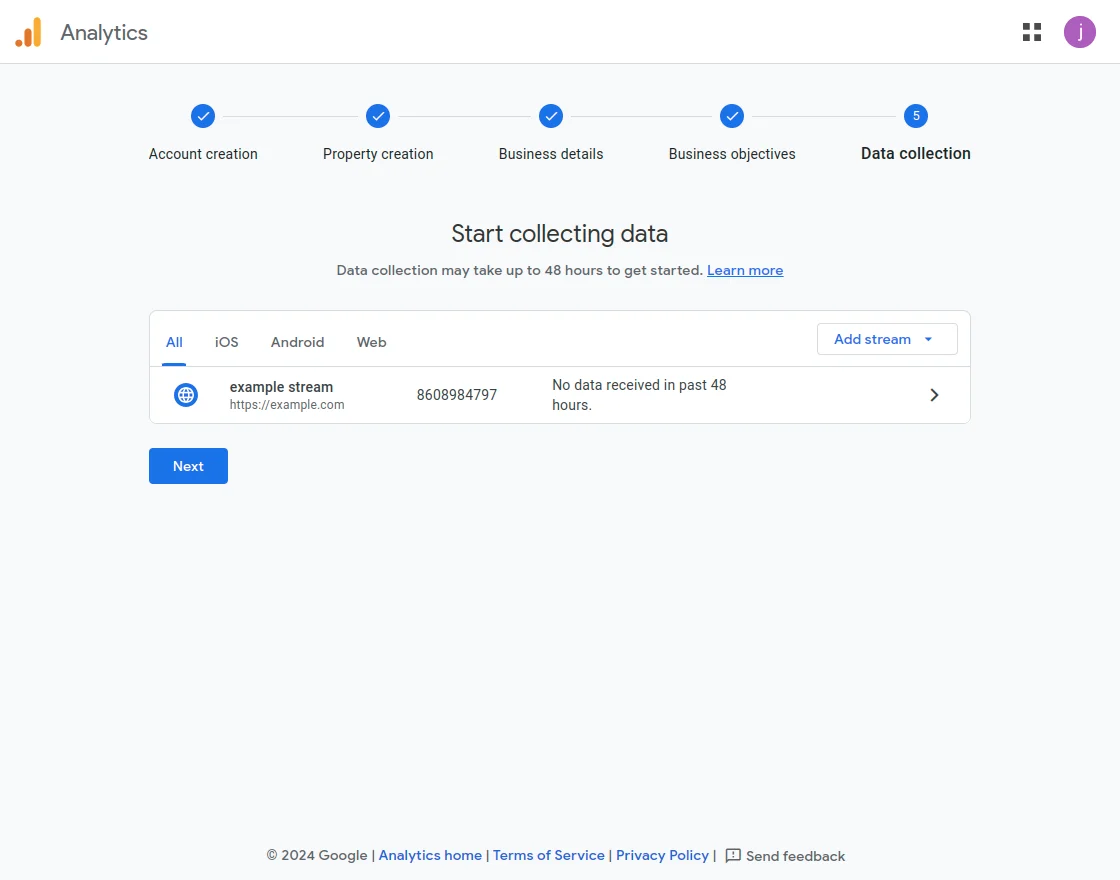
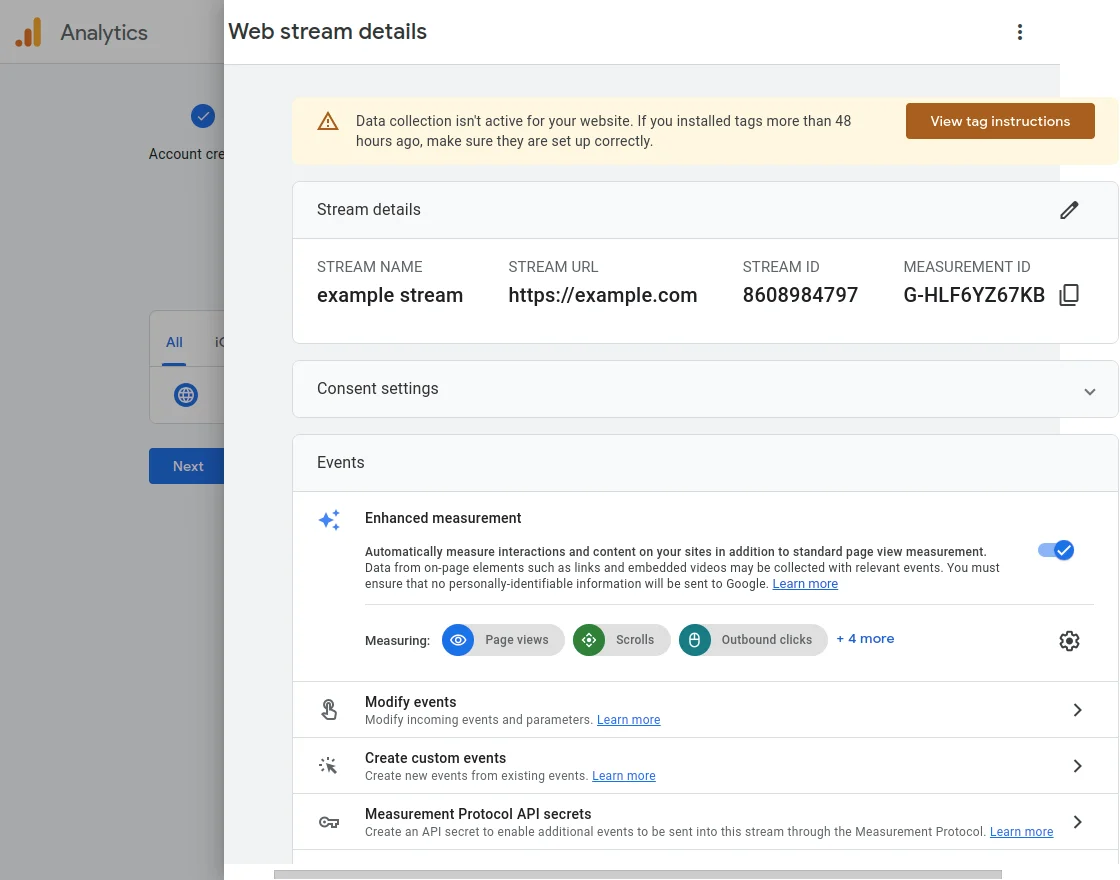
Copy Measurement ID
- Copy the Measurement ID shown on screen.
- Paste it into the WooCommerce Marketplace module configuration.


Note: You can add the Google Analytics Measurement ID at a later stage as well, after the marketplace setup and testing are completed. This step is optional during the initial configuration.