
Conditional Rules Tab
Decide who sees CAPTCHA and who skips. This tab splits into four logical sections — general behavior, IP rules, abuse protection, and country rules.
General behavior breaks into three sub-sections:
Skip toggles — bypass CAPTCHA for logged-in users and returning customers:

Failure threshold + window — only require CAPTCHA after N failures, counted over a rolling window:

Counting rules + live counter — which events count as failures plus a per-device diagnostic:

IP rules — whitelist + blacklist with CIDR support (IPv4 + IPv6):
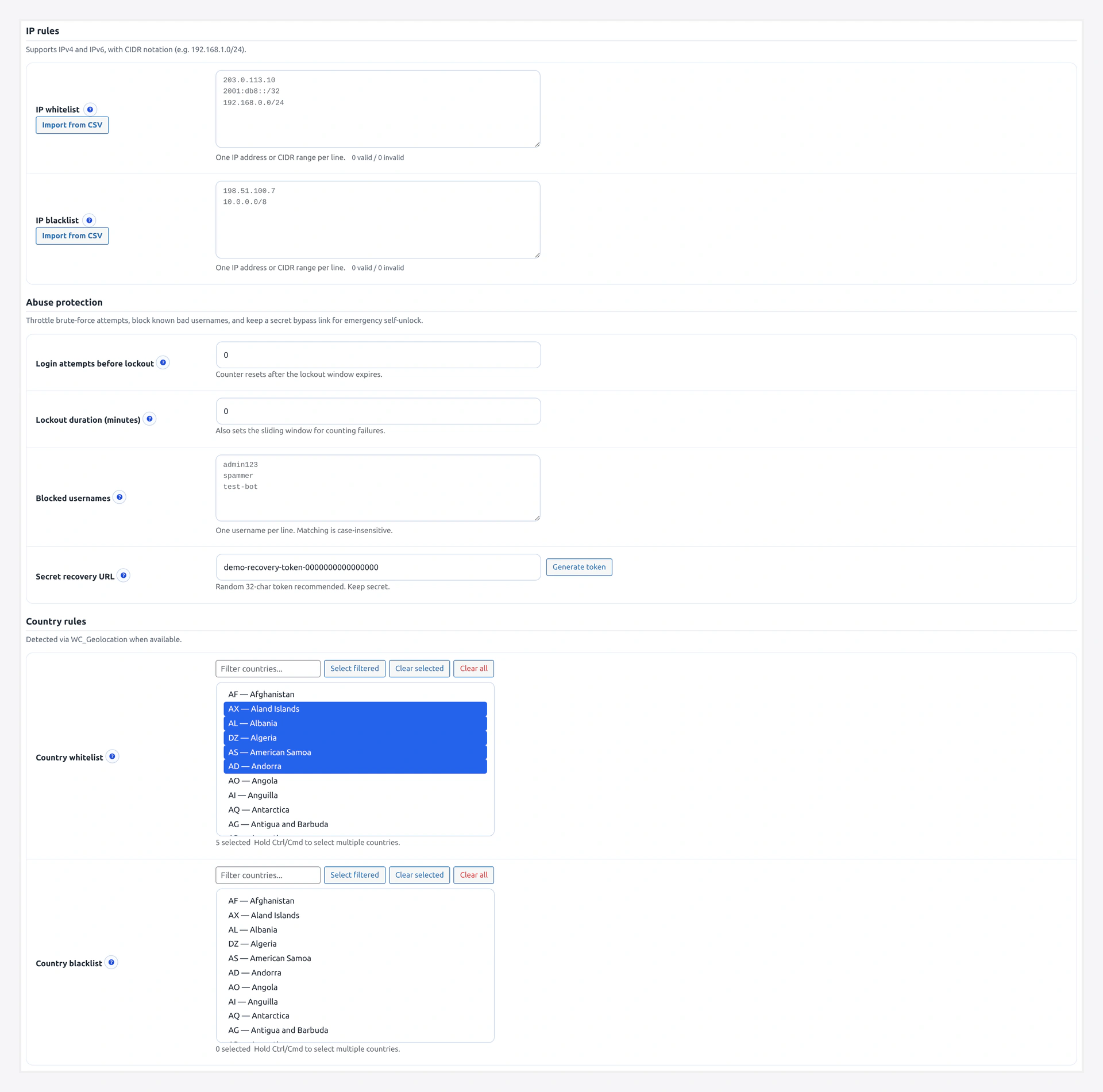
Abuse protection — max retries, lockout window, blocked usernames, recovery URL:
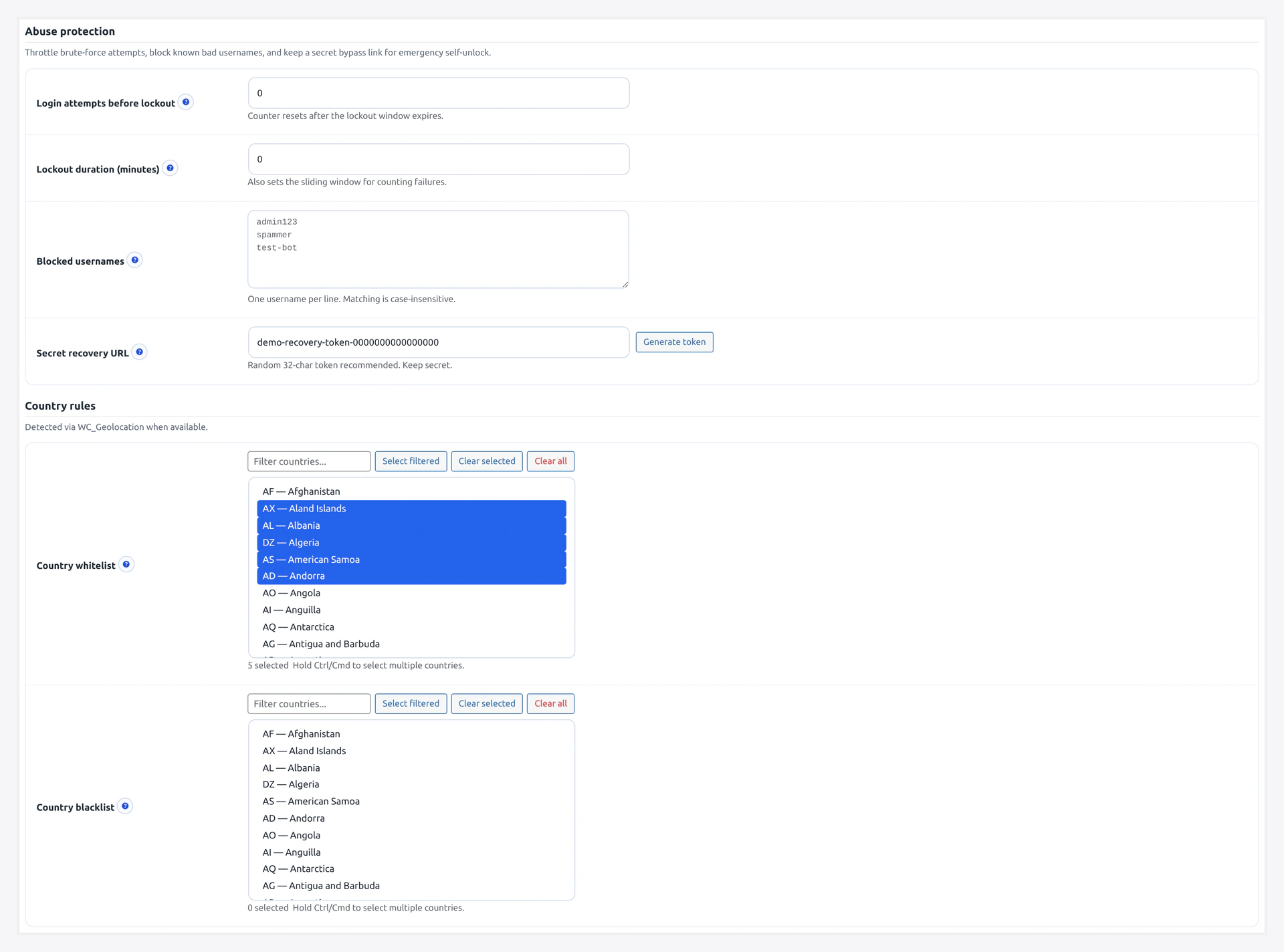
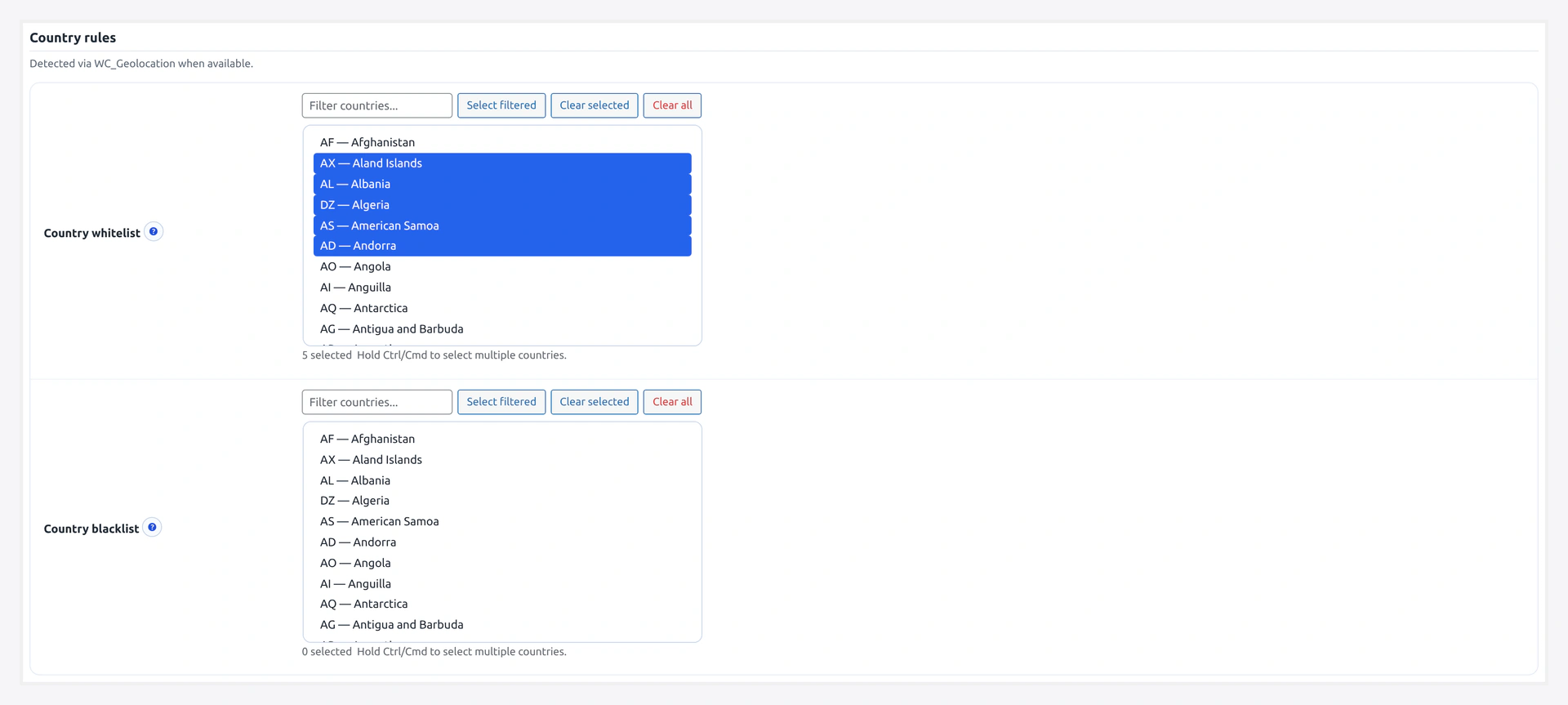
Country rules — whitelist/blacklist by ISO country code, driven by WC_Geolocation:
 This tab is where you tune the "just enough friction" balance.
URL: wp-admin/admin.php?page=wkcft-settings&tab=wkcft_conditions
Option key: wkcft_conditions (single array option)
Two layers of IP / logged-in config
The plugin reads IP whitelist and logged-in bypass from two places:
- Flat options
wkcft_ip_whitelistandwkcft_whitelist_logged_in(validator short-circuit, early exit before rule engine) - Nested array
wkcft_conditions.ip_whitelistandwkcft_conditions.skip_logged_in(full rule engine on this tab)
Editing either works. The tab UI on this page writes to the nested array.
Decision Priority (Important)
When a visitor hits any protected form, rules are checked in this exact order:
| Priority | Rule | If Match |
|---|---|---|
| 1 | IP blacklist | Always require CAPTCHA |
| 2 | Country blacklist | Always require CAPTCHA |
| 3 | IP whitelist | Skip CAPTCHA |
| 4 | Country whitelist | Skip CAPTCHA |
| 5 | Skip logged-in users | Skip if logged in |
| 6 | Skip known customers | Skip if has completed order |
| 7 | After-N-failures threshold | Skip until failure count reached |
| 8 | wkcft_conditions_should_skip filter | Final code override |
Blacklists always win — an IP on both the whitelist and blacklist gets CAPTCHA every time.
General Rules
Skip for Logged-In Users
- Key:
skip_logged_in - Type: Checkbox
- Default: Off
When on, any user who is logged in (is_user_logged_in() == true) skips CAPTCHA on every form.
Use when:
- Your customer base is mostly returning and logged in
- You already trust your account holders
- You want CAPTCHA to target only new/anonymous visitors
Skip for Known Customers
- Key:
skip_known_customers - Type: Checkbox
- Default: Off
When on, logged-in users who have at least one completed WooCommerce order bypass CAPTCHA.
This is narrower than "skip logged-in" — it only trusts paying customers.
Lookup: wc_get_orders(['customer_id' => user_id, 'status' => 'completed']).
Require After N Failures
- Key:
require_after_failures - Type: Number
- Range: 0 - 100
- Default: 0
How many failed attempts from an IP before CAPTCHA kicks in. Counter window is 30 minutes by default (filterable via wkcft_fail_counter_window).
| Value | Behavior |
|---|---|
0 | CAPTCHA required on every submit (no threshold) |
3 | 3 failed attempts allowed, then CAPTCHA required |
10 | Lenient — only abusers see CAPTCHA |
Use case: you want friction-free UX, but flip to CAPTCHA as soon as abuse starts.
IP Rules
IP Whitelist
- Key:
ip_whitelist - Type: Textarea (one entry per line)
- Format: IPv4, IPv6, or CIDR notation
Examples:
192.168.1.0/24
10.0.0.0/8
203.0.113.42
2001:db8::/32
IPs on this list always skip CAPTCHA (unless on the blacklist — blacklist wins).
IP Blacklist
- Key:
ip_blacklist - Type: Textarea (one entry per line)
- Format: Same as whitelist
IPs on this list always require CAPTCHA. Overrides everything else.
CSV Import
Both textareas support CSV import:
- Click Import CSV
- Upload a CSV with one IP or CIDR per row
- Plugin validates each entry and adds valid ones to the textarea
- Invalid entries are shown in an error list
Country Rules
Country Whitelist
- Key:
country_whitelist - Type: Multi-select (2-letter ISO codes)
Examples: US, CA, GB, DE, FR, AU.
Visitors from whitelisted countries skip CAPTCHA.
Country Blacklist
- Key:
country_blacklist - Type: Multi-select (2-letter ISO codes)
Visitors from blacklisted countries always require CAPTCHA. Overrides whitelist.
How Country is Detected
In order of preference:
CF-IPCountryHTTP header — set automatically by Cloudflare if your site is proxied through Cloudflare- Geo-IP lookup — falls back to a server-side IP-to-country lookup if CF header missing
If your site is not behind Cloudflare's proxy (orange cloud off), you will get less reliable country detection. Consider turning on Cloudflare proxy for 100% accurate country data.
~250 countries supported
Every ISO 3166-1 alpha-2 country code is supported. Use the search box in the multi-select to find codes fast.
Abuse Protection
Sits in its own section — controls the rate-limit + recovery flow.
Max Retries
- Option key:
wkcft_max_retries - Type: Number
- Default:
10
Failed CAPTCHA attempts per IP before that IP gets locked out entirely. Once locked, every submission from that IP returns an error without even calling Cloudflare.
Lockout Time (minutes)
- Option key:
wkcft_lockout_time - Type: Number
- Default:
5
How long (minutes) the lockout lasts. After this window passes, the IP gets a fresh allowance.
Blocked Usernames
- Option key:
wkcft_blocked_usernames - Type: Textarea (comma or newline separated)
- Default: empty
Usernames that never succeed at login, regardless of password or CAPTCHA.
Examples to pre-populate:
admin
administrator
root
test
wordpress
user
guest
Use this to deflect the thousands of bots scanning for admin / root credentials. Add your real admin user to a password manager and keep it off this list.
Recovery Token
- Option keys:
wkcft_recovery_token(primary, cleared-lockouts path) +wkcft_recovery_key(login-level authenticate-filter bypass) - Type: Text (or auto-generate button)
- Default: empty
One-time-use secret string that lets a locked-out user clear their own lockout via URL.
Full guide: Recovery URL.
Generate a random string (suggestion: 32 random chars) and share ONLY with trusted support staff. Share the URL https://yoursite.com/?wkcft_recovery=TOKEN with the stuck user — they hit it once and their IP is cleared.
Complete Field Reference
Conditions Array (wkcft_conditions)
| Field | Key | Type | Default |
|---|---|---|---|
| Skip logged-in | skip_logged_in | yes/no | no |
| Skip known customers | skip_known_customers | yes/no | no |
| Require after failures | require_after_failures | 0-100 | 0 |
| IP whitelist | ip_whitelist | array of strings | [] |
| IP blacklist | ip_blacklist | array of strings | [] |
| Country whitelist | country_whitelist | array of ISO codes | [] |
| Country blacklist | country_blacklist | array of ISO codes | [] |
Standalone Options
| Field | Option Key | Type | Default |
|---|---|---|---|
| Max retries | wkcft_max_retries | number | 10 |
| Lockout time (min) | wkcft_lockout_time | number | 5 |
| Blocked usernames | wkcft_blocked_usernames | string (comma/newline) | empty |
| Recovery token | wkcft_recovery_token + wkcft_recovery_key | string | empty |
Filter Hook
For code-level final override:
add_filter('wkcft_conditions_should_skip', function($skip, $form_context) {
    // $skip = result from all UI rules (true = skip CAPTCHA)
    // $form_context = 'login', 'checkout', 'cf7', 'wpforms', etc.

    // Example: always CAPTCHA on checkout even for logged-in users
    if ($form_context === 'checkout') {
        return false;
    }
    return $skip;
}, 10, 2);
Full list of $form_context values on Filters & Hooks.
Recipes
"Only Abusers See CAPTCHA"
Friction-free for all real users. CAPTCHA appears only after 3 failures.
- Require after failures:
3 - Skip logged-in: on
- Everything else default
"Office Network Skips"
Skip CAPTCHA for your team.
- IP whitelist: your office CIDR, e.g.,
203.0.113.0/24 - Everything else default
"Geo Block"
Require CAPTCHA only from a list of risky countries.
- Country blacklist: countries you want to challenge
- Everything else default
"Known-Customer Express Checkout"
Returning paying customers bypass every CAPTCHA.
- Skip known customers: on
- Require after failures:
5(fallback for misconfigured accounts)
"Max Lockdown"
Bot attack in progress — close the gates.
- Require after failures:
0(every submit) - Max retries:
3 - Lockout time:
30 - Blocked usernames:
admin,administrator,root,test - IP blacklist: add any attacker IPs from analytics
Related Pages
- Rate Limiting — Deep dive on abuse protection
- Recovery URL — Unlock a stuck IP
- Analytics — See top blocked IPs to feed the blacklist
- Filters & Hooks — Code-level overrides