
Features — Everything the Plugin Can Do
A full tour of what you get after activation. Each section links to the detailed guide.
Core Protection
| Feature | What It Does |
|---|---|
| Cloudflare Turnstile widget | Invisible-by-default CAPTCHA that real users never have to solve |
| Server-side verification | Every submit hits Cloudflare's verify API before your form processes |
| Replay protection | Same token cannot be used twice (5-minute replay window) |
| Rate limiting | Auto-lockout after N failed attempts per IP |
| Recovery URL | One secret URL clears a stuck IP without DB surgery |
| Proxy-aware IP detection | Reads CF-Connecting-IP and X-Forwarded-For headers |
| Warn-only mode | Log failures without blocking — for staging / soft-launch |
Admin Experience
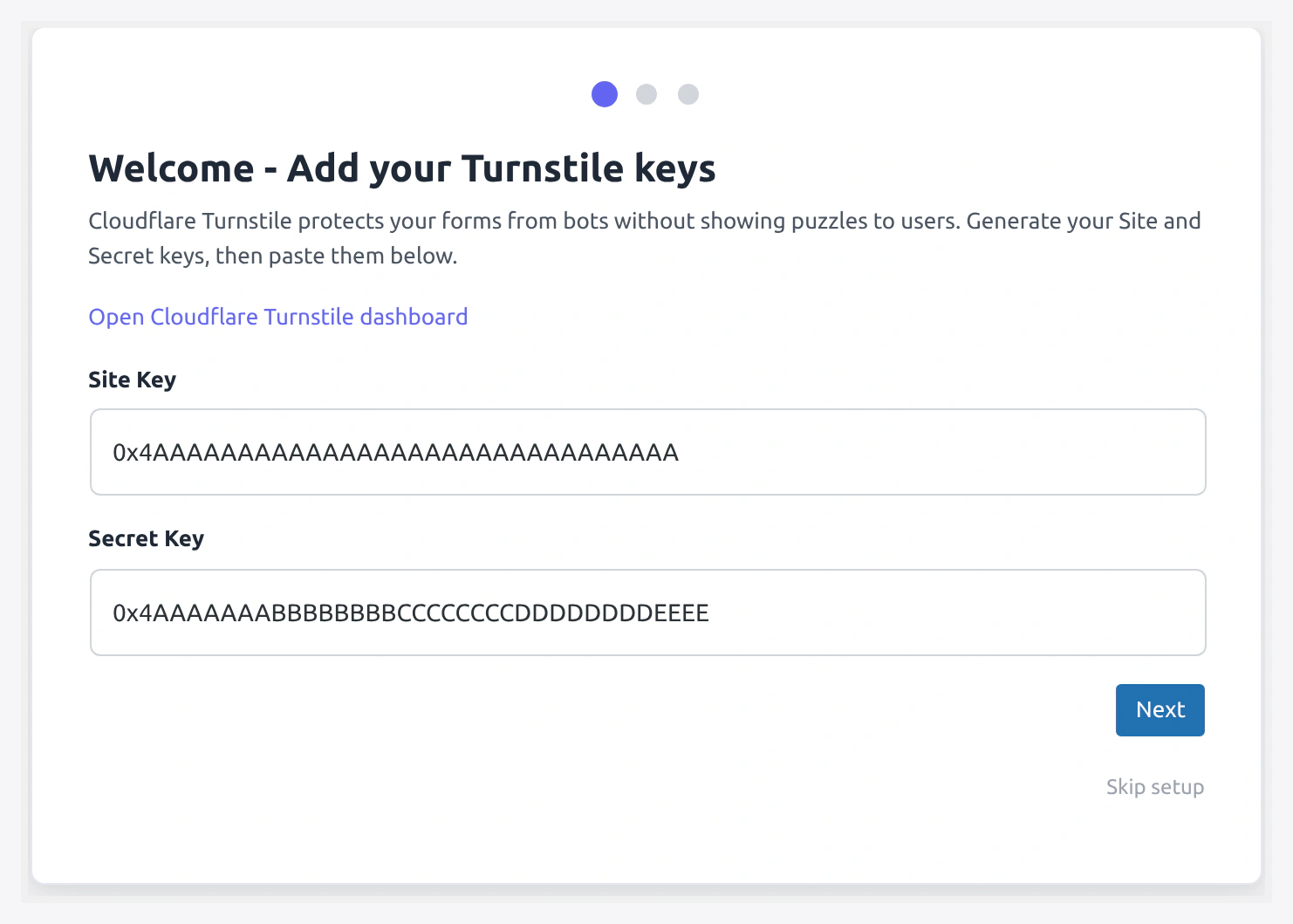
| Feature | What It Does |
|---|---|
| 3-step onboarding wizard | Runs right after activation. Keys → Forms → Done |
| 9 settings tabs | Organized panel: API, General, WC, WC Forms, WP, Design Studio, Conditions, Per-Form, Notifications |
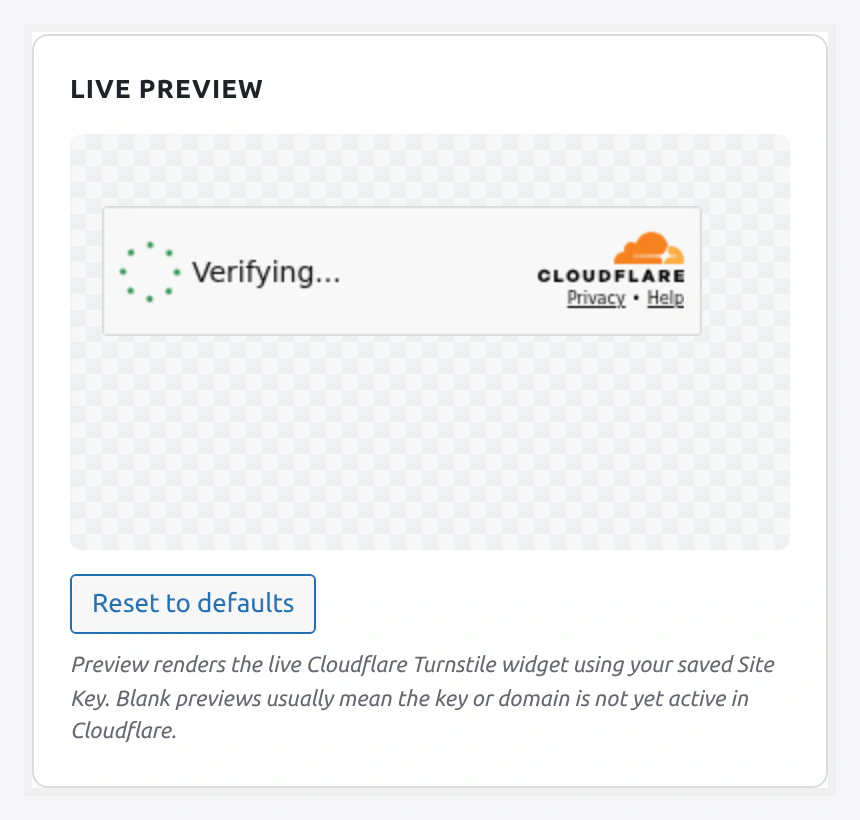
| Live widget preview | Design Studio renders a real widget as you tweak colors |
| Test Connection button | Hit Cloudflare from the settings page to verify your keys |
| Copy shortcode button | One-click copy for [wkcft-turnstile] |
| Plugin status badges | Shows Active / Installed / Not Installed for CF7, WPForms, Gravity, etc. |
| Caching plugin warnings | Inline notice if WP Rocket, LiteSpeed, Autoptimize, or W3TC is active |
Supported Forms
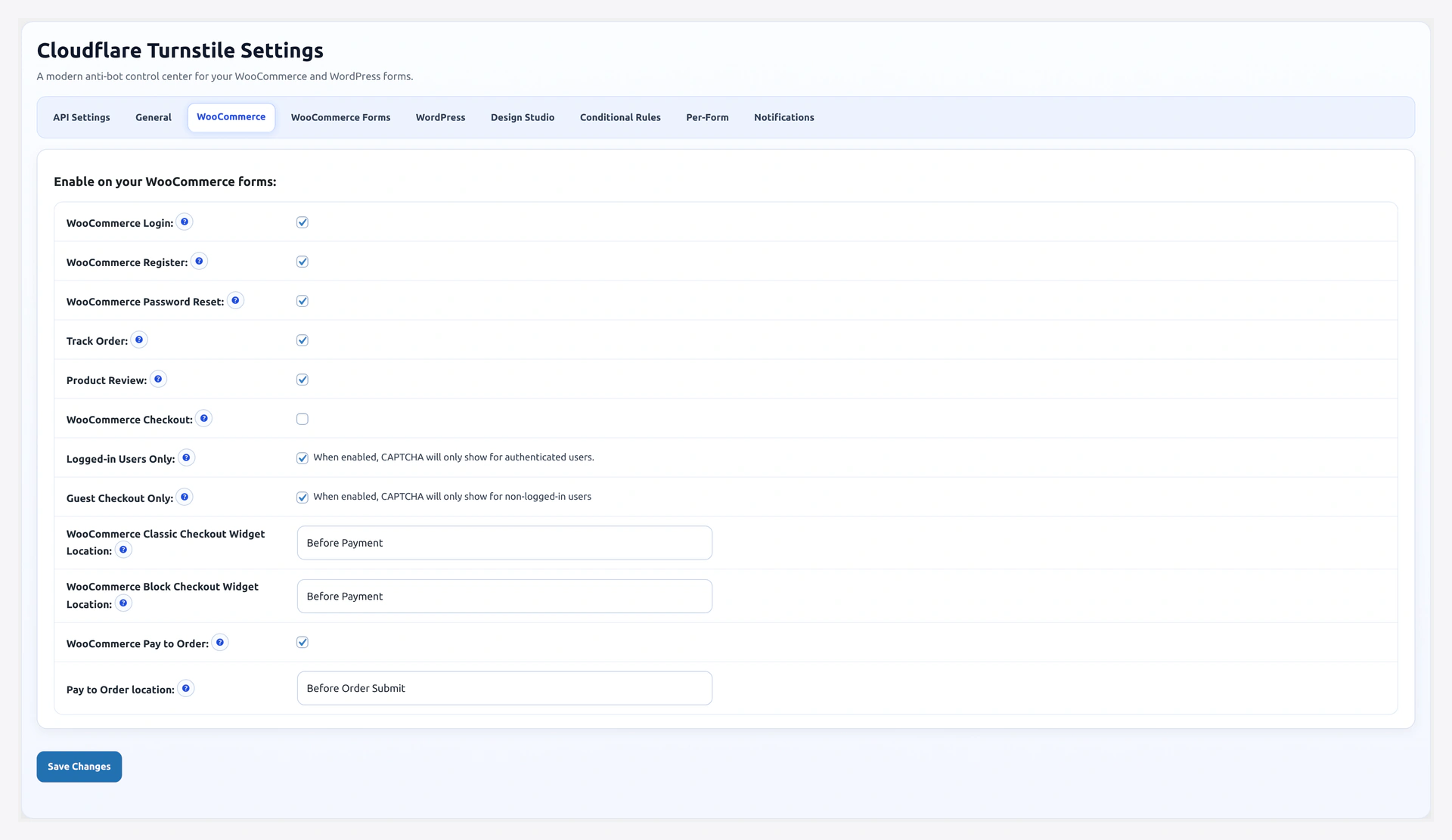
WooCommerce (native)
- Checkout (classic shortcode + Blocks)
- Login
- Registration
- Lost Password
- Pay for Order
- Track Order
- Product Review
WordPress (native)
- Login
- Registration
- Lost Password
- Comments
Third-Party Form Plugins
- Contact Form 7
- WPForms (free + Pro)
- Gravity Forms
- Elementor Pro Forms
- Formidable Forms
- Forminator
- bbPress (topic, reply, signup)
- BuddyPress (signup, contact)
- Easy Digital Downloads (EDD checkout)
- WooCommerce Subscriptions
Full enable/config guide: Supported Forms.
Widget Customization (Design Studio)
| Area | Options |
|---|---|
| Cloudflare native | Theme (light/dark/auto), Size (normal/compact/flexible), Language (12 locales + auto) |
| Layout | Alignment (left/center/right), top margin, bottom margin, inner padding |
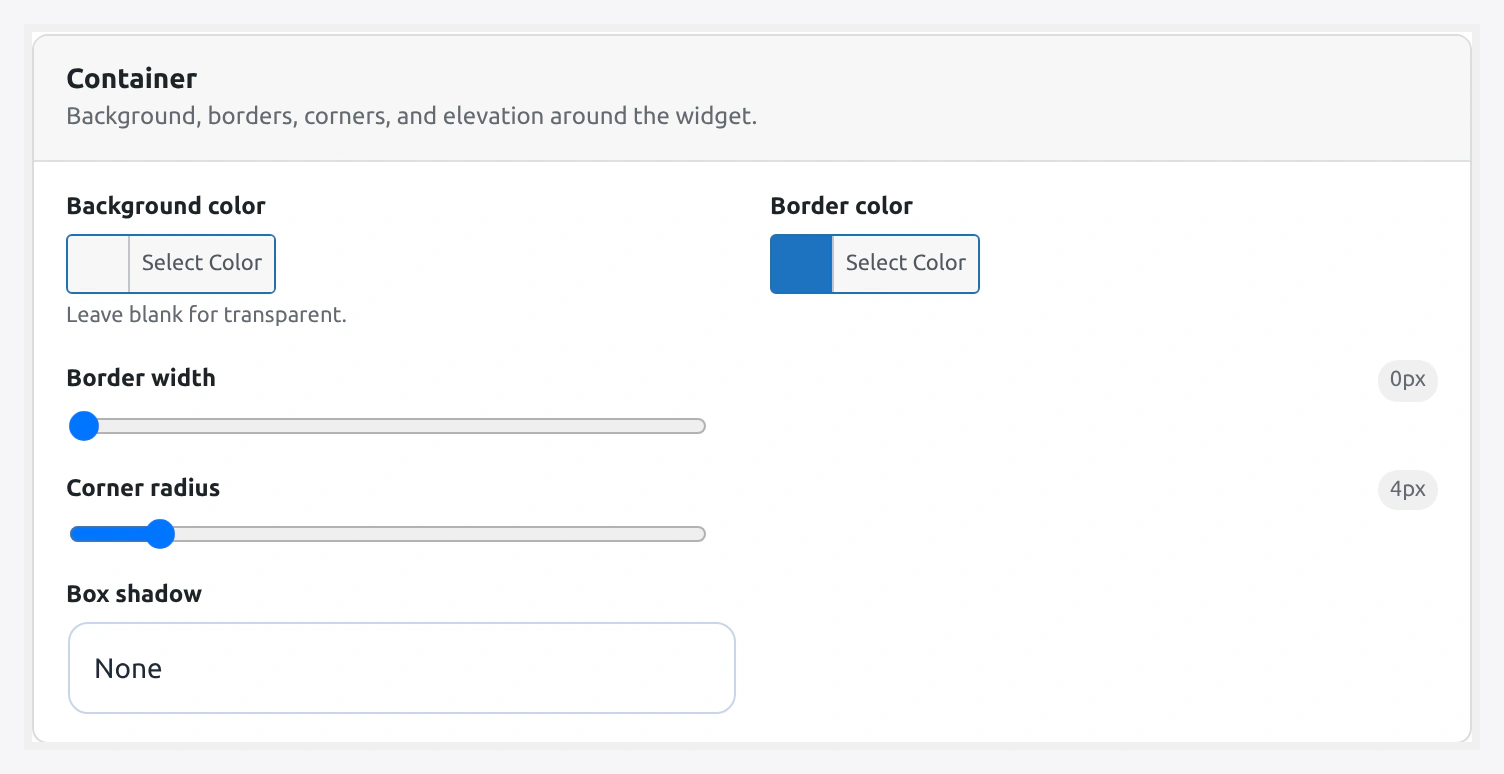
| Container | Background color, border color, border width (0-8px), border radius (0-32px), shadow (none/subtle/medium/strong) |
| Labels | Optional text above widget (custom color), optional helper text below (custom color) |
Live preview updates in real time. See Design Studio.
Conditional Rules Engine
Skip toggles — bypass CAPTCHA for logged-in users and returning customers:

After-N-failures threshold with a rolling failure window:

Skip CAPTCHA for the people you trust. Force it for the ones you do not.
| Rule | Behavior |
|---|---|
| Skip logged-in users | Authenticated users bypass CAPTCHA |
| Skip known customers | Users with at least one completed order bypass |
| IP allow-list | Exact IP or CIDR range (IPv4 + IPv6) skip CAPTCHA |
| IP block-list | Listed IPs always require CAPTCHA (overrides allow-list) |
| Country allow-list | 2-letter ISO codes skip CAPTCHA |
| Country block-list | Listed countries always require |
| After N failures | Only challenge an IP after N failed attempts |
| Blocked usernames | Usernames that are always blocked on login |
| Filter hook | wkcft_conditions_should_skip for code overrides |
Full table with config examples: Conditional Rules.
Per-Form Configuration
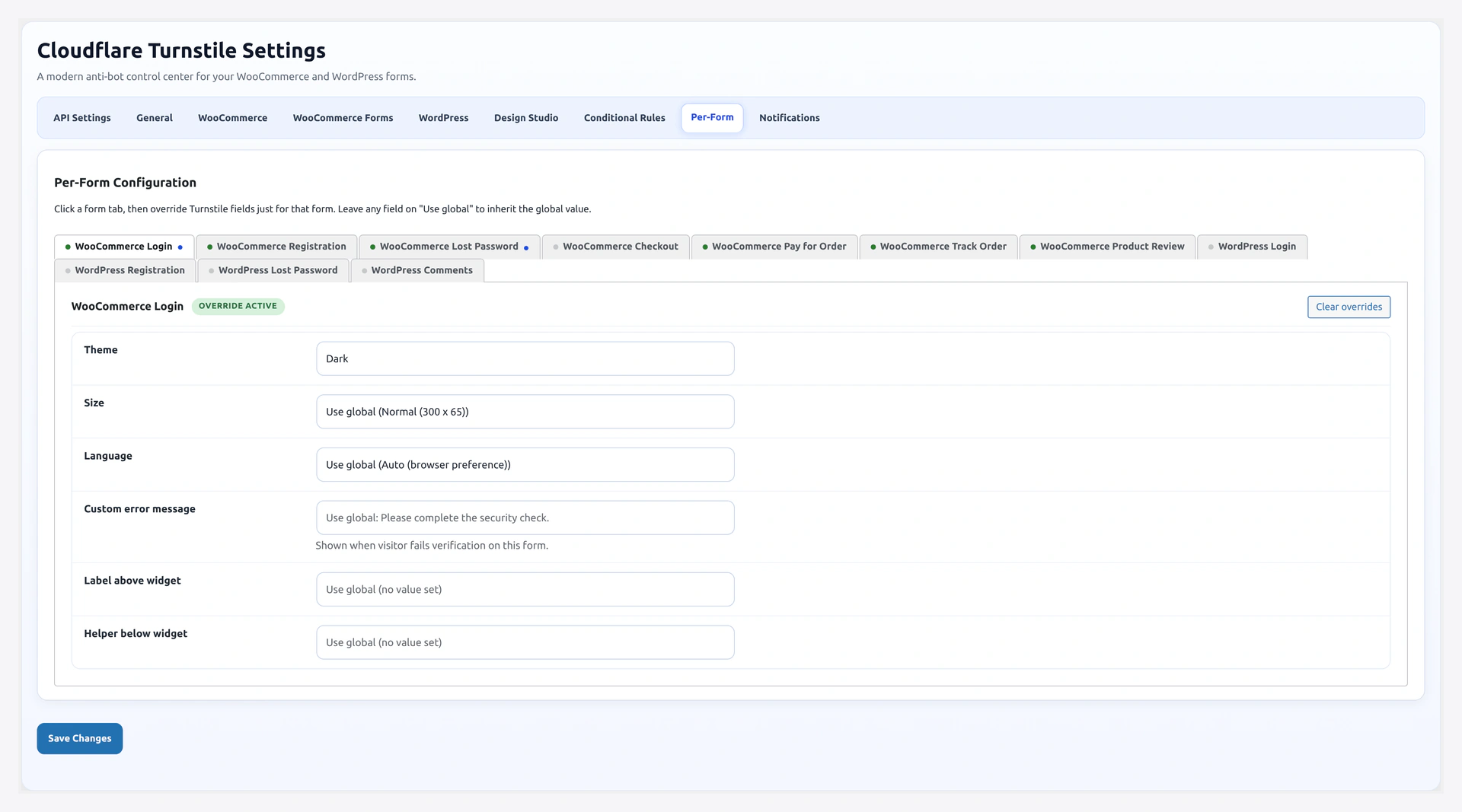
Override the global widget settings form by form. Useful when you want:
- Dark theme on the checkout but light on the login
- Compact size on a sidebar newsletter
- French language on one form, English on another
- Different error message per form
Supported overrides per form: theme, size, language, error message, label text, helper text.
See Per-Form Config.
Analytics Dashboard

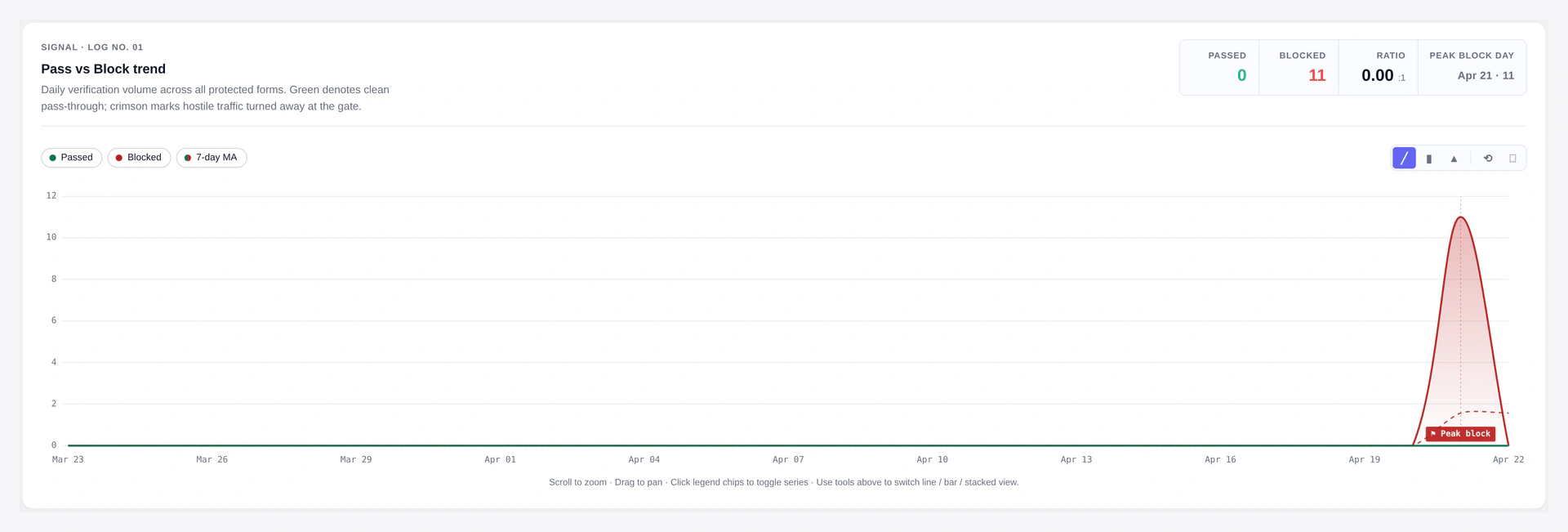
Built-in page at WooCommerce → Webkul Addons → Analytics.
| Panel | Content |
|---|---|
| KPI cards | Total checks, passes, failures, pass rate |
| Trend chart | Pass vs Block over time (Chart.js, zoom + pan) |
| Hourly heatmap | Last 7 days, darker = more checks |
| Top forms | Donut chart ranking forms by volume |
| Top blocked IPs | Ranked list with last-seen timestamp |
| Error breakdown | Pie chart of Cloudflare error codes |
| Recent activity | Last 100 log rows |
| Date range | 7 / 30 / 90 days / all time |
| CSV export | Stream the raw data |
Logs are stored in wp_wkcft_log (IP + UA hash, no PII). Daily purge keeps 90 days by default.
See Analytics.
Notifications
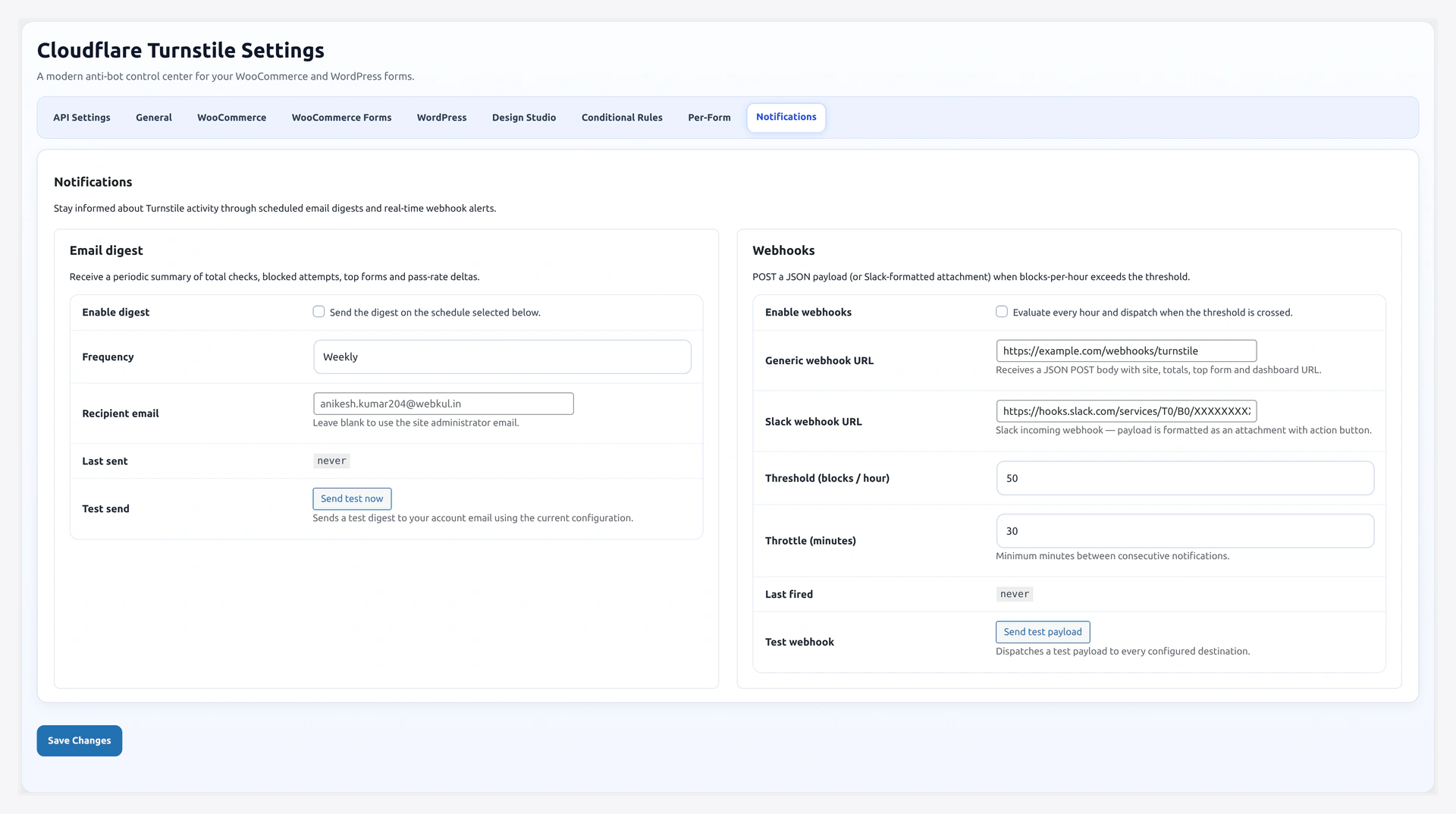
Email Digest
| Setting | Options |
|---|---|
| Frequency | Daily / Weekly / Monthly |
| Recipient | Any email |
| Content | Totals, pass rate, top 5 forms, top 5 blocked IPs, WoW delta |
| Test button | Send sample digest instantly |
| Unsubscribe | One-click token link in email footer |
Webhooks
| Setting | Options |
|---|---|
| Generic webhook URL | POST JSON to any endpoint |
| Slack webhook URL | Native Slack formatting |
| Threshold | Blocks per hour that trigger an alert (default 50) |
| Throttle | Min minutes between alerts (default 30) |
| Test button | Send sample payload instantly |
See Email Digest and Webhooks.
Developer Tools
REST API (namespace /wkcft/v1)
| Endpoint | Method | Auth | Purpose |
|---|---|---|---|
/verify | POST | Public + rate-limited | Verify a Turnstile token (for headless/SPA) |
/stats | GET | manage_woocommerce | Aggregated analytics |
/conditions | GET / POST | manage_woocommerce | Read/write conditions config |
/design-studio | GET / POST | manage_woocommerce | Read/write design studio config |
Filters
| Filter | Default | Use |
|---|---|---|
wkcft_should_validate | true | Return false to skip validation on a form |
wkcft_conditions_should_skip | (rule result) | Final override on the rules engine |
wkcft_rate_limit_threshold | 10 | Max failures per IP per window |
wkcft_rate_limit_window | 300 (sec) | Rate-limit bucket size |
wkcft_fail_counter_window | 1800 (sec) | After-N-failures counter window |
wkcft_log_enabled | true | Return false to disable logging |
Shortcode
[wkcft-turnstile theme="dark" size="compact" language="en"]
Drop on any page/post/widget. Theme, size, language, class, id, action, appearance all overridable.
See REST API, Filters & Hooks, Shortcode.
Compatibility
| Item | Support |
|---|---|
| HPOS (Custom Order Tables) | Fully declared compatible |
| Cart/Checkout Blocks | Full React widget integration |
| WooCommerce Subscriptions | Optional handler module |
| Multisite | Per-site settings |
| Translation-ready | .pot template + 4 shipped locales (de_DE, es_ES, fr_FR, pt_BR) |
| WP Site Health | Custom test: "Cloudflare Turnstile Readiness" |
| WP-CLI | Read/write options via standard wp option commands |
See Site Health.
What Is NOT Tracked
- No cookies from the plugin
- No visitor IP stored in plain text in analytics (hashed IP only for logs)
- No user-agent string stored — only a hash
- No third-party analytics
- No telemetry back to Webkul
Related Pages
- Quick Start — Run it in 5 minutes
- Installation — Full install walkthrough
- Settings Overview — Tour of all 9 tabs