
WordPress Forms
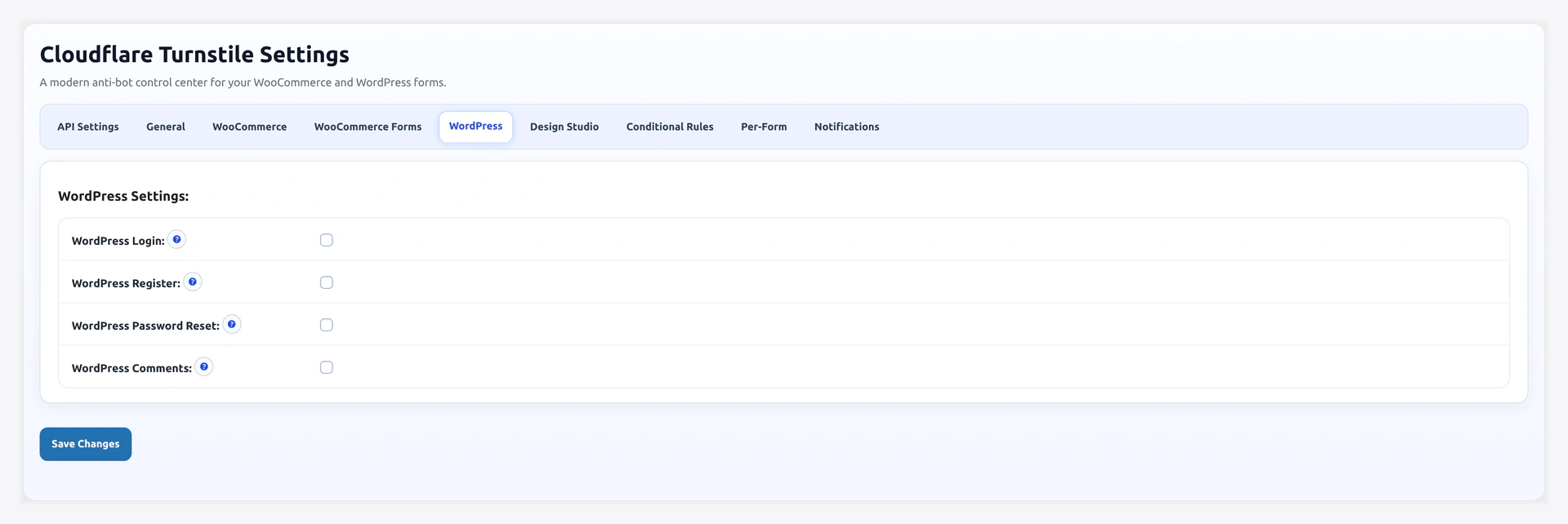
Protect the WordPress core forms outside of WooCommerce — wp-login.php, registration, password reset, and comments.
Settings tab: wp-admin/admin.php?page=wkcft-settings&tab=wkcft_wordpress
Forms Covered
| Form | Enable Option | Hook |
|---|---|---|
| Login | wkcft_wp_login | login_form |
| Registration | wkcft_wp_register | register_form |
| Lost Password | wkcft_wp_lost_password | lostpassword_form |
| Comments | wkcft_wp_comment | preprocess_comment |
Enable Steps
- WooCommerce → Turnstile Settings → WordPress tab
- Tick the forms you want
- Save Changes
- Flush caching plugin
- Test each form
Field Reference
| Field | Option Key | Default |
|---|---|---|
| WP Login | wkcft_wp_login | no |
| WP Registration | wkcft_wp_register | no |
| WP Lost Password | wkcft_wp_lost_password | no |
| WP Comments | wkcft_wp_comment | no |
Test Plan
WP Login
- Log out (or open incognito window)
- Visit
/wp-login.php - Widget appears below the password field
- Enter credentials and submit
- Login completes
Do not lock yourself out
Always have a second admin account or a recovery URL ready before enabling WP Login protection. If the widget ever breaks (e.g., Cloudflare outage), you can still get in.
WP Registration
Only visible if "Anyone can register" is on under Settings → General.
- Visit
/wp-login.php?action=register - Widget below email field
- Submit — account created (or password email sent)
WP Lost Password
- Click "Lost your password?" on the login page
- Widget below the email/username field
- Submit — reset email sent
WP Comments
- Open any post with comments enabled
- Scroll to comment form
- Widget appears above the submit button
- Post comment — submitted (pending approval if moderation is on)
Why Enable WP Login
Your /wp-login.php is one of the most-attacked endpoints on any WordPress site. Bots try thousands of username/password combinations per day.
Turnstile on wp-login:
- Stops brute-force login attempts cold (no token = no validation)
- Slashes your server load during attacks
- Protects all admin accounts, not just WooCommerce ones
Interaction with WooCommerce Login
WordPress login (/wp-login.php) and WooCommerce login (/my-account/) are different forms. Enabling one does NOT protect the other.
| Location | Setting |
|---|---|
/wp-login.php | WordPress tab → WP Login |
/my-account/ | WooCommerce tab → Login |
Most stores enable both.
Comments Behavior
The comments hook is preprocess_comment which fires after the form submits but before insertion. When CAPTCHA fails:
- Comment is rejected with your configured error message
- Post reloads with the form data preserved (so commenters do not lose their text)
Widget auto-injects above the submit button via comment_form_submit_button filter.
Hiding on Author's Own Comments
If you post comments yourself as the admin, pair with:
- Conditional Rules → Skip logged-in users
That way, you never see the widget on your own site.
Recovery Note
If you protect wp-login.php and then hit a browser issue where Cloudflare cannot load:
- Use a different browser or incognito
- Or hit the Recovery URL first to clear any lockout
- Or temporarily turn off WP Login protection via the database:
UPDATE wp_options SET option_value='no' WHERE option_name='wkcft_wp_login';
Or WP-CLI:
wp option update wkcft_wp_login no
Hook Priority Order
On the login form, hooks fire in this order:
- WP renders username + password fields
- Plugin injects widget HTML (priority 10 on
login_form) - WP renders submit button
- Page loads
If your custom theme adds elements via the same hook with a lower priority, they will render after the widget. Adjust hook priority in your theme if needed.
Troubleshooting
| Problem | Fix |
|---|---|
| Widget missing on wp-login | Check if a security plugin (Wordfence, iThemes Security) is overriding wp-login |
| Widget missing on comments | Theme uses wp_list_comments only — confirm it also calls comment_form() |
| "Failed validation" on every login | Clear caching, confirm Secret Key on API tab |
| Locked out of wp-admin | Use Recovery URL or disable via database — see above |
Related Pages
- WooCommerce Forms — WC login/register/checkout
- Rate Limiting — Failed login lockout rules
- Recovery URL — Unlock a stuck admin
- Troubleshooting — More fixes