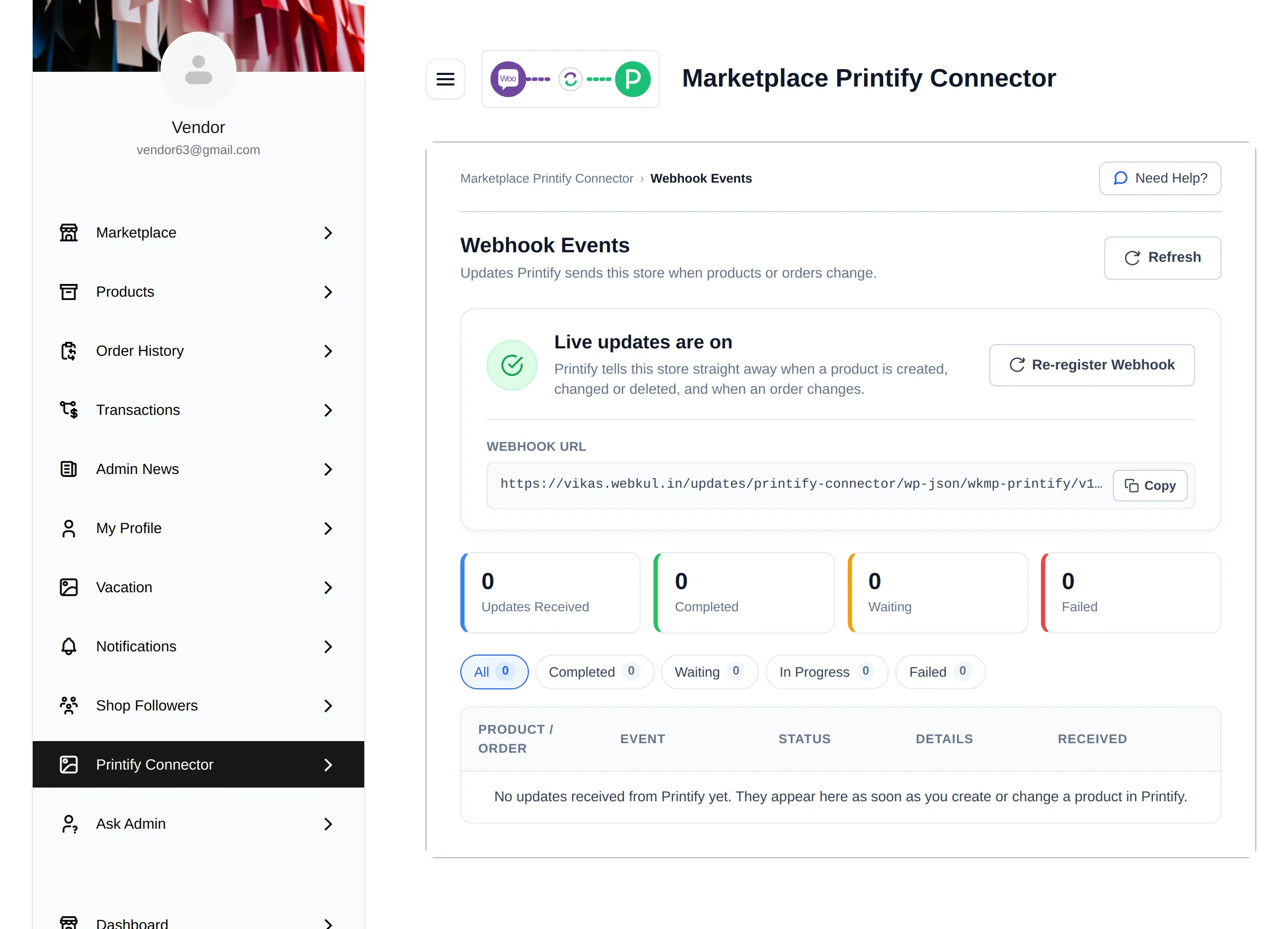
Webhook Events
Printify tells your store about product and order changes through webhooks. The connector registers them automatically when you connect a shop, and Webhook Events shows every update Printify has sent and what the store did with it.
- Admin: Marketplace → Printify Connect → Webhook Events
- Vendor: My Account → Printify Connector → Webhook Events
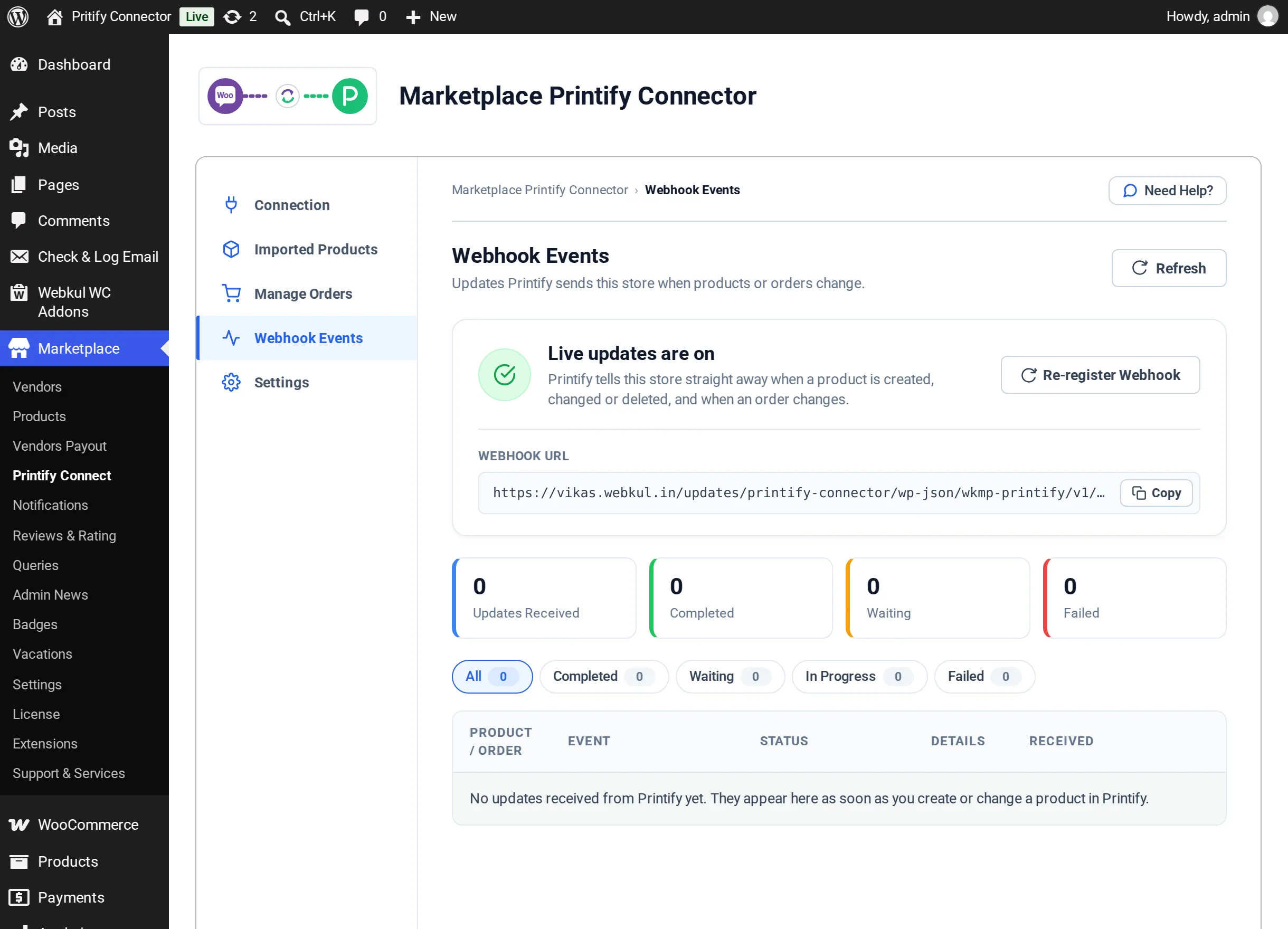
Live updates status
The card at the top shows one of these states:
| Heading | Meaning | What to do |
|---|---|---|
| Live updates are on | Printify tells the store straight away when a product is created, changed or deleted, and when an order changes | Nothing |
| Live updates are off | Printify is not sending updates yet | Select Register Webhook |
| Some newer updates are not switched on | Webhooks are registered, but not for every update type | Select Re-register Webhook |
| Could not check live updates | Printify could not be asked just now. This does not mean updates are broken. | Select Refresh in a moment |
Webhook URL is the address Printify sends updates to. Use Copy if support asks for it.
Printify must be able to reach your site over the internet for live updates to work. A site on a local computer or behind a login wall cannot receive them.
Updates Printify sends
| Event | What the store does |
|---|---|
| Product Created | Pulls the product in; creates it when Auto Import Products is enabled |
| Product Updated | Updates the store product when Auto Update Products is enabled |
| Product Deleted | Moves the store product to Trash when Auto Delete Products is enabled |
| Order Created | Imports the order when Import Printify Orders is enabled and it did not come from your store |
| Order Updated, Order Shipped, Order Delivered | Adds a note and updates the status when Sync Order Status from Printify is enabled; adds tracking for the customer when shipped |
These switches are on Sync Settings.
The events list
The counters show Updates Received, Completed, Waiting and Failed. Use the filters All, Completed, Waiting, In Progress and Failed to narrow the table.
| Column | Shows |
|---|---|
| Product / Order | The product or order the update was about |
| Event | For example Product Updated or Order Shipped |
| Status | Completed, Waiting, In Progress or Failed |
| Details | A plain sentence explaining the result, for example Automatic updates were off when this arrived, so your store product was left unchanged. |
| Received | How long ago the update arrived |
Updates are processed in the background, usually within a minute. When Printify is busy, an update waits and is tried again. If Printify cannot be reached after several tries, use Update from Printify on Imported Products to fetch the product by hand.
Vendors