
WooCommerce ERP DocumentationWooCommerce ERP Documentation
  • Getting Started

    • WooCommerce ERP
    • Overview
    • Features
    • Installation
  • Setup & Configuration

    • Roles & Access Control
    • Users & Suppliers
    • Warehouse Management
    • Layout Builder
  • Daily Operations

    • ERP Dashboard
    • Stock Assignment
    • Products & Inventory
    • Order Fulfilment
  • Purchasing

    • RFQ Management
    • Purchase Orders
    • Internal Transfers
  • Reference

    • Email Notifications
    • FAQ & Notes
  • Getting Started

    • WooCommerce ERP
    • Overview
    • Features
    • Installation
  • Setup & Configuration

    • Roles & Access Control
    • Users & Suppliers
    • Warehouse Management
    • Layout Builder
  • Daily Operations

    • ERP Dashboard
    • Stock Assignment
    • Products & Inventory
    • Order Fulfilment
  • Purchasing

    • RFQ Management
    • Purchase Orders
    • Internal Transfers
  • Reference

    • Email Notifications
    • FAQ & Notes
  • WooCommerce ERP
  • Overview
  • Features
  • Installation
  • Roles & Access Control
  • Users & Suppliers
  • ERP Dashboard
  • Warehouse Management
  • Layout Builder
  • Stock Assignment
  • Activity Log
  • Products & Inventory
  • Order Fulfilment
  • Fulfilment from WooCommerce Admin
  • RFQ Management
  • Purchase Orders
  • Internal Transfers
  • Email Notifications
  • FAQ & Notes

ERP for WooCommerce

ERP for WooCommerce adds a complete warehouse and operations back office to your WooCommerce store. Your team signs in at yourstore.com/erp and manages everything operational in one place — warehouses, bin-level inventory, order fulfilment, supplier purchasing and stock transfers — while WooCommerce keeps doing what it does best: selling.
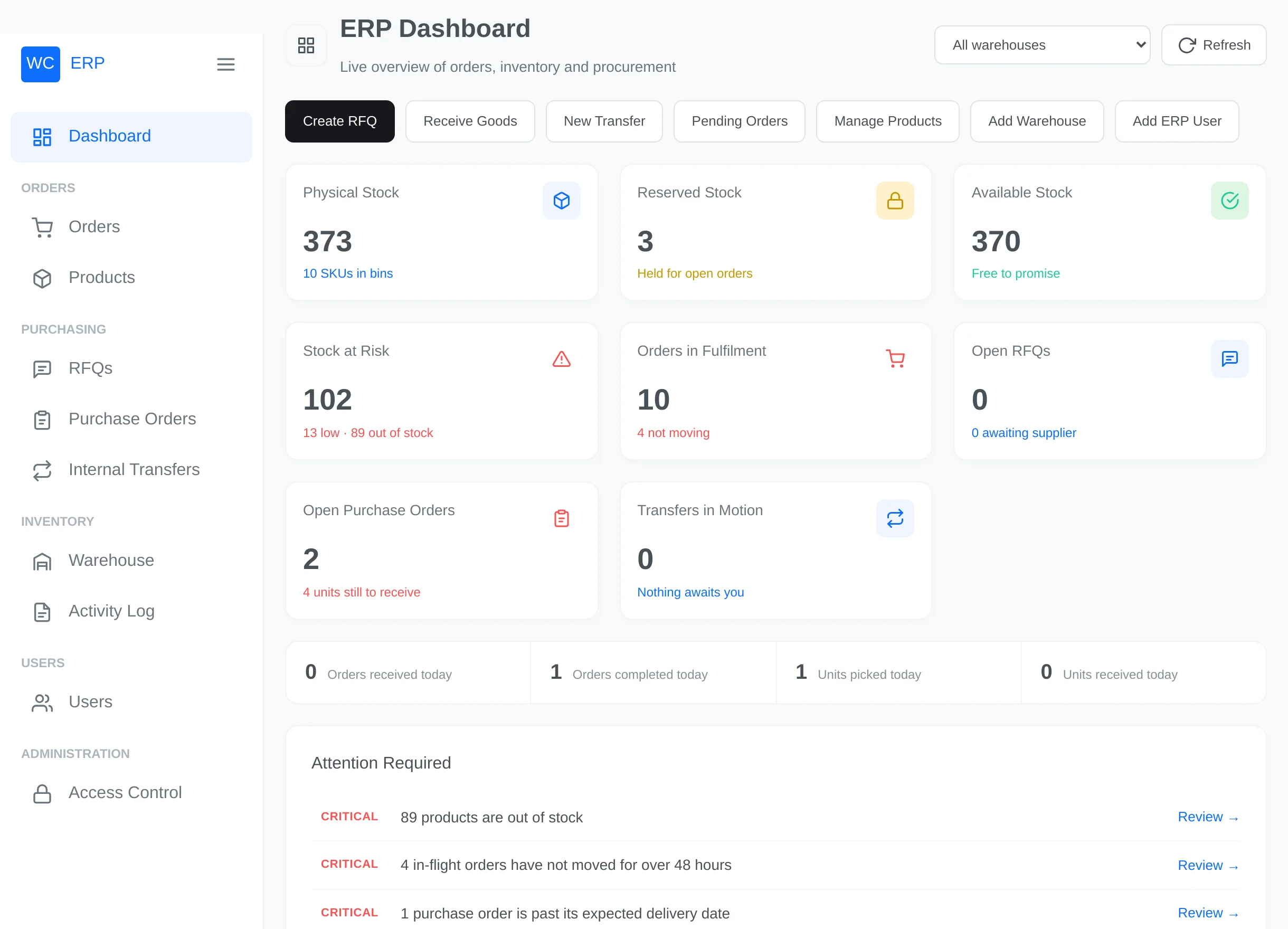
ERP Dashboard

Who is this documentation for?

You are…Start here
A store owner setting the plugin upInstallation, then Roles & Access Control
An administrator configuring warehousesWarehouse Management and the Layout Builder
A warehouse manager running daily operationsERP Dashboard and Order Fulfilment
Purchasing staffRFQ Management and Purchase Orders

The big picture

  1. Set up — install the plugin, grant your team access, create warehouses and build their bin layout.
  2. Stock up — assign your WooCommerce product stock into bins (or receive it through purchase orders).
  3. Sell & fulfil — paid orders automatically enter the fulfilment workflow: validate → reserve → pick → pack → ship.
  4. Replenish — send RFQs to suppliers, convert approved quotes to purchase orders, and receive goods into bins.
  5. Rebalance — move stock between warehouses with internal transfers.

Continue with the Overview to understand the key concepts, or jump straight to Installation.

Next
Overview