
Activity Log
The Activity Log is the permanent record of every bin-level stock movement in your store — whoever caused it and however it happened. Open it from Inventory → Activity Log in the sidebar (the same view also lives as a tab inside the Warehouse screen).
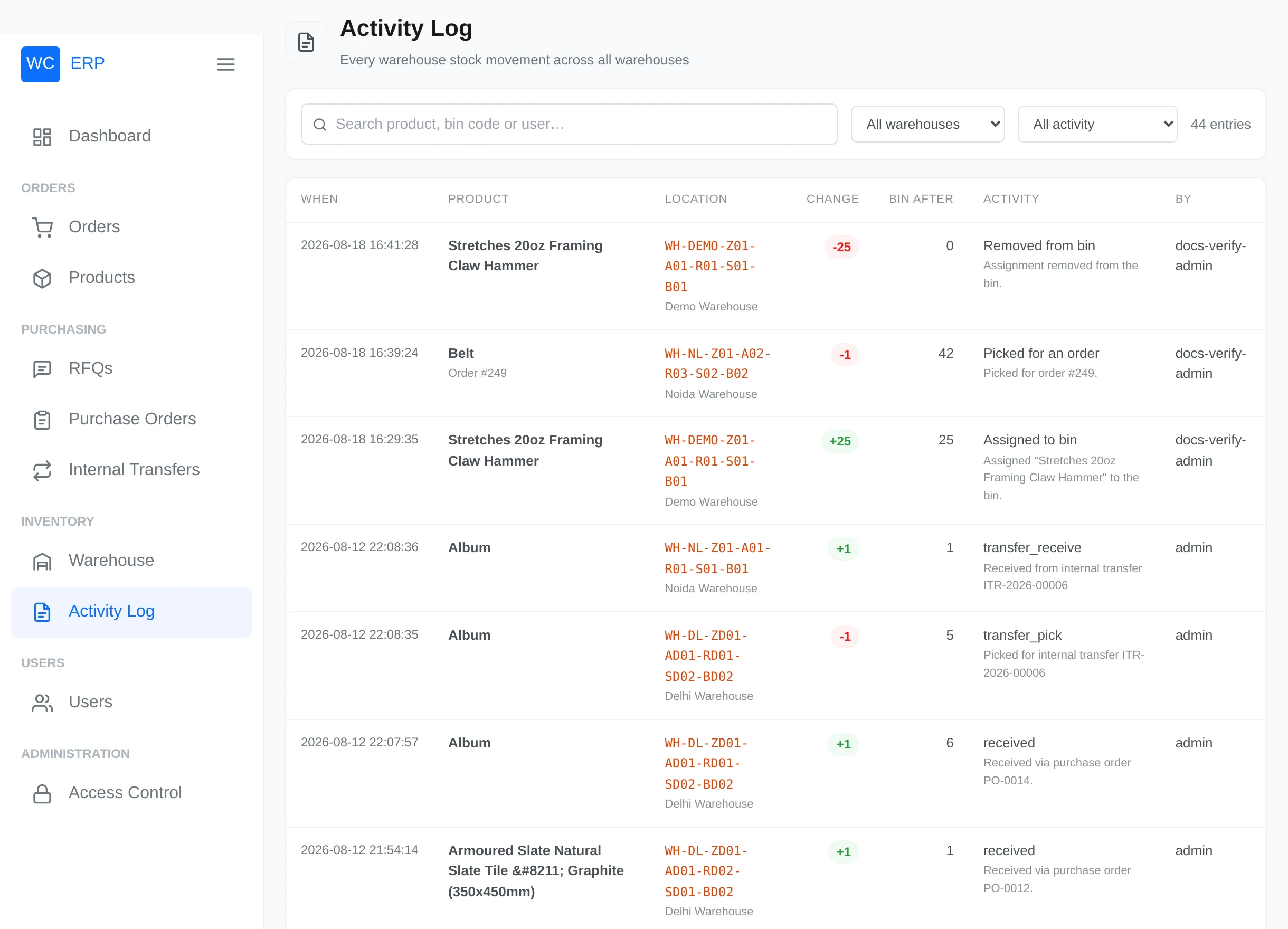
What gets recorded
| Event | Recorded as |
|---|---|
| Stock assigned to a bin | Assigned to bin (+) |
| Assignment removed | Removed from bin (−) |
| Order items picked / order completed | Picked for an order (−), with the order number |
| Purchase order received | received (+), noting the PO number |
| Internal transfer picked / received | transfer movement (−/+), noting the transfer number |
| Manual corrections | Manual adjustment |
Each row shows: When, Product (with the order link when relevant), Location (bin code + warehouse), the signed Change, Bin after (the bin's quantity after the movement), the Activity with its note, and By — the user, or System for automatic actions.
Searching and filtering
- Search matches product names, bin codes and user names (press Enter).
- Filter by warehouse and by activity type.
- 20 entries per page, newest first. Filters live in the page address, so you can bookmark or share a filtered view.
Where else history appears
- Every order view has a Warehouse Activity panel showing only that order's movements.
- Every purchase order lists the bin placements from its receipts.
- Every transfer carries its own activity trail and receiving sessions.
- The dashboard chart "Stock Movement — Last 7 Days" is built from this ledger.
Warehouse-scoped users
Warehouse Managers and Staff see the log for their own warehouse.