
Fulfilment from WooCommerce Admin
Your team doesn't have to leave the familiar WooCommerce screens — the ERP integrates fulfilment directly into WooCommerce → Orders.
The Fulfilment column
The order list gains a Fulfilment column showing each order's item stage as a pill — plus a one-click button for the next action when every line offers the same one (for example Validate and Reserve on a fresh order).
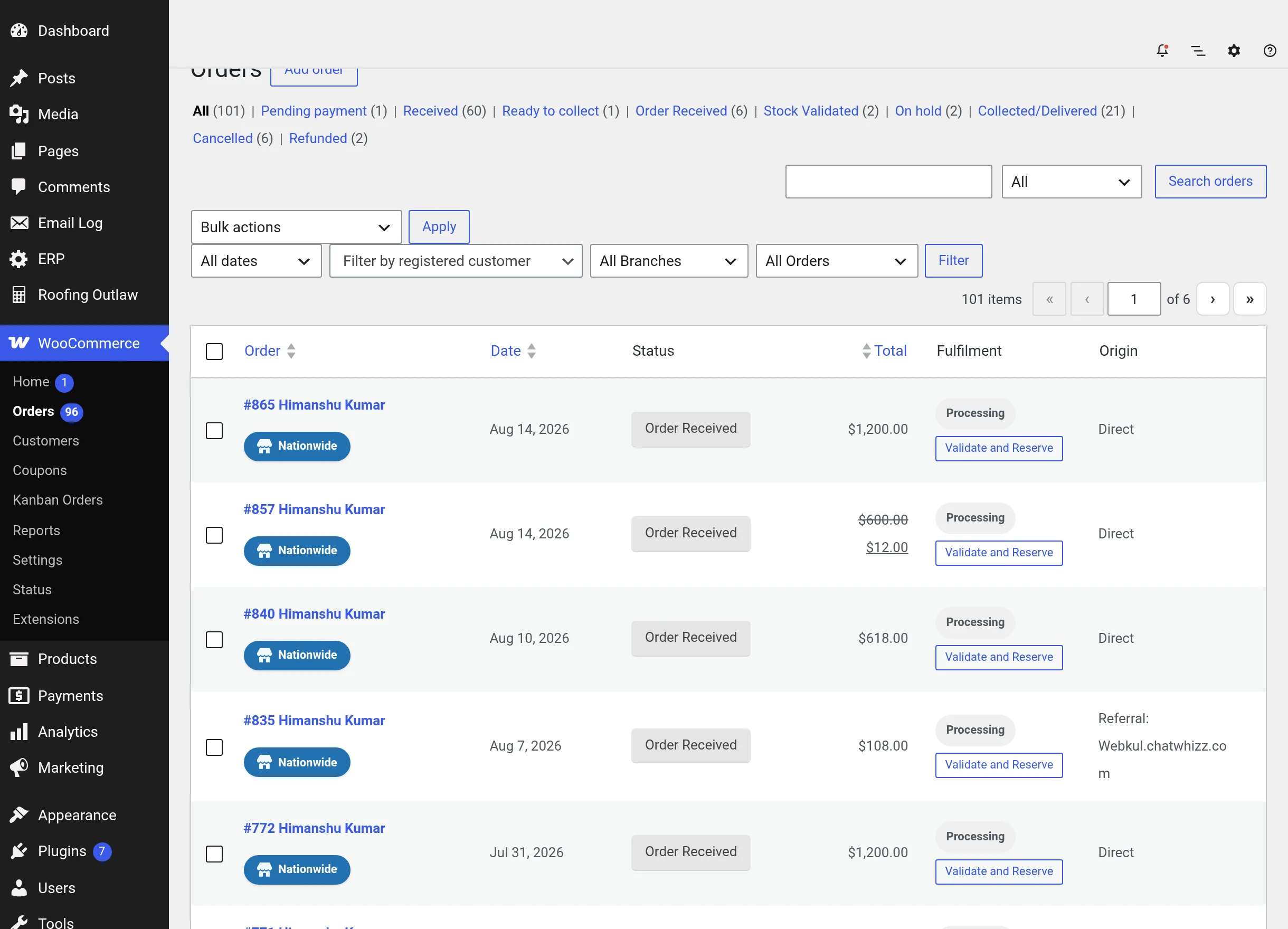
Clicking the button runs the action for all eligible lines and updates the pill in place — no page reload. The status filter links above the list include the five ERP statuses with live counts, and the Bulk actions menu offers "Change status to order received / stock validated / picking / packing / shipping".
Bulk moves respect the sequence
A bulk status change that would skip more than one stage forward is quietly reverted per order (unless you hold the override) — the same guard as everywhere else.
The Warehouse Fulfilment metabox
Open any order and you'll find two ERP panels.
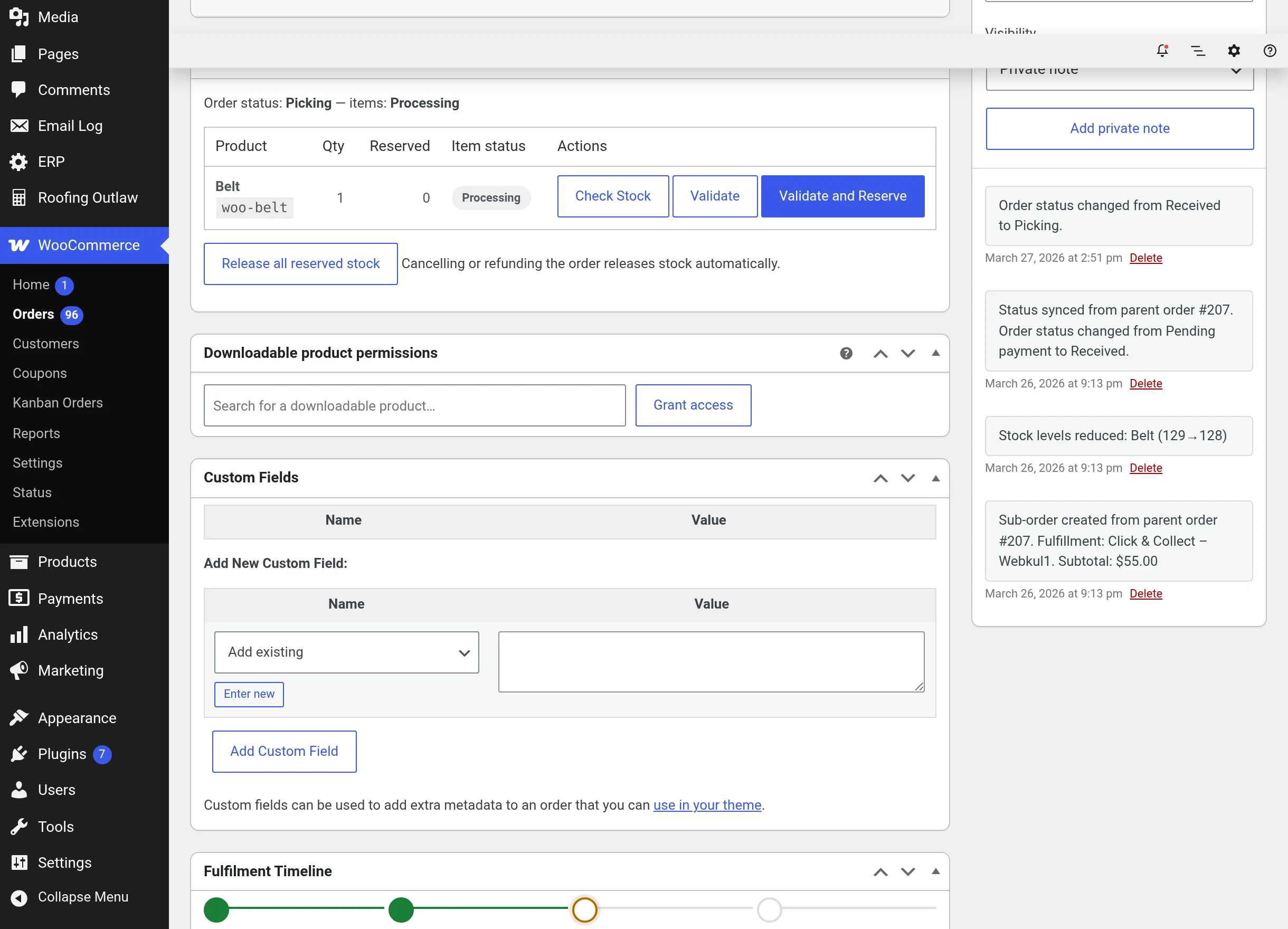
Warehouse Fulfilment lists each line with its quantity, reserved units and stage, plus:
- Check Stock — a read-only availability check, usable at any stage. It expands a result row with an Ordered / Reserved / Available summary and a bin table (warehouse, zone, aisle, rack, shelf, bin, availability).
- The stage buttons for that line — Validate, Validate and Reserve, Reserve, Start Picking, and so on. Actions that need a bin stay disabled until you select one of the bin radio buttons; if several bins could serve the line, the panel asks "This product is available in several bins — choose one to reserve from."
- Current holds shown under each line ("Reserved at: 2 × WH / Zone / … / BIN").
- Release all reserved stock — frees every hold on the order after a confirmation. (Cancelling or refunding the order does this automatically.)
The Fulfilment Timeline
The second panel shows the six workflow stages with date and user for each completed step, followed by the complete activity log of the order — every validation, reservation, pick and status change, each marked with its source: erp (the ERP app), woocommerce (this admin), or system (automatic).
Why both surfaces?
Warehouse teams usually live in the ERP app; store managers live in wp-admin. Both drive exactly the same workflow and write the same history, so use whichever fits the moment.