
Installation
WooCommerce Marketplace Shopify Connector is an add-on. It does not run on its own — it extends WooCommerce Marketplace by Webkul, and it appears inside the seller's My Account area rather than in the WordPress admin menu.
Before you install
Everything in this list must be true, or the Shopify Connector entry will not appear for sellers.
| Requirement | Minimum | Why |
|---|---|---|
| WordPress | 6.7 (tested to 7.0) | Platform |
| PHP | 7.4 (tested to 8.4) | Platform |
| WooCommerce | 10.0 (tested to 10.7) | Products, orders, My Account endpoints |
| WooCommerce Marketplace (Webkul) | 6.0 (tested to 6.6) | The connector is a Marketplace add-on |
| Marketplace, for the seller menu | 5.2.0 or newer | The Shopify Connector menu entry is only registered above this version |
| Marketplace, for the admin screen | newer than 5.3.0 | The administrator's account list tab is only registered above this version |
| A Shopify store | — | With an app that can talk to the Admin API |
Important
Install and activate WooCommerce and WooCommerce Marketplace first. WordPress will refuse to activate the connector while the Marketplace plugin is missing, because the connector declares it as a required plugin.
Install the plugin
- In WordPress, go to Plugins → Add New → Upload Plugin.
- Choose the
woocommerce-marketplace-shopify-connector.zipfile you received and select Install Now. - When the upload finishes, select Activate Plugin.
You can also upload the unzipped woocommerce-marketplace-shopify-connector folder into wp-content/plugins/ over FTP and then activate it from Plugins → Installed Plugins.
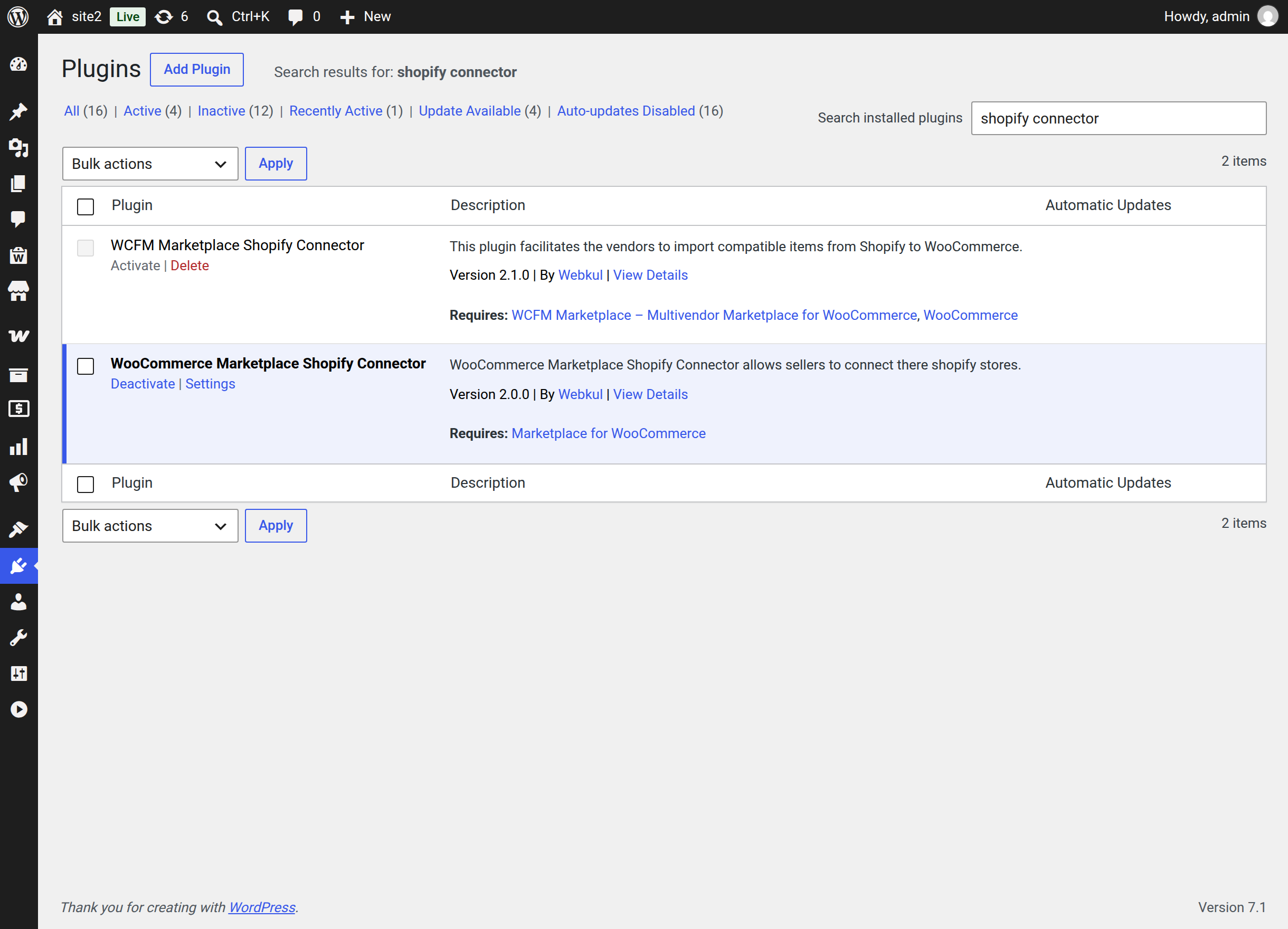
Activation creates the connector's database tables and registers two new My Account endpoints, shopify-connector and shopify-setup.
Confirm the administrator side
Sign in as an administrator and open Marketplace → MP Shopify Connector. You should see the Shopify Seller's Account tab with an empty account list — no seller has connected a store yet.
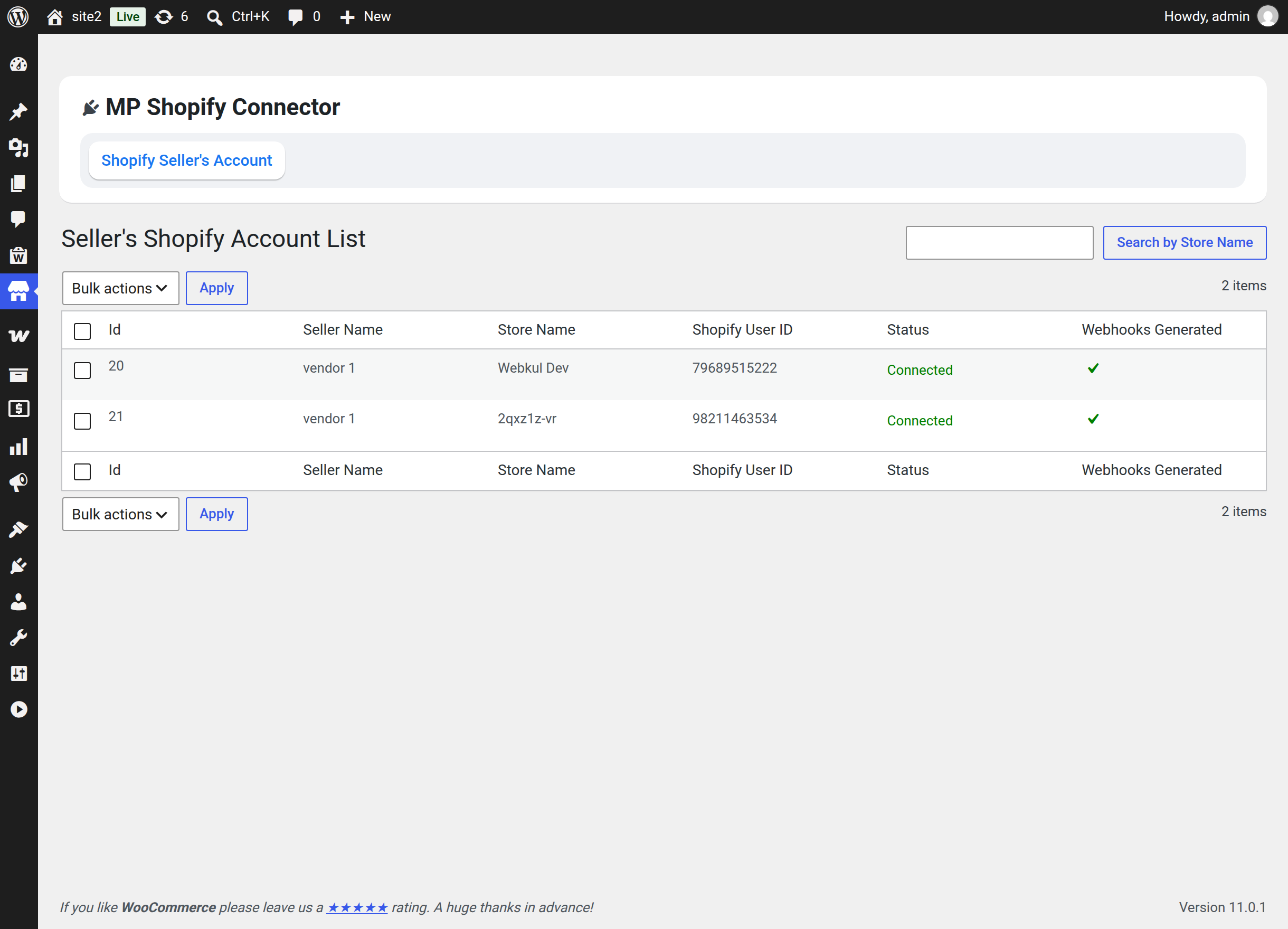
The plugin row on the Plugins screen also gains a Settings link that goes to the same page.
Confirm the seller side
Sign in as a marketplace seller and open My Account. A Shopify Connector entry appears in the seller menu.
Selecting it takes the seller to the Setup Wizard the first time, and to the Shopify Account List after that.
Tips
If the menu entry is there but the page returns "page not found", go to Settings → Permalinks and select Save Changes. That refreshes WordPress's rewrite rules so the two new endpoints resolve.
What activation does not do
- It does not create a WordPress admin menu of its own — the administrator screen lives inside the existing Marketplace menu.
- It does not add any WooCommerce emails. Imported and exported orders use the standard WooCommerce order emails.
- It does not change any existing product or order until a seller connects a store and runs an import or export.
Next step
Before a seller can connect anything, they need an app on the Shopify side. Continue to Creating the Shopify App.