
Exporting Products
Export sends WooCommerce products to Shopify — manually in bulk, or automatically whenever a new product is published.
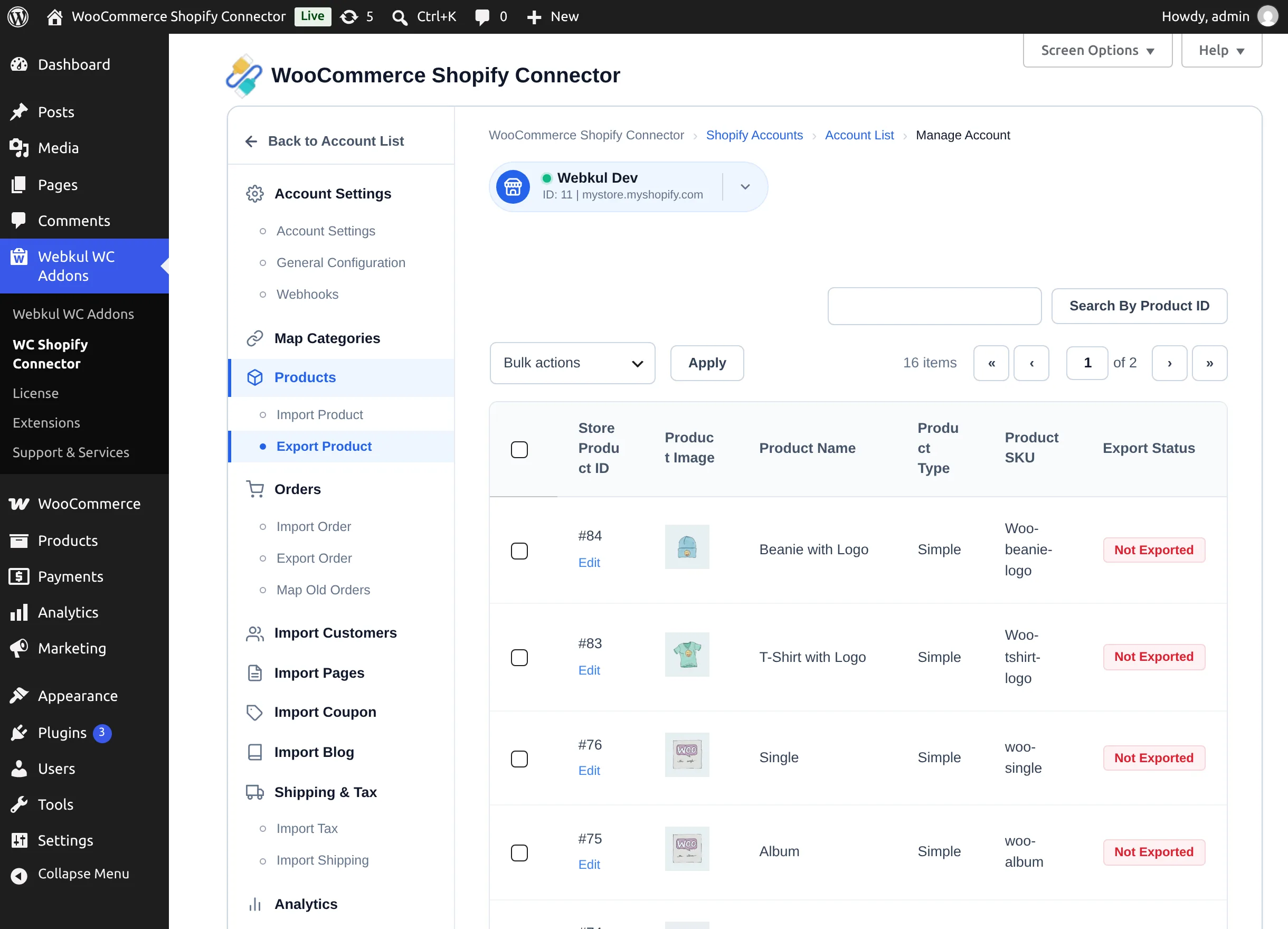
Open the store workspace and go to Products → Export Product.
What gets exported
Title, description, product type, tags, featured and gallery images (at the size chosen in Imported Image Size), attributes and variants, SKUs, prices and compare-at prices, weights, barcodes, and stock quantities. Inventory is written to the Shopify location selected in General Configuration (Select Shop Location). Simple and variable products are supported. If the product's category is mapped, the product is added to the mapped Shopify collection.
If Price Rule Applicable For is set to Export Product, matching price rules adjust prices on the way out.
Manual export
- The table lists your WooCommerce products with Store Product ID, Product Image, Product Name, Product Type, Product SKU, Export Status.
- Tick the products to send, choose Bulk actions → Export, and select Apply.
- A progress panel ("Exporting Products") tracks the operation. Once finished, the Export Status column marks the products as exported.
Products already on Shopify are skipped with "Product Already Exported".
Pushing later changes
After a product has been exported, edits made in WooCommerce are not sent automatically unless real-time sync is on. To push changes manually, tick the products and use Bulk actions → Update To Shopify. Products that were never exported are reported: "Products are not updated due to unexported on Shopify."
Automatic export of new products
To export every newly published WooCommerce product automatically:
- In the connector's left panel, under Product Rules, choose Export Product Rule — the Auto Export Product(s) Settings screen.
- Set Auto Export Product To to the target Shopify store (or Disable to turn the rule off).
- Select Save Settings.
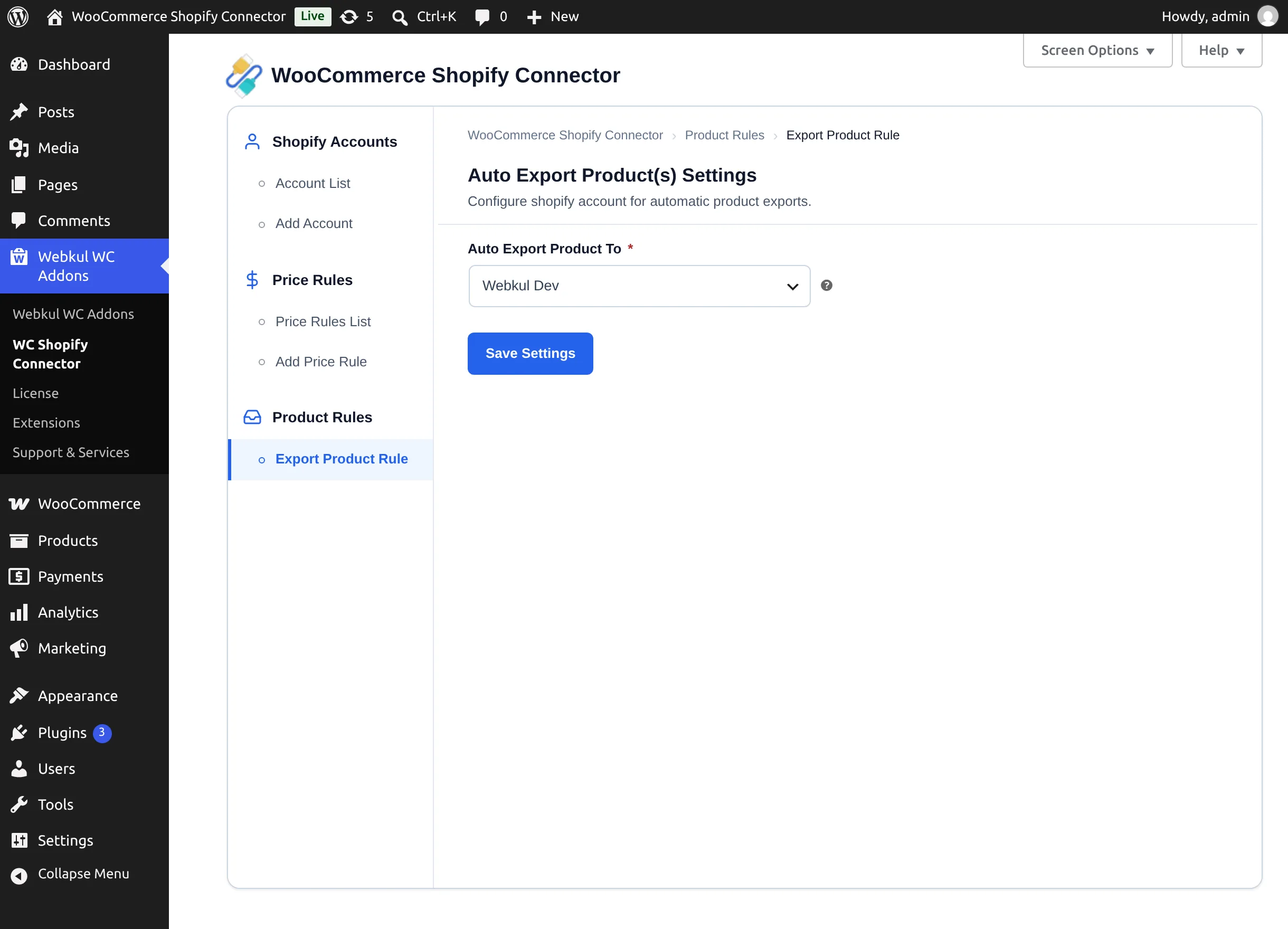
From then on, each product you publish in WooCommerce is exported to that store in the background.
Real-time updates
With Product Auto-Sync set to WooCommerce To Shopify or Both Way, saved changes to already-exported products are pushed automatically — see Webhooks & Real-Time Sync.
Next step
Keep orders aligned: Importing Orders.