
Access Control
Only Administrators have access by default
After activation, only users with the Administrator role can see plugin pages. You must explicitly grant capabilities to other roles (Shop Manager, Editor, etc.) from this page.
The Access Control page lets you decide which WordPress users and roles can do what inside the plugin. It uses WordPress's native capability system, which means it integrates cleanly with user management plugins like Members, User Role Editor, and Shield Security.
URL: /wp-admin/admin.php?page=wkpbic-access
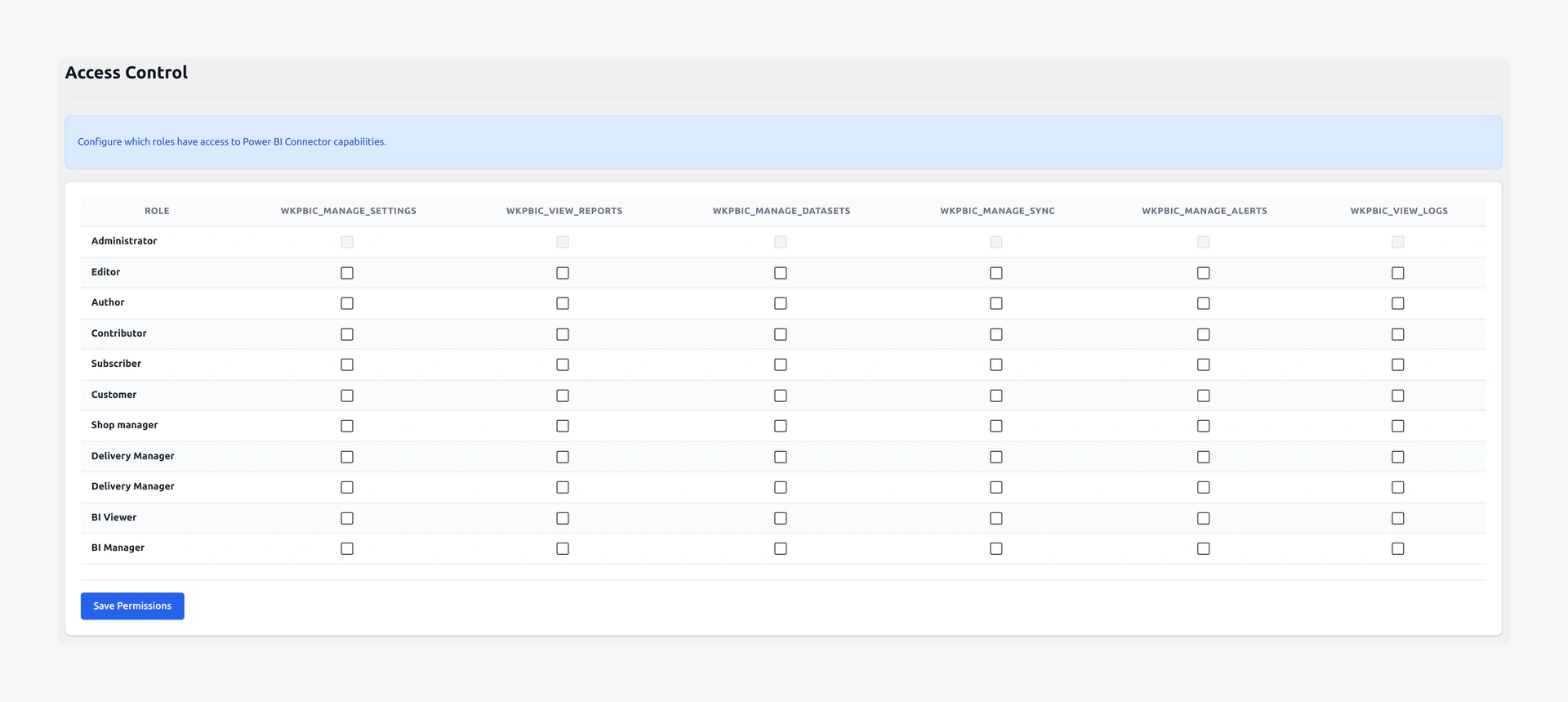 Access Control — map 6 granular capabilities onto WordPress user roles.
6 Granular Capabilities
The plugin registers six capabilities, each mapping to one functional area:
| Capability | What it unlocks |
|---|---|
wkpbic_manage_settings | View & change Settings (General, Authentication, WC API) |
wkpbic_view_reports | View the Dashboard + embedded Reports/Dashboards |
wkpbic_manage_datasets | Create, edit, publish, delete Workspaces, Datasets, Tables |
wkpbic_manage_sync | Trigger sync, configure schedules, manage Load Profiles |
wkpbic_manage_alerts | Create, edit, and test Smart Alerts |
wkpbic_view_logs | View Logs & Audit Trail |
A user who lacks all six capabilities will not see the Power BI menu at all.
Role Matrix
The Access Control page shows a matrix of roles (rows) × capabilities (columns). Simply tick the boxes for each role and click Save.
Default mapping on activation:
| Role | Settings | Reports | Datasets | Sync | Alerts | Logs |
|---|---|---|---|---|---|---|
| Administrator | ✅ | ✅ | ✅ | ✅ | ✅ | ✅ |
| Shop Manager | — | ✅ | ✅ | ✅ | ✅ | ✅ |
| Editor | — | ✅ | — | — | — | ✅ |
| Author | — | ✅ | — | — | — | — |
| Subscriber | — | — | — | — | — | — |
You can customize this at any time.
Custom Roles
You can create new WordPress roles (via the Members plugin or code) and assign any combination of the 6 capabilities. Example — a "BI Viewer" role that can only see reports and logs:
add_role( 'bi_viewer', 'BI Viewer', array(
    'read'                 => true,
    'wkpbic_view_reports'  => true,
    'wkpbic_view_logs'     => true,
) );
Per-User Overrides
Need to give a specific user extra access without changing their role? WordPress allows capabilities to be added directly to a user. From the Users list, hover over a user → Edit → scroll to the bottom and use the plugin's Additional Capabilities section. Check the boxes for the extra capabilities you want to grant.
Frontend Embedded Reports
The [wkpbic_report] and [wkpbic_dashboard] shortcodes honor the wkpbic_view_reports capability. Visitors who are not logged in, or who don't have that capability, see a "Please sign in to view this report" message instead.
You can further restrict per-shortcode with a role="..." attribute — see Reports & Dashboards.
Audit Trail
Every permission-sensitive action (settings change, sync trigger, alert edit, profile edit) is recorded in the Audit Trail with the user, timestamp, and action name — so you always know who did what.
Best Practices
- Principle of least privilege — give each role only the capabilities it needs.
- Separate credentials from operations — typically only Administrators should have
wkpbic_manage_settings(since that exposes Azure credentials). - Use a dedicated BI Viewer role for executives and stakeholders who only need read access.
- Combine with WordPress's Shop Manager role for day-to-day store operators.