
Features
Power BI Pro required for embedding
You can sync data with a free Power BI account. But to embed reports in WordPress or share dashboards, you need Power BI Pro or Premium Per User for each viewer.
Connect your WooCommerce store to Microsoft Power BI. Sync data, build reports, and embed dashboards — all from inside WordPress.
Here is a full tour of what the plugin can do. Use the table of contents to jump to the part you care about.
Highlights
- 16 data types ready to export — Orders, Customers, Products, Refunds, Coupons, Invoices, Taxes, Shipping, and more.
- Visual Query Builder — build queries by clicking, not coding.
- Automatic sync — hourly, daily, or weekly, with smart retries.
- Multi-store support — pull data from many WooCommerce shops.
- Embedded reports — show Power BI reports inside your WordPress admin and your site pages.
- Role-based access — 6 fine-grained permissions for your team.
- Smart alerts — get an email when sales drop or stock runs low.
- REST API and WP-CLI — 24 endpoints and 7 commands for automation.
- Bank-grade security — AES-256 encryption plus OAuth 2.0.
- HPOS ready — works with WooCommerce High-Performance Order Storage.
- 5-minute setup — guided wizard from zero to first sync.
1. Interactive Analytics Dashboard
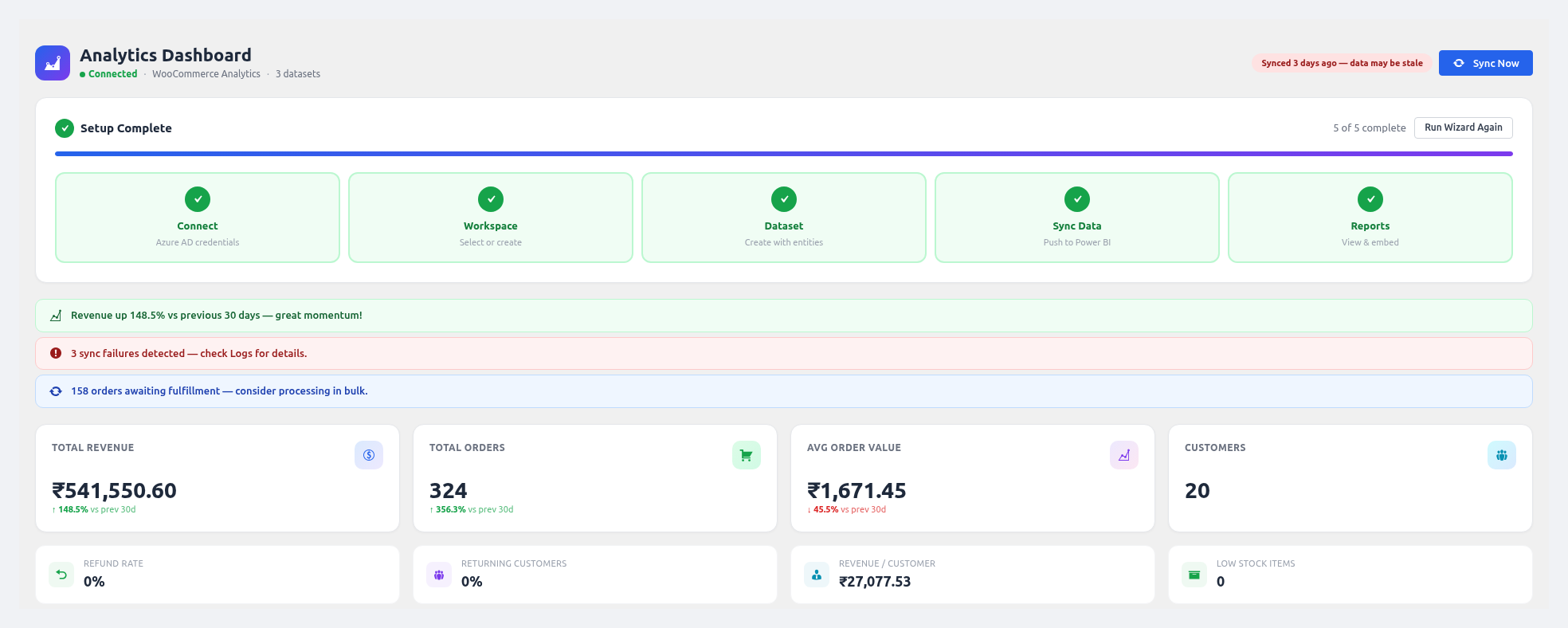
You get a full dashboard built right into your WordPress admin. No more switching tabs just to check sales.
Here is what you will see:
- Revenue and Orders KPI cards with a percent change vs the last period.
- Sales Trend chart — revenue and order count over the last 30 days.
- Orders by Status pie chart — Completed, Processing, Pending, Cancelled, and so on.
- Top 5 Products by Revenue as a horizontal bar chart.
- Revenue by Payment Method donut chart.
- Customer Growth line chart — new customers per month.
- Data Freshness Badge that turns green, yellow, or red depending on last sync time.
- Smart Insights Panel that flags things like rising refund rates or failed syncs.
- Quick Actions grouped into Analytics, Data, and Setup.
- Setup Progress Tracker showing any unfinished steps.
See Dashboard for the full walkthrough.
2. 16+ WooCommerce Data Types
You can export almost any WooCommerce data to Power BI. Here is the full list:
| Category | Data Types |
|---|---|
| Sales | Orders, Order Line Items, Invoices, Refunds |
| Products | Product Catalog, Inventory, Categories |
| Customers | Customer Profiles, Reviews & Ratings |
| Financial | Tax Rates, Payment Gateways, Shipping Zones |
| Advanced | Coupons, Subscriptions (via WC Subscriptions), Order Grid, Report Types |
Every data type comes with automatic schema detection. The plugin maps each field to the right Power BI type — String, Int64, Double, DateTime, or Boolean.
3. Visual Query Builder
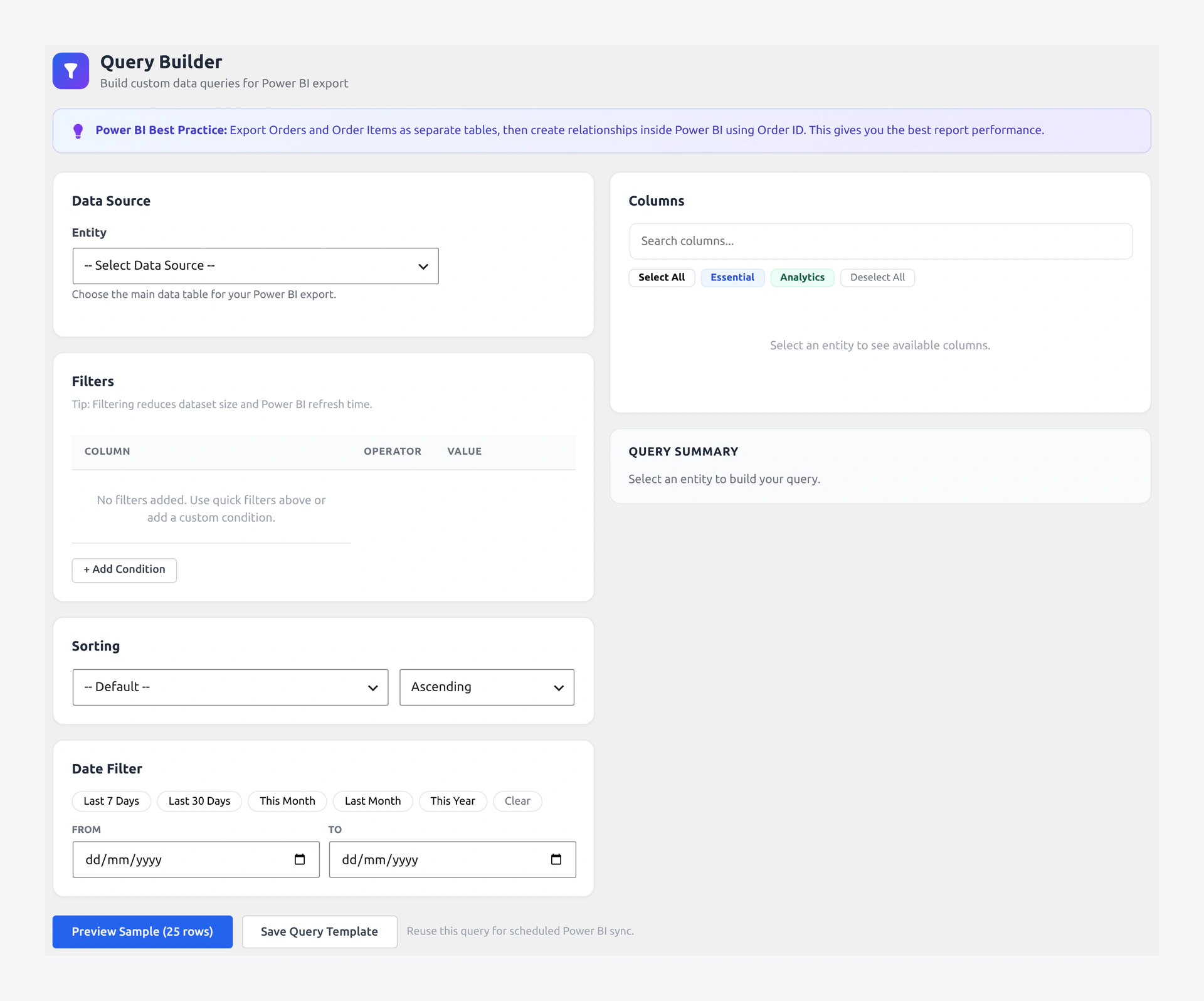
You can build custom queries without writing any code. Pick an entity, choose columns, set filters, and preview the result. It really is that easy.
Here is what you can do:
- Pick an entity from a dropdown.
- Choose columns with a grouped picker and a search box.
- Use quick presets like Select All, Essential, or Analytics.
- Add filters with operators — Equals, Not Equals, Contains, Greater Than, Less Than.
- Apply one-click quick filters per entity, like "Completed Orders" or "In Stock Only".
- Use date range presets — Last 7 Days, Last 30 Days, This Month, and so on.
- Sort by any field.
- See a live query summary on the right side.
- Preview data before you push it.
- Save the query as a reusable profile.
See Query Builder for a step-by-step walkthrough.
4. Automatic Data Sync
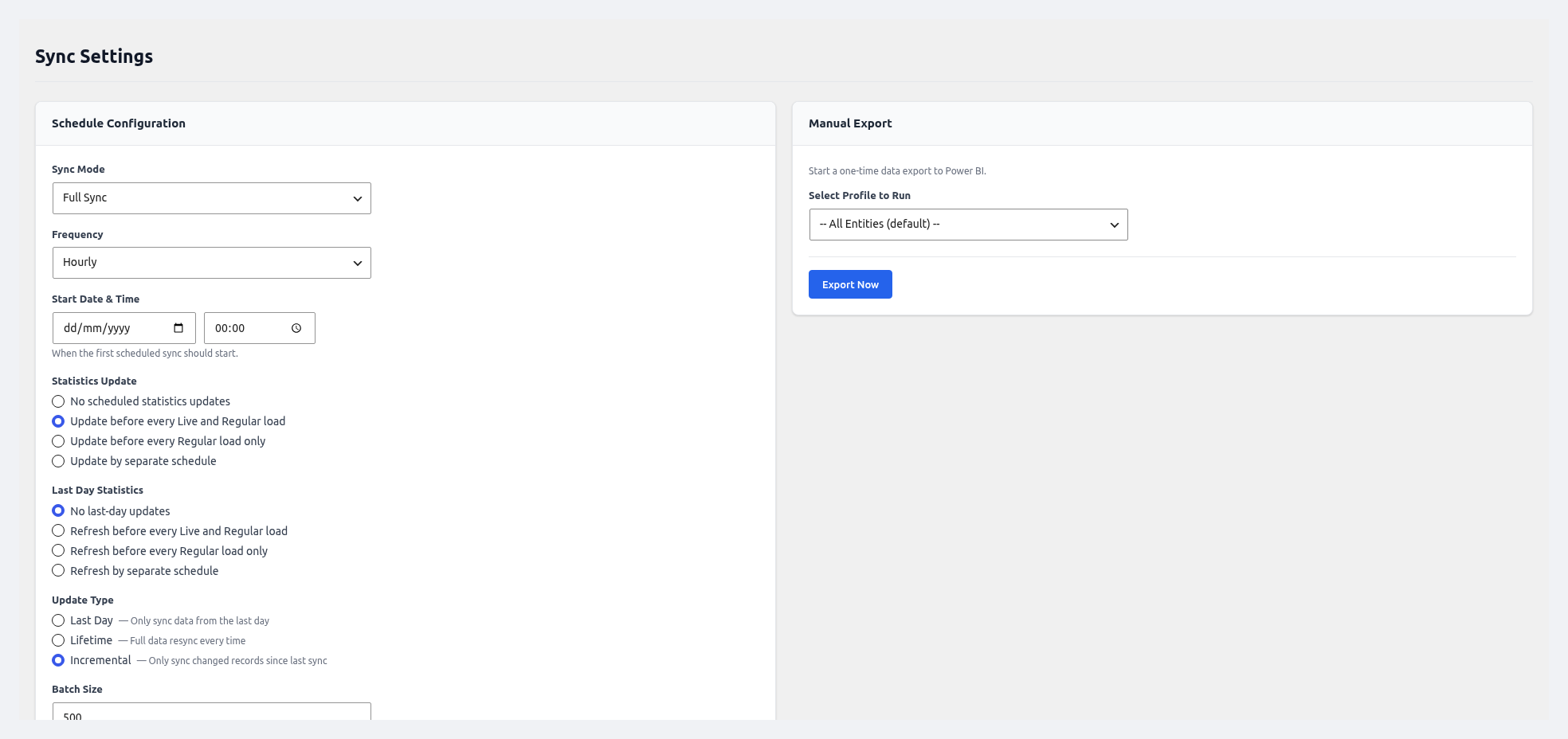
Sync runs on its own, so your Power BI dashboards always have fresh data. You can pick the mode that fits your store:
- Scheduled sync — Hourly, Twice Daily, Daily, or Weekly.
- Live mode — Pushes on every WooCommerce event, for near real-time dashboards.
- Manual sync — One-click "Sync Now" button.
- Incremental sync — Only new or changed rows are pushed, so it runs fast.
- Batch processing — 50 to 5000 rows per call, to avoid timeouts.
- Retry queue — Failed batches retry on their own with exponential backoff.
See Sync & Scheduler for more.
5. Load Profiles
A load profile is a saved export. It remembers the entity, filters, dataset, and schedule. So you can run the same job again with one click.
You can:
- Link each profile to a dataset.
- Pick entities with a checklist.
- Filter by date range or order status.
- Map field names before push.
- Turn profiles on or off.
- Click Run Now to push right away.
- Duplicate a profile for quick variants.
See Data Load Profiles.
6. Multi-Store Analytics
Got more than one WooCommerce store? You can pull data from all of them into one Power BI workspace.
Here is how it works:
- Connect a remote store with its WooCommerce REST API keys.
- Push five remote entities: Orders, Products, Customers, Categories, and Coupons.
- API keys are stored with AES-256-CBC encryption.
- The plugin adds a
source_storecolumn to every row, so you can split the data by origin. - Click Test Connection to make sure it works.
See Settings → WooCommerce API.
7. Workspaces, Datasets, and Tables
You can manage every Power BI object without leaving WordPress. Pages for each one let you:
- List, create, and switch workspaces.
- Build datasets with auto-generated schemas.
- Pick temporary or permanent dataset types.
- Create, update, and clear tables.
- Publish or unpublish datasets in one click.
- Push rows on demand.
See Workspaces, Datasets & Tables.
8. Embedded Reports and Dashboards
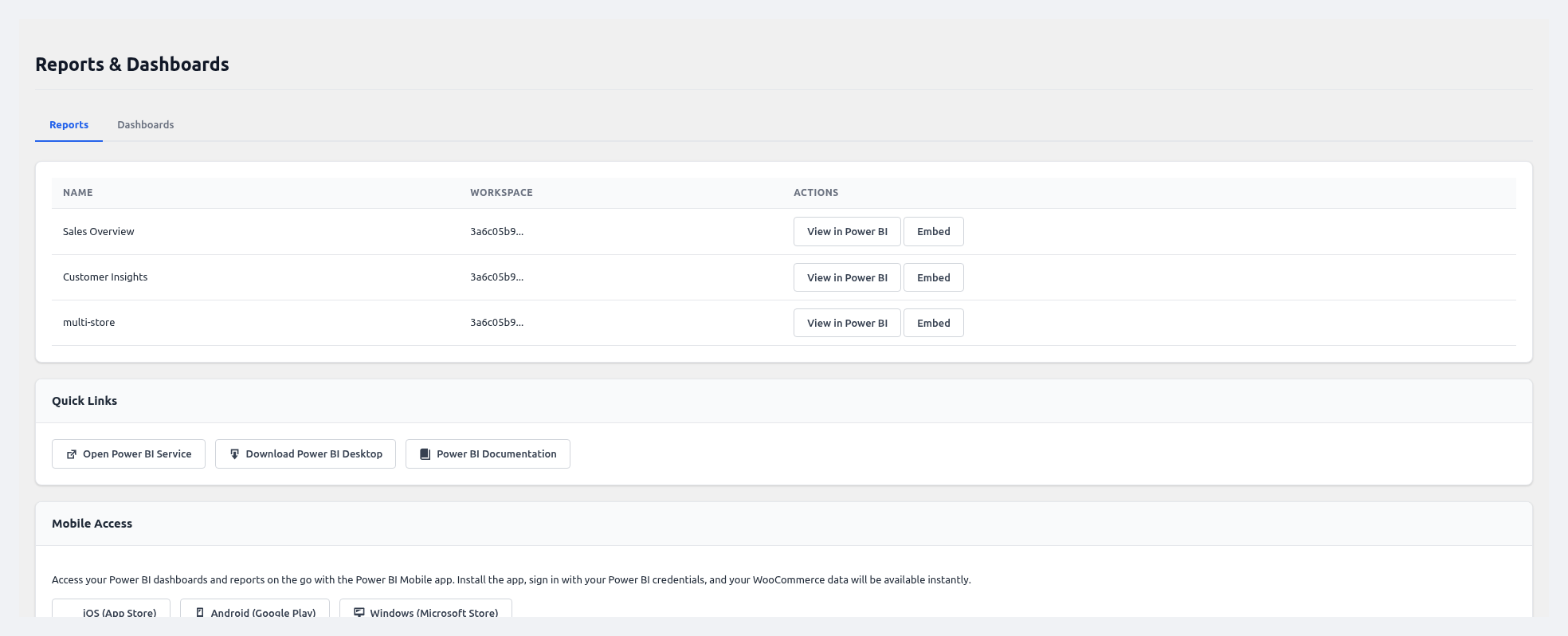
Why leave WordPress just to look at a Power BI report? You can embed them right inside.
- Report embedding uses the Power BI JavaScript SDK with server-side tokens.
- Dashboard embedding supports interactive tiles.
- Fullscreen toggle for big-screen viewing.
- Shortcodes so you can drop reports on any page or post.
- Mobile links to the Power BI app for iOS, Android, and Windows.
- "View in Power BI" link to open the full version.
See Reports & Dashboards.
9. Smart Alerts
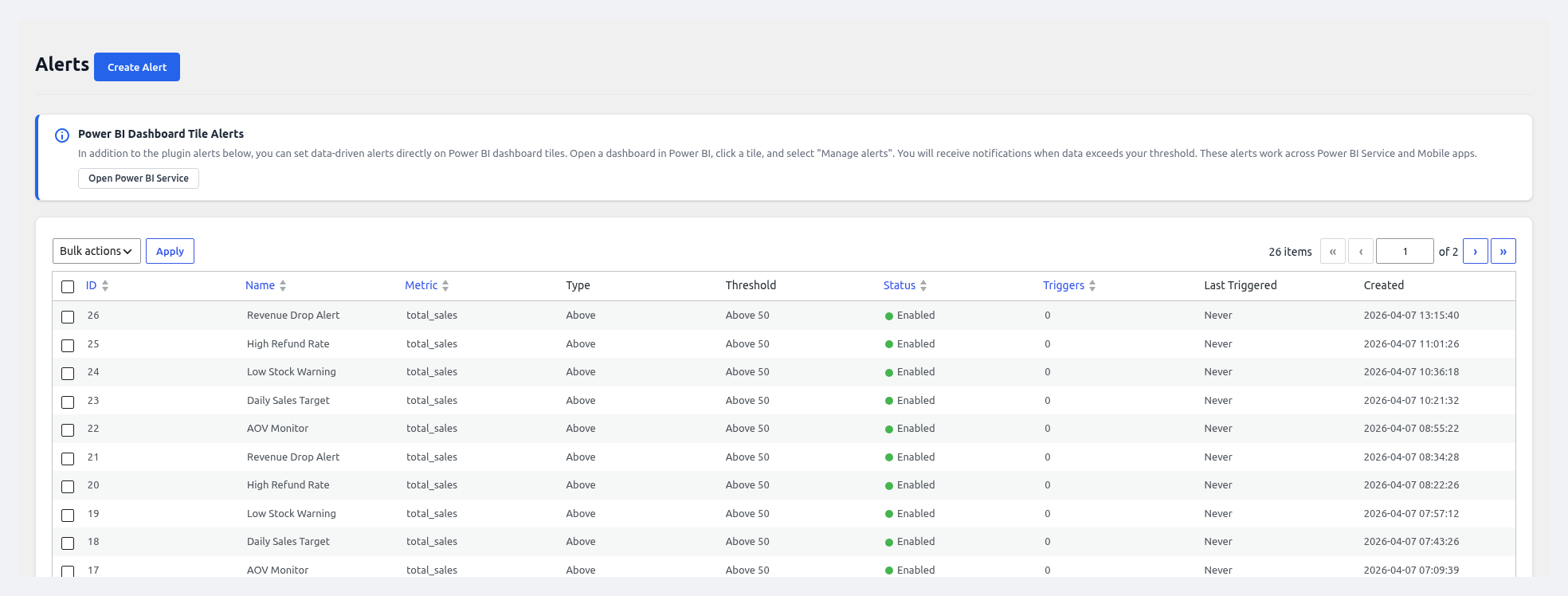
You cannot watch your dashboard all day. Let the plugin watch it for you. Alerts send an email when a metric crosses a line you set.
- Metrics: Total Sales, Order Count, Average Order Value, Refund Rate, Low Stock Count.
- Conditions: Above, Below, Between, Outside Range.
- Email notifications to any address.
- Cron-based monitoring after every sync.
- Test button to check your config.
- Enable/disable toggle without deleting.
- Alert history on the Logs page.
See Alerts.
10. Role-Based Access Control
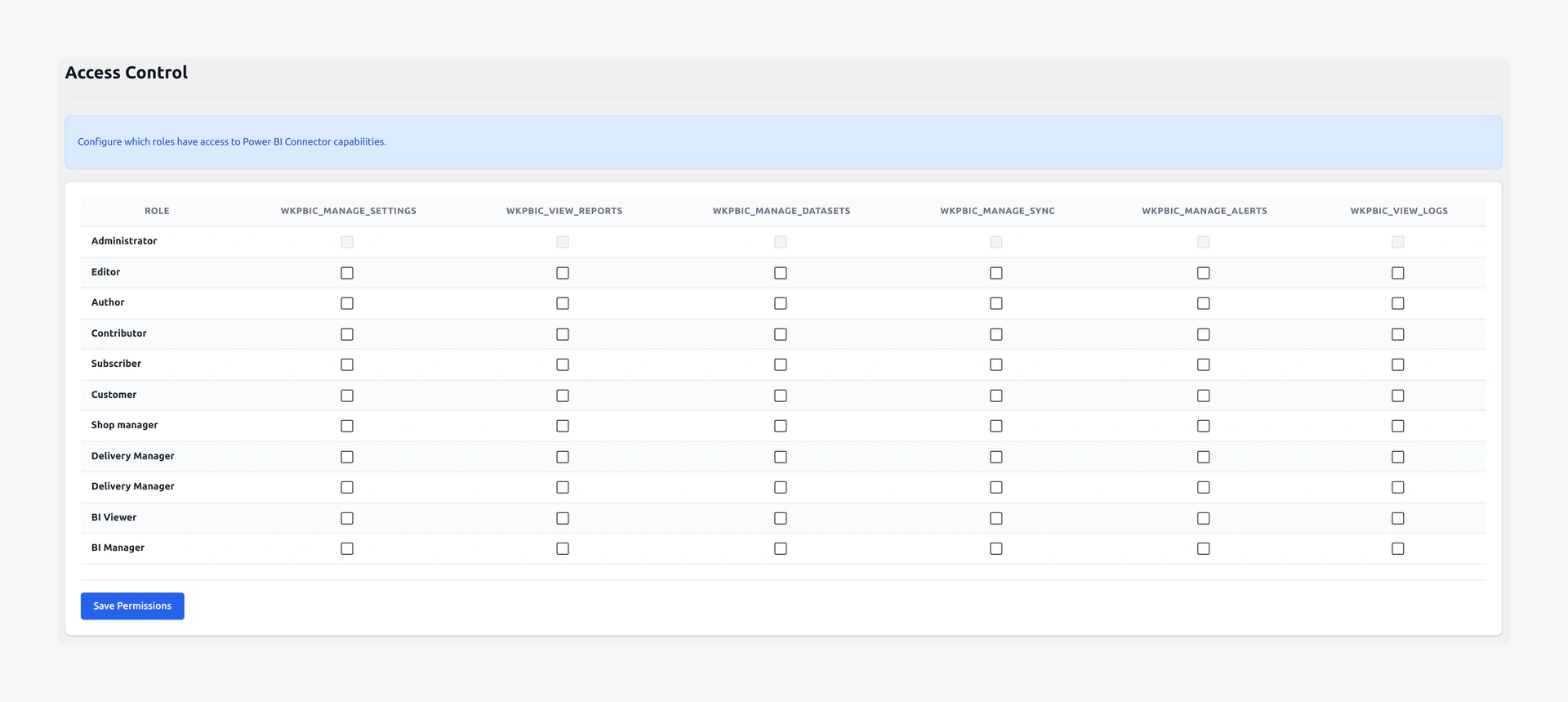
Not everyone on your team needs full access. You can give each role only the permissions it needs.
- 6 granular capabilities: Manage Settings, View Reports, Manage Datasets, Manage Sync, Manage Alerts, View Logs.
- Per-role matrix for Administrators, Shop Managers, Editors, Authors, and custom roles.
- Secure by default — only admins get full access on first activation.
See Access Control.
11. Logs and Audit Trail
You can see every action the plugin takes. It is great for debugging and for audits.
- Sync logs with entity, status, rows pushed, duration, and errors.
- Audit trail for every user and system action.
- Filters for date range, status, entity, and user.
- Search across all log entries.
- Auto-cleanup — 30 days for sync, 90 days for audit.
- Manual clear button.
See Logs.
12. Setup Wizard
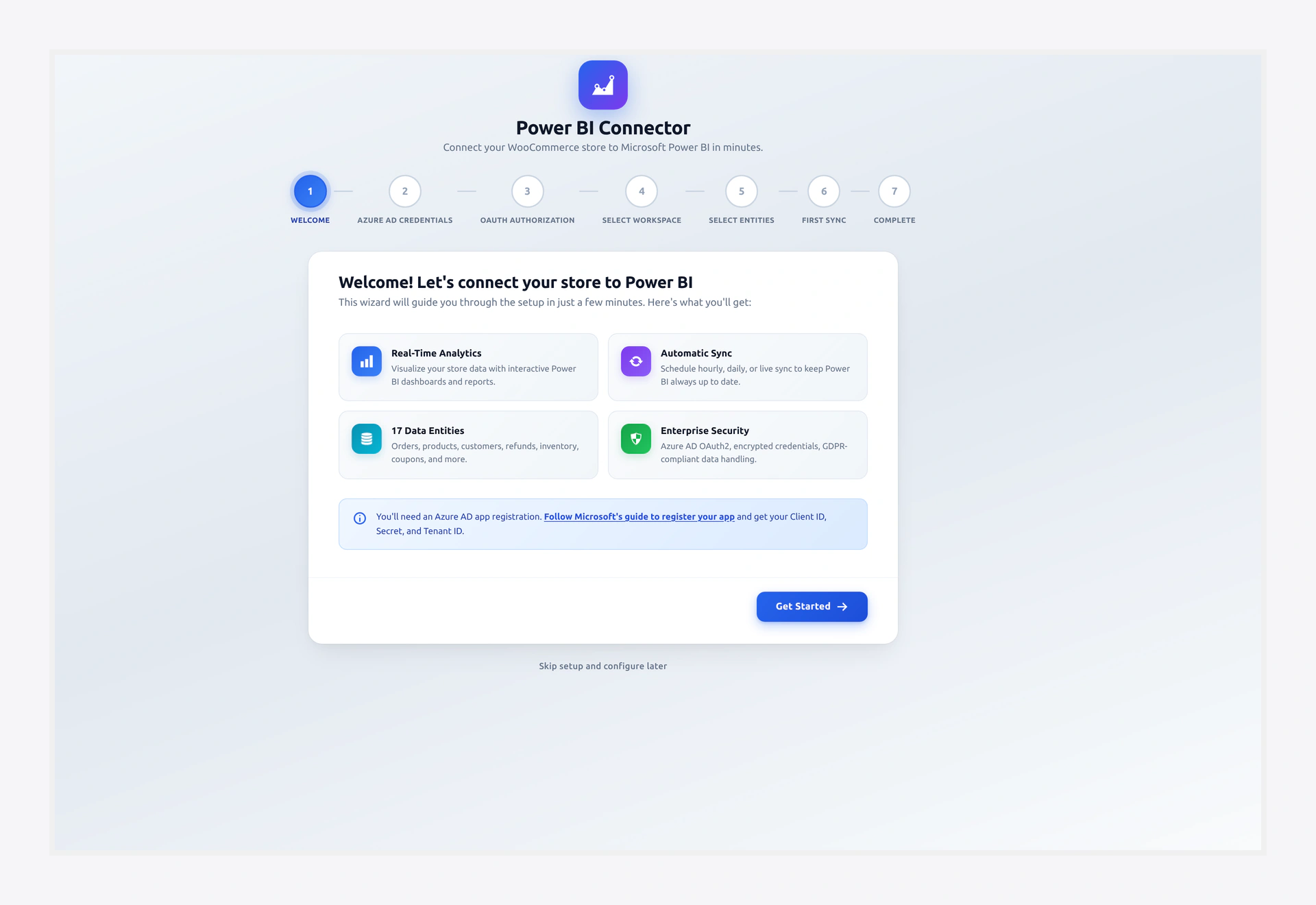
A 7-step wizard walks you through the whole setup in about 5 minutes. It covers credentials, OAuth, workspace pick, entity pick, and the first sync.
See Setup Wizard.
13. REST API and WP-CLI
You can automate anything through the REST API or WP-CLI. Great for CI/CD, cron jobs, and custom integrations.
- 24 REST endpoints for Entities, Sync, Workspaces, Datasets, Tables, Reports, and Alerts.
- 7 WP-CLI commands for status, sync, logs, and cache.
- All endpoints use WordPress nonce or Application Password auth.
See REST API & WP-CLI.
14. Built-In Security
Your credentials are safe. Here is how the plugin protects them:
- AES-256-CBC encryption for Azure and WooCommerce API keys.
- OAuth 2.0 plus ROPC with auto token refresh.
- Nonce verification on every form and AJAX call.
- Input sanitization and output escaping on every field.
- Prepared SQL statements everywhere.
- No direct file access guards.
- CodeCanyon security audit passed with 0 critical issues.
System Requirements
Here is the short list of what you need:
| Requirement | Minimum | Tested Up To |
|---|---|---|
| WordPress | 6.7 | 7.0 |
| WooCommerce | 10.0 | 10.6 |
| PHP | 7.4 | 8.4 |
| Azure AD | App registration with Power BI API permissions | — |
| Power BI | Pro or PPU license for embedding | — |
| HTTPS | Required for OAuth | — |
| PHP extensions | openssl, curl, json | — |
How We Compare
| Feature | This Plugin | Typical Competitors |
|---|---|---|
| Visual Query Builder | Full drag-and-drop with preview | Not available |
| Role-Based Access | 6 granular capabilities | Not available |
| In-Admin Dashboard | 5 chart types built in | No admin charts |
| Embedded Reports | Inside WP admin and frontend | No embedding |
| WP-CLI | 7 commands | No CLI |
| REST API | 24 endpoints | No API |
| ROPC Auto-Refresh | Silent re-auth | Manual only |
| Smart Alerts | Built-in metric alerts | Relies on PBI alerts |
| Retry Queue | Exponential backoff | None |
| Audit Logging | Full history | None |
| Multi-Store | Many WC stores in one view | Single store only |