
Delivery Agent Role
What the role is
Activating the extension adds a Delivery Agent role to WordPress. It is a deliberately narrow account for couriers: it holds only the ability to read, and everything it can do is checked on each request rather than granted as a permission.
Assign it from Users → Add New (or Users → Edit User) by choosing Delivery Agent in the Role dropdown. There is no settings screen for it and nothing else to configure.
What a delivery agent sees in the app
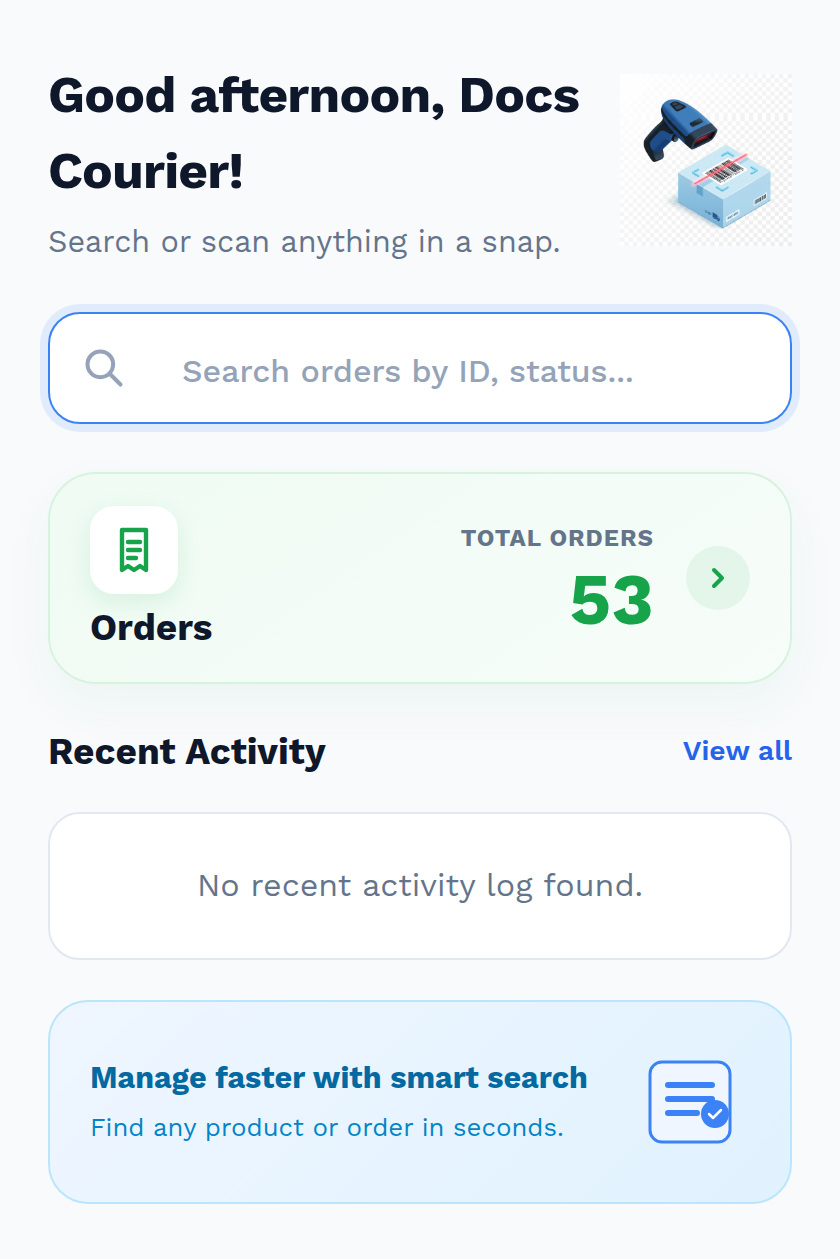
Signed in as a delivery agent, the app's home screen carries a single Orders card — no products, no stock, no catalogue — and the search box asks for orders rather than product names:
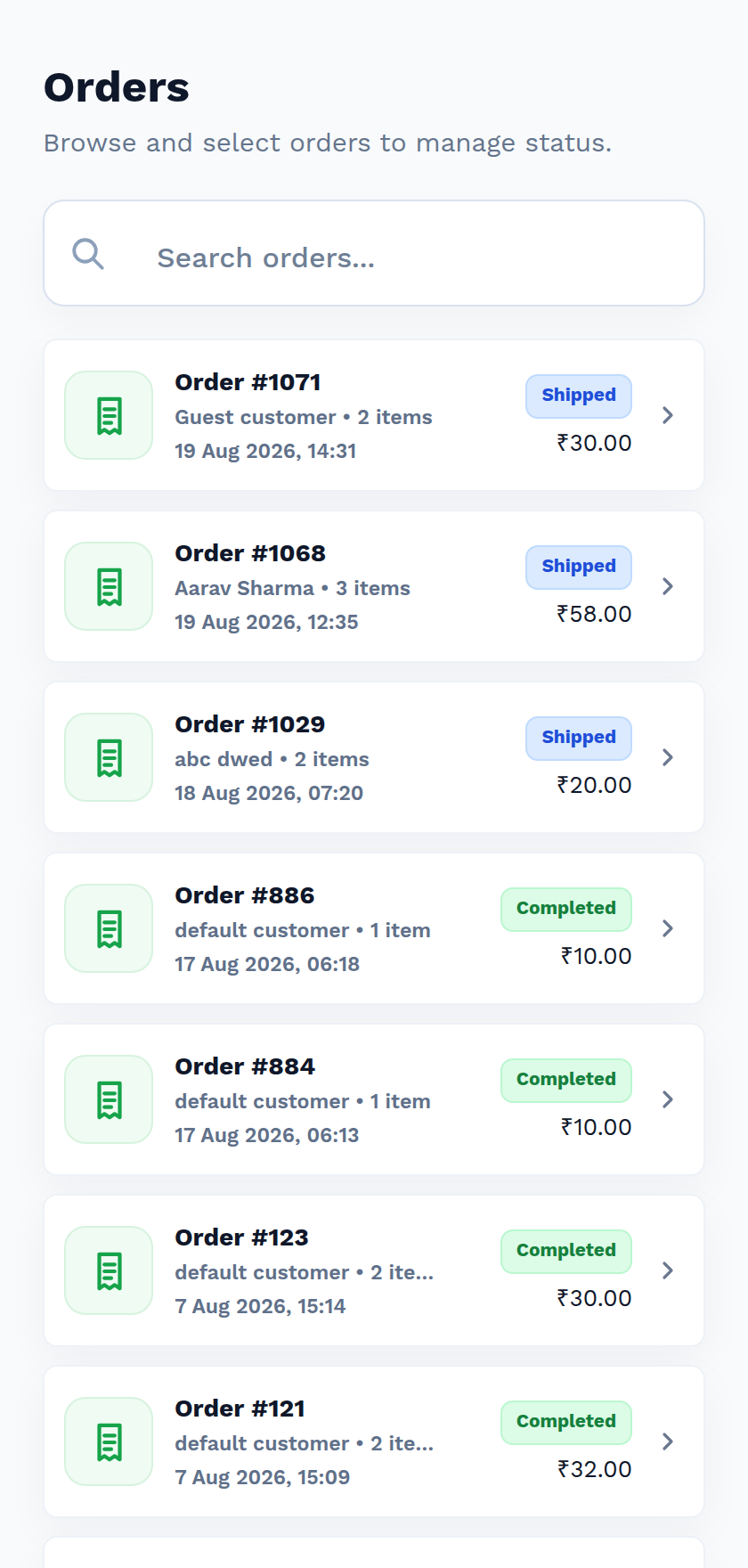
The order list holds only what a courier is allowed to act on: orders that are Shipped, and the ones they have already Completed.
| Manage WooCommerce user | Delivery Agent | |
|---|---|---|
| Home screen | Products card and Orders card | Orders only — a single card |
| Products, product detail, Inventory | Yes | No — the product screens redirect back to Home |
| Orders visible | Every order | Shipped and Completed only |
| Opening any other order | Yes | Nothing is found, even with a correct order ID |
| Search box prompt | Search by name, ID, SKU… | Search orders by ID, status… |
| Status choices offered | Every WooCommerce status | Shipped and Completed |
| Update Status button | Always | Only while the order is Shipped |
| Completing an order | No code needed | Correct OTP required |
Any other move is refused with "Permission denied. Delivery agents can only change order status from shipped to completed."
So a courier's whole day in the app is: open the order, meet the customer, take the code, complete the delivery — and they can see nothing about your catalogue, your pricing or your other orders.
A delivery, end to end
Your packing staff scan the order to Packed, then scan again and enter the shipping code, which makes it Shipped.
The customer's order page now shows Shipped on the timeline, with the verification code and its QR code above.
The courier signs in to QuickScan and opens the order from the Orders list — it is one of the few they can see.
They tap Update Status. Because completing the delivery is the only move open to them, the app goes straight to the verification prompt — there is no status list to pick from.
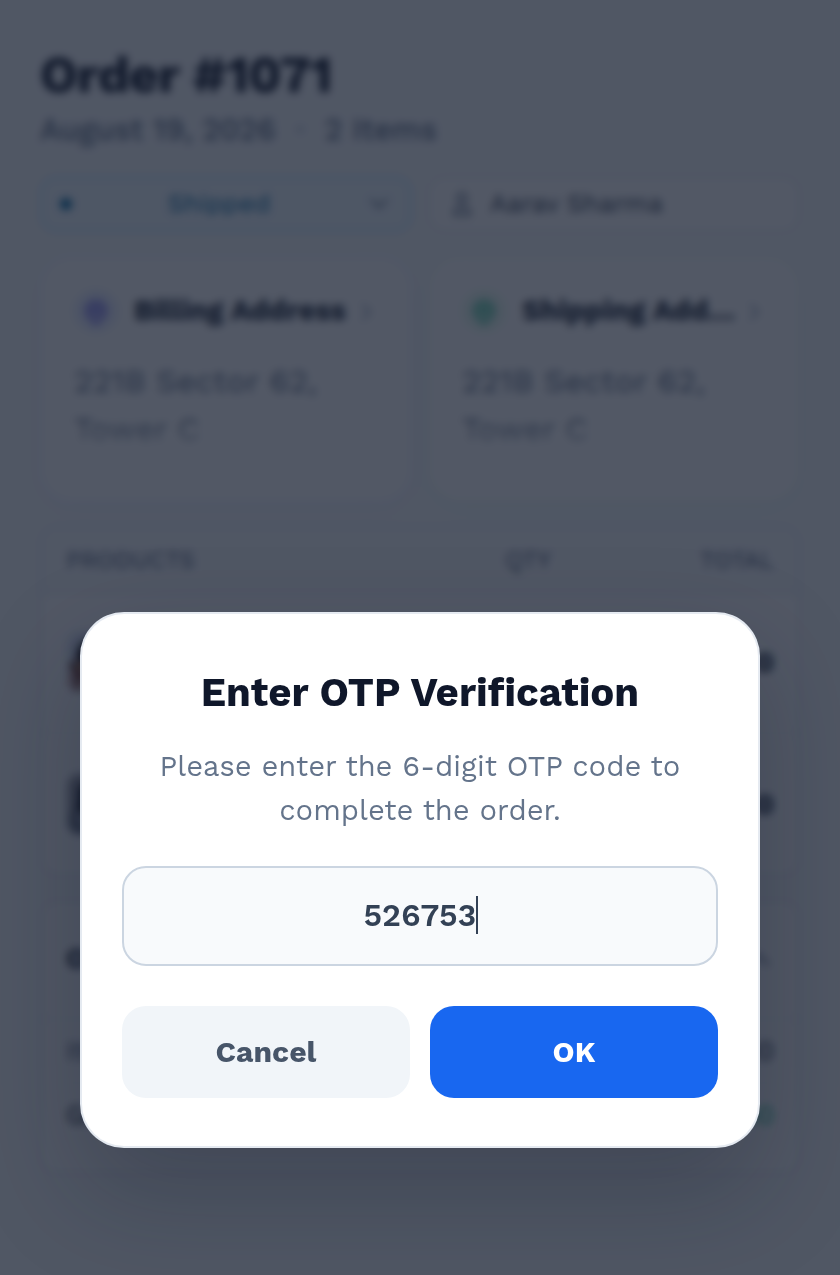
The customer reads out the six digits, or shows the QR code on their phone.
The order becomes Completed, the customer's timeline shows Delivered, and the scan is written to the app's history.
Troubleshooting
| Symptom | Cause | Fix |
|---|---|---|
| "Permission denied. Delivery agents can only change order status from shipped to completed." | The agent tried any other status change | Expected. Only a Manage WooCommerce user can make other changes |
| An agent cannot find an order that exists | Agents only see Shipped and Completed orders | Move the order to Shipped first, from the console or the app |
| An agent sees no products anywhere | Expected — the role has no product screens at all | Use a Manage WooCommerce account for stock work |
| An agent cannot complete a delivery whatever code they type | The order predates the extension, so it has no verification code | Complete it from the admin console. See Shipping Code & Delivery OTP |
Next step
- Shipping Code & Delivery OTP — the code the agent is asked for.
- QuickScan Mobile App — installing the app the agent signs in to.