WooCommerce POS DocumentationWooCommerce POS Documentation
Buy Now
View Demo
  • WooCommerce POS

    • Point Of Sale
    • Overview
    • Features
    • Installation
    • Admin Configuration
    • Outlets & Users
    • Reports
    • POS Agent Guide
    • Products & Inventory
    • Hardware Support
    • Paymemt Terminal
    • Paymemt Terminal Integration
    • Cash Drawer
    • Multisite Compatibility
    • Orders & Drawers
    • Hold Cart
    • WhatsApp Notification
    • Dynamic Theme
    • Cash Management
    • Custom Products
    • Desktop & Mobile
    • FAQ & Notes
  • Core POS System

    • WooCommerce POS Outlet Manager
    • WooCommerce POS Warehouse Management
  • Mobile Apps

    • WooCommerce Flutter Native POS Mobile App
  • Printer Integrations

    • WooCommerce POS Cloud Printer
  • Payment Terminal Integrations

    • WooCommerce Stripe POS Terminal Connector
    • WooCommerce POS Square Payment Terminal Plugin
    • WooCommerce POS PayPal Terminal Reader
    • WooCommerce POS Linkly Terminal Connector
    • WooCommerce POS Stripe Reader M2 Integration
  • Order & Transaction Management

    • POS Order Return & Exchange for WooCommerce
    • WooCommerce POS Partial Payment Plugin
    • POS Booking Reservation Plugin for WooCommerce
    • WooCommerce POS Multicurrency
  • Customer & Loyalty Features

    • WooCommerce & POS Loyalty Management
    • WooCommerce POS Gift Card Plugin
    • WooCommerce POS Happy Hours
    • WooCommerce POS Complimentary Goods
  • Hardware & Barcode Solutions

    • WooCommerce POS Configurable Barcode
    • WooCommerce POS Barcode RFGun
    • WooCommerce POS RFID Card Add-on
    • WooCommerce POS Cloud Printer Add-on
  • Customer Interface & Kiosk

    • WooCommerce POS Customer Kiosk Checkout
    • WooCommerce POS Customer Cart Screen
    • WooCommerce POS QR Code Ordering System
  • Industry-Specific Solutions

    • WooCommerce Restaurant Kitchen POS
    • Delivery Management Addon for WooCommerce POS
  • Advanced Features

    • POS AI Reporting for WooCommerce
Buy Now
View Demo
  • WooCommerce POS

    • Point Of Sale
    • Overview
    • Features
    • Installation
    • Admin Configuration
    • Outlets & Users
    • Reports
    • POS Agent Guide
    • Products & Inventory
    • Hardware Support
    • Paymemt Terminal
    • Paymemt Terminal Integration
    • Cash Drawer
    • Multisite Compatibility
    • Orders & Drawers
    • Hold Cart
    • WhatsApp Notification
    • Dynamic Theme
    • Cash Management
    • Custom Products
    • Desktop & Mobile
    • FAQ & Notes
  • Core POS System

    • WooCommerce POS Outlet Manager
    • WooCommerce POS Warehouse Management
  • Mobile Apps

    • WooCommerce Flutter Native POS Mobile App
  • Printer Integrations

    • WooCommerce POS Cloud Printer
  • Payment Terminal Integrations

    • WooCommerce Stripe POS Terminal Connector
    • WooCommerce POS Square Payment Terminal Plugin
    • WooCommerce POS PayPal Terminal Reader
    • WooCommerce POS Linkly Terminal Connector
    • WooCommerce POS Stripe Reader M2 Integration
  • Order & Transaction Management

    • POS Order Return & Exchange for WooCommerce
    • WooCommerce POS Partial Payment Plugin
    • POS Booking Reservation Plugin for WooCommerce
    • WooCommerce POS Multicurrency
  • Customer & Loyalty Features

    • WooCommerce & POS Loyalty Management
    • WooCommerce POS Gift Card Plugin
    • WooCommerce POS Happy Hours
    • WooCommerce POS Complimentary Goods
  • Hardware & Barcode Solutions

    • WooCommerce POS Configurable Barcode
    • WooCommerce POS Barcode RFGun
    • WooCommerce POS RFID Card Add-on
    • WooCommerce POS Cloud Printer Add-on
  • Customer Interface & Kiosk

    • WooCommerce POS Customer Kiosk Checkout
    • WooCommerce POS Customer Cart Screen
    • WooCommerce POS QR Code Ordering System
  • Industry-Specific Solutions

    • WooCommerce Restaurant Kitchen POS
    • Delivery Management Addon for WooCommerce POS
  • Advanced Features

    • POS AI Reporting for WooCommerce
  • WooCommerce POS

    • WooCommerce Point of Sale (POS)
    • Overview
    • Features
    • Installation
    • Admin Configuration
    • Outlets & POS Users
    • WooCommerce Point of Sale – Products & Inventory Management
    • WooCommerce POS - Hardware Support
    • WooCommerce POS – Payment Methods & Checkout Configuration
    • WooCommerce POS – Payment Terminal Integration
    • WooCommerce POS – Cash Drawer & Cashier Management
    • WooCommerce POS - Multisite Compatibility
    • Orders & Cash Drawer
    • WooCommerce POS - Hold Cart
    • WhatsApp Notifications in WooCommerce Point of Sale
    • Dynamic Theme in WooCommerce Point of Sale
    • WooCommerce POS - Cashier Management
    • WooCommerce POS - Custom Product
    • Reports & Analytics
    • POS Agent Guide
    • Desktop & Mobile POS
    • FAQ & Notes

WooCommerce Point of Sale (POS)

Seamlessly Integrate Your Online & Offline Stores

Transform your WooCommerce store into a complete omnichannel retail solution with our powerful Point of Sale system. Manage both your online and physical stores from a single, unified platform designed for modern retailers.
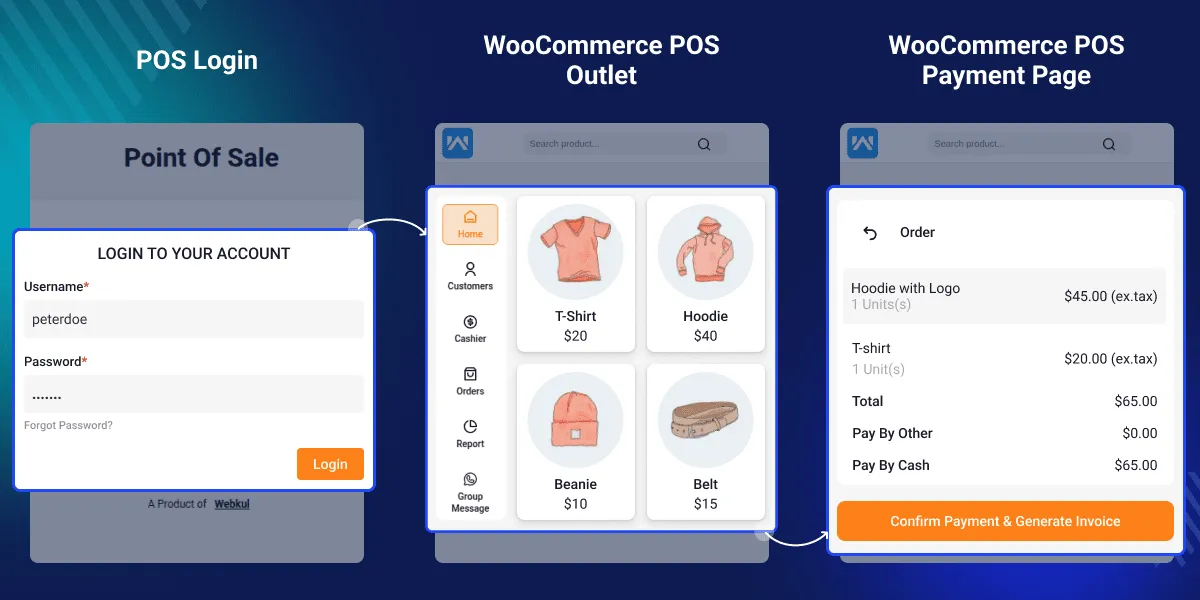

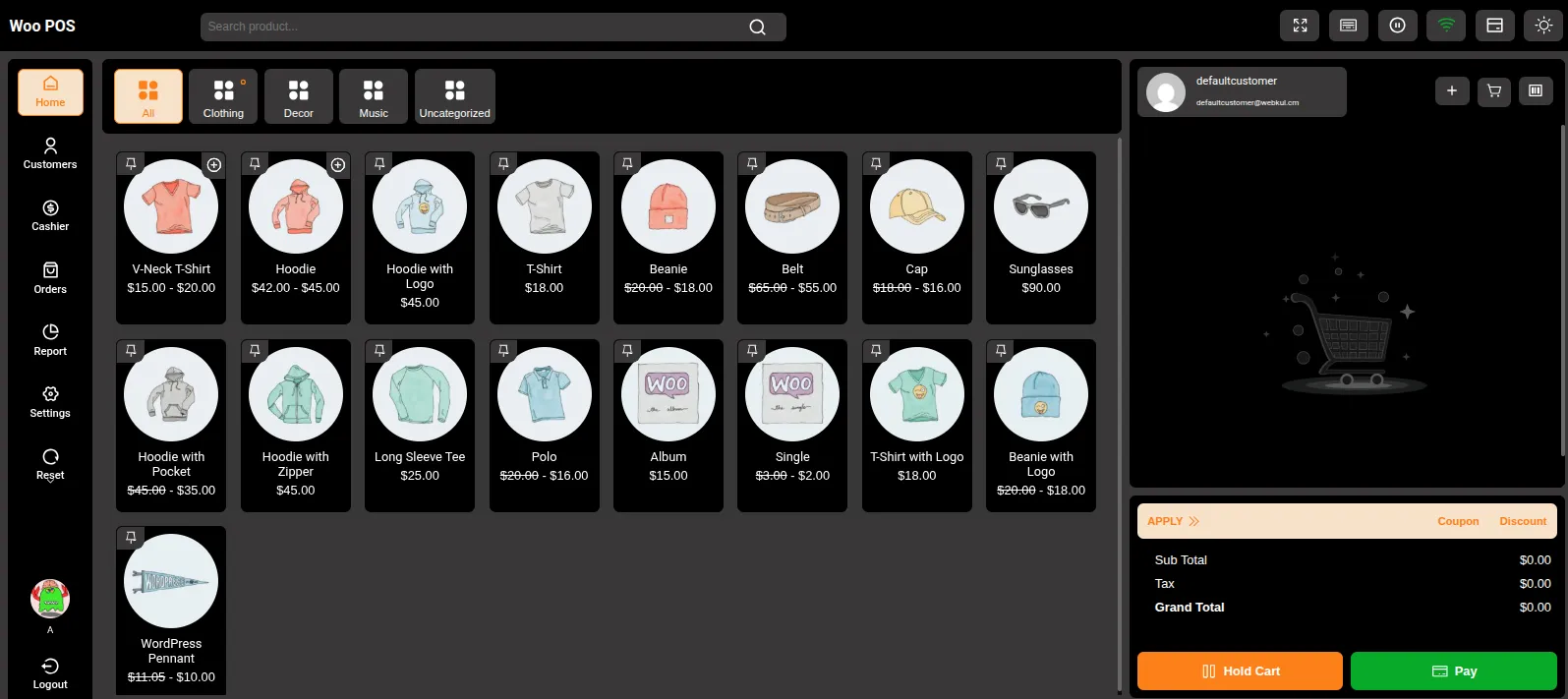
POS Dashboard

Key Features That Power Your Business

Multi-Outlet Management

Create and Manage Multiple Physical Store Locations

  • Set up unlimited store outlets across different locations
  • Each outlet operates independently with its own inventory
  • Centralized administration for all outlets
  • Easy outlet creation through admin dashboard or bulk import

Assign Specific Agents to Each Outlet

  • User management system for POS agents
  • Role-based access control
  • Agent-specific permissions and restrictions
  • Performance tracking per agent

Centralized Control from One Admin Dashboard

  • Single admin interface for all outlets
  • Real-time visibility across all locations
  • Unified reporting and analytics
  • Streamlined management workflows

Modern POS Interface
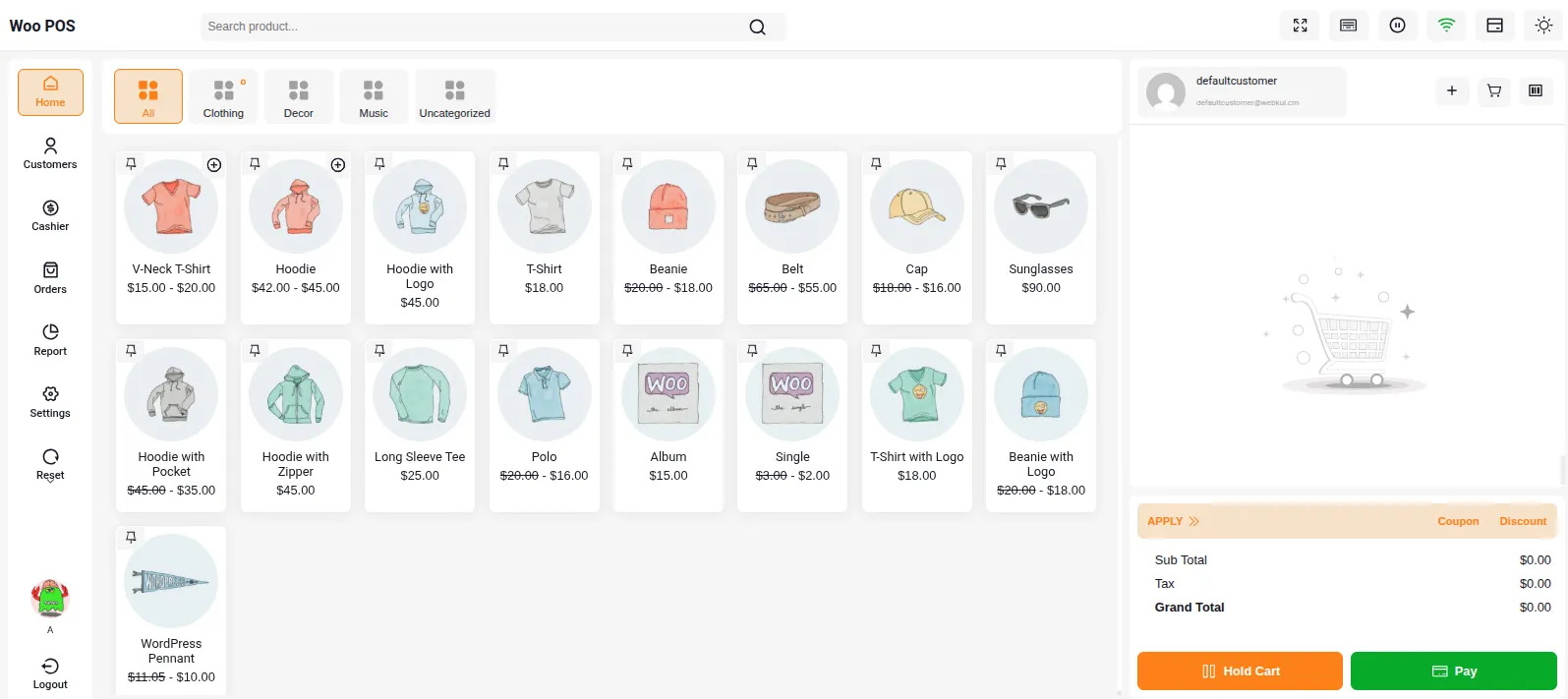
POS Dashboard

Fast, React-Based Frontend for Quick Transactions

  • Built with modern React framework
  • Optimized performance for high-volume sales
  • Instant product search and cart updates
  • Smooth, responsive user experience
  • Minimal loading times

Dark-thmedBeautiful Dark/Light Theme Options

  • Toggle between light and dark modes
  • Customizable color schemes
  • Theme switching from POS panel
  • Reduced eye strain for long shifts
  • Professional appearance

Mobile-Responsive PWA for Tablets and Smartphones

  • Progressive Web App technology
  • Works on iOS and Android devices
  • Install directly from browser
  • Home screen shortcut capability
  • Touch-optimized interface
  • Portrait and landscape support

Online + Offline Capability
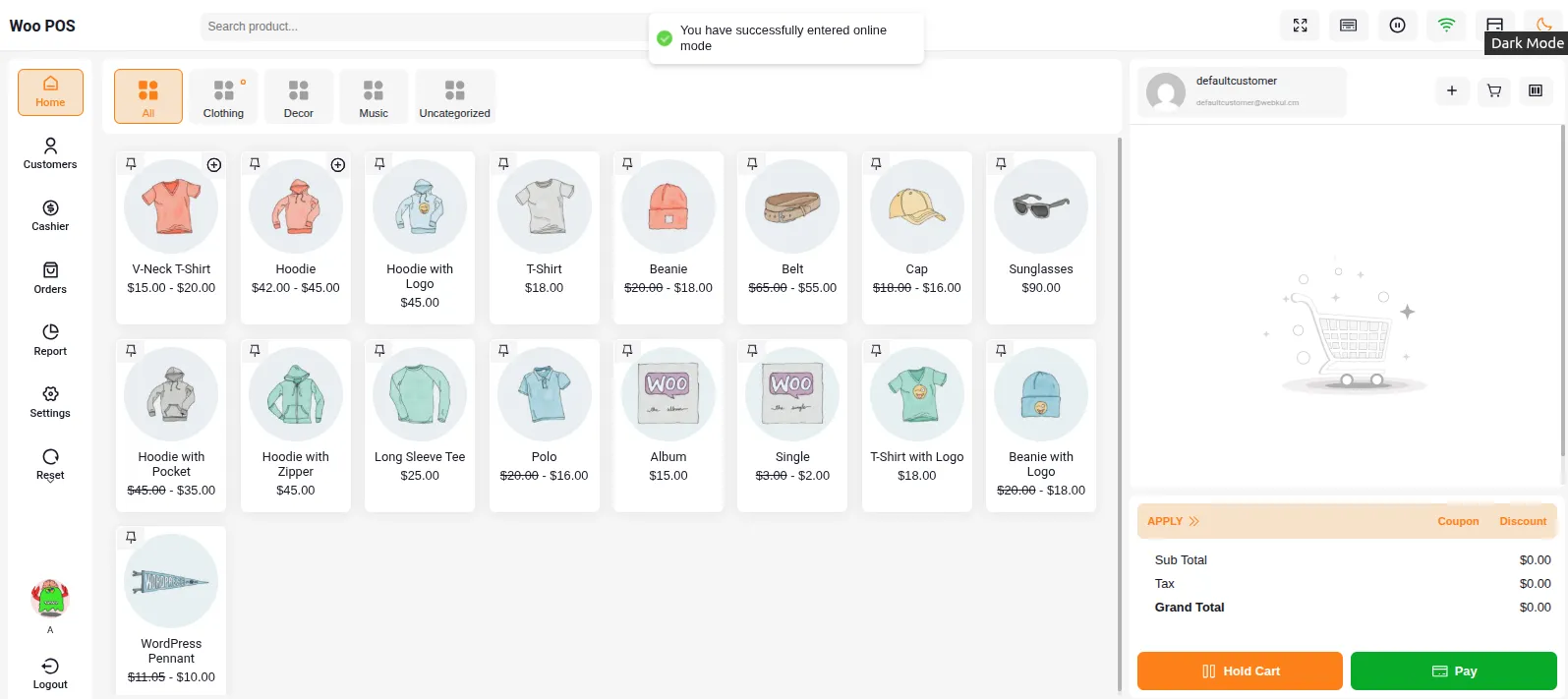
Offlinemode

Continue Sales During Internet Outages

  • Fully functional offline mode
  • Local data storage
  • Process transactions without internet
  • Queue orders for synchronization
  • Uninterrupted business operations

Automatic Synchronization When Back Online

  • Smart sync engine
  • Queue-based order processing
  • Automatic data upload
  • Conflict resolution
  • Background synchronization

Real-Time Inventory Updates Across All Channels

  • Stock levels sync instantly
  • Prevents overselling
  • Updates across all outlets
  • WooCommerce website integration
  • Accurate inventory at all times

Complete Inventory Control
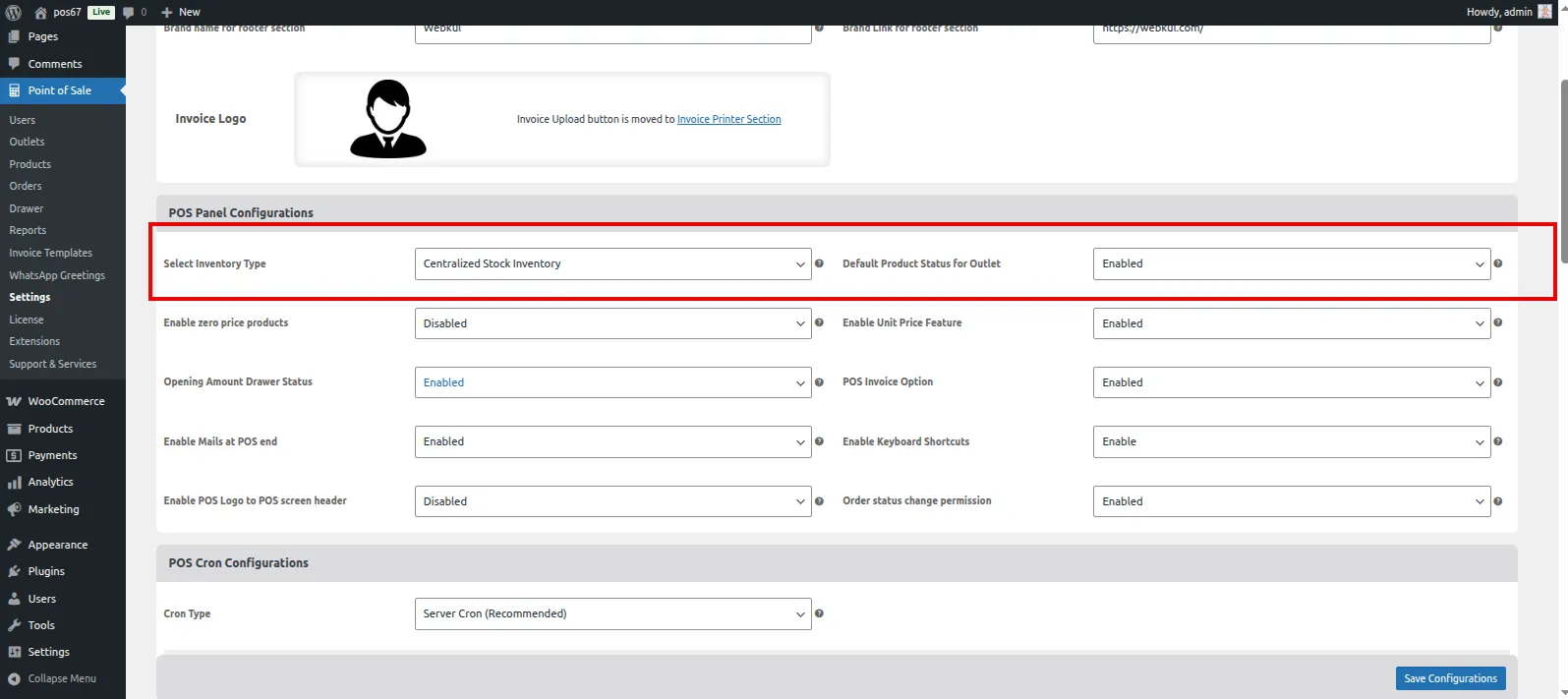
inventoryMaster Stock vs Centralized Inventory Options

  • Master Stock: Total inventory on website distributed to outlets
  • Centralized Inventory: Unified stock management
  • Choose the model that fits your business
  • Flexible stock allocation
  • Easy switching between modes

Barcode Generation & Scanning

  • Generate barcodes by Product ID or SKU
  • Code-128 barcode format support
  • Print barcodes for products
  • Custom barcode designs
  • USB and Bluetooth scanner support
  • Quick product lookup via scanning

Low Stock Alerts and Reporting

  • Configurable stock thresholds
  • Automatic low stock warnings
  • Out of stock notifications
  • Stock level reports (Low, Out, Most)
  • Prevent stockouts
  • Optimize reordering

Bulk Product Management

  • Enable all products at once
  • Bulk stock assignment
  • Mass barcode generation
  • Bulk product import/export
  • Efficient product setup
  • Time-saving operations

Smart Sales Processing
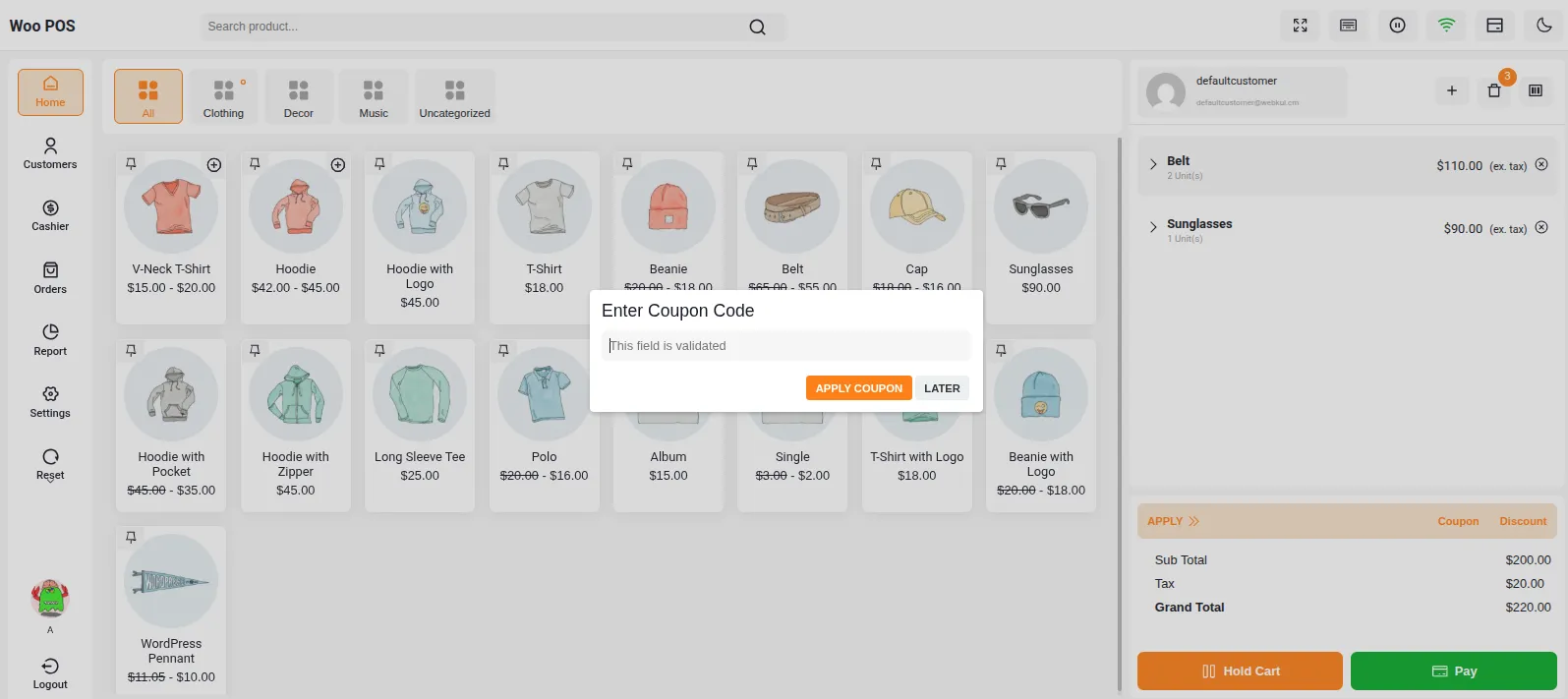
alt textDiscount & Coupon Management

  • Apply coupons at checkout
  • Percentage or flat discounts
  • Manual discount entry
  • Discount validation
  • Coupon usage tracking
  • Promotional campaign support

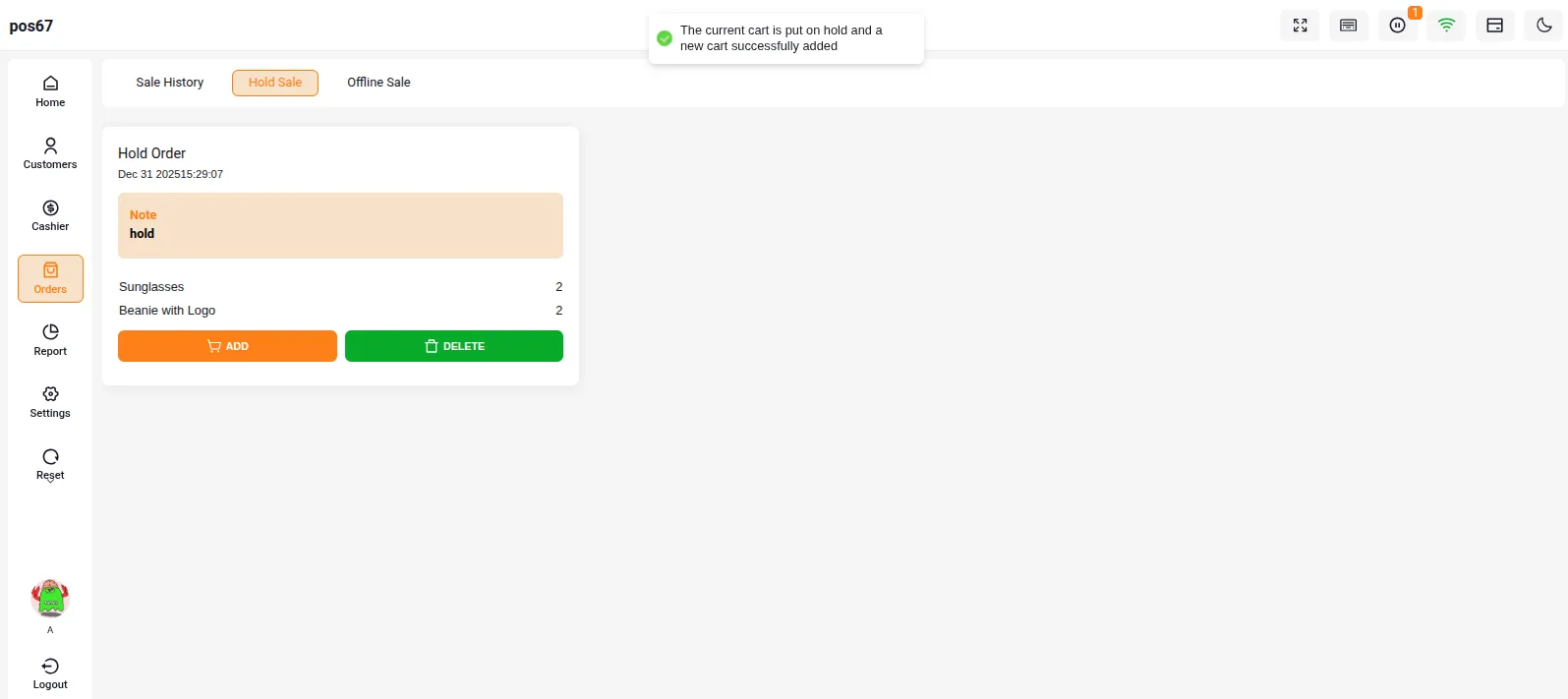
HoldorderHold Cart Functionality

  • Put transactions on hold
  • Resume later
  • Add order notes
  • View all held carts
  • Multiple simultaneous holds
  • Efficient customer management

Advanced Reporting
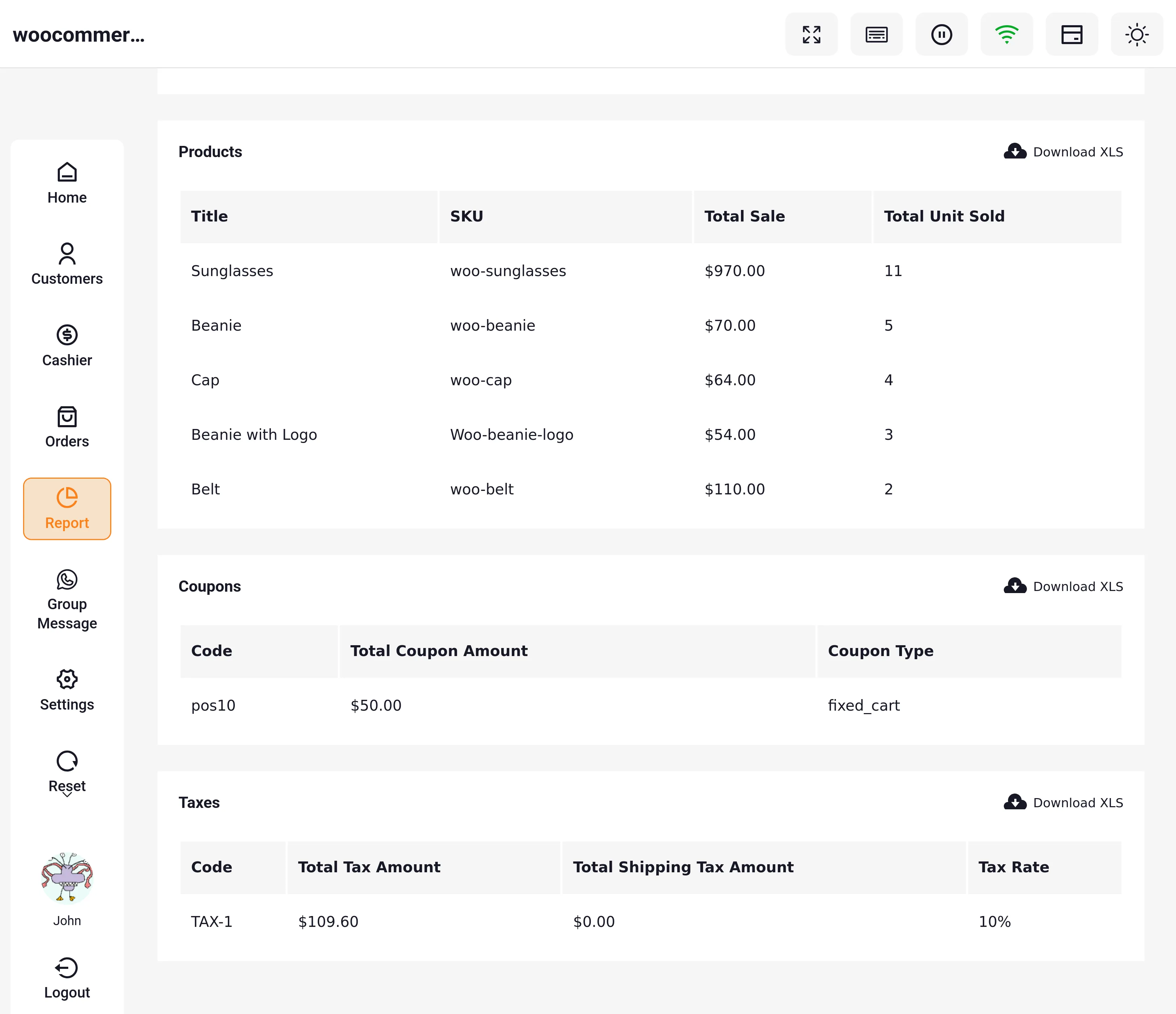
POS DashboardSales Analytics by Date, Product, Category

  • Daily, weekly, monthly reports
  • Custom date ranges
  • Product performance analysis
  • Category-wise breakdown
  • Outlet comparison
  • Agent performance tracking

Exportable Report Data

  • Export to CSV, Excel, PDF
  • Orders, products, coupons, taxes
  • Customizable data export
  • Integration with accounting
  • Data analysis ready

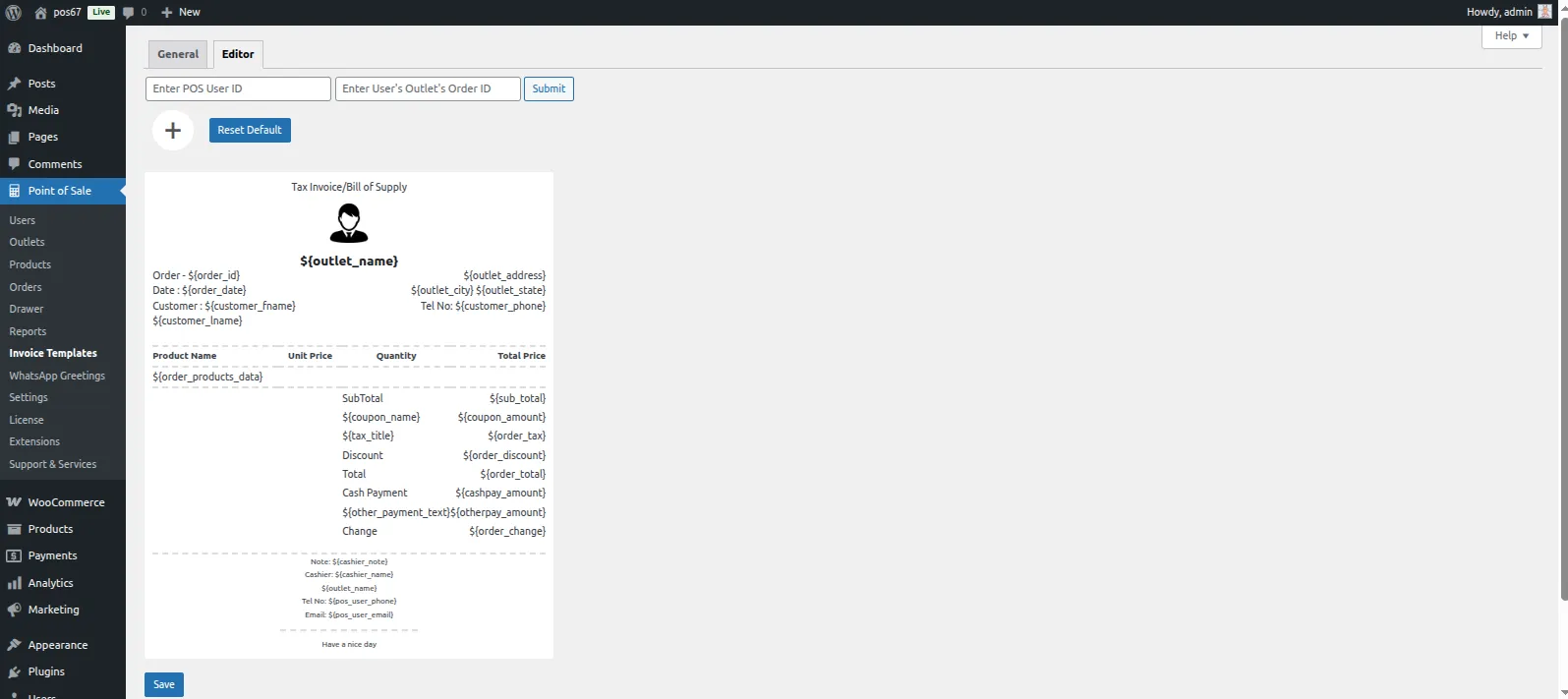
Professional Receipts
alt text

Customizable Invoice Templates

  • Dynamic invoice customization
  • Multiple template options
  • Create custom templates
  • Drag-and-drop editor
  • Element property customization

Multiple Printer Support

  • Thermal printers (Epson TM-T88V)
  • Standard paper sizes (A3, A4, A5, A6)
  • USB and Bluetooth printers
  • Network printers
  • Configure default printer

Email/WhatsApp Receipts

  • Send receipts via email
  • WhatsApp receipt delivery
  • Automatic or manual sending
  • Reduce paper waste
  • Customer convenience


Plugin Demo

You can check:

  • POS dashboard
  • Admin Dashboard
  • POS workflow

🔗 Live Demo🔗 Buy Now


Support Information

If you have any questions, raise a support ticket:

🎟 Support Portal https://webkul.uvdesk.com

📧 Email: [email protected]

Next
Overview