
WooCommerce POS – Payment Terminal Integration
Overview
Payment terminal integration in WooCommerce POS enables merchants to accept card and digital payments directly through connected devices. This ensures faster checkout, improved accuracy, and a seamless in-store experience.
This section provides an overview of supported payment terminals and links to detailed pages for each integration.
How Payment Terminal Integration Works
- Add products to cart in WooCommerce POS
- Select a terminal-based payment method
- The total amount is sent to the payment terminal
- Customer completes payment via card/tap
- Payment confirmation is received instantly
- Order is marked as paid in WooCommerce
Supported Payment Terminals with Webkul Point Of Sale
1. Stripe Terminal
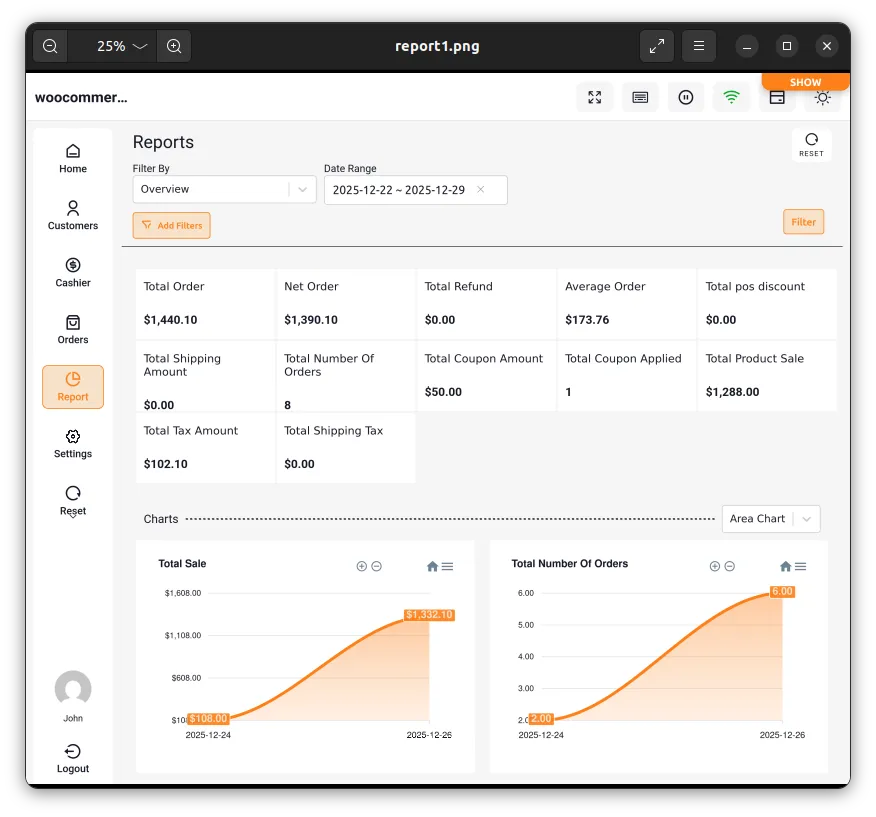
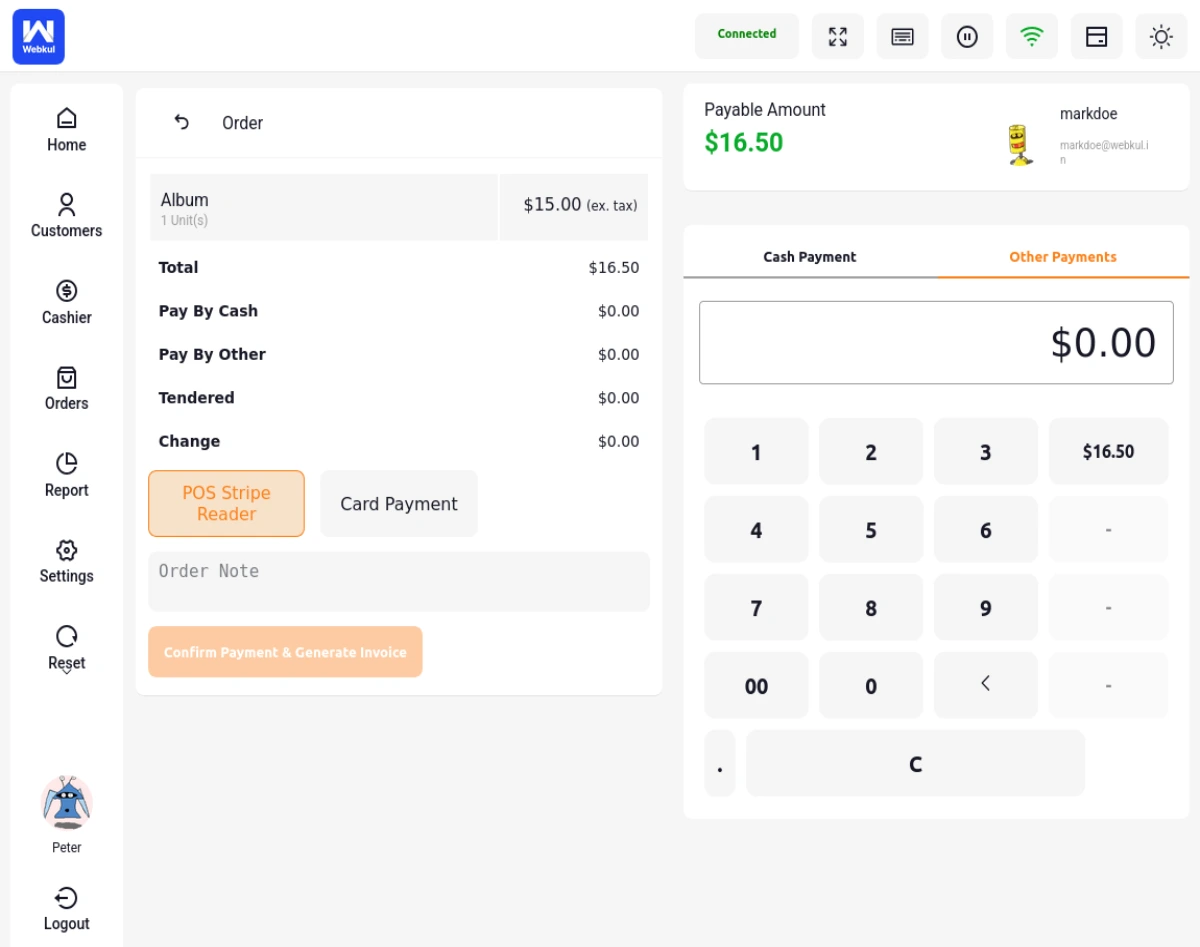
Stripe Terminal allows businesses to accept in-person payments using Stripe-powered card readers. This integration enables secure, real-time card transactions directly from WooCommerce POS.
Key Features:
- Seamless integration with Stripe payments
- Supports chip, swipe, and contactless payments
- Real-time synchronization with WooCommerce
The image above shows the physical Stripe payment terminal used for processing in-store transactions, while the image below highlights how the Stripe payment option appears in the WooCommerce POS interface, helping users understand the checkout experience.
2. Square Terminal
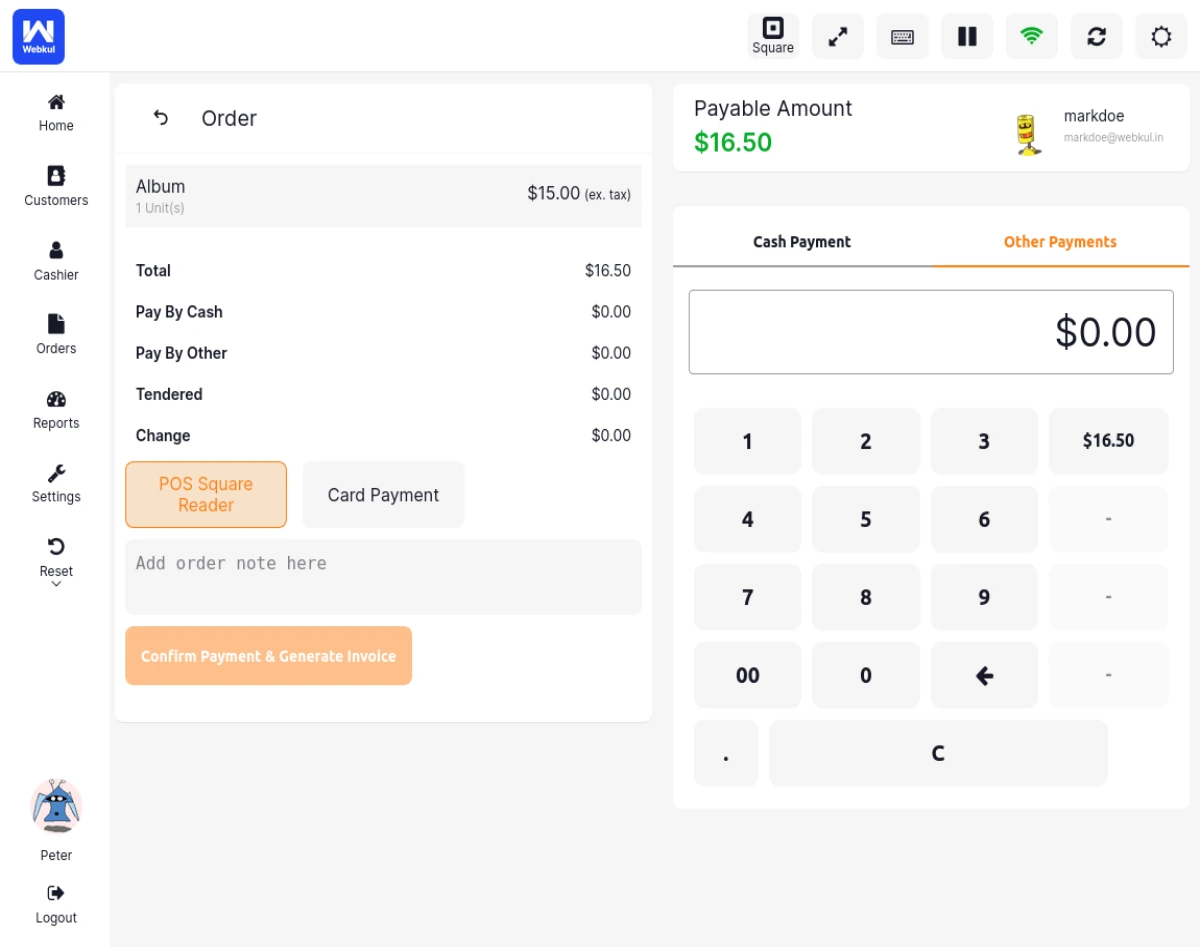
Square Terminal is a popular all-in-one payment device widely used in retail environments. This integration allows WooCommerce POS to connect directly with Square payment terminals for smooth in-store transactions.
Key Features:
- Built-in hardware and software
- Fast and reliable transactions
- Ideal for small to medium businesses
The image above displays the physical Square Terminal device used for accepting payments, while the image below shows how the Square payment option is presented within the WooCommerce POS interface, providing a clear view of the checkout workflow.
3. Linkly Integration
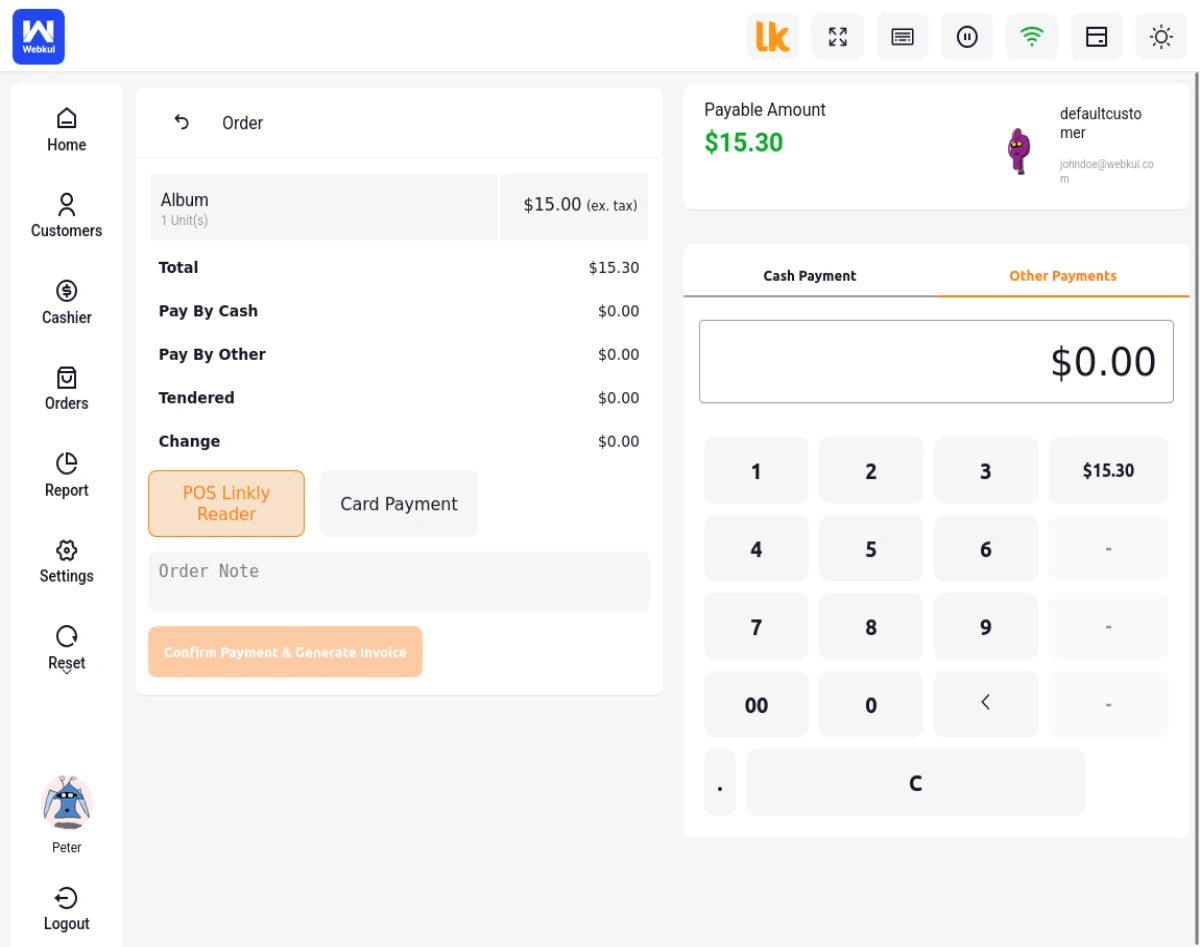 Linkly acts as a middleware that connects WooCommerce POS with various payment terminals. This integration enables communication between POS and multiple supported payment devices through a single interface.
Key Features:
- Supports multiple terminal providers
- Acts as a bridge between POS and hardware
- Commonly used in regions like Australia
4. WooCommerce POS PayPal Terminal Reader
 PayPal Terminal Reader integration allows merchants to accept in-person payments using PayPal-supported card readers. This integration provides a trusted and secure payment experience leveraging PayPal’s global infrastructure.
Key Features:
- Integration with PayPal payment ecosystem
- Supports secure card and digital wallet payments
- Reliable and globally recognized payment solution
5. WooCommerce POS Stripe M2 Integration
 Stripe M2 integration enables WooCommerce POS to connect with Stripe M2 card readers for efficient in-store payments. This integration is optimized for fast and secure transactions using Stripe’s latest M2 hardware.
Key Features:
- Optimized for Stripe M2 hardware
- Fast and secure transaction processing
- Seamless syncing with WooCommerce orders
6. WooCommerce POS Square Payment Terminal
This integration allows WooCommerce POS to connect directly with Square payment terminals for smooth in-store transactions. It ensures quick payment processing with automatic syncing of transaction details in WooCommerce.
Key Features:
- Direct integration with Square ecosystem
- Supports contactless and chip payments
- Real-time order and payment synchronization
How to Get Fast Payments with POS Payment Terminal Integrations
Fast and seamless payment processing is essential for any point-of-sale (POS) system. With multiple payment terminal integrations in WooCommerce POS, merchants can significantly speed up checkout and enhance the overall customer experience.
Why Fast Payments Matter
- Reduces customer wait time at checkout
- Improves customer satisfaction
- Increases store efficiency and throughput
- Minimizes manual errors in billing
Role of Payment Terminal Integrations
Payment terminal integrations automate the payment process by directly connecting WooCommerce POS with card machines. This eliminates manual entry and ensures real-time transaction processing.
Benefits of Multiple Payment Terminal Integrations
Flexibility in Payment Providers Choose from multiple providers based on your business needs
Backup Payment Options Switch to another terminal if one fails
Regional Compatibility Use terminals best suited for your country or market
Multiple Payment Methods Accept chip, swipe, contactless, and mobile wallet payments
Fast Payment Workflow
- Add items to cart in POS
- Select a payment terminal
- Amount is automatically sent to the device
- Customer taps/inserts/swipes card
- Payment is processed instantly
- Order is marked as paid in WooCommerce
How Payment Terminal Integrations Are Helping 1000+ Customers
Payment terminal integrations in WooCommerce POS are empowering businesses to streamline their in-store payment processes. By enabling faster, more secure, and automated transactions, these integrations are helping thousands of merchants improve efficiency and deliver a better customer experience.
Merchant & Customer Benefits
| Benefit / Area | Description & Customer Impact |
|---|---|
| Improved Checkout Speed | Process transactions in seconds. The order amount is automatically sent to the terminal, eliminating manual cashier entry and saving customer time. |
| Reduced Human Errors | Manual typing mistakes are completely eliminated as the POS communicates directly with the reader, ensuring billing accuracy. |
| Better Customer Experience | Customers enjoy faster checkout, multiple payment options (chip, swipe, tap, mobile wallets), and highly secure payments. |
| Increased Operational Efficiency | Store cashiers can handle larger volumes of customers with fewer delays, directly increasing in-store sales throughput. |
| Reliable & Secure Payments | Connected terminals process payments securely using industry-standard point-to-point encryption (P2PE) and PCI compliance. |
| Multi-Terminal Flexibility | Select the best payment terminal provider for your region, set up backup terminals, and switch configurations on-the-fly. |
Real-World Impact
- Reduces checkout times by up to 50%
- Increases daily transaction volumes for busy physical stores
- Minimizes transaction failures and discrepancies
- Enhances overall store performance and reporting accuracy
Common Use Cases
- Retail stores accepting card payments
- Restaurants using POS with integrated terminals
- Multi-location stores with centralized WooCommerce
- Events and pop-up stores
Best Practices
- Test integrations in a staging environment before going live
- Keep API keys secure
- Train staff on handling payment failures
- Always provide fallback payment options
Conclusion
Integrating payment terminals with WooCommerce POS significantly improves checkout efficiency and customer experience. With multiple supported integrations like Stripe, Square, Sunmi, and Linkly, businesses can choose the solution that best fits their operational needs.
For more details, click on the respective terminal names above.