
WooCommerce POS - Custom Product
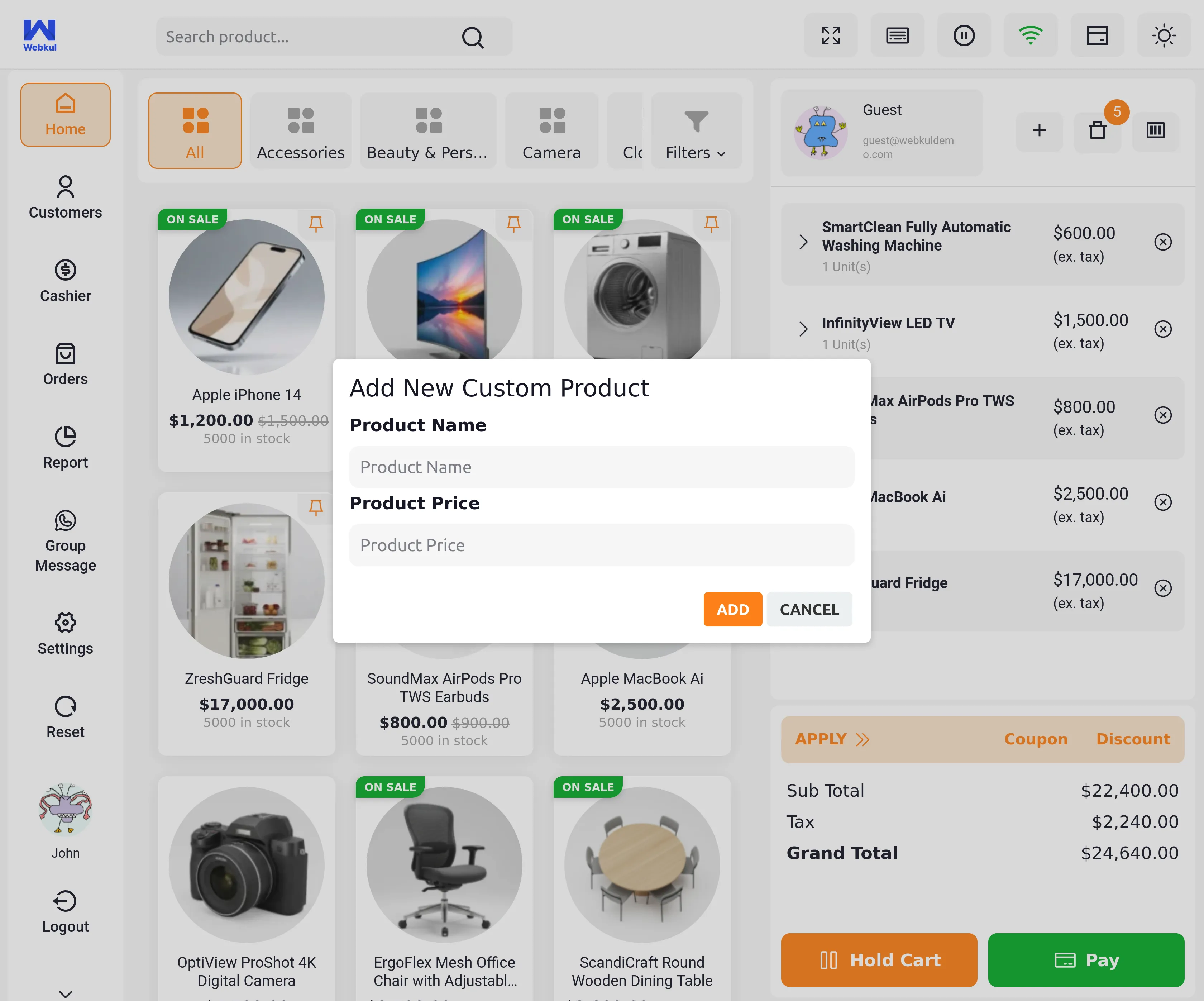
Custom Product Feature
The POS user can add a product in the cart which is not available on the website but the product is available in the physical store.
Adding Custom Product
Access Custom Product Feature
To add a custom product, the POS user needs to click on the plus sign (+) button available in the POS panel.
Product Details Entry
After clicking the plus sign button, a form appears where the POS user must enter:
Required Information:
- Product name
- Product price
Adding to Cart
Once the product details are entered, the POS user clicks on the "ADD" button to add the custom product to the cart.
Product Visibility
After adding, the custom product will be visible in the cart for the checkout process, just like regular products.
Use Cases
When to Use Custom Products
- Products available only in physical store
- Items not listed on the website
- Special request items
- One-time sale products
- Products pending website listing
Benefits
Flexibility
POS agents can sell products that are not available on the website, allowing greater flexibility in managing physical store inventory.
Better Sales Management
This feature enables POS agents to process sales for any product available in the physical store, regardless of whether it exists in the online catalog.
Quick Addition
The simple interface allows for rapid addition of custom products during customer transactions without delays.