
WooCommerce POS – Cash Drawer & Cashier Management
Efficient cash handling is a critical part of in-store retail operations. WooCommerce Point of Sale (POS) provides a structured and transparent cash drawer and cashier management system that helps administrators and POS agents track daily cash flow, manage drawer openings and closures, and maintain accurate financial records.
This blog covers cash drawer operations, drawer automation, and cashier management features available in WooCommerce POS.
Opening the Cash Drawer
Once a POS agent logs in to the POS panel, they are required to enter the opening cash drawer amount for the day.
How Opening Cash Drawer Works
- A popup appears prompting the POS agent to enter the opening amount
- Example: The agent enters $1000, which represents the starting cash for the day
- This popup can be enabled or disabled by the admin from the POS settings
Recording the opening balance ensures transparency and accuracy in daily cash tracking.
Cash Drawer Management
WooCommerce POS allows administrators to configure and manage cash drawers effectively.
Drawer Overview
- Admin can:
- Set up the cash drawer
- Review the details of the last drawer on a daily basis
- The Closing Drawer Details section displays:
- Closing balance for a selected day
- Summary of sales and cash movements
This helps ensure that all sales are properly recorded and reconciled.
Cashier Management Features
WooCommerce POS includes advanced cashier-level tools to help POS agents manage daily transactions efficiently.
Close Counter
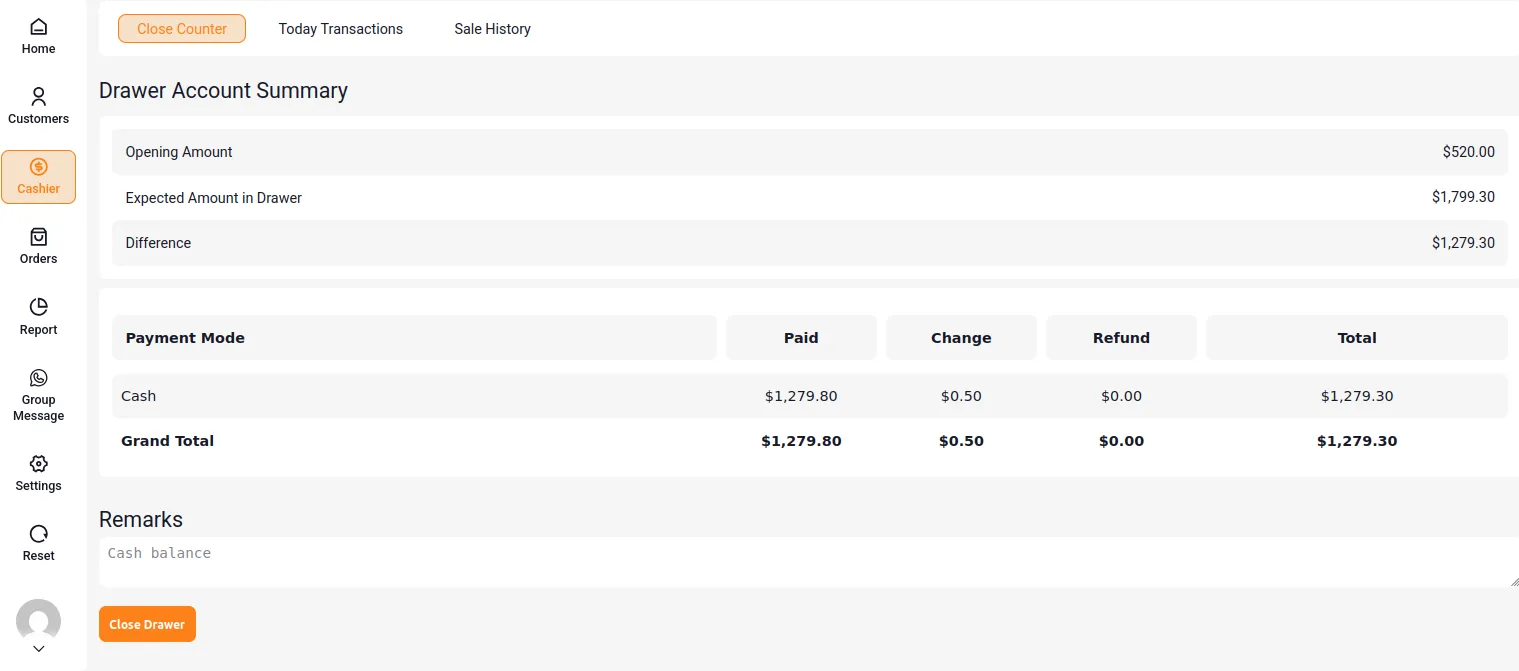
At the end of the shift, cashiers use the Close Counter screen to reconcile the drawer. Below is the breakdown of the closing fields:
| Field Name | Description |
|---|---|
| Opening Amount | The cash amount placed in the drawer at the beginning of the POS session. |
| Expected Amount in Drawer | The system-calculated cash balance based on sales, refunds, and transactions performed during the day. |
| Difference | The variance between the expected drawer amount and the actual counted cash. |
| Payment Mode | The method through which the customer made the payment, such as cash or card. |
| Paid | The total amount received from customers using the selected payment mode. |
| Change | The amount returned to customers as balance after payment. |
| Refund | The total amount refunded to customers during the session. |
| Total | The net amount remaining after accounting for paid, change, and refund values. |
| Grand Total | The final combined total of all payment modes recorded in the drawer. |
| Remarks | Optional notes added by the cashier to explain discrepancies or record important observations. |
Today Transaction
Under the Cashier menu, the Today Transaction option provides real-time cash insights. 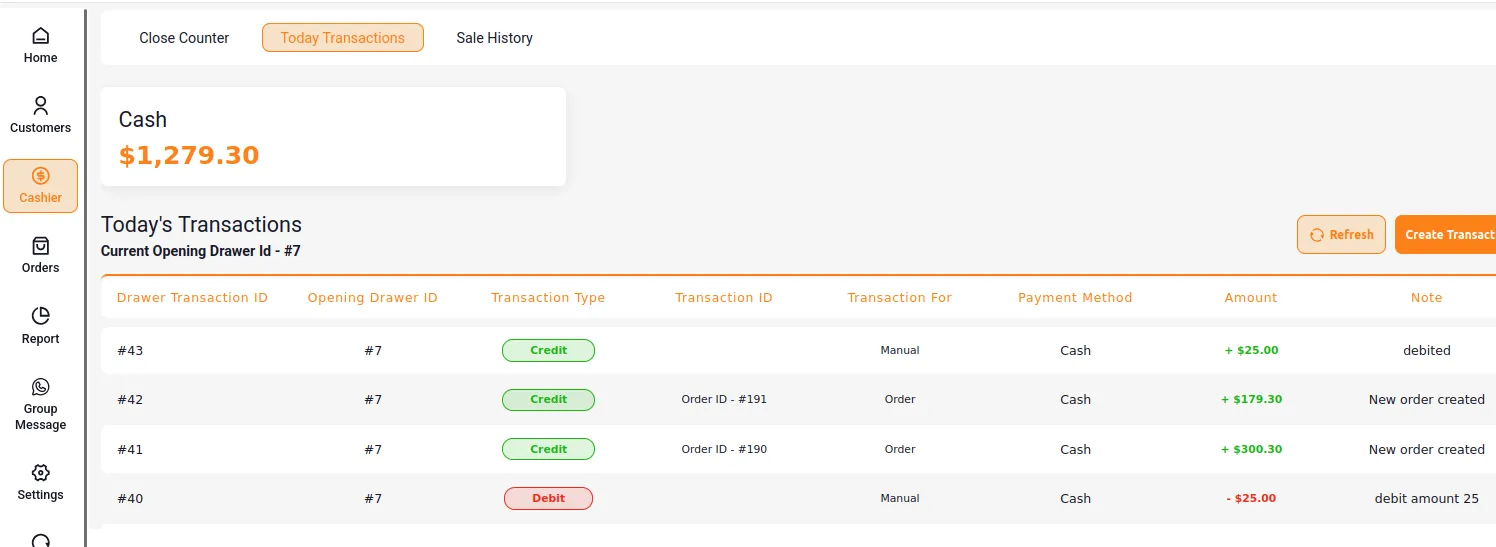
Real-Time Insights & Ledger Fields
| Parameter / Field | Explanation |
|---|---|
| Cash | Displays the total cash amount currently available in the drawer for the active session. |
| Today’s Transactions | Shows all cash-related activities performed during the current drawer session. |
| Current Opening Drawer ID | Identifies the active drawer session against which all transactions are recorded. |
| Drawer Transaction ID | A unique identifier assigned to each individual drawer transaction. |
| Opening Drawer ID | Links the transaction to the specific drawer opening session. |
| Transaction Type | Indicates whether the transaction is a credit (cash added) or debit (cash removed). |
| Transaction ID | References the source of the transaction, such as a manual entry or an order ID. |
| Transaction For | Specifies whether the transaction is related to an order or a manual adjustment. |
| Payment Method | Shows the mode of payment used, such as cash. |
| Amount | Displays the transaction value, with plus or minus signs indicating addition or deduction. |
Creating a Manual Transaction
To create a new transaction, click on Create Transaction and submit the required details.
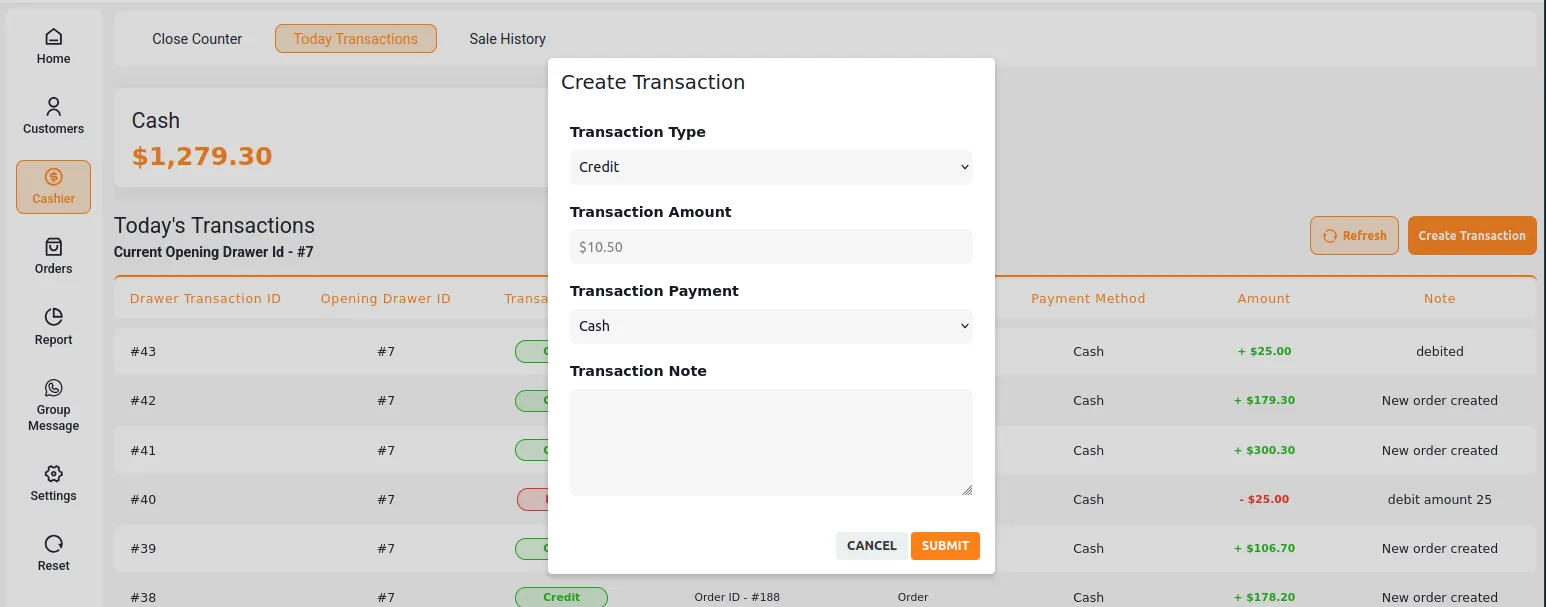
| Form Field | Description |
|---|---|
| Transaction Type | Specifies whether the transaction is a credit (cash added) or debit (cash removed) from the drawer. |
| Transaction Amount | The exact monetary value of the transaction being recorded. |
| Transaction Payment | The payment method used for the transaction, such as cash or card. |
| Transaction Note | A brief description or remark explaining the purpose of the transaction. |
Sale History
WooCommerce POS provides a detailed Sale History section for tracking completed transactions.
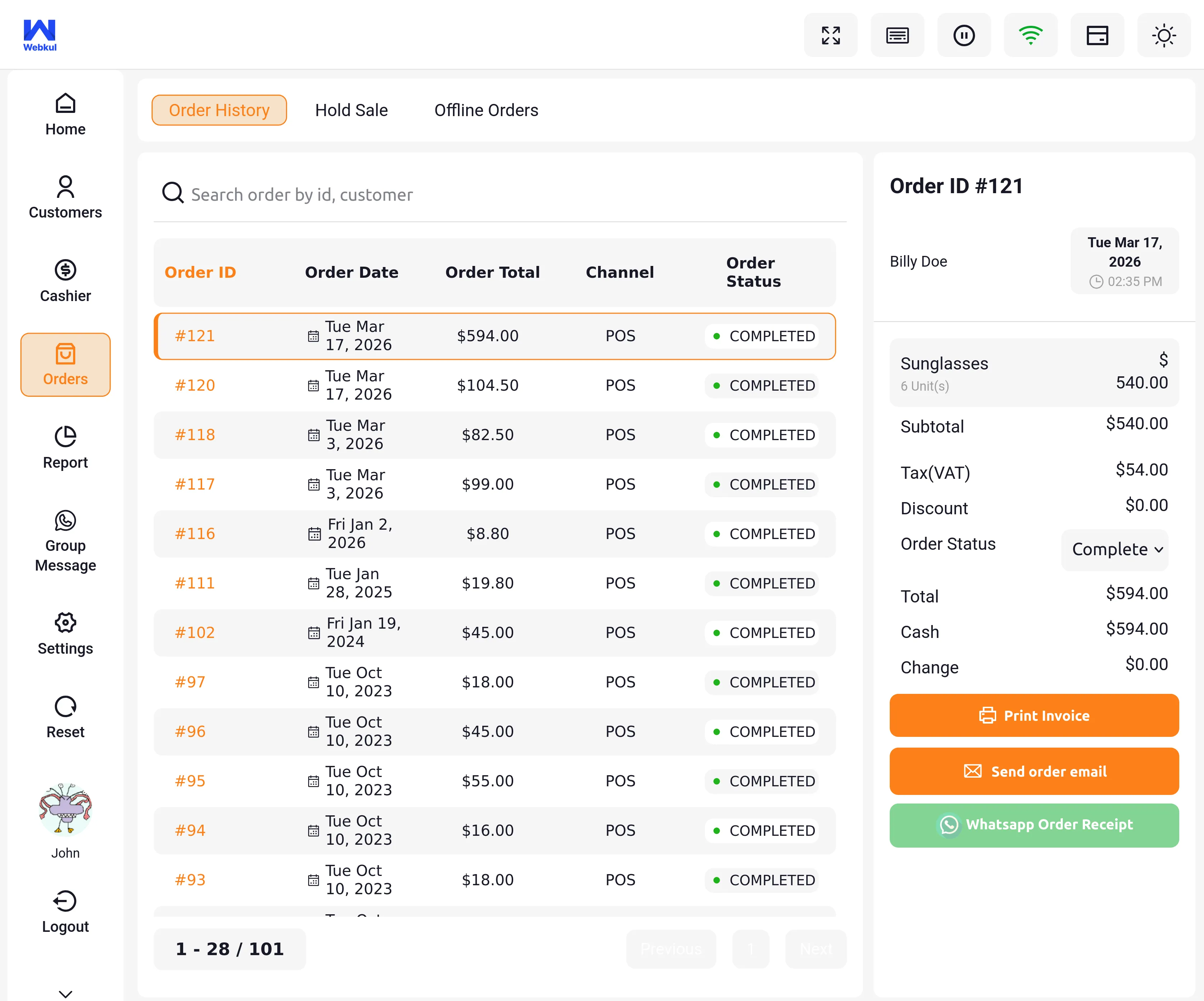
| Field Name | Description |
|---|---|
| Opening Amount | The initial cash present in the drawer at the start of the POS session. |
| Payments | The total amount received through all payment methods during the session. |
| Closing Amount | The final cash balance in the drawer at the end of the POS session. |
| Opened At | The date and time when the cash drawer was initially opened. |
| Closed At | The date and time when the cash drawer was closed at the end of the session. |
| Opening Note | Optional remarks or notes entered at the time of opening the drawer. |
| Closing Note | Optional remarks or notes added when closing the drawer to explain discrepancies or observations. |