
WooCommerce POS - Hardware Support
A reliable Point of Sale system depends heavily on strong hardware and device compatibility. WooCommerce Point of Sale (POS) is designed to work seamlessly across a wide range of devices, barcode scanners, printers, and payment workflows—ensuring smooth retail operations in both small and large store environments.
This blog outlines the hardware support, system requirements, and device compatibility offered by WooCommerce POS.
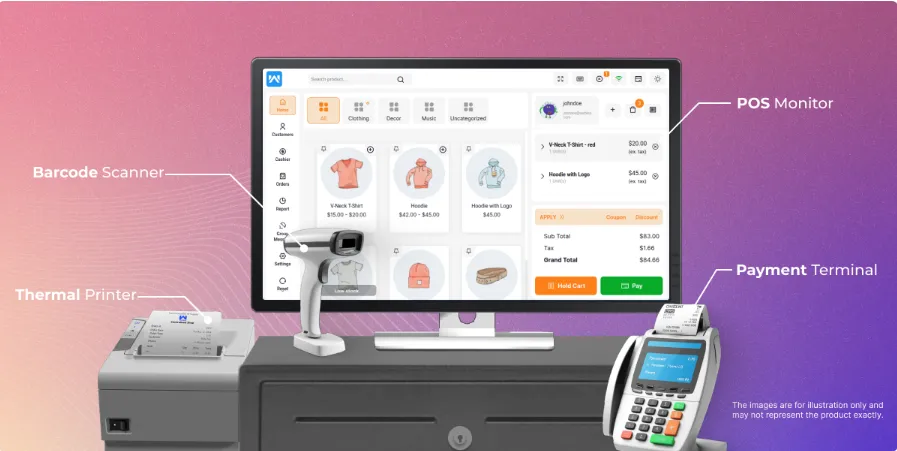
System Requirements & Device Compatibility
The WooCommerce POS system is a browser-based solution and works on devices that meet the minimum display and performance requirements.
Minimum System Requirements
Screen Resolution:
- Minimum required: 1280 px width or above
- Ongoing development support for 768 px and above
Screen Size:
- Minimum 7.5-inch display
- Recommended resolution: 1280 × 800 pixels or higher
Compatible Devices
WooCommerce POS is compatible with any device capable of running a modern web browser, including:
- iPads
- Tablets
- Laptops
- Desktop PCs
- Mac systems
This flexibility allows businesses to use existing hardware without additional investment.
Barcode Support
WooCommerce POS provides comprehensive barcode handling to ensure fast and accurate product lookup during checkout.
Supported Barcode Features
- Supports Code-128 barcodes
- Barcode readers can be used to:
- Add products directly to the cart
- Speed up the checkout process
- POS users can:
- Search products using SKU
- Add products via barcode generated using Product ID or SKU
- Search products using Global Unique Identifiers such as:
- GTIN
- UPC
- EAN
- ISBN
This ensures compatibility with standard retail barcode systems worldwide.
Desktop Application Support
WooCommerce POS can be used as a desktop application for enhanced usability on laptops and desktops.
Desktop POS Options
- Use the POS Desktop PWA App for WooCommerce
- Works seamlessly on:
- Desktop browsers
- Laptop systems
- Supports:
- Desktop PWA App
- Tablet PWA App
- Mobile PWA App
The desktop PWA provides a native app–like experience without requiring separate installations.
Mobile Application Support
WooCommerce POS also supports mobile usage through dedicated solutions.
Mobile POS Options
- Businesses can develop a custom mobile POS application
- For mobile app development, users can contact the Webkul mobile development team at: [email protected]
- A ready-made option is available:
- WooCommerce Flutter Native POS Mobile App
This enables retailers to run POS operations directly from smartphones or tablets.
Payment Hardware & Order Synchronization
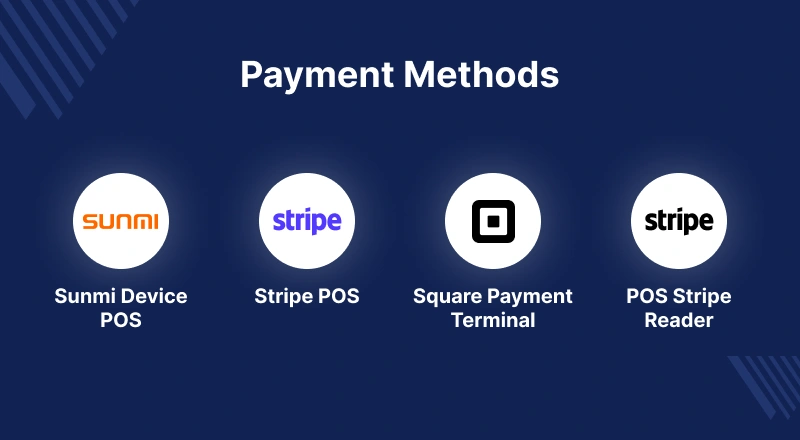 WooCommerce POS ensures smooth synchronization between online and in-store sales.
Payment & Order Features
- WooCommerce website orders are visible in the POS
- Refund details for online orders are available at the POS
- Supports multiple payment methods
- Allows split payments, which are fully recorded in the POS system
This ensures complete transparency and unified order management.
Invoice Printer Support
WooCommerce POS supports multiple printer types for invoice generation.
Invoice Printing Features
- Admin can:
- Configure printer settings
- Select a default invoice printer
- Enable or disable invoice printing for POS
- Auto-print:
- Enable or disable auto-printing for POS users
Supported Printer Types
- A3 Printer
- A4 Printer
- A5 Printer
- A6 Printer
- Epson TM-T88V Thermal Printer
This wide printer compatibility supports both retail counters and warehouse environments.
Cash Drawer Support
WooCommerce POS supports integrated cash drawer functionality.
Cash Drawer Features
- Admin can enable cash drawer popup functionality
- Opening amount status:
- POS users are prompted to enter the opening cash amount when the session starts
This improves cash handling accuracy and daily reconciliation.
Keyboard Support
WooCommerce POS allows full or partial keyboard-based operation.
Keyboard Shortcut Features
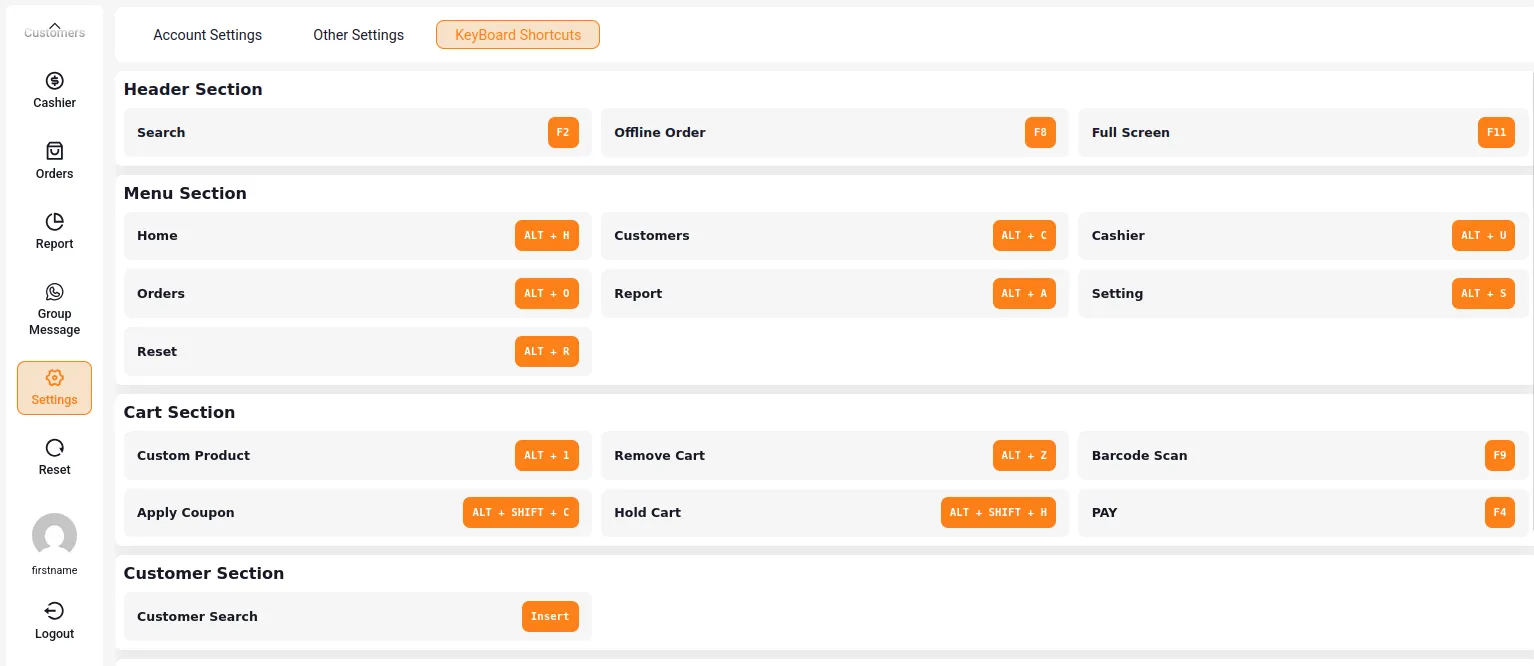
- Admin can enable keyboard shortcuts for the POS panel
- POS agents can:
- Perform common actions using only the keyboard
- Speed up checkout and reduce reliance on mouse input
This feature is particularly useful for high-volume retail environments.
Progressive Web Application (PWA) Support
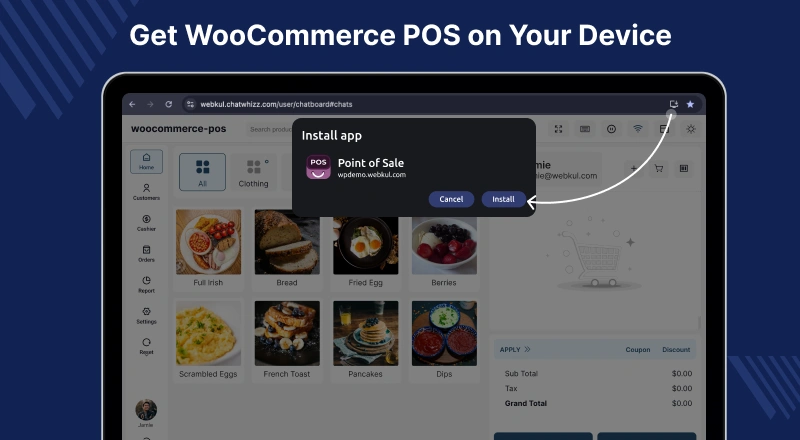
WooCommerce POS is available as a Progressive Web Application (PWA), offering a native app–like experience.
PWA Availability
- Desktop PWA App
- Tablet PWA App
- Mobile PWA App
How to Install the PWA
- Open the POS link in the mobile browser.
- Tap the browser menu icon.
- Select Add to Home Screen.
- An app icon appears on the home screen.
- Tap the icon to launch the POS PWA.
The PWA runs independently of the browser and provides fast, reliable access to POS functionality.