
WhatsApp Notifications in WooCommerce Point of Sale
The WhatsApp Notification feature in WooCommerce POS allows stores to connect with customers directly via WhatsApp, providing order confirmations, receipts, greetings, and broadcast messages. This feature enhances customer engagement, improves communication, and streamlines order updates.
WhatsApp Greetings Feature
The WhatsApp Greetings module in POS enables stores to send automated or manual messages to customers, ensuring a personal touch and timely communication.
Automatic Message Sending
- Automatically send order receipts or notifications to customers via WhatsApp
- Reduces manual work and ensures timely delivery
Manual Option
- If automatic messages are disabled, POS users can manually send WhatsApp order receipts
- Provides flexibility to control when messages are sent
Broadcast Messaging
- Send WhatsApp messages to multiple customers simultaneously
- Useful for promotions, announcements, or updates
Personalized Messages
- Send customized messages to individual POS customers
- Include customer-specific details like name, order ID, or purchase information
WhatsApp Greetings Section
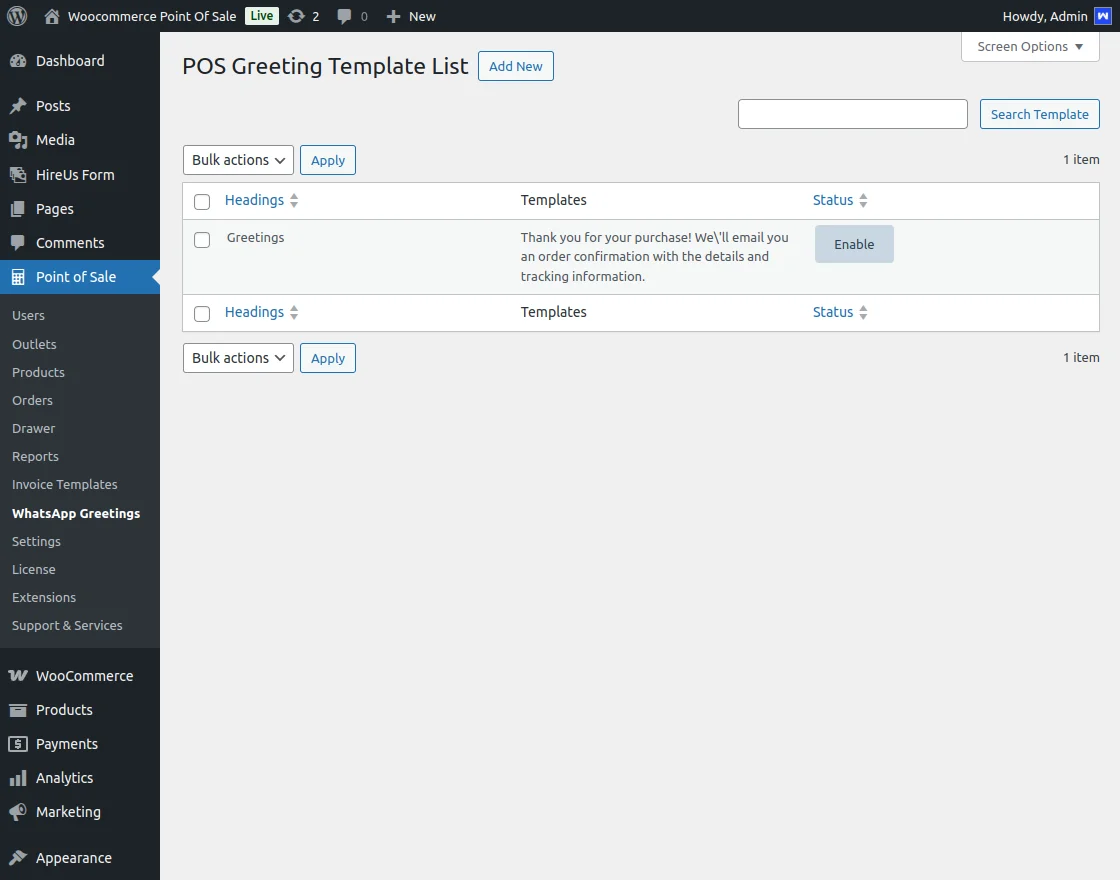
This section allows full management of WhatsApp greeting templates:
- Add, Edit, Delete templates
- Perform bulk actions such as enabling, disabling, or sorting templates
- Search and sort templates by status or template name
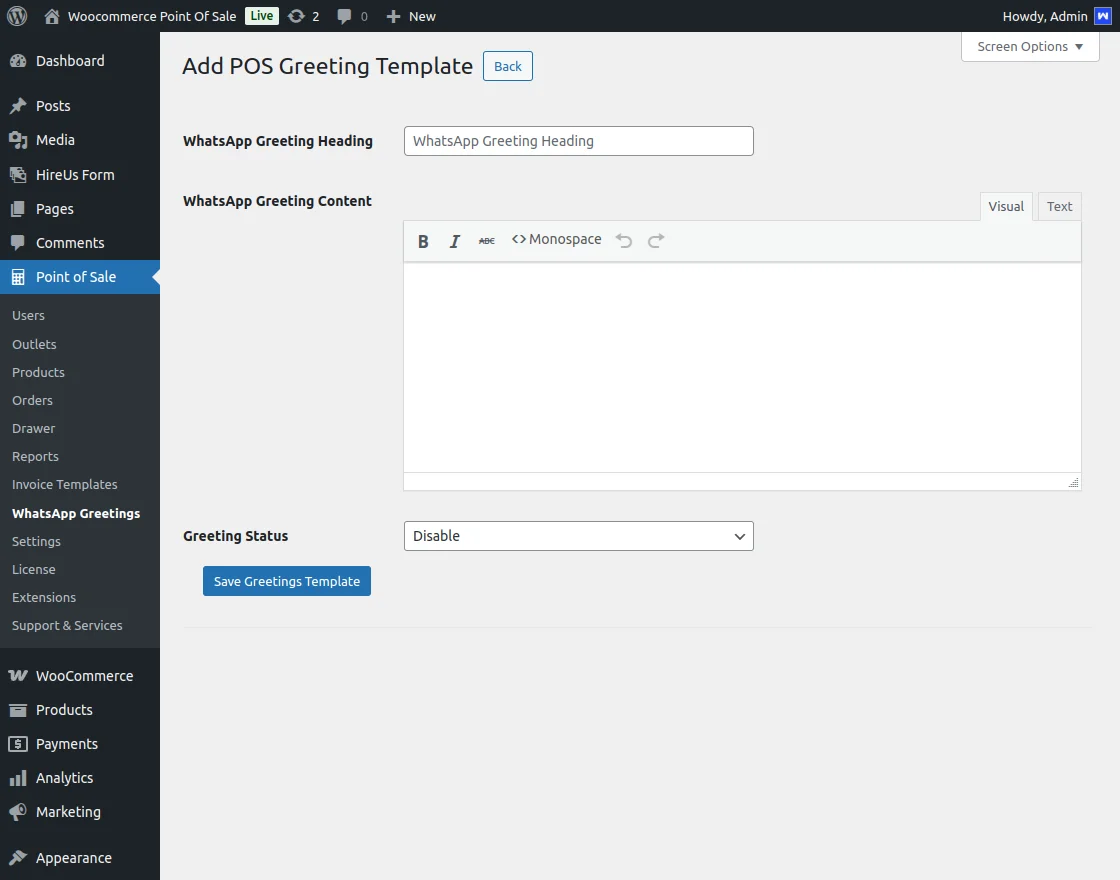
Add POS Greeting Template
Create new WhatsApp greeting templates for your store by defining the following components:
- WhatsApp Greeting Heading: The subject or title of the WhatsApp message
- WhatsApp Greeting Content: Main message content with formatting options:
- VisualText style
- Monospace style
- Greeting Status: Enable or disable the template for use
Once configured, click Save Greeting Template to store your new template.
Note: For detailed usage and advanced features, refer to the WooCommerce POS WhatsApp Notification Message guide.
API Configuration for WhatsApp
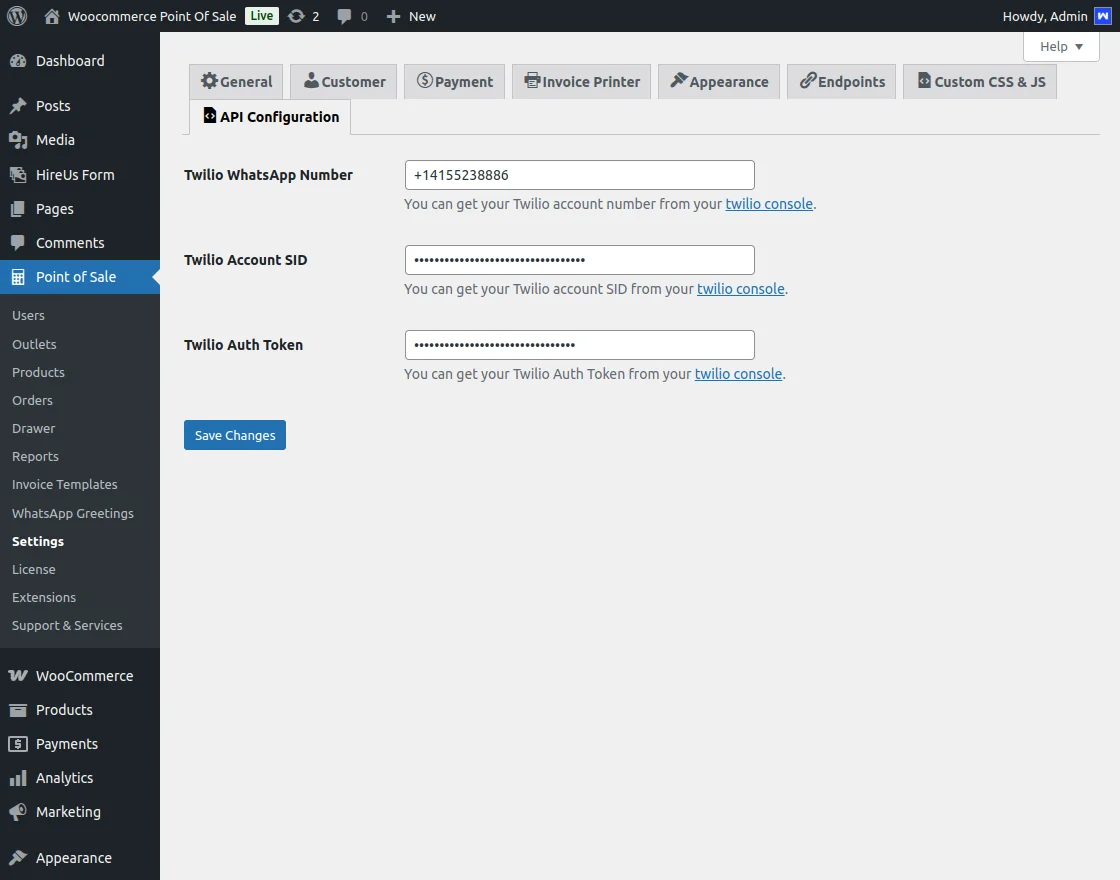
To integrate WhatsApp messaging with your WooCommerce POS store, configure your Twilio credentials in the admin backend settings:
| API Credential Field | Description & Purpose |
|---|---|
| WhatsApp Number | The Twilio-registered phone number used to send and receive WhatsApp notifications. |
| Twilio Account SID | The unique identifier linking your WooCommerce POS instance to your Twilio API account. |
| Twilio Auth Token | The secret authentication token paired with your Account SID to authorize secure API requests. |
Proper configuration ensures reliable and secure WhatsApp communication with your customers.