
Account Setting & AliExpress Connection
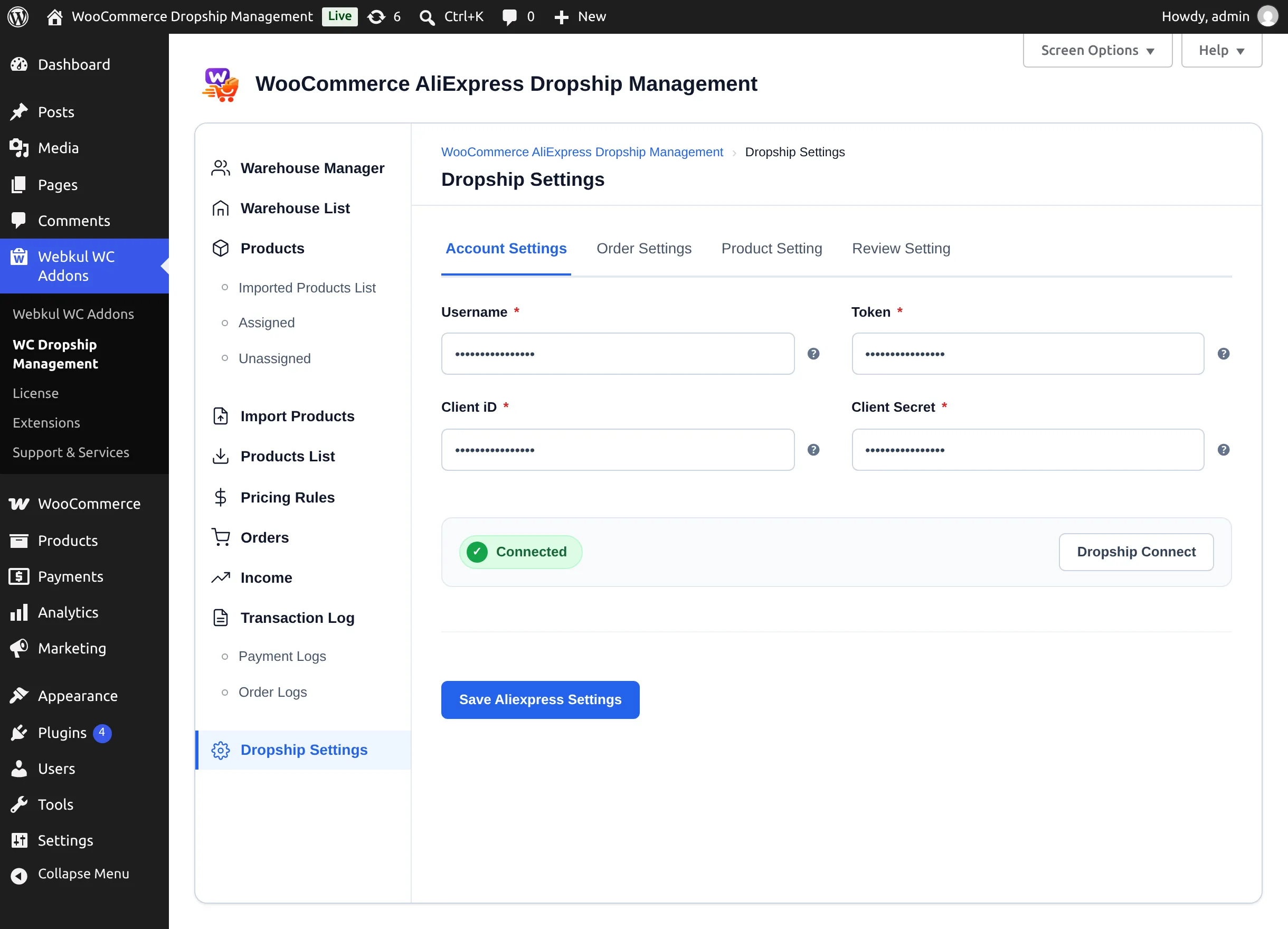
The Account Setting screen holds everything that links your store to AliExpress: your AliExpress app credentials, the login the Chrome extension uses, and how orders are placed.
Go to Webkul WC Addons → Warehouse Manager → Dropship Settings → Account Setting.
Get your AliExpress app credentials
The plugin talks to AliExpress through an app you own on the AliExpress Open Platform.
- Sign in at openservice.aliexpress.com ↗ with your AliExpress account and create an application with access to the AliExpress dropshipping APIs.
- Open the app and copy its App Key and App Secret.
- If the console asks for a callback URL, enter your store's
https://your-store.com/wp-admin/admin.php?page=manage-dropship&tab=wc-dropship-settings. The setup wizard shows this address with a copy button.
App Key = Client ID
The plugin calls the App Key Client ID and the App Secret Client Secret.
Settings
| Setting | Description | Default |
|---|---|---|
| Username * | Username the Chrome extension signs in to your store with. | Empty |
| Token * | Token the Chrome extension signs in with. A random token is generated if the field is empty. | Generated |
| Client iD * | The App Key of your AliExpress application. | Empty |
| Client Secret * | The App Secret of your AliExpress application. | Empty |
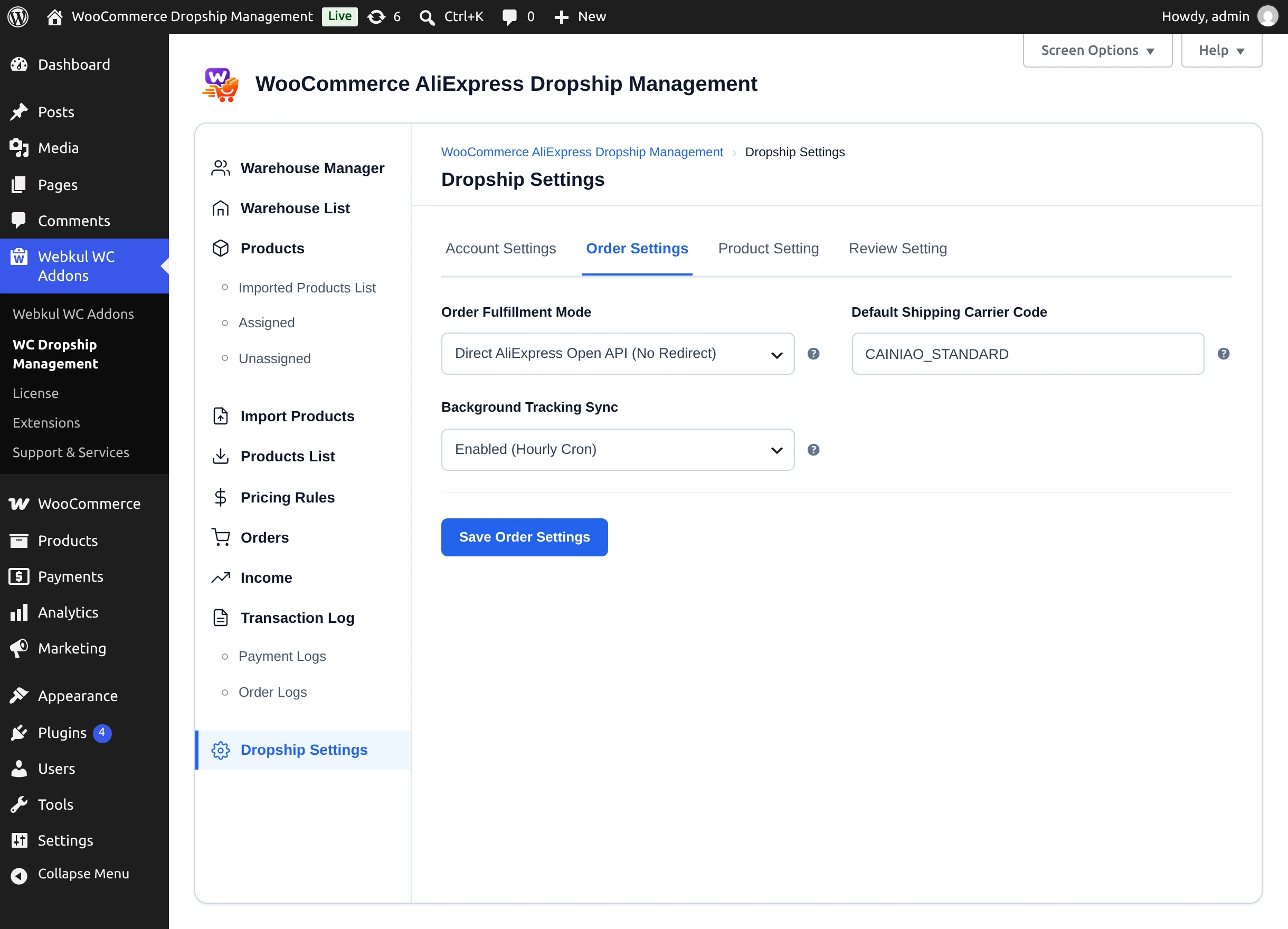
| Order Fulfillment Mode | Direct AliExpress Open API (No Redirect) places orders from WordPress; Chrome Extension Redirect places them on AliExpress with the extension. | Direct AliExpress Open API |
| Default Shipping Carrier Code | Carrier code sent to AliExpress when no carrier is chosen, e.g. CAINIAO_STANDARD or EMS. | CAINIAO_STANDARD |
| Background Tracking Sync | Enabled (Hourly Cron) checks AliExpress order status in the background and records tracking details; Disabled turns it off. | Enabled |
Select Save Aliexpress Settings to save.
Username and Token are for the extension
The Username and Token are not AliExpress credentials. They are a login you invent for the Chrome extension and type into it when you connect. Changing them signs the extension out until you enter the new values.
Connect your store to AliExpress
- Enter Client iD and Client Secret and select Save Aliexpress Settings first — Dropship Connect uses the saved Client ID.
- Select Dropship Connect. AliExpress opens its authorization page.
- Sign in and approve access. AliExpress returns you to Account Setting, and the status shows Connected.
The access token is refreshed automatically every two hours. If the status changes to Not connected, or you see "The Access Token is Invalid or Expired", select Dropship Connect again.
Choosing a fulfilment mode
| Mode | Best when | Guide |
|---|---|---|
| Direct AliExpress Open API (No Redirect) | You want to create the AliExpress order from the Orders screen, with carrier choice, without opening AliExpress. | Placing Orders via the API |
| Chrome Extension Redirect | You prefer to check out on AliExpress yourself, with the extension adding the products to your cart. | Placing Orders with the Extension |
Next step
Set your import defaults in Product Setting.