
AliExpress Products
The AliExpress tab is a single list of every published product created from AliExpress, with the warehouse it belongs to.
Go to Webkul WC Addons → Warehouse Manager → AliExpress.
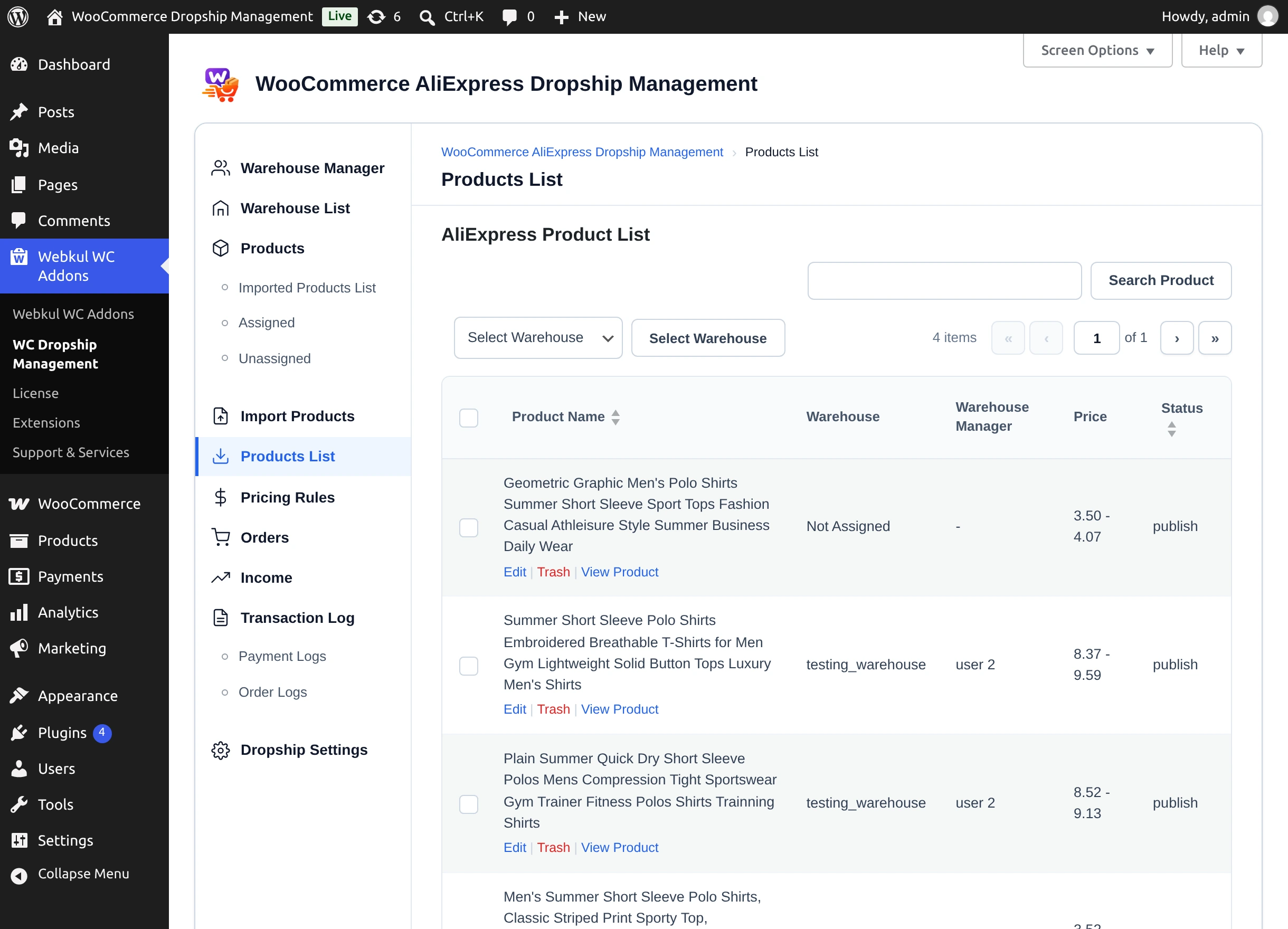
| Column | Shows |
|---|---|
| Product Name | WooCommerce product name. Sortable. |
| Warehouse | Assigned warehouse, or Not Assigned. |
| Warehouse Manager | Manager of that warehouse. |
| Price | Price, or price range for variable products. |
| Status | WooCommerce product status. Sortable. |
- Search Product finds products by name; Select Warehouse filters by warehouse.
- Edit opens the WooCommerce product editor.
- Trash moves the product to the WordPress Trash ("Product Trash Successfully").
- View Product opens the original product on AliExpress.
Warehouse managers see this list too, with the View Product action only.
Next step
Set your commission in Pricing Rules.