
Reviews Settings
Reviews settings decide whether AliExpress buyer reviews come with your imported products, and which ones.
Go to Webkul WC Addons → Warehouse Manager → Dropship Settings → Reviews settings.
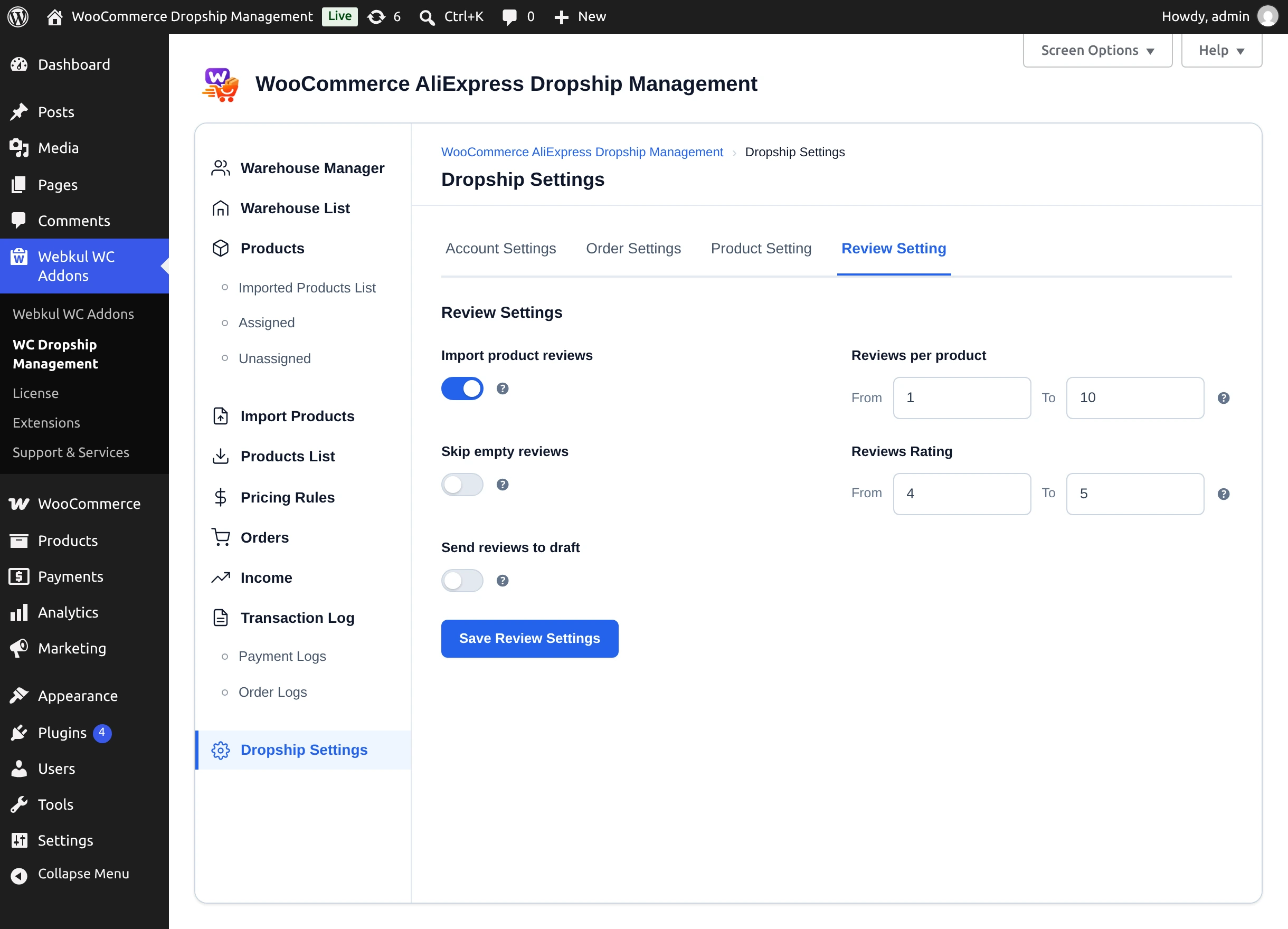
Settings
| Setting | Description | Default |
|---|---|---|
| Import product reviews | Fetch AliExpress reviews when products are imported. | Off |
| Skip empty reviews | Leave out reviews that have a rating but no text. | Off |
| Send reviews to draft | Save reviews unapproved, so you can edit them under Comments before they are published. | Off |
| Reviews per product | From / To range. | 1 / 10 |
| Reviews Rating | Only import reviews with a star rating between From and To (1–5). | 4 / 5 |
Select Save Review Settings. A From value higher than its To value is rejected with "The 'From' value for ratings cannot be greater than the 'To' value." (or the equivalent message for reviews per product).
Reviews per product
In version 3.0.0 the Reviews per product range is saved but not applied: every fetched review that passes the rating and empty-review filters is kept. Use Reviews Rating and Skip empty reviews to control what you import.
How reviews reach your products
- Fetch — when you import a product (from the admin, a CSV file, or the Chrome extension) with Import product reviews on, its reviews are fetched and filtered. Import results show "Reviews imported" or "No reviews imported".
- Publish — once the WooCommerce product exists, open Products → Assigned or Unassigned and select Sync Reviews in the product's row. The reviews are added to the product as verified reviews, from "Shopper". The button then reads Already synced; products with nothing fetched show No Reviews Available. See Assigning Products.
In the Chrome extension's edit dialog, choosing None under the review options imports the product without reviews. The other options follow these settings.
Next step
Connect the Chrome extension or start importing from the admin.