
Placing Orders via the API
New in 3.0.0, the plugin can create the AliExpress order for a customer's purchase directly from WordPress, through the AliExpress Open API — no browser redirect and no extension needed.
Before you start
- Account Setting shows Connected.
- Order Fulfillment Mode is Direct AliExpress Open API (No Redirect) (the default).
- The ordered products were created from AliExpress.
Place an order
- Go to Webkul WC Addons → Warehouse Manager → Orders.
- Select Place Order in the order's row.
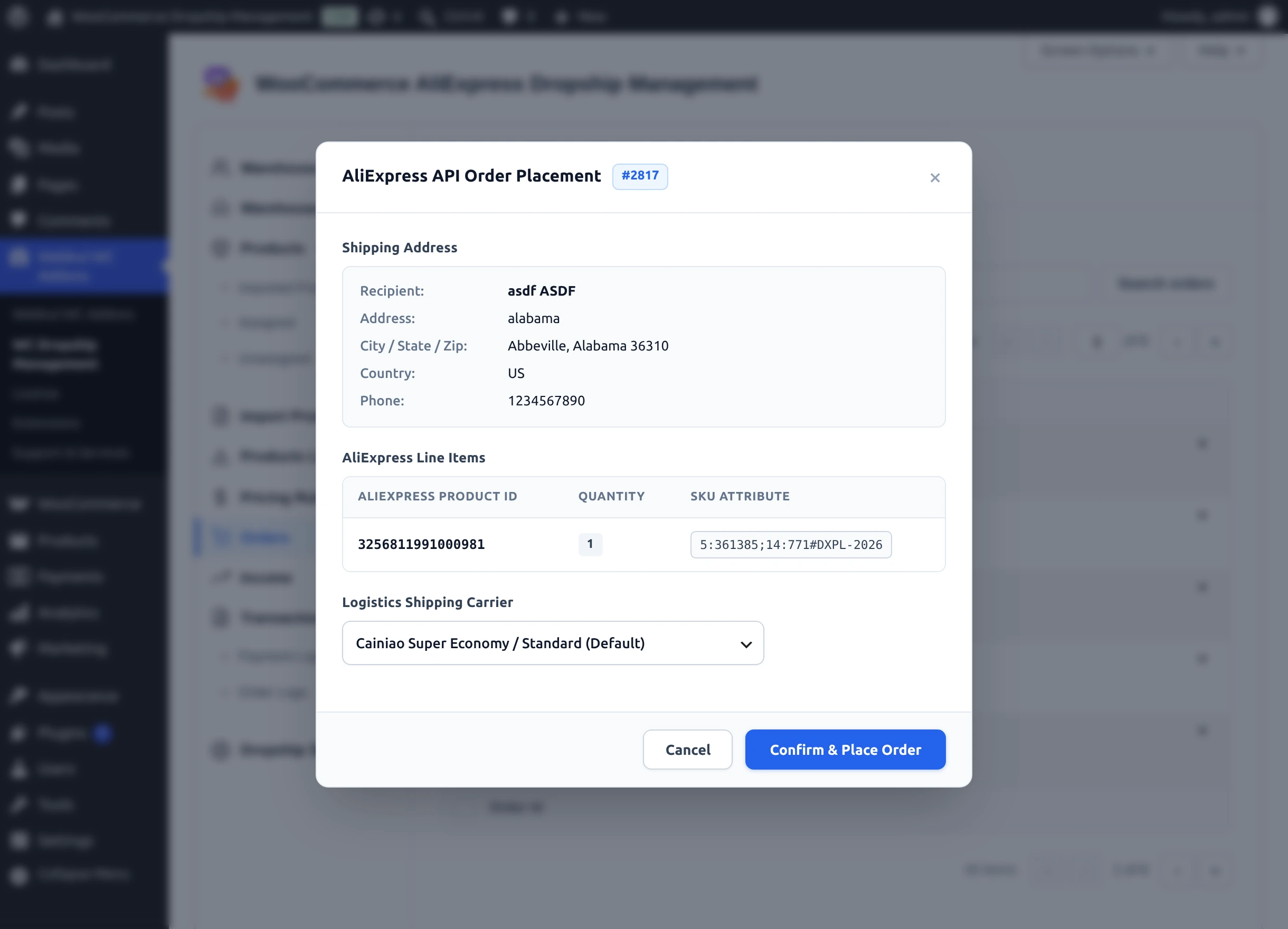
- Review the AliExpress API Order Placement dialog:
- Shipping Address — recipient, address, city/state/zip, country, and phone, taken from the order's shipping address (or billing address when there is none).
- AliExpress Line Items — the AliExpress product ID, quantity, and SKU attribute (option) of each item.
- Logistics Shipping Carrier — choose Cainiao Super Economy / Standard (Default), EMS, DHL Express, FedEx Economy, or UPS Express.
- Select Confirm & Place Order. The button shows "Submitting to AliExpress API...", then "Order placed successfully on AliExpress!", and the list reloads.
The row now shows API Order #… with the AliExpress order number, the status shows Placed, and a private order note records the placement.
All AliExpress items are sent together
The dialog places every AliExpress item in the WooCommerce order, even if the order is split across warehouses on the Orders screen.
Pay for the order on AliExpress
The API creates the AliExpress order unpaid (AliExpress status awaiting payment). Sign in to AliExpress, open your orders awaiting payment, and pay for it. AliExpress then ships it to your customer's address.
Pay before the timer runs out
Unpaid AliExpress orders expire automatically when their payment timer ends.
Cancel an unpaid API order
While an API order is unpaid, its row shows Cancel Order.
- Select Cancel Order.
- Read the Cancel AliExpress Order confirmation and select Confirm Cancellation.
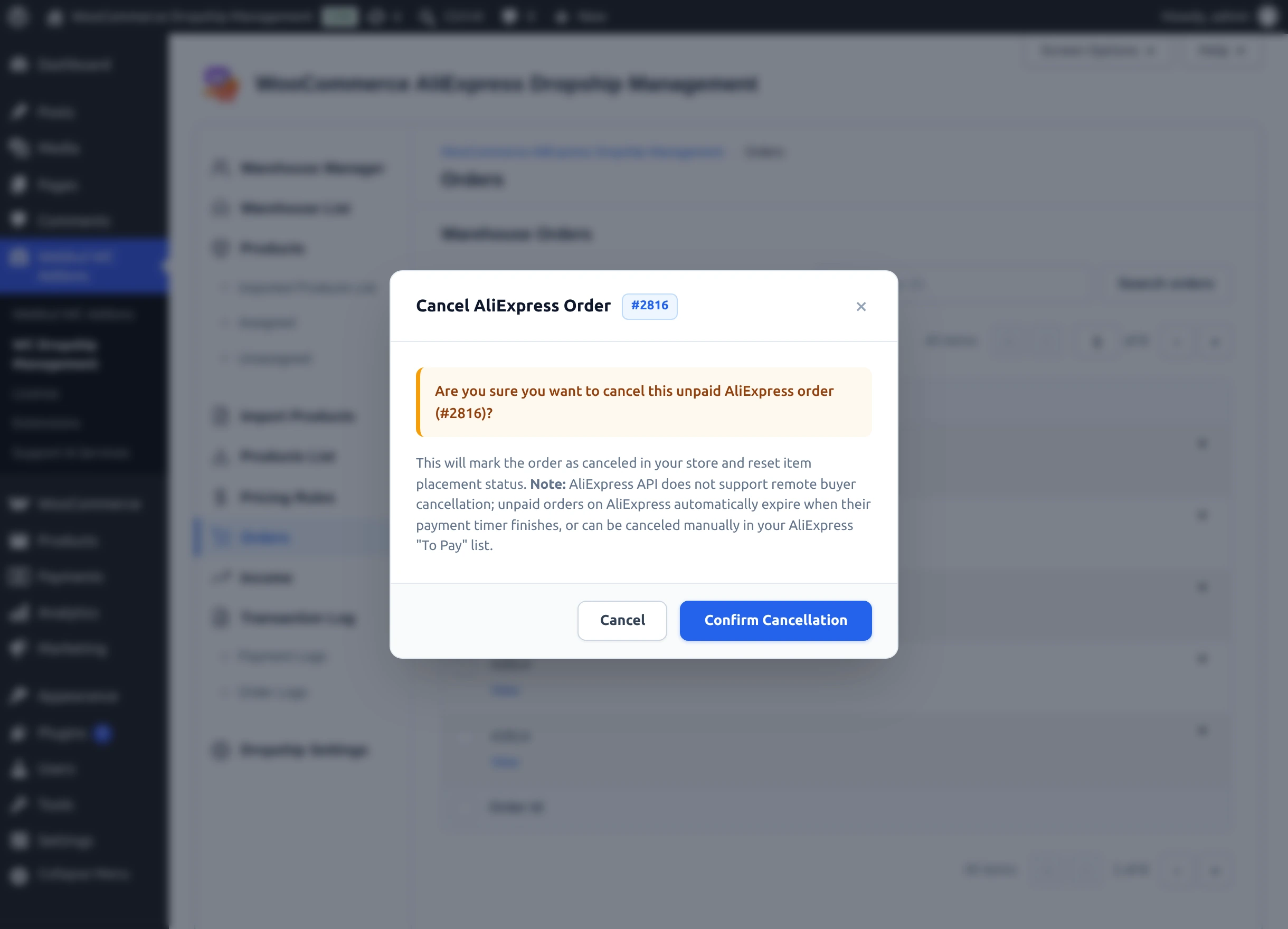
This marks the placement as canceled in your store and resets the items to not placed, so you can place the order again. It does not cancel anything on AliExpress — the AliExpress API does not support buyer cancellation. Unpaid AliExpress orders expire on their own, or you can cancel them in your AliExpress "To Pay" list.
Tracking updates
With Background Tracking Sync set to Enabled (Hourly Cron) under Account Setting, the plugin is designed to check placed AliExpress orders every hour and add a private order note with the tracking number, carrier, and AliExpress status. The WooCommerce order status is not changed, and tracking details are not shown to customers — update the order and inform your customer as usual.
Each check appears in Order Logs with the API method aliexpress.ds.trade.order.get. If you see no such entries after placing orders, check that WP-Cron runs on your site, and look up tracking on AliExpress directly.
When placement fails
The dialog shows the reason, and the attempt is recorded in Order Logs. Common messages:
| Message | What to do |
|---|---|
| "AliExpress access token is invalid or expired. Please re-authorize your AliExpress account under Dropship Settings -> Account Setting." | Select Dropship Connect under Account Setting. |
| "AliExpress SKU does not exist or SKU attribute format is invalid (SKU_NOT_EXIST)." | The option changed on AliExpress. Run Update From AliExpress on the product, then try again. |
| "No AliExpress dropship items found in this order." | The order contains no products created from AliExpress. |
| "AliExpress API credentials or access token are missing in settings." | Enter the Client ID and Client Secret and connect. |
More in the Error Message Index.