
Product Setting
Product Setting controls how imported AliExpress products are created and updated in WooCommerce. The same options appear in step 4 of the Setup Wizard.
Go to Webkul WC Addons → Warehouse Manager → Dropship Settings → Product Setting.
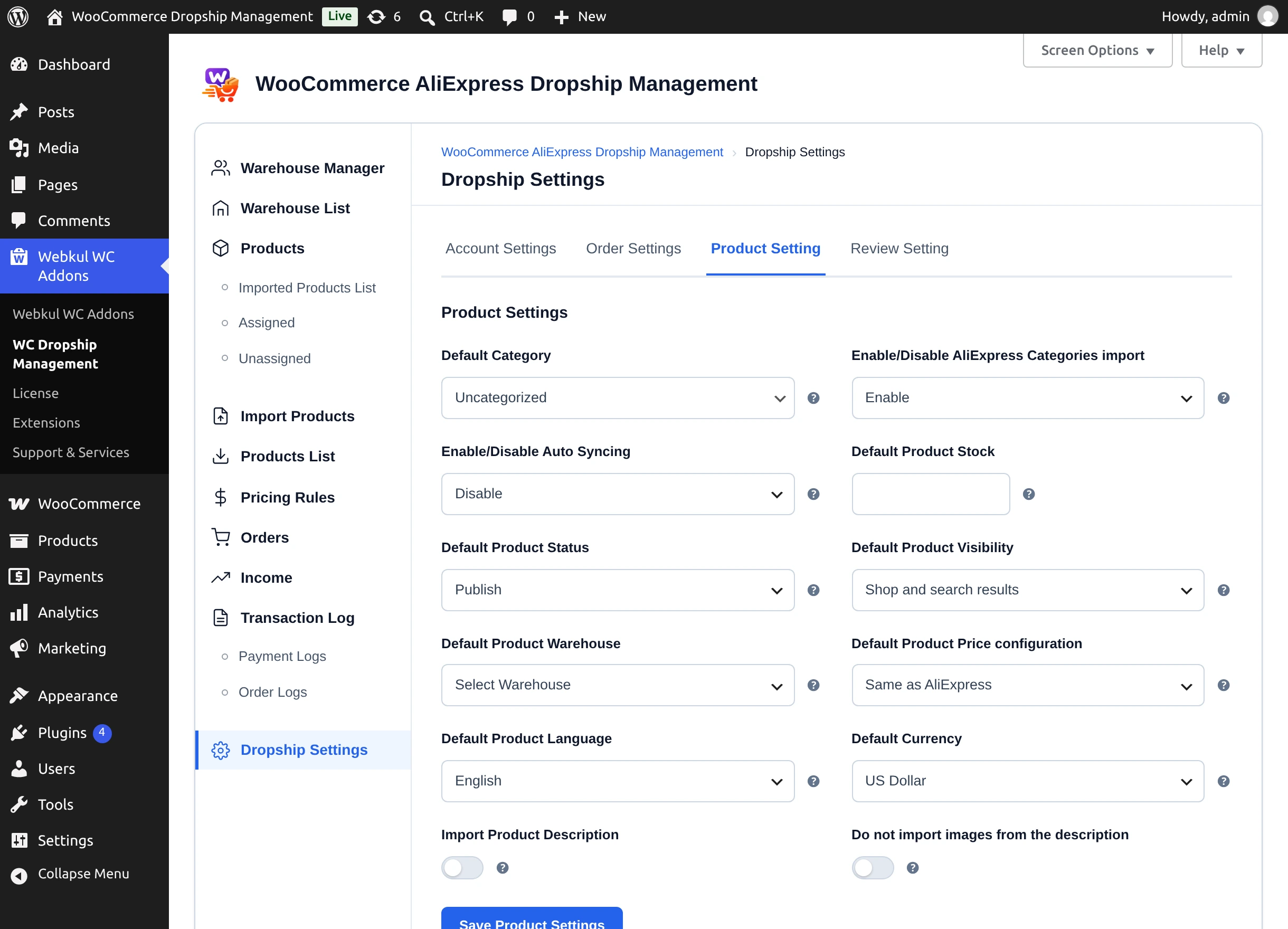
Settings
| Setting | Description | Default |
|---|---|---|
| Default Category | WooCommerce category given to imported products. | First category |
| Enable/Disable AliExpress Categories import | Enable creates the product's AliExpress categories in WooCommerce and files the product under them instead of the default category. | — |
| Enable/Disable Auto Syncing | Enable refreshes warehouse-assigned products from AliExpress on a schedule. | Disable |
| Default Time Interval for Auto Sync (in hours) | Hours between automatic refreshes. Appears when auto syncing is enabled. | — |
| Default Product Stock | Stock quantity used when AliExpress reports no stock for a product. | Empty |
| Default Product Status | Publish, Pending Review, or Draft. | Publish |
| Default Product Visibility | Shop and search results, Shop only, Search results only, or Hidden. | Shop and search results |
| Default Product Warehouse | Warehouse new products are assigned to automatically when created. | None |
| Default Product Price configuration | How the selling price is set — see below. | Same as AliExpress |
| Default Product Language | Language product details are fetched in. | English |
| Default Currency | Currency prices are fetched in. | US Dollar |
| Import Product Description | Imports the AliExpress description and specifications. Off means imported products have no description. | Off |
| Do not import images from the description | Imports the description text without its images. | Off |
Select Save Product Settings.
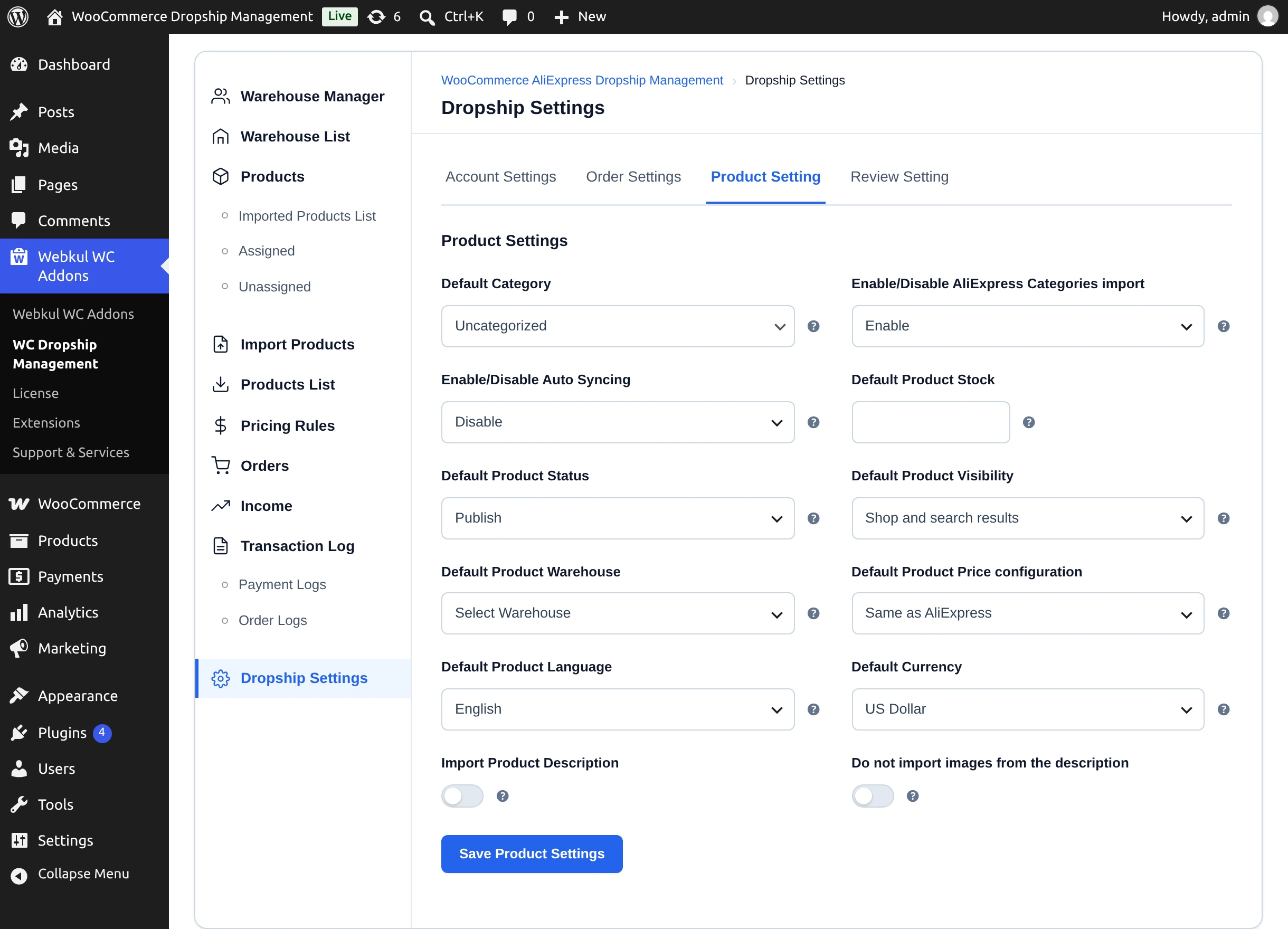
Price configuration
| Option | Selling price |
|---|---|
| Same as AliExpress | Regular price = AliExpress price; sale price = AliExpress sale price. |
| Custom Price | Every product and variation gets the fixed amount you enter. |
| Increase Price | AliExpress prices raised by the percentage you enter. |
| Decrease Price | AliExpress prices lowered by the percentage you enter. |
- The rule is applied when a product is created and every time it is updated from AliExpress.
- An empty or zero amount leaves the AliExpress price unchanged.
- A price you type in the Chrome extension's edit dialog or in a CSV file overrides the rule for that product.
- Prices are fetched in the Default Currency and are not converted to your store currency, so set it to match your store.
Not the same as Pricing Rules
The Pricing Rules tab sets your commission on warehouse sales, not selling prices. See Pricing Rules.
Auto sync
When auto syncing is enabled, the plugin periodically refreshes products assigned to a warehouse, updating their name, description, categories, price, stock, images, and variations from AliExpress. Products that are not assigned to any warehouse are not auto synced — refresh those with Update From AliExpress on the Imported Products List.
Next step
Decide how reviews are imported in Reviews Settings.