
Warehouses
A warehouse groups the products one supplier or location handles. Every warehouse has exactly one warehouse manager, and each product can belong to one warehouse.
Go to Webkul WC Addons → Warehouse Manager → Warehouse List.
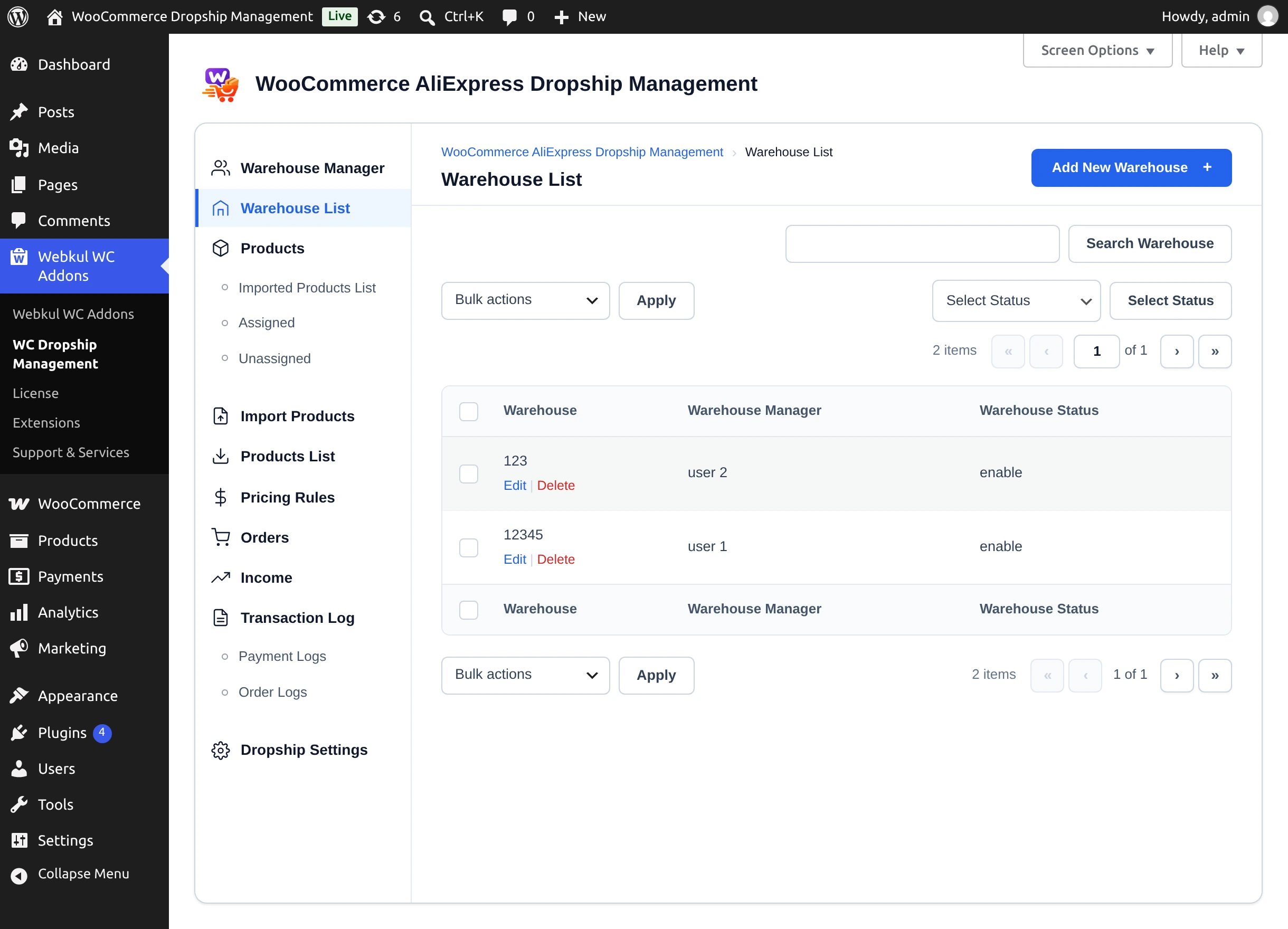
The list shows each Warehouse, its Warehouse Manager, and Warehouse Status (enable or disable). Filter by status with Select Status, or use Search Warehouse.
Add a warehouse
Create the manager first
The Select Warehouse User list only offers managers who are enabled and do not already have a warehouse. If it is empty, you see "Select warehouse manager first Or create one" — add a warehouse manager first.
- Select Add New Warehouse.
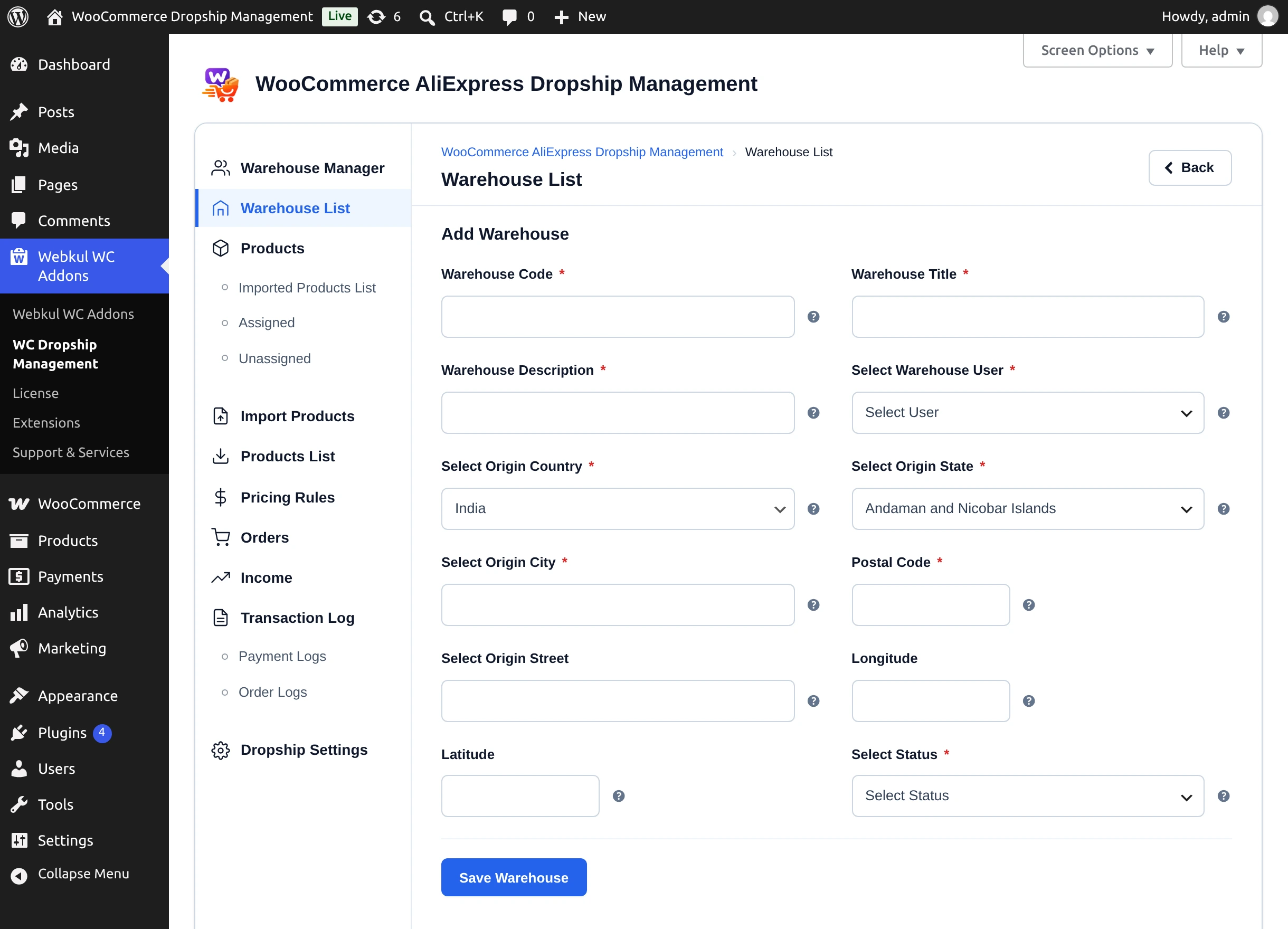
- Fill in the Add Warehouse form:
| Field | Notes |
|---|---|
| Warehouse Code * | Unique code. A duplicate shows "Warehouse Code Already Exists!" |
| Warehouse Title * | Name shown in lists and filters. |
| Warehouse Description * | |
| Select Warehouse User * | The manager who runs this warehouse. |
| Select Origin Country * | |
| Select Origin State * | Loaded for the chosen country. |
| Select Origin City * | |
| Postal Code * | |
| Select Origin Street | Optional. |
| Longitude / Latitude | Optional. |
| Select Status * | enable or disable. |
- Select Save Warehouse. You see "Warehouse Created Successfully!"
Edit or delete a warehouse
- Select Edit under the warehouse, change the details, and select Update Warehouse.
- Select Delete (or the bulk Delete Warehouse) and confirm. The warehouse's products are unassigned, not deleted.
Next step
Assign products to your warehouses.