
Add / Edit Auction
Auctions → Add Auction — ?page=wkafw-add-auctionAuctions → All Auctions → row → Edit — ?page=wkafw-add-auction&auction_id=N
A single-screen form. Field-by-field reference below — top to bottom in the order you'd fill it.
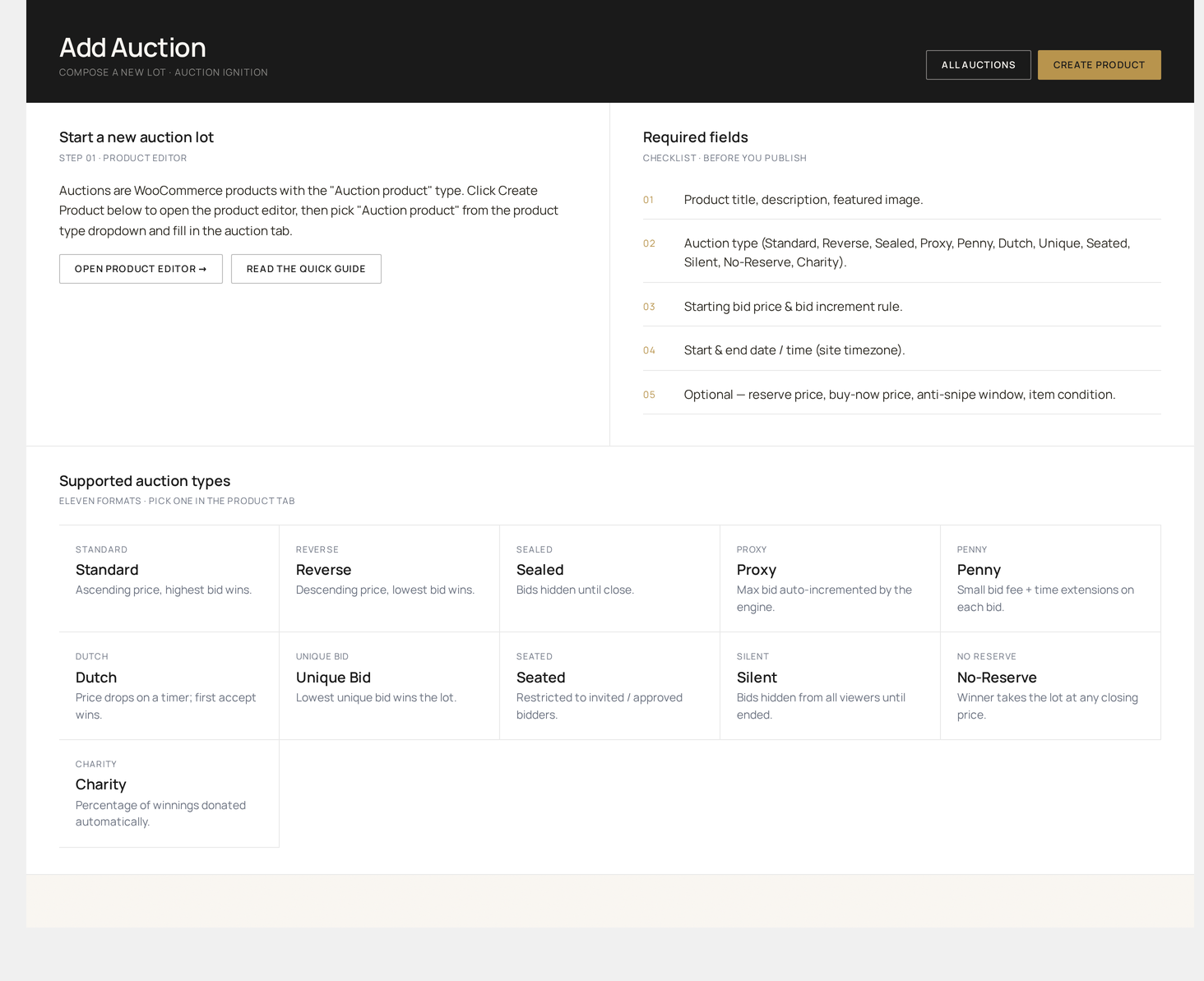
Section 1 — Product link
The auction must reference a WooCommerce product. You have two options:
| Option | When to use |
|---|---|
| Link existing product | The product already exists (e.g. "Vintage Rolex Submariner") |
| Create new product | Spins up a hidden product on save and links it |
The product type is automatically set to auction (the custom WooCommerce product type registered by the plugin).
Item condition
Dropdown — New / Like New / Used / Refurbished / For Parts. Persisted to wkafw_auctions.item_condition and shown on the storefront.
Section 2 — Auction type
Dropdown listing only the enabled auction types.
| Type | Mode | Wins by |
|---|---|---|
| Standard | Forward | Highest bid |
| Reverse | Reverse | Lowest bid |
| Sealed | Forward, hidden | Highest bid (revealed at close) |
| Proxy | Forward, auto-bid | Highest bid (system bids on user's behalf) |
| Silent | Forward | Highest bid (paddles + ballot) |
| Charity | Forward + receipt | Highest bid |
| Penny | Pay-per-bid | Last bid before timer hits zero |
| Dutch | Descending | First to accept current price |
| Seated | Live event | Highest paddle |
| Unique-Bid | Sealed | Lowest unique bid |
Selecting a type may show / hide fields below (e.g. Pack Size appears for Penny; Seat Count for Seated).
Section 3 — Pricing
| Field | Required | Note |
|---|---|---|
| Start price | yes | What bidding opens at |
| Reserve price | no (set to start price to disable) | Hidden from bidders; auction fails if not met |
| Buy It Now price | no (0 to disable) | Optional fixed-price instant purchase |
| Bid increment | yes | See below |
Bid increment
Three modes:
| Mode | Field | Example |
|---|---|---|
| Fixed | single number | Always +$10 |
| Variable | tier table | +$5 under $100, +$25 under $500, +$100 above |
| Percentage | single % | Always +5% of current bid |
Buy Now auto-disable rules
If you set a Buy Now price, you can choose when it disappears:
- Always visible
- Hide after first bid
- Hide after reserve met
- Hide after N bids
Section 4 — Schedule
| Field | Note |
|---|---|
| Start date / time | Auction goes live at this moment (status → active) |
| End date / time | Bidding closes; lifecycle worker picks a winner |
| Anti-snipe window | Last-N-seconds trigger window (default 60) |
| Anti-snipe extension | Add-N-seconds when triggered (default 120) |
| Max extension cap | Total cumulative extension cap; 0 = unlimited |
Schedule into the future
Set a start date in the future to schedule the auction. It saves as scheduled and flips to active automatically when the cron worker fires.
Section 5 — Bidding rules (advanced)
| Field | Default | Effect |
|---|---|---|
| Allow retraction | off | Bidder can pull a bid within the retraction window |
| Retraction window | 300 s | Time to retract after placing |
| Bid cooldown | 5 s | Min wait between bids by same user |
| Max bids per user | unlimited | Cap on one user's bid count |
| Max total bids | unlimited | Cap on total bid count |
| Bid confirmation | off | "Are you sure?" modal before placing |
| Anonymous bidding | off | Allow bidders to mark themselves anonymous |
Section 6 — Lifecycle (advanced)
| Field | Default | Effect |
|---|---|---|
| Auto-relist on failure | off | Re-list automatically if reserve not met |
| Auto-relist on non-payment | off | Re-list if winner doesn't pay in N hours |
| Max relist attempts | 3 | Stop after this many cycles |
| Relist interval | 72 hrs | Wait between attempts |
Section 8 — Notifications
Per-auction overrides for the global email settings. Use these to silence specific emails (e.g. for a private VIP auction) or to add specific recipients.
Save buttons
| Button | What it does |
|---|---|
| Publish | Saves and goes live (or schedules if start date is future) |
| Save Draft | Saves without publishing — draft auctions are not visible publicly |
| Schedule | Same as Publish, but explicit about future start date |
| Update (edit mode) | Saves changes; status is preserved |
Editing a live auction
Some fields are locked once bidding starts: start price, bid increment, auction type. To change them, you must end / cancel and re-create the auction. The plugin shows a notice when you try.
Validation rules
The form validates server-side before save:
| Rule | Error |
|---|---|
| End date > start date | "End must be after start" |
| Reserve ≥ start price | "Reserve must be ≥ start" |
| Buy Now > start price + increment | "Buy Now too low" |
| Increment > 0 | "Increment must be positive" |
| Variable tier table sorted | "Tier ranges must be ascending" |
| Anti-snipe window ≥ 0 | "Window cannot be negative" |
| Max extension cap ≥ 0 | "Cap cannot be negative" |
Errors render at the top of the form; the failing field is scrolled into view.
After saving
- A row is created in
wkafw_auctions - An entry is appended to
wkafw_auction_logs(action: created) - If the start date is in the past, status flips to
activeimmediately and the auction is visible on the storefront - The cron worker schedules
wkafw_auction_startingandwkafw_auction_ending_soonnotifications
Common gotchas
| Symptom | Fix |
|---|---|
| Auction not visible on storefront | Status is draft or scheduled; check All Auctions filter |
| Bid increment field grayed out | Auction has bids — locked |
| Reserve "not met" message even when bid > reserve | Reserve was changed after bid; re-check field |
| End date won't save | Site timezone mismatch; check Settings → General → Timezone |