
Fraud Detection
Auctions → Fraud Detection — ?page=wkafw-fraud
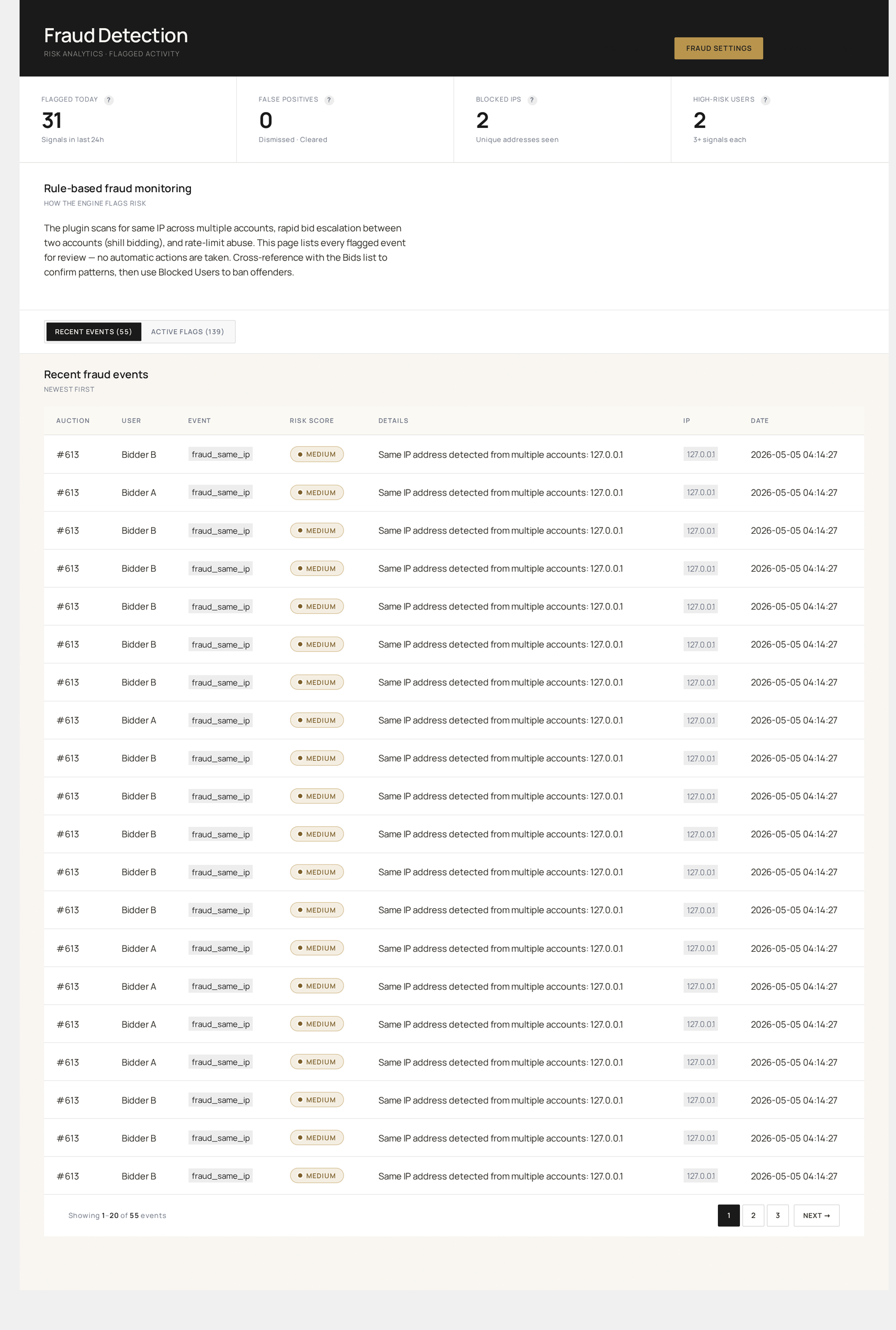
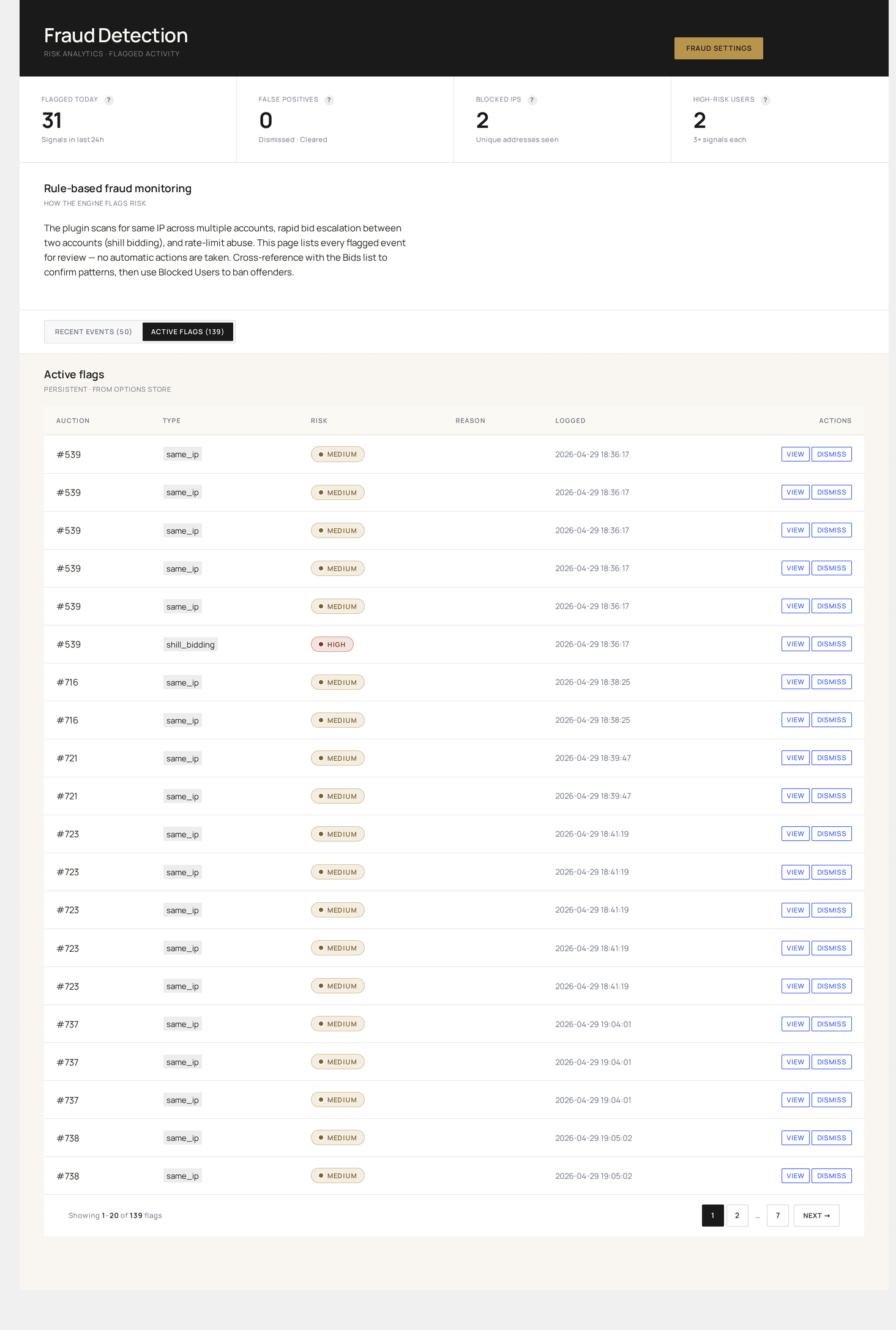
Rule-based, signal-driven fraud detection. Configure velocity / IP / behavior rules, see flagged users in real-time, auto-block on rule match.
What it detects
| Pattern | Default rule |
|---|---|
| Bid spam / botting | wkafw_bid_rate_limit — max bids per minute per user (default 10) |
| Shilling (seller bidding own auction) | Auto-detected when the bidder is the auction's seller |
| Coordinated bidding | Multiple users from same IP / IP range bidding same auction |
| Account farming | New account < 24 hrs old placing high-value bids |
| Chargeback abuse | User has > 1 chargeback on prior orders |
| Fake winning | User wins → never pays → repeats |
| Email-only signup | No verified email + bid attempts |
| SSL bypass | Bid attempts over HTTP when wkafw_require_ssl=yes |
Page layout
Four tabs:
- Live signals — real-time view of bidders matching active rules
- Rules — configure thresholds
- Flagged users — review queue (manual decision required)
- Settings — global toggles
Live signals
Streaming view (auto-refreshes every 10 seconds) showing the last 100 events that matched any rule.
| Column | Source |
|---|---|
| Time | event timestamp |
| Rule | which rule triggered |
| User | bidder user link |
| Auction | auction ID link |
| IP | source IP |
| Severity | low / medium / high (from rule config) |
| Action taken | logged / flagged / auto-blocked |
Click a row for the full request fingerprint.
Rules
Edit thresholds for each detection rule.
Bid rate limit
| Setting | Default | Effect |
|---|---|---|
wkafw_bid_rate_limit | 10 / min | Max bids per minute per user |
| Severity | medium | Logs + flags after threshold |
| Auto-block | off | Add user to Blocked Users on threshold |
IP velocity
Multiple distinct users from the same IP placing bids:
| Setting | Default | Effect |
|---|---|---|
| Distinct users / hour | 5 | Triggers if exceeded |
| IP block list | (empty) | Hard-block IPs at the bid form |
| IP allow list | (empty) | Bypass all rules for these IPs |
Account age
| Setting | Default | Effect |
|---|---|---|
| Min account age | 0 hrs | Block bids from accounts younger than this |
| Min account age for high-value | 24 hrs | Above bid amount X, require older account |
| High-value threshold | 1000 | Currency amount |
Chargeback memory
| Setting | Default | Effect |
|---|---|---|
| Block after N chargebacks | 1 | Auto-block on this many lifetime chargebacks |
| Memory window | 365 days | How far back to count |
Email verification
| Setting | Default | Effect |
|---|---|---|
wkafw_require_email_verify | no | Require verified email before bidding |
SSL gate
| Setting | Default | Effect |
|---|---|---|
wkafw_require_ssl | no | Reject bids over HTTP (admins see notice on insecure setup) |
Flagged users
Manual review queue — users matched by rules but not auto-blocked.
| Column | Source |
|---|---|
| User | name + email |
| Triggered rules | rule names |
| First flag | timestamp |
| Last flag | timestamp |
| Match count | total events |
| Bids placed | lifetime |
| Decision | pending / cleared / blocked |
For each flagged user, admin chooses:
| Decision | Effect |
|---|---|
| Clear | Remove flags; user resumes normal activity |
| Block | Add to Blocked Users |
| Block IP | Add the user's IP to the IP block list |
| Investigate | Park for follow-up; doesn't change state |
Bid-time enforcement
When a user clicks Place Bid, every active rule runs before the bid is accepted. Failure modes:
| Result | What the bidder sees |
|---|---|
| Pass all rules | Bid placed |
| Soft-fail (logged, allowed) | Bid placed; admin sees the flag |
| Hard-fail (rule violation) | "Cannot place bid" with reason (sanitized — never reveals rule logic) |
| User blocked | "Account suspended — contact support" |
Reporting
Reports → Fraud shows:
- Daily flag counts by rule
- Top flagged users
- IP heatmap
- Auto-block / manual-block split
- False-positive rate (cleared / total flags)
Privacy & legal
- Fraud signals contain user-identifying data — encrypted at rest if your database supports it
- Retention: configurable, default 365 days; auto-purged thereafter
- GDPR exporter includes fraud-flag records
- Auto-block decisions are logged in Audit Log for due-process review
Common workflows
"Investigate a bid spike"
- Live signals tab → filter by bid rate
- Group by user → identify the spike source
- Drill into bids (Bids) for IP / UA correlation
- Block users + IP if confirmed bot
"Reduce false positives"
- Flagged users tab → filter by cleared decisions
- Group by rule → identify which rules over-trigger
- Rules tab → relax that rule's threshold
"Onboard a new auction category with stricter rules"
- Rules tab → duplicate a rule
- Scope: only certain WC categories
- Save → live for auctions in those categories