
Design Studio
Auctions → Design Studio — ?page=wkafw-design
Brand the customer-facing surfaces — bid form, countdown timer, auction badges, single-product page — with a live iframe preview. Saved values propagate site-wide.
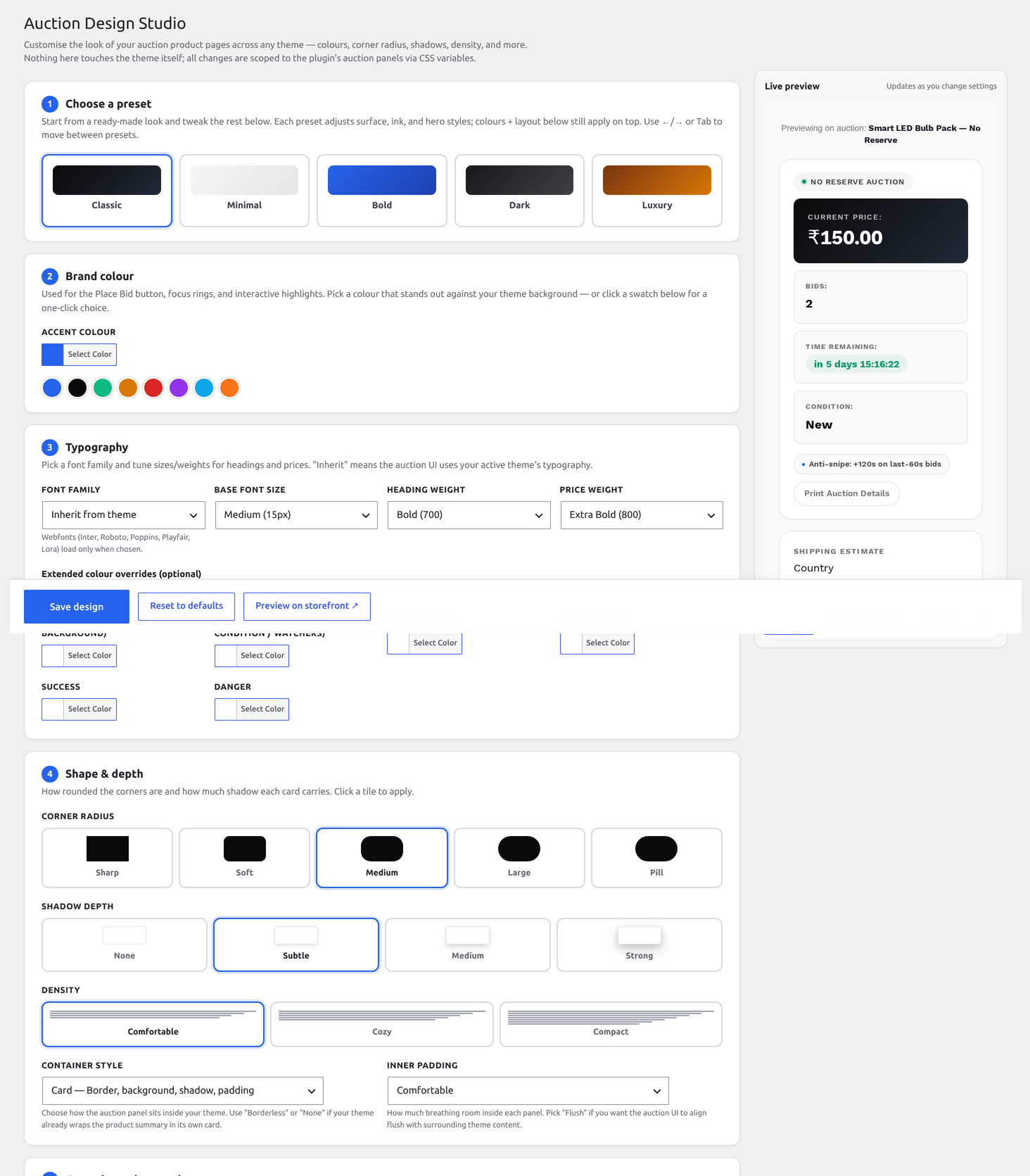
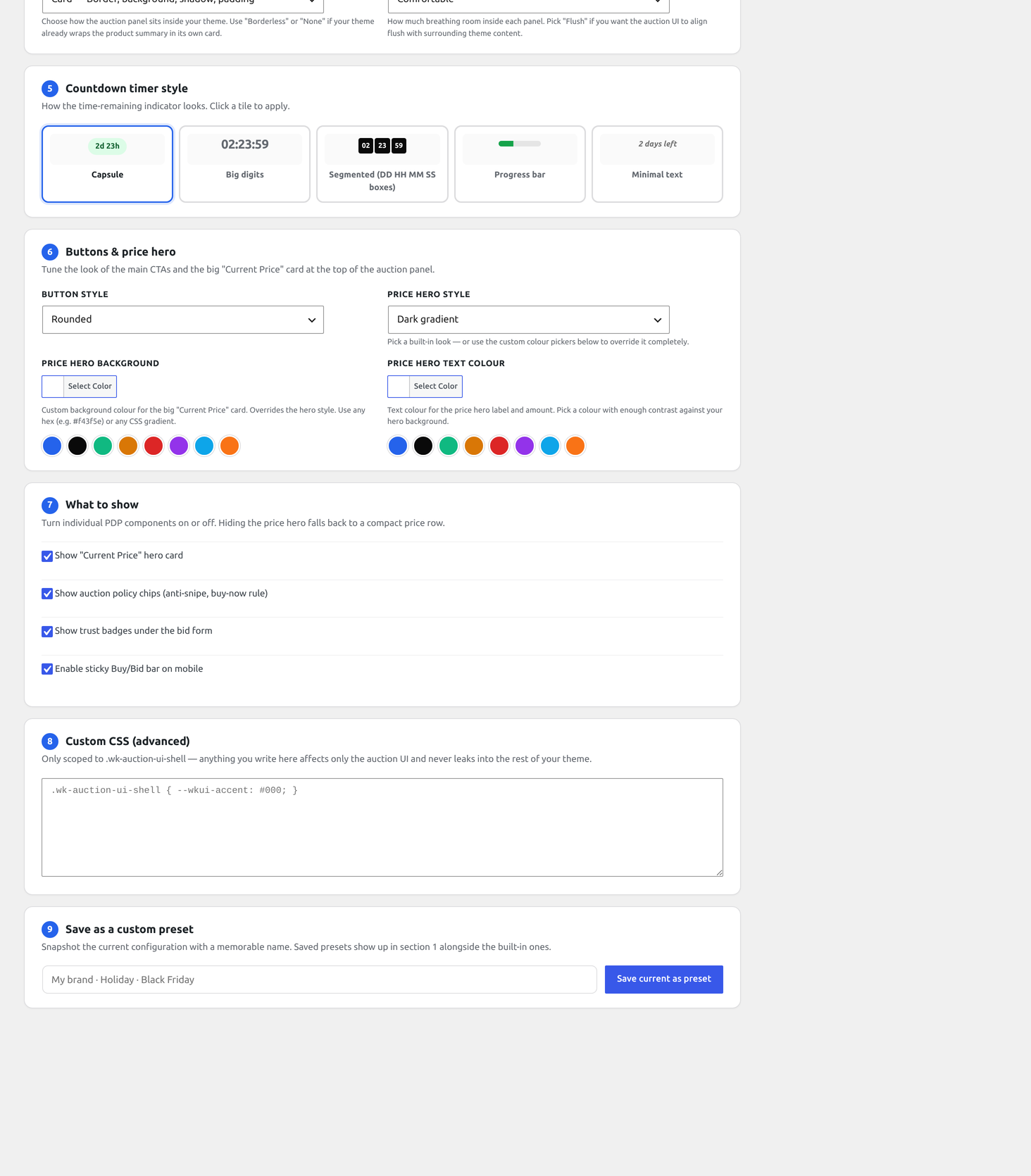
Layout
| Pane | Purpose |
|---|---|
| Left — Controls | Form fields grouped by surface |
| Right — Preview | Live iframe of a sample auction page; auto-refreshes on field change |
| Top — Save / Reset | Apply changes site-wide; revert to defaults |
Surfaces you can style
Bid form
| Field | Effect |
|---|---|
| Background color | Bid form card background |
| Border color / radius | Card border |
| Submit button color / hover | Place Bid button |
| Quick-bid buttons enabled | Show one-click +amount buttons |
| Quick-bid amounts | CSV list of increments (e.g. +10, +50, +100) |
| Show bid history toggle | Display past bids inline |
Countdown timer
| Field | Effect |
|---|---|
| Compact / Extended layout | Single-line vs multi-line display |
Yellow stop (wkafw_countdown_yellow_s) | Color flips to yellow at this many seconds |
| Orange stop | Color flips to orange |
| Red stop | Color flips to red |
| Pulse on red | Animate when in red |
Auction badges
Shop-page chips: Live / Ending Soon / New / Hot / Featured.
| Field | Effect |
|---|---|
| Live badge color | When status = active |
| Ending Soon threshold | Hours before end to flip badge |
| Hot threshold | Bids in last hour to qualify (uses wkafw_hot_auction_threshold) |
| Show watcher count | Display N watchers on the badge |
Confetti
| Field | Effect |
|---|---|
Enabled (wkafw_confetti_enabled) | Confetti burst on win |
| Color palette | Per-customer or static |
| Duration | Animation length |
Single auction page
| Field | Effect |
|---|---|
| Layout | Two-column / stacked / full-width |
| Image gallery zoom | Hover-zoom enabled |
| Bid history visible | Inline / accordion / hidden |
| Watchers count visible | Show / hide |
| Reserve indicator | Show "Reserve met" / "Not met" copy |
Live preview
The preview iframe loads a synthetic auction (no real data) at ?wkafw_design_preview=1. Every control change pushes a CSS variable update through postMessage; the iframe re-renders without a full reload.
To verify on a real auction:
- Set up your edits in Design Studio
- Save
- Open a real auction page in a new tab
- Compare
If the live page differs from the preview, check:
- Theme is overriding plugin styles (use
!importantsparingly inyour-theme/auctions-for-woocommerce/) - A page-builder block is wrapping the auction (Gutenberg may strip styles)
- Caching plugin needs a flush (use Tools → Cache → Flush all)
Templates
For surfaces beyond what Design Studio exposes, override the source template:
| Template | Used by |
|---|---|
templates/single-product/bid-form.php | Single auction bid form |
templates/single-product/countdown.php | Inline countdown |
templates/single-product/countdown-loop.php | Loop / shop countdown |
templates/single-product/auction-badge.php | Single page badge |
templates/single-product/auction-info.php | Auction details box |
templates/single-product/bid-history.php | Bid history table |
templates/archive/auction-badge.php | Shop / archive badge |
templates/event-landing.php | Event public page |
templates/leaderboard.php | Leaderboard widget |
templates/comparison.php | Auction comparison page |
Copy the template to your-theme/auctions-for-woocommerce/{path} to override.
CSS variables
The plugin exposes design tokens as CSS variables. Override in style.css:
Variables apply to every auction surface via the .wkafw-* class scope.
Reset to defaults
Reset at the top of the page wipes all design settings back to the bundled defaults. Useful when you want a clean restart.
Saving
Saved values are written to:
| Option | What |
|---|---|
wkafw_design_settings | JSON blob of all design fields |
wkafw_countdown_yellow_s / _orange_s / _red_s | Countdown thresholds (separate options for legacy compat) |
wkafw_confetti_enabled | Boolean toggle |