
Audit Log
Auctions → Audit Log — ?page=wkafw-audit-log
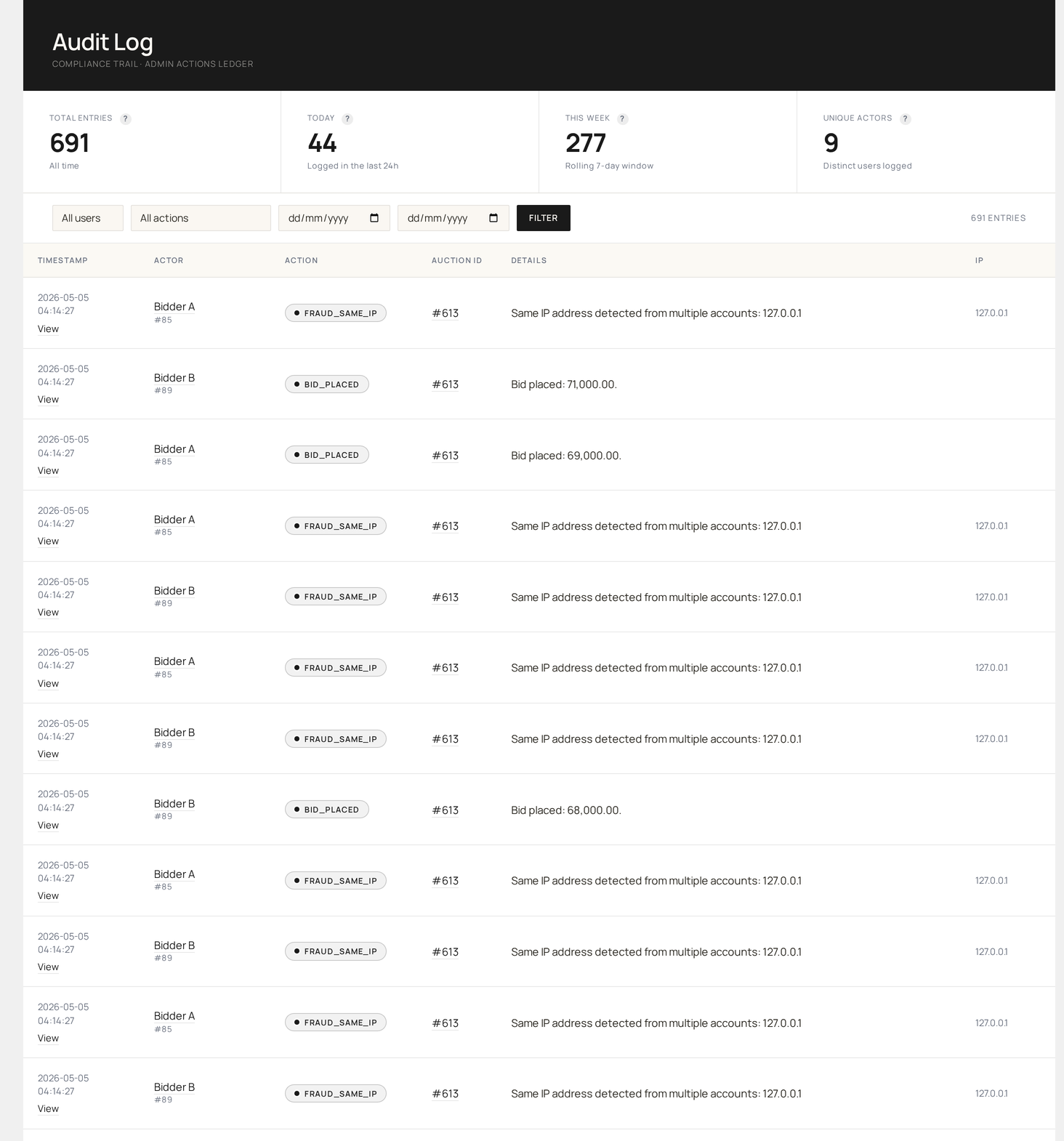
Tamper-evident hash-chain ledger of every bid placed, every auction lifecycle event, every admin action. Forensic-grade — used for compliance audits, dispute evidence, and fraud investigation.
What is a hash-chain?
Each event is appended to a chain where:
event_n.previous_hash = sha256( event_{n-1}.payload + event_{n-1}.previous_hash )
If anyone modifies a past event (or inserts a fake one), every subsequent hash breaks. The plugin verifies the chain integrity on demand and on every read.
What gets logged
| Source | Action |
|---|---|
| Bid chain | Every bid placed (manual / proxy / absentee) |
| Lifecycle log | Auction state changes (created, started, ended, paused, cancelled, relisted) |
| Admin log | Admin actions (lot approved, dispute resolved, user blocked, etc.) |
| Wallet log | Wallet operations (top-up, debit, refund, withdrawal approved) |
| Settings log | Configuration changes |
The bid chain runs as its own ledger separate from the general log — bid volume is the highest of any source, so it's scaled independently for performance.
Page layout
| Section | Purpose |
|---|---|
| Filter bar | event type, user, auction, date range |
| Verification button | recompute chain and report integrity |
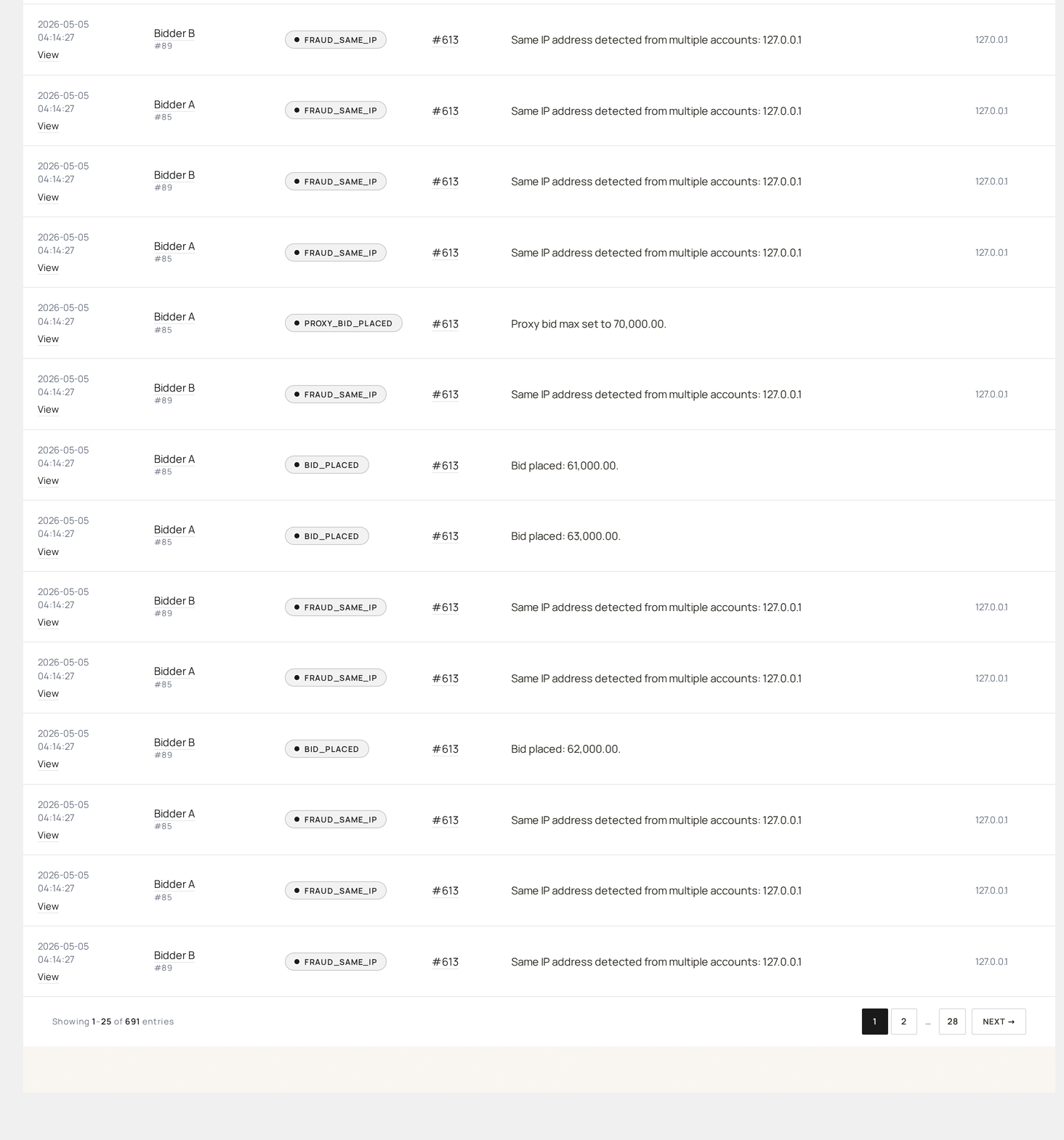
| Event table | paginated, latest first |
| Per-row drawer | full payload + hash details |
Columns
| Column | Source |
|---|---|
| Sequence # | row order in the chain |
| Type | bid / lifecycle / admin / wallet / settings |
| Action | humanized label (e.g. Bid Placed, Auction Started) |
| Actor | user ID or "System" for cron events |
| Subject | auction ID / order ID / wallet TX ID |
| Payload | event-specific data (truncated; click row for full) |
| IP | source IP |
| Created at | UTC timestamp |
| Hash | sha256 short fingerprint |
| Status | OK / TAMPERED if hash mismatch |
Verifying the chain
Click Verify chain at the top.
The plugin walks every row, re-computes the expected hash from the previous row, and compares. Results:
| Result | Meaning |
|---|---|
| ✅ Verified, N events | Chain is intact end-to-end |
| ❌ Break at row #X | Tamper detected at sequence X (and beyond) |
Verification is read-only — it never modifies the chain.
When to verify
| Scenario | Verify? |
|---|---|
| Disputed auction win | Yes — proves the bid chain wasn't manipulated |
| Suspected DB corruption | Yes |
| Quarterly compliance audit | Yes (export the chain + verification result) |
| Daily ops | No (verification is bounded but not free) |
For automated daily verification, schedule a chain-verify job via the WP-CLI integration (see WP-CLI for the exact command).
Export
| Format | Use case |
|---|---|
| CSV | Accounting / spreadsheet review |
| JSON | Programmatic / archival |
| Signed bundle | Hash chain + signing certificate, suitable for legal evidence |
Big exports run via Action Scheduler.
Retention
| Option | Default | Effect |
|---|---|---|
wkafw_audit_log_retention | 90 days | Auto-prune events older than this |
Pruning is a daily Action Scheduler job (wkafw_audit_log_prune_cron). Configure or disable in Settings.
Don't prune blindly
For compliance, you may need 7+ year retention. Set wkafw_audit_log_retention accordingly. Once pruned, events cannot be recovered (the chain head re-anchors after prune).
Per-row drawer
Click any row to see:
- Full payload JSON (pretty-printed)
- Previous hash (links to the prior row)
- This event's hash
- Re-verify this row button (recomputes hash live)
- Related events (other rows touching the same auction / user)
Filtering & search
| Filter | Use case |
|---|---|
| Event type | "show me only bids" / "only admin actions" |
| User | full audit of one bidder's activity |
| Auction | every event on one auction (lifecycle + bids) |
| Date range | bounded review |
| Action | exact action name (e.g. bid_placed) |
| Hash | search by full or short hash |
Compliance use
Many jurisdictions and platforms (Envato, WooCommerce Marketplace) require auction operators to keep tamper-evident bid records. The hash-chain log meets:
- WCAG / digital-evidence standards (each event timestamped + chained)
- GDPR (events are personal-data-flagged for export / deletion)
- E-money record-keeping (wallet events fully traceable)
- Anti-fraud audit trail
For legal-grade exports, include:
- CSV / JSON of relevant events
- Verification report (chain integrity at time of export)
- Signed-bundle (cryptographic signature over the export)
Common workflows
"Prove an auction wasn't manipulated"
- Filter by Auction = the disputed ID
- Verify chain (button at top)
- Export selected rows as Signed Bundle
- Hand to legal / customer
"Investigate a fraud allegation"
- Filter by User = the suspect
- Cross-reference IP + timestamps
- Look for atypical patterns (e.g., bids exactly N seconds apart = bot)
"Quarterly compliance export"
- Date range = last quarter
- Export → JSON
- Archive in your compliance store with the verification report